revid.ai logo
Con la confianza de más de 14,000 creadores

Crear películas con IA

Crea películas con IA gratis y sin registro. Escribe una idea, una sinopsis o un guion completo, y Revid genera automáticamente una película con escenas cinematográficas, personajes, voz, música y subtítulos, lista para YouTube, TikTok, Instagram Reels y YouTube Shorts. Sin cámaras, sin actores, sin equipo de rodaje. Desde cortos originales y trailers cinematográficos hasta películas virales para redes sociales – con IA puedes producir en minutos películas que antes requerían un equipo entero de producción.

De una idea a una película – crea películas con IA en minutos, no en meses

  • Guion a película
  • Escenas cinematográficas
  • Voz y subtítulos
  • Listo para YouTube y redes
Video Format
Best for TikTok, Reels, and Shorts.
1,210 personas usaron esta herramienta en las últimas 24h
Comienza gratis.(no requiere tarjeta de crédito)

Herramientas relacionadas que te pueden gustar:

o explora nuestras más de 42 herramientas para crear el video exacto que deseas

Explorar herramientas

Magia con IA

Transforma tus ideas en
videos increíbles

TU IDEA
Tu prompt

Guion generado automáticamente por Revid

SCENE 1 – THE STRANGE BEGINNING Exterior, Modena city walls, early morning, 1325. Dark clouds gather over medieval Italy. The camera slowly pushes in toward MATTEO OF MODENA, a battle-worn soldier in steel armor and chainmail, standing waist-up on the stone wall facing the camera. Soldiers move behind him preparing weapons. [Matteo of Modena – Veteran Soldier of Modena] (looking directly at the viewer) You’d think wars start over land… or gold. But the war I fought in… started because of a bucket. --- SCENE 2 – THE BUCKET Camera slowly circles Matteo as he walks along the city well in Modena’s courtyard. He bends down and lifts an old wooden bucket. Townspeople move nervously in the background. [Matteo] A few of our men snuck into Bologna one night. They didn’t steal treasure… or weapons. (raises the bucket slightly toward camera) They stole this. A simple bucket from the city well. --- SCENE 3 – THE INSULT Camera pans with Matteo as he walks toward the edge of the wall overlooking distant hills. He points across the landscape. The city of Bologna can be seen faintly in the distance. [Matteo] Over those hills… lies Bologna. And to them… this wasn’t a joke. It was an insult. --- SCENE 4 – AN ARMY FOR A BUCKET Wide shot as Matteo walks through soldiers preparing armor and sharpening swords. The camera tracks backward while he walks toward it. Behind him thousands of soldiers gather. [Matteo] So Bologna did something unbelievable. They raised an army. Thirty thousand men… All marching here… For a bucket. --- SCENE 5 – THE BATTLE OF ZAPPOLINO Camera cuts to Matteo standing waist-up on a dusty battlefield. Smoke rises. Soldiers clash behind him. The camera slowly pushes in while arrows fly overhead. [Matteo] We had barely seven thousand. But we met them at Zappolino. Steel crashed. Arrows filled the sky. And suddenly… A joke turned into a war. --- SCENE 6 – CHAOS OF WAR Camera handheld now, moving slightly to create urgency. Matteo ducks slightly as soldiers rush past him fighting behind him. He gestures toward the chaos behind him. [Matteo] Look behind me. That’s Bologna’s army. Thirty thousand men… Running. --- SCENE 7 – THE RETREAT Tracking shot as Matteo walks forward through the battlefield while defeated soldiers flee behind him. [Matteo] The great army of Bologna broke. And they ran all the way back to their city walls. We chased them the entire way. --- SCENE 8 – THE TROPHY Camera slows and centers Matteo again. He now stands inside a stone tower room lit by torches. The bucket sits on a pedestal beside him. He places a hand on it. [Matteo] When the fighting ended… We still had the bucket. --- SCENE 9 – THE LEGEND The camera slowly pushes in close on Matteo's face. The room is quiet now. [Matteo] Seven hundred years later… People still come to see it. --- SCENE 10 – FINAL LINE Matteo lifts the bucket slightly and looks directly at the camera. [Matteo] The strangest trophy in history. A war… Fought over a bucket.
Formato visualVideo IA
Estilo visualUltra Realism
Personajes
Voz 1
VIDEO FINAL

Create Stunning AI-Generated Videos in 3 Simple Steps

1 Write Your Script

Start by typing your script into the text box. If you have existing content, just paste the link. To suggest specific visuals, put [descriptive words] in brackets. For example, "[smiling woman]" tells the AI what kind of image to use there. Our AI reads through your script, getting ready to turn your words into video.

2 Pick Your Style

Now, choose how you want your video to sound and look. Select a voice from our AI options, or use your own by uploading an audio file. Then, decide on the visuals: do you want moving images, still pictures, or scenes that blend into each other? Set how wide or tall you want your video, and pick some background music if you'd like.

3 Create and Polish

Hit the 'Generate' button and watch as your video comes to life. Once it's ready, take a look at what the AI has created. If you want to change anything, our editor is right there. You can tweak the timing, adjust how the words appear on screen, or swap out visuals until you're happy with the result.

01

Cómo crear una película con IA – sin cámaras ni equipo

La producción tradicional de una película requiere guionistas, actores, técnicos, equipo de rodaje y semanas o meses de trabajo. Un generador de películas con IA comprime todo ese proceso en un solo paso: describes tu idea, tu sinopsis o tu guion como texto, y la IA genera automáticamente escenas cinematográficas, personajes, movimientos, voz, música y subtítulos. En lugar de organizar un rodaje, contratar actores o luchar con software de edición, obtienes en pocos minutos una película lista – ideal para creadores, guionistas y directores que quieren dar vida a sus ideas sin un presupuesto de producción.

02

¿Para quién merece la pena crear películas con IA?

Los generadores de películas con IA sirven para mucho más que experimentar. Los guionistas pueden visualizar sus historias antes de presentarlas a productoras, generando trailers o cortos de prueba en minutos. Los creadores de contenido usan películas cortas con IA para destacar en YouTube, TikTok e Instagram con un formato que llama la atención. Los cineastas independientes producen cortos originales sin un equipo de rodaje. Los profesores y educadores convierten guiones en películas educativas para clase. Marcas y agencias generan cortos cinematográficos para campañas de storytelling. El creador de películas con IA reduce la barrera de 'necesito un estudio' a 'necesito una idea' con un solo prompt.

03

De una idea, un guion o una sinopsis a una película completa

No necesitas escribir un guion detallado ni tener referencias visuales para empezar. El generador de películas con IA de Revid acepta distintas entradas: una simple idea, una sinopsis, un guion completo o incluso una imagen de referencia para el estilo visual. La IA analiza tu entrada, desarrolla el guion si hace falta, genera escenas cinematográficas con personajes coherentes, añade voz, música y subtítulos, y exporta la película en el formato que necesites – horizontal para YouTube o vertical para TikTok, Reels y Shorts. Así, a partir de una sola idea, obtienes una película completa, sin haber grabado un solo frame.

04

Prueba varias versiones de la misma película con IA

En cine, muchas veces el estilo visual y el tono deciden si una historia funciona. Con el generador de películas con IA de Revid puedes crear rápidamente varias versiones del mismo guion – en estilo cinematográfico realista, animado, retro, noir, ciencia ficción o cartoon. Así descubres qué versión conecta mejor con tu audiencia o cuál se ajusta mejor a tu visión, sin arrancar un nuevo rodaje cada vez. Para guionistas que quieren probar su historia en distintos estilos y creadores que publican en varias plataformas, esto significa: más contenido, más iteraciones creativas y una fracción del tiempo habitual de producción.

Watch & Learn

¿Cómo Sacar el Máximo Provecho a nuestro Creador de Películas con IA?

Descubre cómo usar nuestro Creador de Películas con IA para crear contenido cinematográfico de manera inteligente y rápida.

Cómo crear un Cortometraje Animado con IA en Minutos

Videos de ejemplo

Mira lo que puedes crear con Generador de películas con IA

Descubre ejemplos creados con nuestro generador de películas con IA – desde cortos cinematográficos y trailers originales hasta películas virales para redes sociales y películas animadas. Cada ejemplo muestra cómo la IA transforma una simple idea o un guion en una película completa con escenas, voz y subtítulos.

Historias Cinematográficas a partir de Ideas Simples

Transforma tus guiones e ideas en obras maestras cinematográficas. Nuestra IA genera visuales con calidad de Hollywood, ángulos de cámara perfectos y una edición profesional que da vida a tus historias.
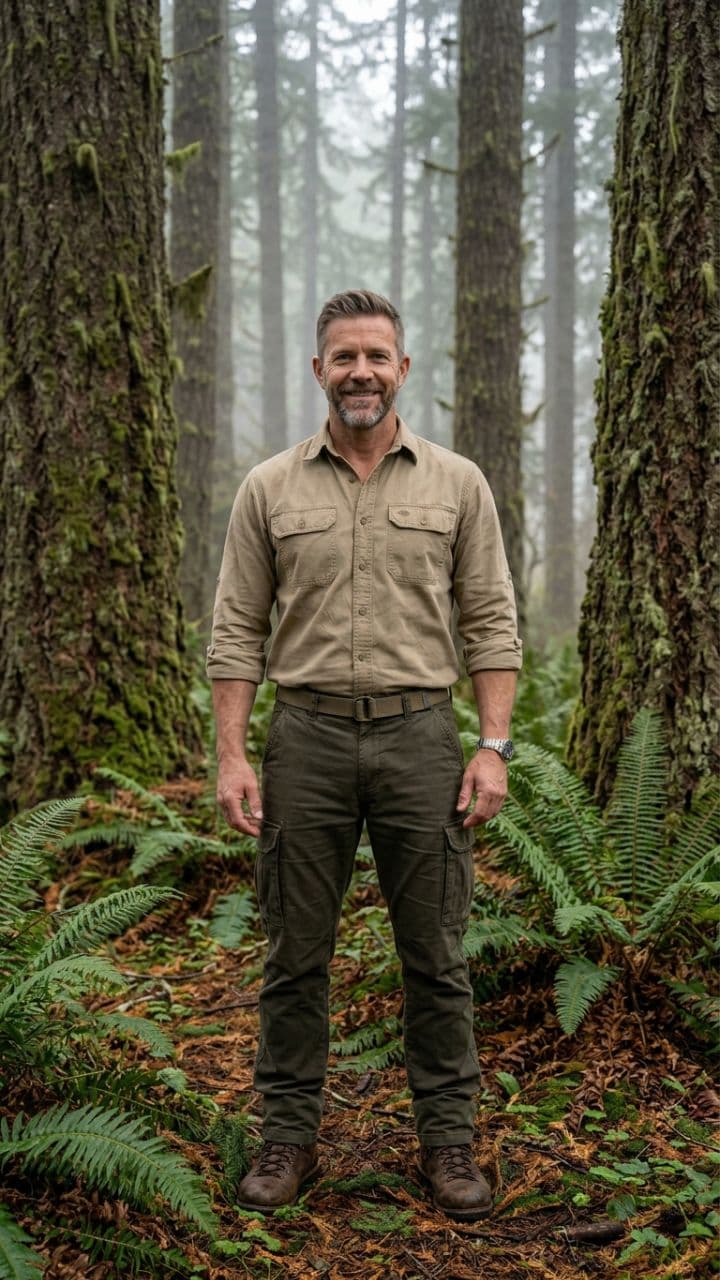
  • Escenas y transiciones cinematográficas generadas por IA
  • Voz en off profesional con emoción y ritmo
  • Múltiples estilos visuales, desde thriller hasta documental
  • Exportación en resolución de calidad cinematográfica
Historias Cinematográficas a partir de Ideas Simples

Contenido Educativo que Cautiva

Crea videos educativos atractivos que simplifican temas complejos. Perfecto para cursos en línea, tutoriales y materiales de capacitación que mantienen a los estudiantes interesados y mejoran la retención.
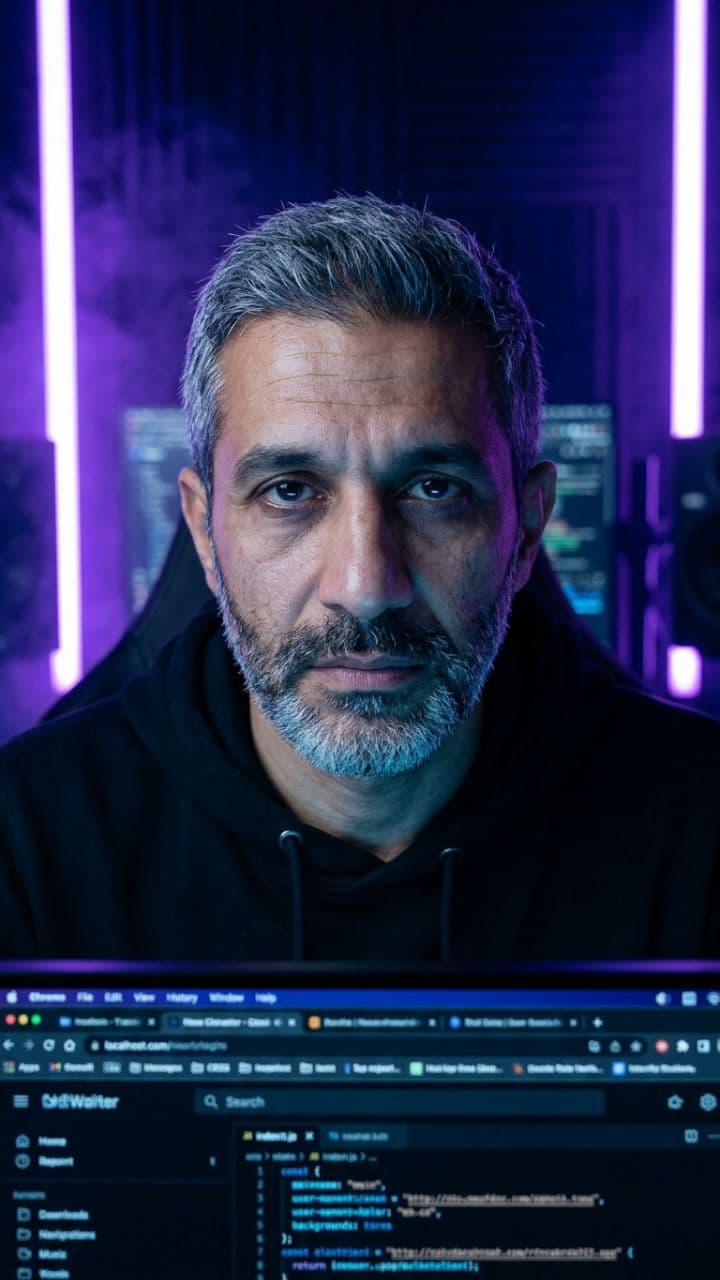
  • Explicaciones visuales que mejoran la comprensión
  • Narración profesional con el ritmo perfecto
  • Gráficos y animaciones para conceptos complejos
  • Soporte multilingüe para audiencias globales
Contenido Educativo que Cautiva

Videos de Marketing que Convierten

Convierte descripciones de productos y textos de marketing en anuncios de video persuasivos. Nuestra IA crea comerciales profesionales que muestran tus productos y generan conversiones en todas las plataformas.
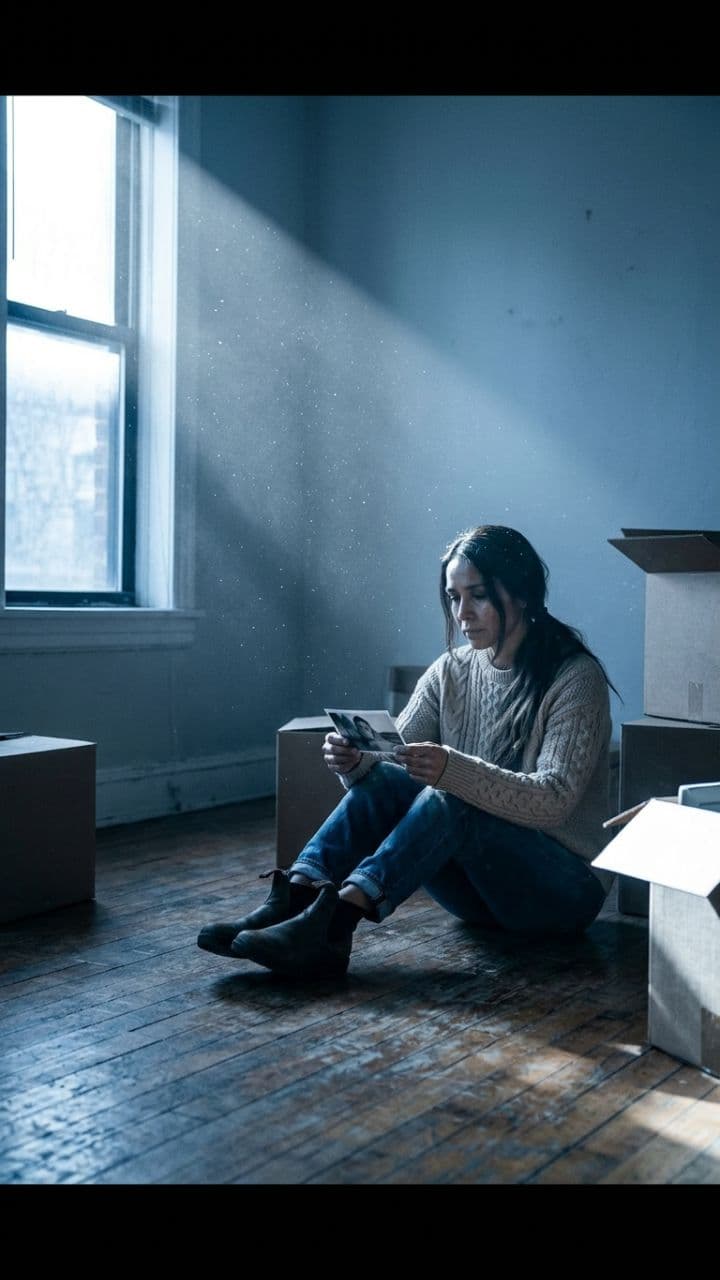
  • Visuales enfocados en el producto que resaltan sus características
  • Narrativas persuasivas que impulsan a la acción
  • Múltiples formatos para todas las plataformas sociales
  • Pruebas A/B de diferentes estilos y mensajes
Videos de Marketing que Convierten
FAQ

Preguntas Frecuentes

What is the AI Movie Maker tool?
Think of our AI Movie Maker as your personal AI video-making JARVIS. You type in what you want to say, and it turns your words into a stunning video with AI-generated visuals. No need to wrestle with complex editing software or hire a production team. It's perfect for YouTubers, social media managers, or anyone who needs cinematic-looking videos without the headache. Just feed it your ideas, pick a few options, and let the AI work its magic. It's that simple
How do I create a video using this tool?
Creating a video using revid.ai is straightforward. Start by entering your script, then select a voice (AI or your own recording). Next, choose your preferred visual style and aspect ratio. Add background music if desired, and adjust caption settings. Once you're happy with your choices, click "Generate Video." Our AI will process your inputs and deliver a finished video in just a few minutes
Can I use my own voice instead of an AI voice?
Absolutely! While our AI voices are pretty cool, nothing beats the personal touch of your own voice. Got a quiet moment? Record directly through your device. On the go? Upload a pre-recorded file. Whether you're in a professional studio or whispering into your phone under the covers, we've got you covered. It's all about what works best for you and your content
What types of visuals can I choose for my video?
When it comes to visuals, we've got you covered with three distinct styles. Want something eye-catching? Try our AI-generated animations. Need a more professional look? Go for static images. Looking for something unique? Our morphing videos blend scenes seamlessly. You're not limited to AI choices either – feel free to provide specific visual directions to get exactly what you're after
How does the credit system work?
The credit system is how we measure and charge for usage. Each video costs one credit to generate, plus an additional credit per 1,000 characters over the initial 1,000. This allows you to create shorter videos without using extra credits, while longer videos use more. Free users start with a limited number of credits, and our paid plans offer more credits monthly to suit different usage levels. Check out the pricing page for more details
What's the purpose of the "very high quality audio transcription" option?
The high-quality transcription option is a feature for users who need extremely accurate captions. It's particularly useful for content with technical terms, multiple languages, or when precise timing is crucial. While it costs an extra credit, this accuracy can be invaluable. For most general content, our standard transcription works well, but this option is there when you need that extra level of accuracy
Can I customize the appearance of the captions?
Yes, caption customization is available. You can choose from preset styles and positions through the "More Options" menu. After the video is generated, you can further refine these settings in the editor. This level of control is important because well-designed captions can significantly enhance viewer engagement and accessibility
How can I guide the AI to generate specific visuals?
To guide the AI's visual choices, use square brackets in your script. For example, "[close-up of a cat]" tells the AI to generate or select a close-up image of a cat. The bracketed text won't be narrated, it's purely for visual guidance. This feature gives you more control over the visual narrative without complicating your script
What video aspect ratios are available?
We offer four aspect ratios: 9:16 (vertical), 4:5 (feed), 16:9 (horizontal), and 1:1 (square). Vertical is great for mobile-first platforms like TikTok or Instagram Stories. Feed works well for Instagram and LinkedIn posts. Horizontal works well for YouTube and traditional formats. Square is ideal for Instagram feeds and some social media timelines. Choose based on where your audience is most likely to watch your content
Is there a limit to video length?
Technically, no. But let's be real – attention spans aren't getting any longer. We recommend keeping your videos between 30 seconds and 3 minutes. It's the sweet spot for engagement, especially on social media. Plus, shorter videos are quicker to make and use fewer credits. Remember, a snappy 1-minute video often packs more punch than a 10-minute snooze fest. Keep it short, keep it sweet
Can I edit the video after it's generated?
You bet! While our AI is pretty smart, we know you might want to add your own flair. That's why we've built in an easy-to-use editor for post-generation tweaks. Want to tweak the timing? Adjust those captions? Swap out a visual? Go for it. Our editor is designed to be user-friendly, allowing you to fine-tune your video – no film school degree required
Can I use this tool for commercial purposes?
Yes, you're welcome to use videos created with our tool for commercial purposes, including marketing, product demos, and monetized content. Just ensure any custom content you add (like uploaded audio or images) is properly licensed for commercial use. As always, all content must comply with our terms of service. Within these guidelines, you're free to use our tool for a wide range of commercial applications
I have an additional question not answered here. How can I get help?
We're here to help! If you have any other questions about using the AI Movie Maker Tool or any other part of Revid.AI, please reach out to our friendly support team. You can contact us via email [email protected] and we'll get back to you ASAP
Ver Centro de Ayuda Completo

Encuentra respuestas detalladas a más de 100 preguntas sobre características, herramientas y flujos de trabajo

o consulta nuestra versión markdown optimizada para LLMs

Herramientas

Herramientas de video con IA gratuitas

Elige tu herramienta, añade tu contenido y crea un video en segundos. Luego personalízalo a tu gusto.

Generador de vídeos de TikTok con IA

Crea vídeos virales para TikTok con IA – gratis y en minutos.

Probar

Convertidor de Prompt a Video

Convierte tus prompts en videos atractivos con IA

Probar

Añadir Subtítulos al Video

Genera subtítulos en más de 100 idiomas con IA

Probar

PDF a Video Brainrot

Convierte PDFs en videos virales con desplazamiento que captan la atención instantáneamente

Probar

Texto a Video Brainrot

Crea contenido viral con desplazamiento y efectos visuales cautivadores a partir de texto

Probar

Avatar Parlante con IA

Crea avatares parlantes realistas a partir de texto en segundos

Probar

Generador de Video Podcasts

Transforma tus podcasts en contenido de video visualmente atractivo

Probar

Generador de películas con IA

Crea películas y cortos con IA a partir de una idea – gratis y en minutos.

Probar

Generador de audio a vídeo con IA

Convierte cualquier audio en un vídeo con IA – gratis y en minutos.

Probar

Animated Lyrics Video Generator

Turn any song into an animated lyric video with synced text and visuals.

Probar

Música a Video

Transforma tu música en videos cinematográficos

Probar

AI Lyrics Video Generator

Transform your lyrics into a complete music video with AI

Probar
Ver todas las herramientas
Cómo funciona

Cuatro pasos sencillos para crear y compartir tu video

Step 1

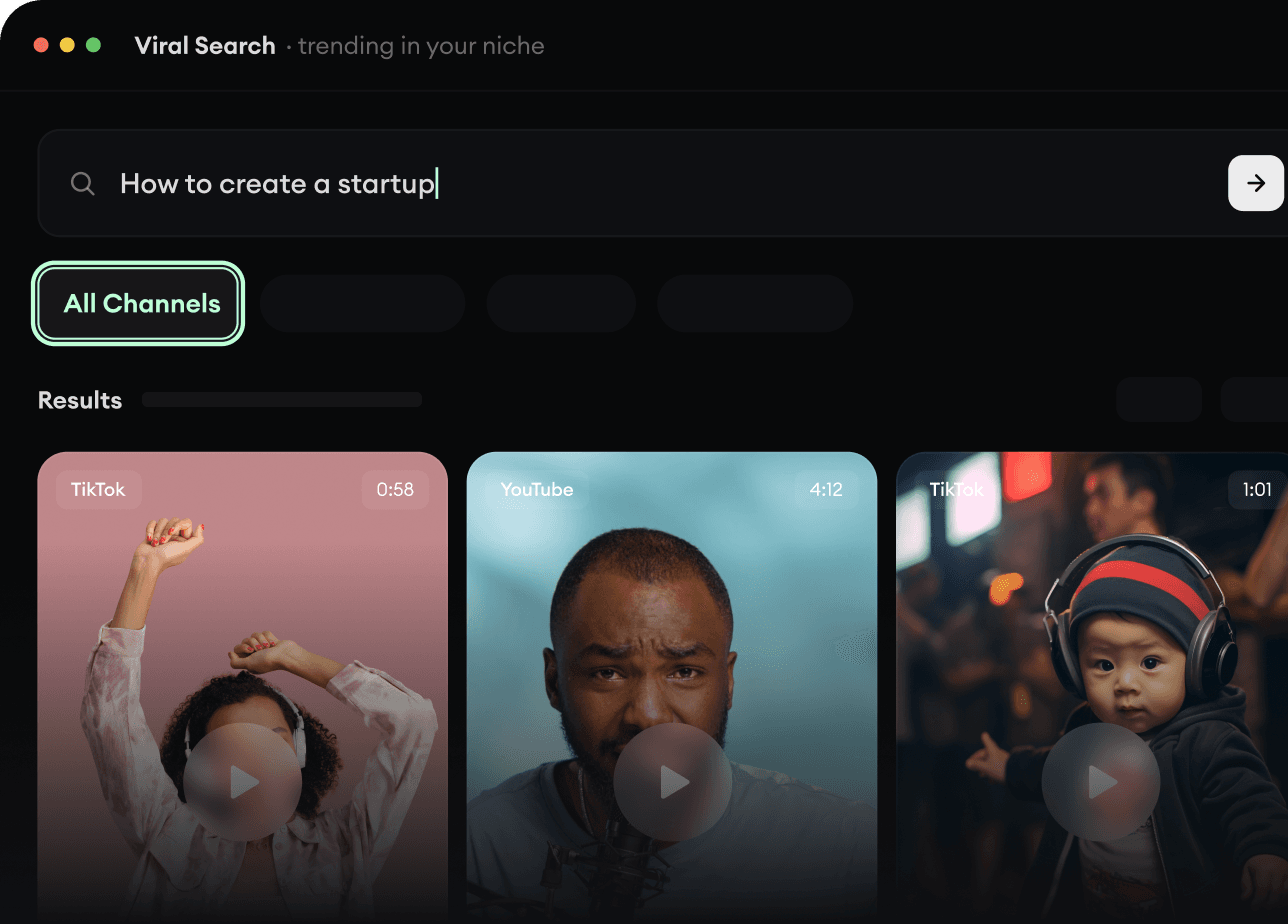
Encuentra tu próxima idea viral

¿Falta de inspiración? Nuestra IA detecta tendencias y te ayuda a adaptarlas para tus propios videos, sin complicaciones.

  • Identifica los formatos con mejor rendimiento
  • Inspírate en los mejores creadores
  • Transforma tus ideas en videos cautivadores
Encuentra tu próxima idea viral
Step 2

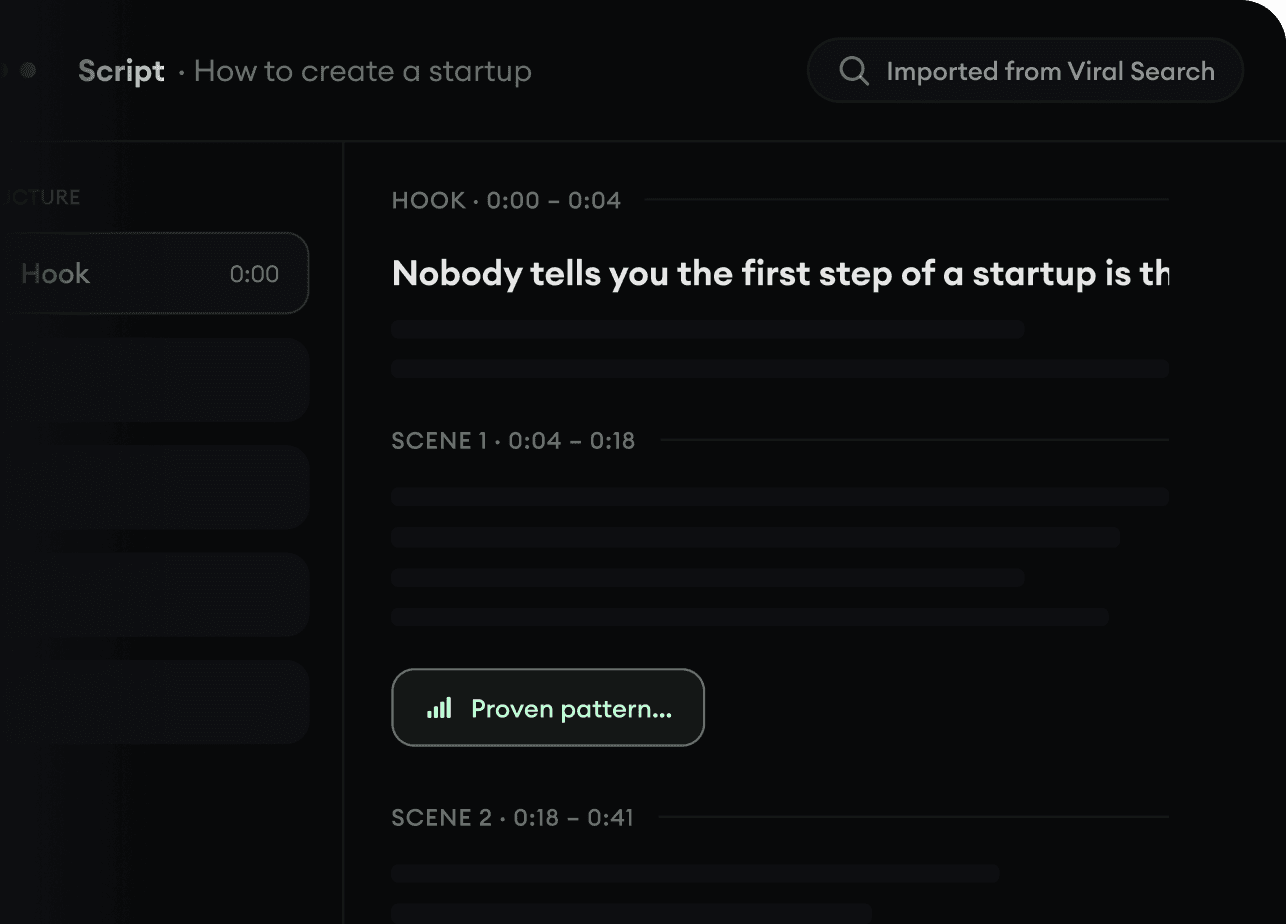
Un storytelling pensado para cautivar

Revid.ai analiza los videos virales y utiliza esos mismos códigos para redactar tus guiones.

  • Redacta tu guion o simplemente dale el tema a nuestra IA
  • La IA te propondrá contenido relevante para inspirarte
  • Pega un enlace, nuestra IA lo analiza y lo transforma en video
Un storytelling pensado para cautivar
Step 3

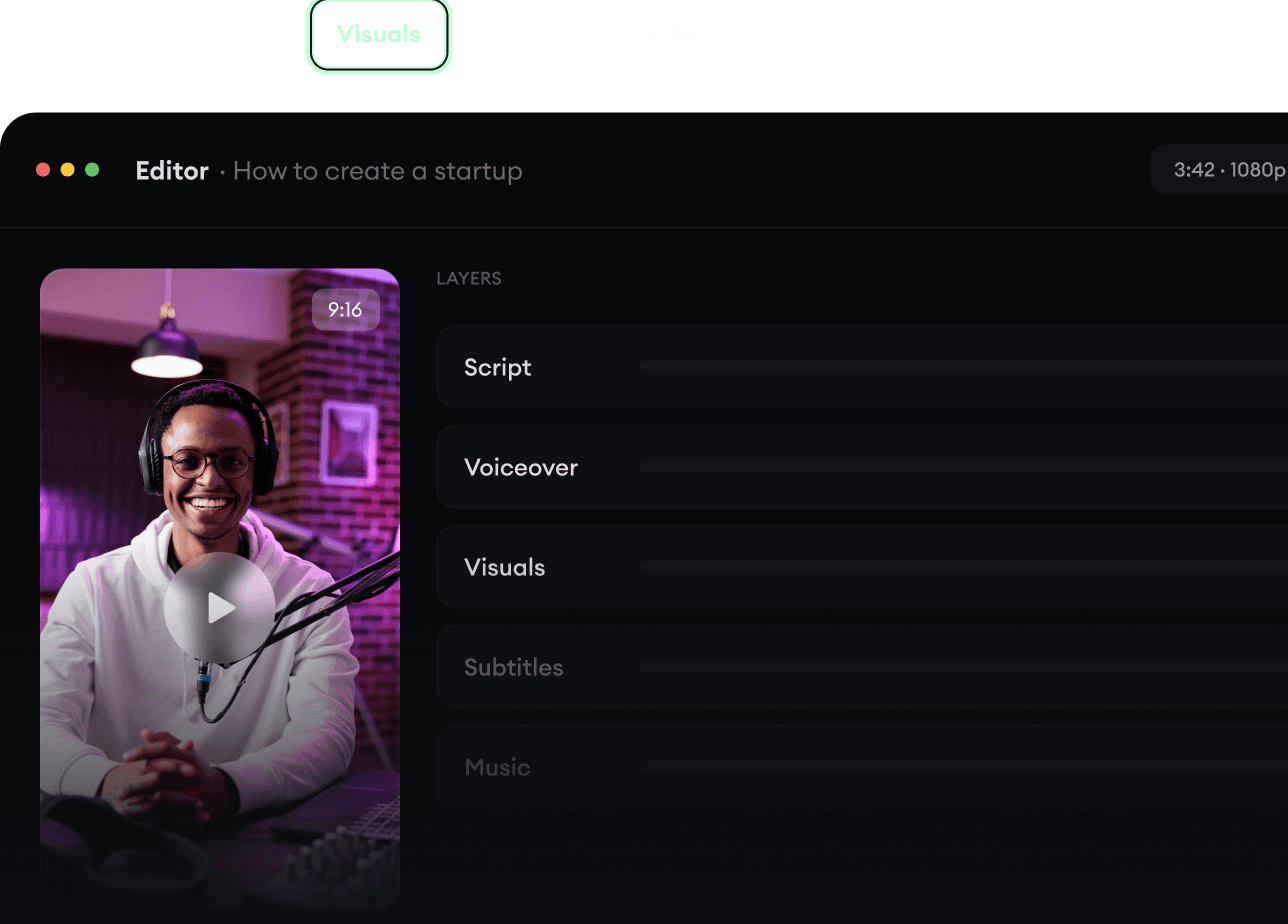
Videos que te encantarán

Crea videos profesionales, compártelos con un clic y haz crecer tu audiencia.

  • Mira cómo tus textos se transforman en videos profesionales
  • Automatiza la creación de videos a partir de tus contenidos
Videos que te encantarán
Step 4

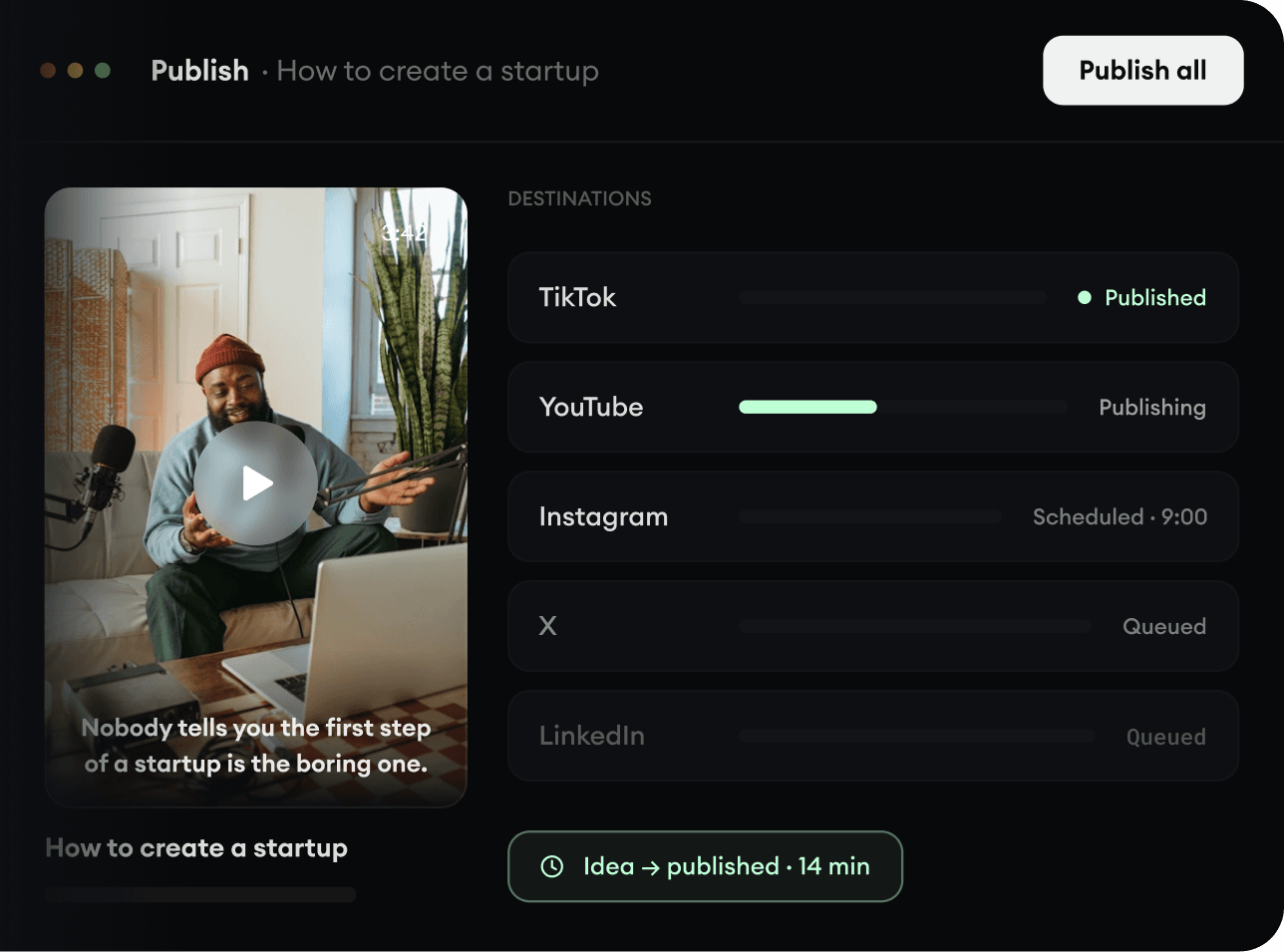
Publica en TikTok, YouTube, Instagram y más

Llega a una audiencia más amplia compartiendo tus videos en todas tus redes.

Publica en TikTok, YouTube, Instagram y más
revid.ai logo

La forma más rápida de crear videos cautivadores.