Automated YouTube Channel: 10 Ideas, a Workflow and the 2026 Rules
An automated YouTube channel lets AI handle scripts, voice, visuals and publishing while you choose topics and review every video. Here are 10 niche ideas, the workflow, and the YouTube rules that decide whether it can earn.
On this page
An automated YouTube channel uses AI tools and a repeatable workflow to handle most of production (script, voiceover, visuals, captions, publishing) while you pick the topics and review each video before it goes live. It works best in faceless, evergreen niches (history, science explainers, tutorials, sleep content) and can be monetized when each video adds original value.
The trap is the word "automated". On July 15, 2025, YouTube renamed its "repetitious content" policy to "inauthentic content" to make clear it covers mass-produced videos, and AI videos built on generic templates without the creator's own insight are not allowed to monetize. From February 1, 2027, Shorts revenue will also require 10 million qualified Shorts views in the last 90 days. A channel left on full autopilot is exactly what those rules are written to filter out.
- YouTube channels publishing Shorts every day as of March 2026
- 10M+
- Alphabet, April 2026
- Shorts RPM as a share of long-form RPM in almost every niche
- 3% to 14%
- AIR Media-Tech, September 2026
- Qualified Shorts views in 90 days new YPP applicants need from Feb 1, 2027
- 20M
- YouTube Official Blog, August 2026
- Median views of faceless TikToks, vs 67K with one person on camera
- 114K
- Revid analysis of 176,367 TikToks
What to automate and what to keep doing yourself
Automation should run production, not judgment. Over ten million channels were publishing Shorts every day as of March 2026, according to Alphabet, and Analyzify's roundup of YouTube statistics shows how much long-form video lands on top of that. Volume alone will not get you noticed; a clear point of view will.
| Task | Automate it? | Why |
|---|---|---|
| Topic research | Partly | Tools surface ideas and proven formats; you decide what fits the channel |
| Script first draft | Yes | AI drafts fast; you rewrite the hook and check every fact |
| Fact-checking | No | One wrong claim costs trust and comments |
| Voiceover | Yes | AI voices are good enough for narration-led niches |
| Visuals, music, captions | Yes | Generators match footage to the script and sync captions |
| Final review | No | This is where you catch generic clips and weak pacing |
| Titles and descriptions | Partly | Generate options, pick and edit the best |
| Publishing and scheduling | Yes | A queue keeps your cadence steady |
| Replying to comments | No | Comments tell you what to make next |
A simple rule: if a step decides what the viewer learns or feels, a human does it. If a step only carries out that decision, a tool can.
Prompt to try
Make a 60-second faceless history Short titled "What happened to the Roanoke colony?" Open with the hook "In 1590, 115 people vanished and left one word carved in a tree." Use archival-style stills, maps and moody AI scenes with calm, story-driven narration and bold captions, ending on the leading theory.
Automated YouTube channel ideas that suit AI production
A niche is AI-friendly when the value lives in the script, the visuals can come from stock footage, AI scenes, animation or screen recordings, and the topic stays relevant for years. Here are ten automated YouTube channel ideas that meet all three tests.
| Idea | Format that works | Visuals | Watch out for |
|---|---|---|---|
| History stories ("what happened to...") | 8 to 15 min narrated stories, Shorts teasers | Archival-style stills, maps, AI scenes | Fact errors; realistic AI recreations of real events need disclosure |
| Science and "how it works" | Explainers, one question per video | Animation, motion graphics | Oversimplifying to the point of being wrong |
| Faceless software tutorials | Step-by-step screen recordings | Screen capture, zooms, captions | Outdated menus; re-record when the app changes |
| Personal finance basics | Concept explainers (compound interest, budgeting) | Charts, simple animation | No AI persona presented as a human expert giving advice |
| Sleep, ambient and meditation | Long ambient videos, guided sessions | Slow nature or abstract loops | Identical uploads look mass-produced |
| Animal facts and nature | Fact lists, "animals that..." Shorts | Stock wildlife, AI animals | Using others' clips without rights |
| Space and astronomy | Scale comparisons, mysteries | AI renders, animation | Sensational titles the video cannot back up |
| Animated kids' stories | Short original stories, songs | Cartoon animation | Must be set as made for kids, which changes features available |
| Ranked lists and comparisons | Top-10s, "X vs Y" | Mixed stock and graphics | Thin lists stitched from unrelated clips |
| Original fiction and micro-dramas | Serialized episodes | AI characters kept consistent | Inconsistent characters break the series |
Skip niches where the format is reading material you did not write, such as narrating Reddit threads or news feeds word for word. YouTube counts that as reused content, and the policy applies to the whole channel, not just one video.
Faceless does not mean low reach. In Revid's analysis of 176,367 TikToks with 1,000+ likes posted between October 2025 and October 2026, faceless videos had a median of 114K views and 17.4% passed 1 million, against 67K and 12.7% for videos with one person on camera. The gap was widest in tutorials: faceless tutorials had a 156K median versus 52K on camera, and animal videos reached a 147K median. This is TikTok data, the sample only holds videos that already reached 1,000 likes, and it shows what top videos have in common rather than causes, but it supports building a channel without a presenter (method and caveats in what makes a TikTok go viral).
Faceless tutorials earned about 3x the median views of on-camera tutorials (156K vs 52K).
Source: Revid analysis of 176,367 TikToks with 1,000+ likes posted between Oct 1, 2025 and Oct 16, 2026 (61,203 creators)
Show the data
| Median views | Share that passed 1M views | |
|---|---|---|
| Faceless tutorials | 155.6K | 22.1% |
| Product or object tutorials | 80.7K | 14.9% |
| On-camera tutorials | 52.5K | 10% |
| Faceless storytelling | 72.7K | 13.3% |
| On-camera storytelling | 64.4K | 11.7% |
| Faceless comedy | 326.7K | 26.4% |
| On-camera comedy | 135.5K | 20.7% |
For the setup side (channel name, branding, first uploads), see our guide to creating a faceless YouTube channel.
Should an automated channel post Shorts, long videos or both?
Mix them, with long-form as the earner. AIR Media-Tech's September 2026 analysis of 274 channels found Shorts RPM was 3% to 14% of long-form RPM in almost every niche, so most channels need 11,000 to 34,000 Shorts views to earn what 1,000 long-form views generate. A separate AIR Media-Tech study of 18,000 English-language channels found the best results when Shorts made up 25% to 40% of total uploads.
Decision rule: if your niche supports 8 to 15 minute stories or tutorials, make those the core and cut Shorts from them as trailers. If your niche only works in short bursts (facts, animals), plan for a long road to ad revenue and add other income such as affiliate links or sponsors.
How to validate a niche before you commit
- Search like a viewer. Type your seed topic into YouTube search and note the autocomplete suggestions. Those are questions people actually ask.
- Study a handful of faceless channels in the niche. Note their video length, upload rhythm and the style of their thumbnails.
- Look for outliers. A video with far more views than the channel's usual numbers, especially on a small channel, signals demand for the topic rather than the channel's size.
- Check advertiser value. Finance, business and technology topics tend to attract higher ad rates (CPM, what advertisers pay per 1,000 ad impressions), which lifts your RPM, the amount you keep per 1,000 views.
- Write a long list of titles you could make. If you run dry quickly, the niche is too narrow to sustain a regular schedule.
The automated production workflow, step by step
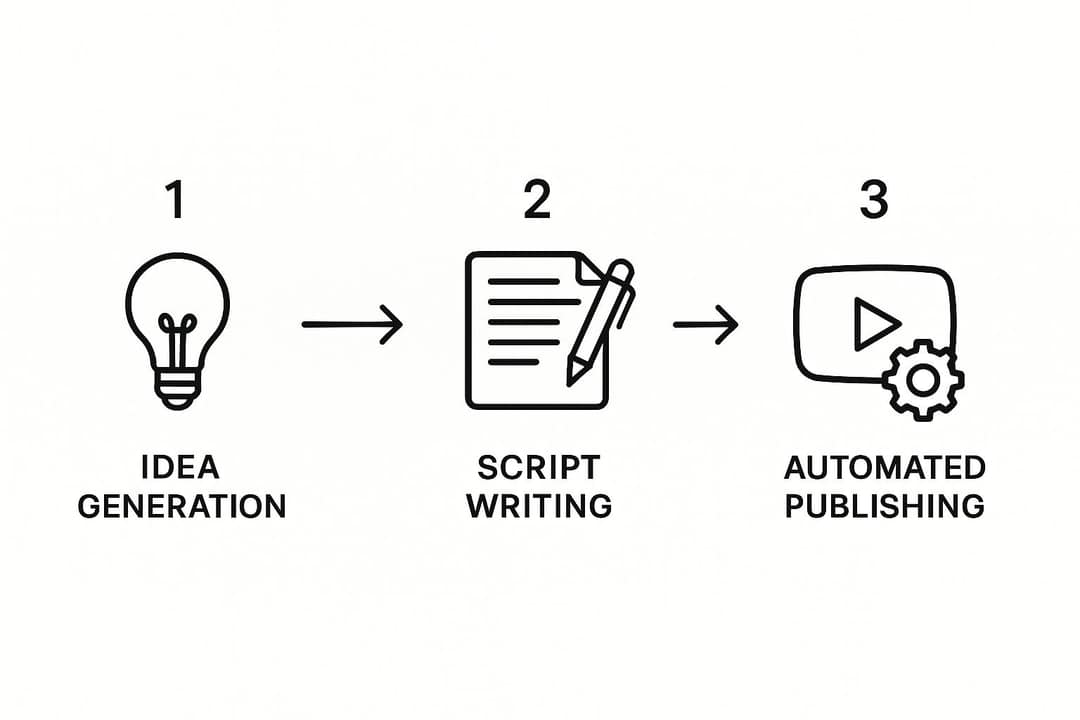
1. Write the script with a specific prompt
A vague prompt gets a generic script. Give the AI a role, a length, a tone and a structure. You can start from an AI script generator or a chat assistant with a prompt like this:
"Act as a historian who makes complex topics simple and exciting. Write a script for a 5-minute YouTube video about the Sea Peoples of the late Bronze Age. Conversational, story-driven tone. Open with a strong hook, then an intro, three main points and a conclusion. Short, punchy sentences."
Then edit it yourself: rewrite the first two lines so the hook makes a promise the video keeps, cut filler, and verify every date, name and number.
2. Generate the voiceover
Natural AI narration is now standard. ElevenLabs offers a large voice library and voice cloning, so you can paste the script, pick a voice and export the audio. Pick one voice and keep it: a consistent voice is part of your brand.
3. Build the visuals
Video generators read the script, match footage or AI scenes to each line, add music and sync captions. Pictory is strong at turning scripts and articles into stock-footage videos; Revid adds AI-generated scenes, a timeline editor and direct publishing (see Revid vs Pictory for a sourced comparison).
4. Review before anything goes live
- Swap any clip that is generic or only loosely related to the line it covers.
- Watch the first few seconds twice: does something happen immediately?
- Read the captions for misheard words and names.
- Check facts one last time.
5. Package and publish
Write the title, description and thumbnail (next section), then schedule the video into your queue so uploads land on a steady rhythm.
| Stage | Job | Example tools |
|---|---|---|
| Ideas and research | Topics, keywords, proven formats | ChatGPT, vidIQ, TubeBuddy, Revid viral library |
| Script | Draft and structure | ChatGPT, Revid script writer |
| Voiceover | Narration | ElevenLabs, Revid voices |
| Video | Visuals, music, captions | Revid, InVideo, Pictory |
| Packaging | Titles and descriptions | YouTube title generator, vidIQ |
| Publishing | Scheduling | YouTube Studio, Revid |
How to automate a YouTube channel with Revid
Revid covers steps 1 to 5 in one place, and starts from evidence rather than a blank prompt.
- Open the faceless video generator and paste an idea, a script or a link. Or search Revid's library of about 2.77 million real short-form videos with engagement data, open a high-performing one in your niche, and choose "Make it about your topic" to reuse its hook style and pacing with a new script.
- Pick a voice (1,000+ voices in 70+ languages) and the visuals for each scene: stock footage, AI images, or AI video from Seedance 2.5, MiniMax Hailuo H3, Wan 3.0 or Google Veo 3.
- Fix anything in the timeline editor: swap clips, retime scenes, choose one of 30 caption styles.
- Publish or schedule straight to YouTube (and TikTok or Instagram) from one queue, then track each post's views, likes and comments.
- To run the channel on a schedule, set up Auto-Mode workers that create a fresh video every day from a prompt or content source (3 workers on the Growth plan), and keep reviewing what they produce.
Titles, thumbnails and descriptions that get clicked
The title and thumbnail decide whether anyone watches. Generate several options, then choose with data.
| Element | Limit or spec |
|---|---|
| Video title | 100 characters |
| Description | 5,000 characters |
| Tags | 500 characters in total |
| Channel description | 1,000 characters |
| Custom thumbnail | 3840x2160 recommended (16:9, minimum width 640 px), up to 50 MB on desktop, 2 MB on mobile; verified account required |
| Shorts thumbnail | 9:16 at 2160x3840 recommended, minimum height 640 px; upload in YouTube Studio on a computer |
- Test, do not guess. YouTube Studio on desktop can A/B test up to 3 titles and thumbnails and shows everyone the variant with the most watch time. Shorts are not eligible.
- Design thumbnails for faceless content. Use one bold object or icon, high contrast and three to four words at most, readable on a phone.
- Vertical videos get a different cover. On the home, explore and subscription pages, a 16:9 custom thumbnail on a vertical video is replaced by an auto-generated 4:5 thumbnail, so check that frame.
- Write the channel description once, well. Postiz's free YouTube bio generator gives you a draft to edit; say what the channel covers and how often you post.
For scheduling, consistency beats perfect timing. Once you have some views, the audience reports in YouTube Studio show when your viewers are on YouTube; schedule uploads shortly before that window.
YouTube's rules for automated and AI channels
Can an automated channel be monetized?
Yes. YouTube allows AI and automated tools in monetized content when the final video shows the creator's creative vision and gives educational or entertainment value. What it blocks:
| Allowed | Not allowed to monetize |
|---|---|
| AI to draft or edit scripts | Generic template videos that look mass-produced, with no original insight |
| AI voiceover on your own script | Reading out website text or news feeds you did not write |
| AI background visuals and scenes | Unrelated AI clips stitched together to shock viewers |
| A recurring format with new research each time | Realistic visuals used to fake events |
| Explainers on money or health in your own words | AI personas presented as human experts giving health, legal, financial or political advice |
Do you have to label AI videos?
Only realistic AI content: a real person appearing to say or do something they did not, or a realistic scene that never happened. You disclose it with the "AI use" setting in YouTube Studio. AI-written scripts, captions, titles, thumbnails, non-realistic animation and cloning your own voice do not need disclosure. Since May 2026, YouTube also auto-labels undisclosed videos with significant photorealistic AI and makes the label permanent for content made with Veo or carrying fully generative C2PA metadata. A label alone does not limit reach or earnings; repeatedly failing to disclose can.
YouTube Partner Program thresholds: now and from February 2027
| Requirement | Today | New applicants from February 1, 2027 |
|---|---|---|
| Subscribers | 1,000 | 1,000 |
| Long-form route | 4,000 qualified public watch hours in 12 months | 8,000 qualified watch hours in 365 days |
| Shorts route | 10 million qualified Shorts views in 90 days | 20 million qualified Shorts views in 90 days |
Watch hours from the Shorts Feed do not count toward the watch-hour route. Channels already in YPP keep their status, but from February 1, 2027 earning Shorts ad revenue in a given month requires 10 million qualified Shorts views in the last 90 days, and members must accept the updated terms in YouTube Studio by January 31, 2027. Joining also requires 2-Step Verification, no active Community Guidelines strikes, a linked AdSense account and a review that typically takes about a month.
The lower tier (500 subscribers plus 3,000 watch hours or 3 million Shorts views) gives access to fan funding and YouTube Shopping, not ad revenue. Shopping is worth planning for in product-friendly niches; Moast's summary of the Shopify and YouTube shoppable video partnership explains how store products can appear on videos. For realistic earnings by niche, see what YouTube automation channels really earn, and for official Shorts numbers, our YouTube Shorts statistics.
Vary your format
Explain why a microwave heats food from the inside out in a fast vertical 3D explainer under 60 seconds. Hook: "Your microwave isn't heating your food the way you think." Show water molecules spinning, energetic narration, and a clear payoff on why the plate stays cooler than the soup.
How to keep automated videos from feeling mass-produced
The channels that fail are the ones where every video sounds and looks the same. Build these habits into the workflow:
- Own a voice. Avoid the most common default voice in your niche; on Revid, voice cloning and voice design are available on Elite and above.
- Hand-pick the key shots. Let the AI fill the timeline, then replace the clips under your hook and your biggest reveal.
- Rewrite every hook. The AI's opening line is almost always the most generic line in the script.
- Add something only you have. A take, a ranking with your criteria, a comparison nobody else made.
- Vary the format. Rotate between stories, lists and explainers so the channel never feels like one template.
- Read the comments. They tell you what to explain next. Titan Blue's guide to social media engagement strategies has more ideas for turning viewers into a community.
In dollars at the Growth rate ($39 for 2,000 credits), a 60-second video costs about $0.43 with stock footage, $0.68 with animated AI images, $1.46 with pro AI images, $4.29 with AI video clips and $13.30 with pro AI video. A 90-second video costs 1.5 times the 60-second price. Every price includes the AI voice-over (10 credits per 30 seconds); motion graphics show the calculator's upper bound.
Source: Revid public credit calculator (POST /api/public/v3/calculate-credits, no key), prompt-to-video workflow, 30, 60 and 90 seconds, queried Oct 29, 2026.
Show the data
| 60-second video, credits | 30-second video, credits | 60-second videos per Growth month | |
|---|---|---|---|
| Stock footage | 22 | 11 | 90 |
| Animated AI images | 35 | 18 | 57 |
| AI images, pro | 75 | 37 | 26 |
| AI video clips | 220 | 110 | 9 |
| Motion graphics | 275 | 160 | 7 |
| AI video, pro | 682 | 341 | 2 |
What it costs to run an automated YouTube channel
| Item | Option | Cost |
|---|---|---|
| All-in-one video creation | Revid Growth (script, voices, visuals, captions, publishing, Auto-Mode) | $39/month, or $32/month billed yearly (current pricing) |
| Stock-footage video tool | Pictory | From $29/month |
| Separate AI voice | ElevenLabs | Check their pricing page; not needed if your video tool includes voices |
| Script assistant | ChatGPT or similar | Free tiers exist; paid plans vary |
A single all-in-one tool usually replaces the separate voice and caption subscriptions. Budget your time too: the review step is the part you should never cut.
FAQ
How do automated YouTube channels make money?
Mostly through YouTube Partner Program ad revenue once the channel meets the thresholds, plus affiliate links, sponsorships and YouTube Shopping. Long-form videos earn far more per view than Shorts, so most profitable automated channels rely on them.
How long does it take to monetize an automated YouTube channel?
There is no reliable timeline: it depends on the niche, video quality and how often you publish. If you apply after February 1, 2027, plan for the higher thresholds of 8,000 watch hours or 20 million Shorts views.
Do you need to show your face on an automated YouTube channel?
No. Most automated channels are faceless, using narration over stock footage, AI scenes, animation or screen recordings, and YouTube does not require a presenter to monetize.
Can you start an automated YouTube channel for free?
You can start with free tools and a free Revid account, which includes free credits to try video creation (no credit card needed) and lets you search the viral video library. Producing videos regularly at good quality usually needs a paid plan; Revid's start at $39/month.
Sources
- Revid analysis of 176,367 TikToks with 1,000+ likes posted between Oct 1, 2025 and Oct 16, 2026 (61,203 creators)
- Revid public credit calculator (POST /api/public/v3/calculate-credits, no key), prompt-to-video workflow, 30, 60 and 90 seconds, queried Oct 29, 2026.
- Alphabet, Q1 2026 earnings call transcript (April 2026)
- AIR Media-Tech, YouTube Shorts RPM vs long-form: real monetization data from 274 channels (September 2026)
- YouTube Official Blog, New opportunities to earn and changes to the YouTube Partner Program (August 2026)
Charts and figures checked on November 6, 2026.