10 Content Repurposing Examples to Copy in 2026 (With Steps)
Ten content repurposing examples, from blog posts to Reddit stories to livestream highlights, with the steps, hooks and platform rules that make each version work on its own.
On this page
The best content repurposing examples take one source and rebuild it for a new format: a blog post into short videos, a podcast into clips, a webinar into a tutorial series, a long video into vertical Shorts, reviews into social-proof videos. Each version gets its own hook, length and visuals instead of a copy-paste.
Most small businesses already do some of this. A 2024 Adobe Express survey of 517 small business owners found that 70% had repurposed content, and 54% named time savings as the biggest benefit. Time is only saved if the new version works: a blog paragraph pasted into a caption, or a landscape clip with black bars, saves an afternoon and earns nothing.
The rule behind every example below: pick one idea from the source, rewrite the opening for the destination, and give the new version a reason to exist without the original. For background on the concept itself, BAMF's explainer on what content repurposing is covers the basics.
- Small business owners who had repurposed content
- 70%
- Adobe Express survey, 2024
- Median views for faceless TikTok tutorials, vs 52K for on-camera tutorials
- 156K
- Revid analysis of 176,367 TikToks
- Faceless TikTok tutorials that passed 1M views
- 22.1%
- Revid analysis of 176,367 TikToks
- Maximum length YouTube counts as a Short (square or vertical)
- 3 minutes
- YouTube Official Blog, October 2024
The 10 examples at a glance
| Example | Source you need | Effort | Best destination | Main risk |
|---|---|---|---|---|
| Blog post to short videos | A how-to, list or comparison post | Low | TikTok, Reels, Shorts | Reading the headline aloud as the hook |
| Podcast to clips | Episode audio or video plus a transcript | Medium | Shorts, Reels, LinkedIn | Clips that need the whole episode to make sense |
| Reddit thread to story video | A thread with a clear arc | Low | TikTok, Shorts | Reused-content rules and privacy |
| Long video to vertical | Interview, talk, demo or tutorial | Low to medium | All short-form feeds | Bad crops and slow openings |
| Webinar or course to tutorial series | Recorded lesson material | Medium | YouTube playlists, Shorts, email | Arbitrary fragments instead of lessons |
| Behind the scenes to process story | Raw production footage | Medium | Reels, TikTok, a longer diary | Footage with no problem or change |
| Reviews and UGC to social proof | Reviews, testimonials, customer clips | Medium | Ads, product pages, Reels | Missing permission, overclaimed results |
| Infographic to animated explainer | Verified data and a script | High | YouTube, LinkedIn, Shorts | Motion that decorates instead of explains |
| Livestream to highlight reel | Full recording plus chat log | Medium | Shorts, TikTok | Music claims, private chat details |
| Thread to video script | An X or LinkedIn thread | Low to medium | LinkedIn, Shorts | Reading the thread word for word |
1. Blog post to short videos
A how-to post, listicle or comparison already has a premise, supporting points and examples. The job is to cut one idea per video, not to squeeze the whole article into a rushed summary. A guide to email onboarding becomes three videos: subject lines, the welcome message, the activation prompt.
- Pick a post with a clear how-to or list structure. Abstract opinion pieces adapt worst.
- Write the main claim as one spoken sentence.
- Open on the problem, the mistake or the result, never the headline.
- Keep only the details that help a viewer act.
- Match the screen to the narration: screenshots, diagrams, product footage, captions.
- End with one next step: the full post, a template, or a single action to try.
Narrated, faceless versions are the format to try first. In Revid's analysis of 176,367 TikToks with 1,000+ likes posted between October 2025 and October 2026, faceless tutorials had a median of 156K views (22.1% passed 1M), against 52K (10%) for tutorials with a person on camera. The sample only holds videos that already cleared 1,000 likes, so it shows what top performers have in common rather than proving cause, but it is a strong reason to start with a voice-over and visuals instead of filming yourself. The method is in Revid's study of what makes a TikTok go viral.
Faceless tutorials earned about 3x the median views of on-camera tutorials (156K vs 52K).
Source: Revid analysis of 176,367 TikToks with 1,000+ likes posted between Oct 1, 2025 and Oct 16, 2026 (61,203 creators)
Show the data
| Median views | Share that passed 1M views | |
|---|---|---|
| Faceless tutorials | 155.6K | 22.1% |
| Product or object tutorials | 80.7K | 14.9% |
| On-camera tutorials | 52.5K | 10% |
| Faceless storytelling | 72.7K | 13.3% |
| On-camera storytelling | 64.4K | 11.7% |
| Faceless comedy | 326.7K | 26.4% |
| On-camera comedy | 135.5K | 20.7% |

How to turn a blog post into a video with Revid
- Paste the post URL into Revid's blog to video converter.
- Revid reads the article, writes a script and builds scenes with stock footage, AI images or AI video, a voice-over (70+ languages), synced captions and music.
- In the timeline editor, tighten the hook and fix any line that changes what the article meant.
- Export in 720p, 1080p or 4K, or publish straight to TikTok, Instagram and YouTube from one queue.
2. Podcast episode to social clips
A podcast is hard to discover outside its current listeners. Clips fix that, but only clips that stand alone: a viewer who never heard the episode must understand the moment from its first line.
Work from a transcript and mark clear opinions, practical explanations, disagreements, emotional reactions and short answers. Then edit each clip in this order:
- Open on the most interesting sentence, not the host's introduction.
- Cut greetings, repeated questions and filler.
- Put the speaker's name and the topic on screen.
- Style captions to stress the key phrase rather than every word equally.
- End on a takeaway, a question, or a pointer to the full episode.
Hook templates that work for interview clips: "The hiring mistake that almost sank us", "Most founders get pricing backwards. Here's why", "I disagree with the standard advice on X". Each clip needs a distinct purpose: a business interview might give you a hiring lesson, a product decision and a customer objection.
Don't cut a careful argument into a dramatic sound bite that changes what the speaker meant. If you only have the audio, Revid's podcast clip generator turns a recording into a captioned video you can trim and post.
3. Reddit thread to narrated story video
A good thread arrives with a story already built: a setup, a complication, competing takes in the comments, and sometimes a resolution. Pick threads with a clear arc and enough detail to follow, read the comments before you draft, and sort the material:
- Setup: who is involved and what the situation is.
- Conflict: the decision, disagreement or surprise that changed things.
- Evidence: the details a viewer needs to follow along.
- Resolution: what happened next, or what is still open.
- Prompt: one question that invites real comments.
Compress repetition but keep the uncertainty of the original. Don't present an allegation as fact, don't reveal details the poster hid, and follow the subreddit's rules. Background footage helps pacing on light stories; on serious ones, random gameplay distracts.
Revid has two tools for this format. The AI Reddit story video generator takes a topic or a pasted AskReddit thread and produces a narrated story video, and Reddit post to video grabs a post and sets it over a relaxing Minecraft background. Either way, write the commentary that makes the video yours.
4. Long video to vertical Shorts, Reels and TikToks
Changing the canvas to 9:16 does not make a good vertical video. You need a new composition, a faster opening and a decision about what the viewer sees first. TikTok recommends 9:16 at 1080x1920.
- Crop with purpose: keep the speaker's face, the product, the hands or the demo in frame.
- Start at the tension: drop the introduction and open where the value begins.
- Rebuild captions: keep text clear of faces and of the platform's buttons. Check placement with a TikTok safe zone overlay.
- Vary the framing: cut between close shots, screen recordings and detail views when the source allows.
- Re-edit the rhythm: pauses that worked on stage feel slow on a phone.
Know the length rules before you cut. YouTube counts square or vertical videos up to 3 minutes as Shorts. Instagram Reels can run up to 20 minutes, but reels longer than 3 minutes are not recommended to non-followers. TikTok accepts uploads up to 60 minutes.
A recorded product demo can become one video on the problem, one on the key action and one answering a common objection. If the source is on YouTube, Revid's YouTube clip maker pulls vertical clips from the link as a starting point. Then adjust the hook, caption style and call to action for each platform rather than posting identical files everywhere.
5. Webinar or course to a tutorial series
A webinar was designed for one sitting. A series should follow the learner's progress instead: prerequisite, basic action, common mistake, advanced use, practice. Give each episode one promise. A coding course splits into setup, syntax, debugging and deployment; a photography class into composition, light, focus and editing.
Number the episodes when order matters, and use themed playlists when viewers can start anywhere. Open each lesson with a one-line recap, end with an exercise, and keep the branded intro to a few seconds. Add what makes a series useful: templates or checklists, links to the previous and next lesson, footage of the action itself, and a line telling viewers what they can now do.
One webinar can feed several channels. Organic Growth Studio's SaaS repurposing case study describes a single webinar split into five blog posts, three short videos and ten social snippets. Read its reported results as one company's outcome, not a forecast for yours.
6. Behind-the-scenes footage to a process story
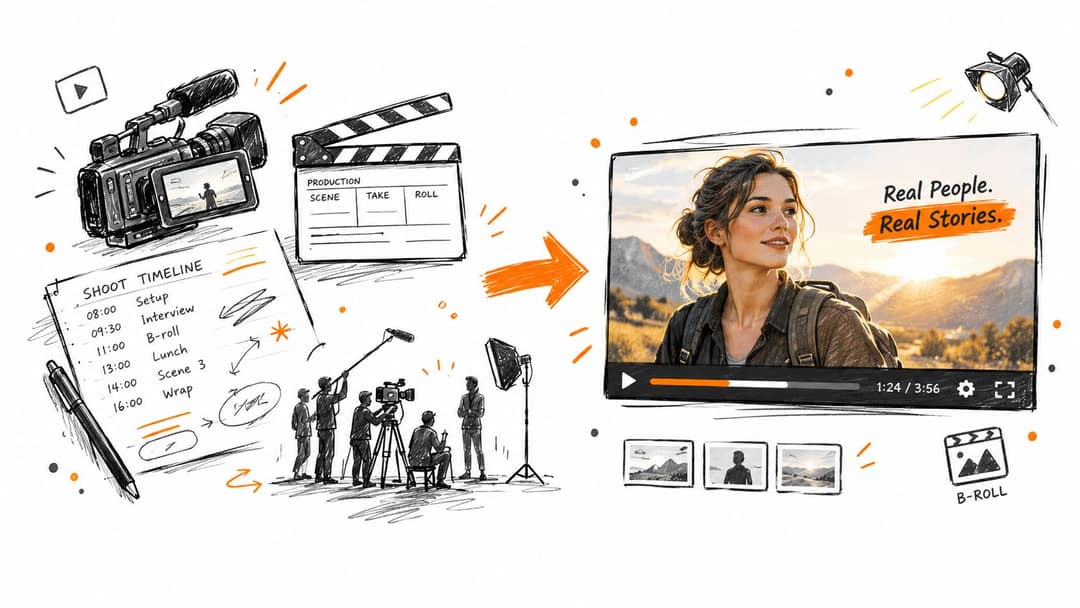
A pile of nice-looking clips is not a story. Behind-the-scenes content works when it shows a problem being solved, so film the preparation, the decisions, the failed attempts and the fix, and ask people to say what they're doing and why while they do it.
Edit to this spine:
- Starting point: the goal, the brief or the unfinished state.
- Obstacle: the constraint, mistake, delay or doubt.
- Response: people deciding and testing.
- Outcome: the finished result or the lesson.
A restaurant documents a new dish from test batch to menu. A software team shows how it tracked down a hard bug, without exposing anything confidential. Don't stage excitement or fake failures; viewers spot it. Process stories also age well: a launch announcement fades in a week, while a clear explanation of how something was made keeps working.
7. Customer reviews and UGC to social-proof videos
Social proof works when it connects a customer's original problem to what changed, not when it stacks praise. Sort reviews, testimonials, support messages and customer clips by use case or buyer type, then choose between a single customer spotlight (more context) and a themed compilation (more breadth, one organizing idea).
Get permission before you use anyone's name, face, voice or footage, and agree on channels, duration and editing rights. "Easy to use" can run as an opinion; a measurable business or health result needs verification. A useful customer story covers the starting problem, why they chose you, what changed, what they can honestly claim, and who else will recognize the situation.
Honesty sells better than polish. In Bazaarvoice's Shopper Preference Report 2025, 43% of shoppers said they trust creators who share both the pros and cons of a product. Raw phone footage reads as genuine, but pair it with product close-ups or screen recordings: in Revid's TikTok index, selfie-style videos had the lowest median of any shooting style (48K views), behind screen recordings (91K) and POV shots (107K).
The index leans toward videos that surface in hashtag and keyword searches, so its view counts run high: compare the groups, not the absolute numbers.
Source: Revid TikTok index: 2,377,477 TikToks with AI labels per video, snapshot of Sep 15, 2026. Median views estimated from view buckets.
Show the data
| Median views | Share past 1M views | |
|---|---|---|
| Drone | 173.9K | 27.9% |
| Steady cam | 162.7K | 26.2% |
| Screen recording | 159.9K | 23.8% |
| Handheld | 140.9K | 25.6% |
| POV | 139.9K | 26% |
| Tripod | 117K | 23.6% |
| Selfie | 67K | 16.3% |
8. Infographic or data to an animated explainer
A static infographic asks people to scan everything at once. An animated explainer video controls the order: question first, then each piece of evidence, then the conclusion. It only works when motion clarifies.
- Recheck every label, unit, date and comparison against the original source.
- Separate the main conclusion from the supporting points.
- Write the voice-over before you animate; the script decides what appears and for how long.
- Reveal elements one at a time and pause on the comparison that matters.
- Use labels and contrast as well as color, so the chart still reads for color-blind viewers.
- Link the source in the description so viewers can check definitions and method.
Don't animate every icon. A financial chart may need a definition so viewers don't read correlation as cause, and health data needs extra care with wording. Results also vary by format: Organic Growth Studio's analysis of repurposing ROI across formats breaks a mixed campaign of webinars, infographics, short video, podcasts, email and guest posts down by channel, and the formats did not perform evenly.
Prompt to try
Make a 45-second vertical animated explainer that turns our infographic on remote work trends into a story. Open with the question "Are fully remote teams actually shrinking?", then reveal each data point one at a time using the verified figures I provide, and pause on the single comparison that matters most. Use clean flat graphics with clear labels and high contrast, a calm voice-over, and end with one plain-language conclusion and a pointer to the source.
9. Livestream recording to a highlight reel
Streams carry real energy and unscripted answers, but nobody new will watch three hours. Review the recording alongside the chat and timestamps: spikes in chat point you to moments worth checking, though a loud reaction is not always a useful one. Look for expertise, a solved problem, a genuine surprise or the host's personality.
Choose the format before editing:
- Themed compilation: mistakes, lessons or best audience questions.
- Answer series: one answer per video, with the original question on screen.
- Performance reel: the strongest plays, demos or songs.
- Story edit: separate moments arranged into a beginning, complication and outcome.
Cut waits, technical problems, repeats and any private chat details. Add the stream date when timing matters, as with news or launches. If the stream had music, watch the length: any YouTube Short longer than one minute with an active Content ID claim is blocked globally and can't be monetized. Each highlight should deliver a complete moment, with the full recording linked for viewers who want more.
10. X or LinkedIn thread to an educational video
A strong thread is a compact outline. A video needs what the thread skipped: context, transitions, examples and something to look at. A thread on fixing landing pages becomes a screen-recorded audit; a career-advice thread becomes a narrated guide with self-check questions.
Use the thread as the idea source, not a script to read aloud. Add:
- Context: why this matters to the viewer.
- Demonstration: the method, page or decision shown in practice.
- Transitions: links between points so it plays as one lesson.
- Caveats: where the advice depends on industry or audience.
- Attribution: the author's name and a link, and permission if it is someone else's personal story.
Don't invent results the original post never claimed. A clear script, relevant b-roll and readable captions matter more than effects on every sentence.
Which source should you repurpose first?
- If your source already has steps or a list (blog posts, threads), start there: it is the fastest path to a usable script.
- If your best material is spoken (podcasts, streams), clip the moments that stand alone and add context in the first caption.
- If the value is in the sequence (courses, webinars), build a series, not fragments.
- If trust is the goal (customer stories, process footage), keep it raw, get permission and frame it honestly.
Then run the same loop every time:
- Select one source.
- Mark the strongest hook for a viewer who has never seen it.
- List the supporting points: evidence, examples, steps, objections.
- Choose the destination where your audience already watches or reads.
- Rewrite the hook, length, order and proof for that format.
- Add native visuals: captions, screen recordings, diagrams, framing.
- Credit and link the source where context and permission allow.
- Check retention, completion, comments and clicks against your goal.
- Make the next variation with a new angle, not an identical repost.
Repurposing is now mainstream among marketers, as Kapwing's roundup of content repurposing survey data shows, which is exactly why lazy duplicates no longer stand out. For the wider plan behind these examples, read Revid's content repurposing guide, and to compare tools for the production side, see the roundup of content repurposing tools and software.
FAQ
How many pieces of content can you make from one source?
As many as the source has complete ideas, with one idea per piece. A webinar with several distinct lessons can support a tutorial per lesson plus clips of the best audience answers.
Does repurposing content hurt SEO?
Not when each version adds something new. Near-identical pages on your own site can compete with the original, but a video, thread or newsletter built from a post is a different format and supports it instead.
Can you repurpose other people's content?
Only with permission or real transformation. A credit line is not permission, and YouTube treats videos that only read out text you didn't write as reused content that can't be monetized.
Does Revid have a Reddit video tool?
Yes. The AI Reddit story video generator turns a topic or an AskReddit thread into a narrated story video, and Reddit post to video places a post over a Minecraft background for TikTok and Shorts.
What content is easiest to repurpose into video?
How-to blog posts, listicles and recorded webinars, because they already have steps and examples. Abstract opinion pieces and long unstructured conversations take the most editing.
Sources
- Revid analysis of 176,367 TikToks with 1,000+ likes posted between Oct 1, 2025 and Oct 16, 2026 (61,203 creators)
- Revid TikTok index: 2,377,477 TikToks with AI labels per video, snapshot of Sep 15, 2026. Median views estimated from view buckets.
- YouTube Official Blog, Tall updates coming to Shorts (October 2024)
Charts and figures checked on November 6, 2026.