How to Make a Highlight Video Like a Pro: Story, Edit, Export
A seven-step method for turning raw footage into a highlight video people finish: the right length for each use, a hook-build-climax structure, editing and audio rules, and export settings for YouTube, TikTok and Reels.
On this page
To make a highlight video, decide who it is for, pull your best clips, open with the strongest moment, and cut the rest to music in a hook, build, climax order. Keep it under 60 seconds for social or 2 to 4 minutes for sports recruiting, then export 16:9 for YouTube or 9:16 for TikTok, Reels and Shorts.
Length is where most highlight videos fail. Vidyard's 2024 benchmark data found that 65% of viewers watch a business video under one minute to the end, against 20% for videos over 20 minutes (we collect figures like these on our short-form video statistics page). Every clip that is not one of your best costs you viewers, so the real skill here is cutting, not adding.
- Viewers who watch a business video under 1 minute to the end
- 65%
- Vidyard, 2024
- Maximum length of a YouTube Short (square or vertical)
- 3 minutes
- YouTube Official Blog, October 2024
- Shares per 100 views for TikToks under 15 seconds, the highest of any length
- 1.41
- Revid analysis of 176,367 TikToks
- Top median TikTok views, reached by posts with 3 to 4 hashtags
- 77K
- Revid analysis of 176,367 TikToks
How long should a highlight video be?
Match the length to where the video goes and who watches it.
| Video type | Target length | Why |
|---|---|---|
| Social clip (TikTok, Reels, Shorts) | Under 60 seconds | Viewers are scrolling; one strong sequence beats a full season |
| Sports recruiting video | 2 to 4 minutes | Enough room to show range without wasting a coach's time |
| Business, project or event recap | 1 to 3 minutes | Time for the story, the key results and a next step |
A simple rule: keep cutting until removing one more clip would hurt the story, then stop. If two clips show the same skill, keep the better one.
On TikTok, length itself matters less than people assume. In Revid's analysis of 176,367 TikToks with 1,000+ likes posted between October 2025 and October 2026, every length bucket from under 15 seconds to 10 minutes had a median between 58K and 76K views. Videos of 61 to 90 seconds reached a 70K median, while clips under 15 seconds had the lowest median (58K) but the most shares per view (1.41 per 100 views). The sample only includes videos that already passed 1,000 likes, so it shows what successful videos have in common, not what causes success. The full method is in our study of what makes a TikTok go viral.
Length alone barely moves views: every bucket lands between 58K and 76K median views (the 790 videos over 10 minutes are a small, unusual group). Clips under 15 seconds get shared the most per view.
Source: Revid analysis of 176,367 TikToks with 1,000+ likes posted between Oct 1, 2025 and Oct 16, 2026 (61,203 creators)
Show the data
| Median views | Share that passed 1M views | Shares per 100 views | |
|---|---|---|---|
| Under 15 s | 57.6K | 11.6% | 1 |
| 16 to 30 s | 64.9K | 12.3% | 1 |
| 31 to 60 s | 61.8K | 11.8% | 1 |
| 61 to 90 s | 70.5K | 12.2% | 1 |
| 91 s to 3 min | 63.4K | 11.1% | 1 |
| 3 to 10 min | 76.4K | 12.4% | 1 |
| 10 min+ | 129.6K | 13.8% | 0 |
For a social highlight, that makes length a creative choice: run as long as your strong clips last, and no longer. A very short cut is the better bet when you want people to send it to friends.
Step 1: Decide who it is for and what they should do next
The audience decides the tone, the pace and which clips make it in. Write down one viewer and one action before you touch the footage.
| Audience | What they want to see | The action you want |
|---|---|---|
| College coach or scout | Skill, decisions under pressure, clear proof it is you | Invite you to a camp or call your coach |
| Client or prospect | Results, the process, the final reveal | Book a call |
| Followers | Personality and peak moments | Follow, share, comment |
If a clip does not help that one viewer take that one action, it does not belong in the video. If the highlight is part of a larger brand campaign and you would rather hand it off, Nextus is one agency offering content creation services for brands.
Step 2: Plan the story before you open the editor
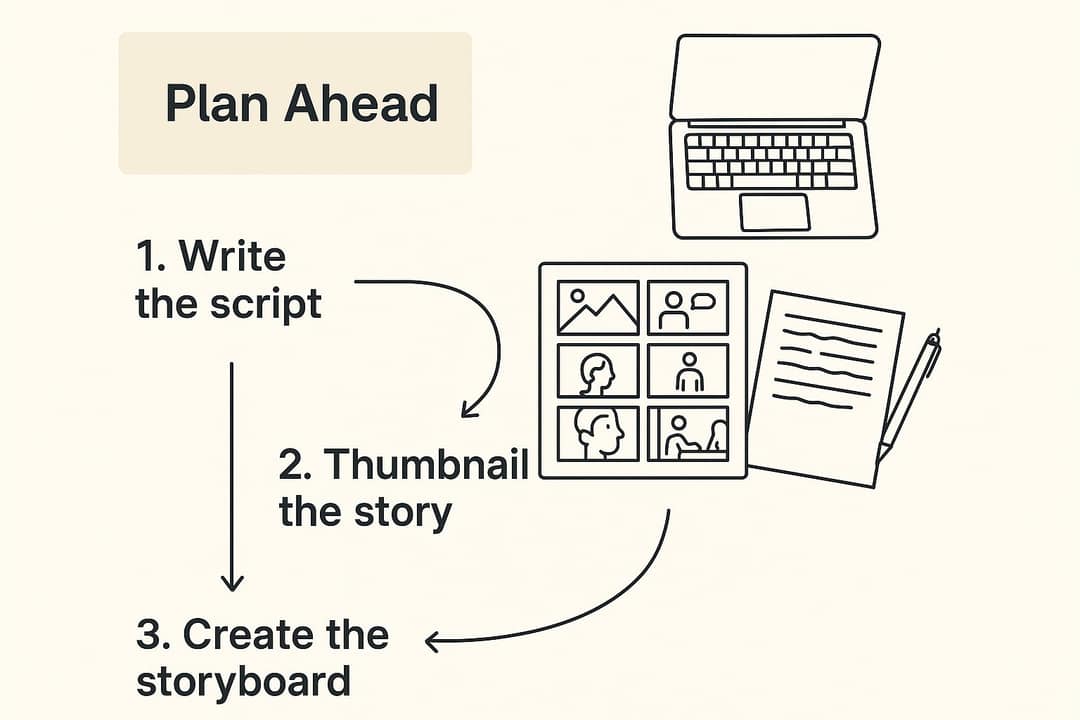
The biggest time sink is dumping all your footage into an editor and cutting with no plan. Sketch the order first, on paper or sticky notes.
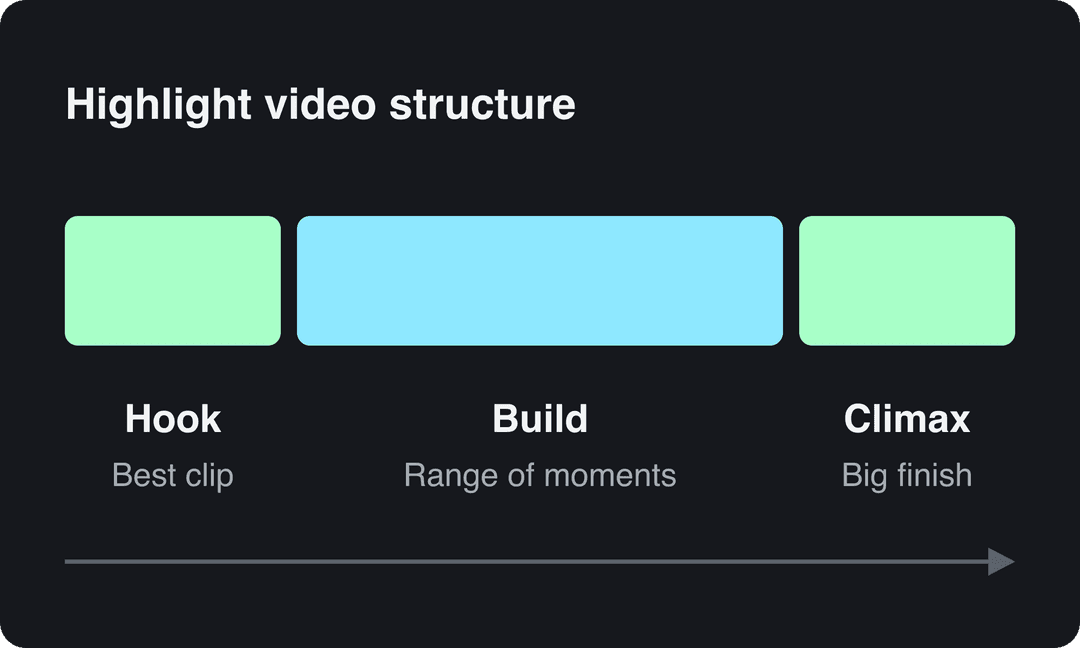
Use a three-part structure:
- Hook (beginning): your single most impressive clip, placed in the first 10 to 15 seconds. Do not save your best moment for the end; many viewers will never reach it.
- Build (middle): range and consistency. For an athlete, different types of plays; for a business, different milestones of the project.
- Climax (end): a strong finish that repeats your core message, such as the winning goal, the final reveal or a client testimonial, followed by your name and contact or a call to action.
Prompt to try
Make a 45-second vertical highlight video of a high school goalkeeper's season. Open on a diving save to the top corner with the text "Best save of 2025?", then show quick cuts of 1v1 saves and long goal kicks, and finish on a penalty shootout save with a team celebration. Energetic, cinematic sports style with driving music and bold captions.
Step 3: Cull your footage and build a shot list
Start with a technical pass and be ruthless. Delete any clip that is:
- Shaky or out of focus.
- Badly exposed: too dark to read or blown out to white.
- Badly framed: the key subject is cut off or hard to find.
Then review what is left at 1.5x or 2x speed, which almost every player and editor supports, and drop a marker on every possible keeper. As you mark, sort clips into three types:
| Clip type | What it shows | How to use it |
|---|---|---|
| Action | What happened: the goal, the reveal, the skill | The core of every section |
| Reaction | The emotion: teammates celebrating, a client's face | Right after a big action clip to make it land |
| Establishing | The context: the stadium, the venue, the workspace | Between sections to give the viewer a breather |
Now write a shot list that maps clips to your structure, with file names and timecodes so you never have to search twice:
- Hook:
IMG_4512.MP4(0:35 to 0:41), diving save to the top left corner - Build 1:
Game_3_Clip_B.MOV(1:12 to 1:17), accurate long-distance goal kick - Build 2:
Game_1_Clip_D.MP4(0:55 to 1:02), 1v1 save under pressure - Climax:
Championship.MP4(2:30 to 2:38), final penalty shootout save and team celebration
Step 4: Edit the cut: order, pacing and transitions
Build a rough cut in shot-list order first, then refine it.
- Open with a title card or a short text overlay only if the viewer needs it: for recruiting, name, position, jersey number, class year and contact. For social, skip the card and start on the action.
- Trim every clip to the moment. Start just before the action begins and cut just after it peaks.
- Vary the pace. Run quick cuts through the action-heavy middle, then hold one or two longer shots so the viewer can breathe before the climax.
- Use J-cuts and L-cuts. In a J-cut, the audio of the next clip starts before its picture appears; in an L-cut, the current clip's audio continues over the next picture. Both hide the edit and make the video flow.
- Cut on action or on the beat. Changing shots mid-movement or on a strong beat in the music feels intentional.
- Make the subject easy to find. In sports footage, freeze the first frame of a play and add a circle or arrow over yourself before it starts.
For the full editing workflow, from importing to exporting, see our guide on how to edit YouTube videos step by step.
Step 5: Choose music and clean up the audio
Music sets the mood, but natural sound (the crowd, the ball, a line of dialogue) makes the video feel real. Keep the music low enough that those moments come through, and raise the natural sound on your biggest clips.
Use music you have the rights to: the free YouTube Audio Library, or subscription libraries such as Epidemic Sound and Artlist. Match the energy to the content: driving tracks for sports, something lighter and upbeat for a business recap. Play the cut with the track before you commit; a clash in tone is obvious within seconds.
If the footage has wind, hum or crowd noise you do not want, clean it before you mix with an AI audio enhancer. Bad audio drives viewers away faster than imperfect footage.
Step 6: Color correct, then grade
Clips shot at different times or on different cameras rarely match. Fix that in two passes:
- Color correction: fix exposure, white balance and contrast so every clip looks natural and consistent.
- Color grading: apply one creative look across the whole video, warm for a travel or event recap, cooler and higher contrast for intense action.
Even a quick correction pass makes a highlight video look far more finished. Grade last, after the cut is locked.
Step 7: Export in the right format for each platform
Export an MP4 with H.264, and make a separate version for each shape you need rather than letting the platform crop for you.
| Where | Aspect ratio | Resolution | Length rules to know |
|---|---|---|---|
| YouTube (main video, recruiting link) | 16:9 | 1080p or 4K | Uploads are capped at 15 minutes unless your account is verified |
| YouTube Shorts | 9:16 or square | 1080x1920 | Up to 3 minutes; over one minute, any Content ID claim blocks the Short |
| TikTok | 9:16 | 1080x1920 (recommended by TikTok) | Uploads can run up to 60 minutes; keep social cuts short |
| Instagram Reels | 9:16 (accepts 1.91:1 to 9:16) | At least 720 px, at least 30 FPS | Up to 20 minutes, but reels over 3 minutes are not recommended to non-followers |
If you only have a horizontal master, resize the video to 9:16, then check each shot: a center crop often cuts off the action at the edge of the frame, so reframe the clips where it matters.
For exact export presets in Premiere Pro, this walkthrough covers YouTube settings:
Which software should you use to make a highlight video?
The story and the clips matter more than the price of the editor. Pick the tool that fits your footage and your patience.
| Tool | Runs on | Best for | Trade-off |
|---|---|---|---|
| DaVinci Resolve | Desktop | Professional editing and color grading in its free version | Steeper learning curve |
| CapCut | Mobile and desktop | Fast social edits; free tier with 1080p export and auto-captions | Premium templates, effects and most AI features are paid |
| Clipchamp | Browser (from Microsoft) | Beginners: drag-and-drop editing and templates | Less control than a desktop editor |
| Adobe Premiere Pro | Desktop | Full manual control on long or complex projects | Paid subscription and a learning curve |
| Revid | Browser | Generating a highlight cut from raw footage, then captioning and publishing it | Free sign-up credits to try it; regular use needs a paid plan's monthly credits |
Working with aerial footage? Dronedesk's comparison of drone video editing software covers editors suited to drone clips.
How to make a highlight video with Revid
Revid's AI sports highlights generator takes your raw video and generates a short highlight video from it, which you then refine:
- Upload your raw game or event footage to the sports highlights generator.
- Review the generated cut in the timeline editor: reorder or trim scenes and change the music.
- Add synced captions in one of 30 caption styles, so the video works with the sound off.
- Export in 720p, 1080p or 4K at 30 or 60 fps, or publish it straight to TikTok, Instagram and YouTube.
If your best moments sit inside a long YouTube video, such as a full game stream or a webinar, the YouTube clip maker turns the link into short vertical clips. For captions on a video you edited elsewhere, use the AI caption generator.
How to share your highlight video so the right people see it
Post each version where its audience already watches, and adapt the packaging to each platform. For wider context on how people consume video, Teleprompter.com's video marketing statistics and InVideo's statistics roundup collect the broader numbers.
YouTube: the permanent home for the full version
YouTube is where coaches, clients and fans can find the full highlight months later.
- Title: descriptive and searchable, for example "QB1 Highlights | John Doe | Class of 2026". Titles can run up to 100 characters; a YouTube title generator helps when you are stuck.
- Thumbnail: a custom one with a clear action frame and a few bold words. Custom thumbnails need a verified account; YouTube recommends 3840x2160.
- Description: stats, school or company, contact details and links to your other profiles (the limit is 5,000 characters).
For business highlights with a budget, paid promotion puts the YouTube version in front of a chosen audience; Frozen Crow's Google Ads articles cover how those campaigns work.
TikTok and Instagram Reels: win the first seconds
- Vertical, full screen. Post the 9:16 version, never a letterboxed horizontal file.
- Open on your best clip. No logo intro, no slow build.
- Write a real caption. Tell the story behind one play, ask a question, or tag the teammates involved instead of writing "new highlights".
- Hashtags: Instagram allows up to 5 per post, and the caption will not post with more. On TikTok, the same Revid study found posts with 3 to 4 hashtags had the best median views (75K to 77K), against a 16K median for posts with 9 or more. Mix one broad tag (#FootballHighlights) with specific ones (#D1Bound).
Posts with 3 or 4 hashtags earned the most views. Captions stuffed with 9 or more hashtags did worst of all, with median views cut by about 80%.
Source: Revid analysis of 176,367 TikToks with 1,000+ likes posted between Oct 1, 2025 and Oct 16, 2026 (61,203 creators)
Show the data
| Median views | Share that passed 1M views | |
|---|---|---|
| None | 51.1K | 9.8% |
| 1 | 64K | 11.8% |
| 2 | 71.3K | 12.7% |
| 3 | 75.4K | 13.1% |
| 4 | 77.2K | 13.4% |
| 5 | 67.3K | 12.1% |
| 6 to 8 | 71.8K | 12.7% |
| 9+ | 15.6K | 7.8% |
When to post
Post when your own audience is active, not at a generic "best time". TikTok Studio's Viewers tab shows when your viewers were most active over the last 7 days, and Instagram's follower insights show most-active times once you have 100 followers. If you make your videos in Revid, you can schedule posts to TikTok, Instagram and YouTube from one queue and test different slots.
FAQ
Can I make a highlight video on my phone?
Yes. CapCut's mobile app handles trimming, music, text and 1080p export on its free tier, which is enough for a social highlight. For a recruiting video with hours of footage, a desktop editor makes logging and color work much easier.
Can I use a popular song in my highlight video?
Only if you have the rights to it. Unlicensed tracks can get a video muted, claimed or blocked, and on YouTube any Short over one minute with an active Content ID claim is blocked worldwide. Use royalty-free music or the platform's own sound library.
How do I send a highlight video to a college coach?
Upload it to YouTube (public or unlisted) and email the link rather than a file. Put your name, position and class year in the title and on the first frame, and list your stats, school and contact details in both the email and the video description.
What should a sports highlight video include?
A short title card with your name, position, number, class year and contact, then your best plays first, a range of skills, and a circle or arrow that shows which player is you before each play. Leave out warm-ups, long celebrations and plays where you are hard to spot.
What are the most common highlight video mistakes?
Making it too long, saving the best clip for the end, music that drowns out or clashes with the natural sound, and a pile of clips with no story. Planning the hook, build and climax before you edit prevents all four.
Sources
- Revid analysis of 176,367 TikToks with 1,000+ likes posted between Oct 1, 2025 and Oct 16, 2026 (61,203 creators)
- Vidyard, Video in Business Benchmark Report (2024)
- YouTube Official Blog, Tall updates coming to Shorts (October 2024)
Charts and figures checked on November 6, 2026.