How to Make a Video With Photos and Music: 9 Steps (2026)
Turn photos and a song into a video people finish watching. This guide covers story order, beat sync, photo timing, export settings and the music rules that keep your video from getting muted.
On this page
To make a video with photos and music, pick 10 to 25 strong photos in story order, add a song you have rights to, and change photos on the beat (1 to 4 seconds each). Add light motion and short text, then export an MP4 at 1080 × 1920 (9:16) for TikTok, Reels and Shorts, or 16:9 for YouTube.
Most people get the music step backward. Pick the song first and the edit almost builds itself: the beat tells you when to cut and how many photos you need. Pick it last, or pick one you don't have rights to, and the video feels off or gets muted. If it's a YouTube Short over one minute with a Content ID claim, it gets blocked worldwide.
- Photos that suit most short photo videos
- 10-25
- Revid guide
- Median TikTok views with under 40 characters of speech
- 123K
- Revid analysis of 176,367 TikToks
- Share of those low-speech TikToks that passed 1M views
- 20.2%
- Revid analysis of 176,367 TikToks
- Longest vertical or square video YouTube counts as a Short
- 3 min
- YouTube Official Blog, October 2024
How to make a video with photos and music: the short version
- Pick the platform first. Use 9:16 for TikTok, Instagram Reels and YouTube Shorts, 16:9 for regular YouTube or a TV, and 1:1 or 4:5 for feed posts.
- Choose the song. Match it to the mood and check that you can use it (personal and business use have different rules).
- Select your best photos, not all of them. Divide the video length by the seconds each photo stays on screen to get the count.
- Order them as a story. Strongest image first, then context, a build, the payoff and a closing card.
- Put the music on the timeline and cut on the beat. Save your best photo for the chorus or the drop.
- Add subtle motion and stick to one or two transition styles.
- Add short text (title, place, date, names, call to action) inside the safe zone.
- Preview on a phone, then export as MP4, 1080 × 1920, 30 fps for vertical video.
Decide three things before you open an editor
Platform, length and photo count shape the whole project. Changing any of them halfway through means recropping photos and retiming every cut.
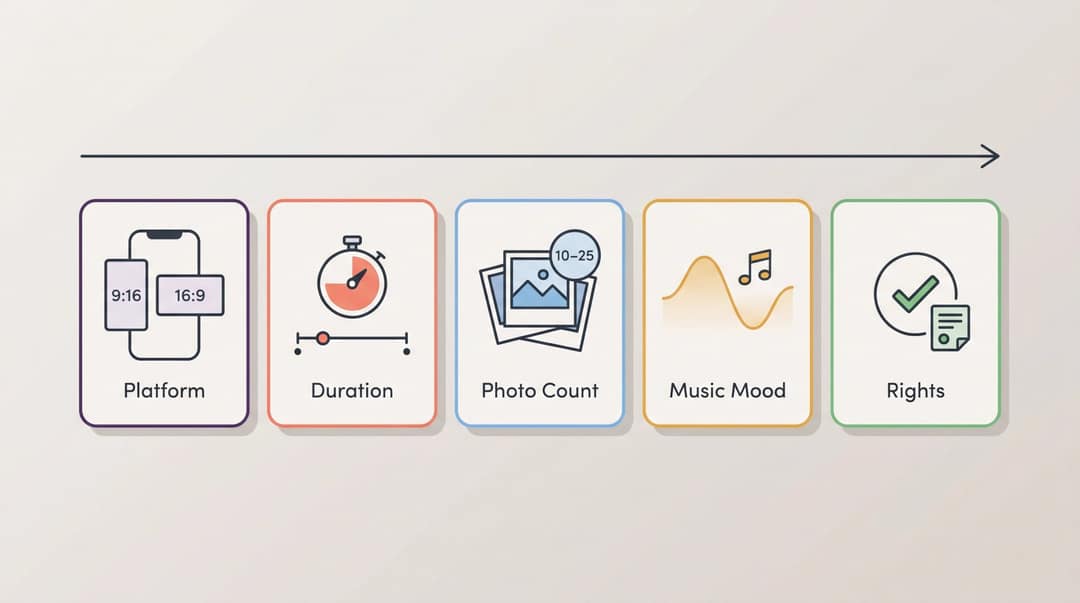
What size should a photo video be?
| Where it plays | Aspect ratio | Canvas |
|---|---|---|
| TikTok | 9:16 | 1080 × 1920 |
| Instagram Reels | 9:16 | 1080 × 1920 |
| YouTube Shorts | 9:16 or 1:1 | 1080 × 1920 |
| Instagram feed | 4:5 or 1:1 | 1080 px wide |
| YouTube video, TV, event screen | 16:9 | 1920 × 1080 |
YouTube classifies square or vertical videos up to 3 minutes as Shorts for uploads since October 15, 2024. Instagram Reels accept aspect ratios from 1.91:1 to 9:16, at 30 fps and 720 px minimum. TikTok's Creator Academy recommends 9:16 at 1080 × 1920.
If the video is for social, start in 9:16. Going from vertical to square later loses a little of each photo, while going from landscape to vertical crops away most of it.
Length alone barely moves views: every bucket lands between 58K and 76K median views (the 790 videos over 10 minutes are a small, unusual group). Clips under 15 seconds get shared the most per view.
Source: Revid analysis of 176,367 TikToks with 1,000+ likes posted between Oct 1, 2025 and Oct 16, 2026 (61,203 creators)
Show the data
| Median views | Share that passed 1M views | Shares per 100 views | |
|---|---|---|---|
| Under 15 s | 57.6K | 11.6% | 1 |
| 16 to 30 s | 64.9K | 12.3% | 1 |
| 31 to 60 s | 61.8K | 11.8% | 1 |
| 61 to 90 s | 70.5K | 12.2% | 1 |
| 91 s to 3 min | 63.4K | 11.1% | 1 |
| 3 to 10 min | 76.4K | 12.4% | 1 |
| 10 min+ | 129.6K | 13.8% | 0 |
How long should a photo video be?
| Goal | Good starting length |
|---|---|
| TikTok, Reel or Short | 15 to 45 seconds |
| Travel recap | 20 to 60 seconds |
| Birthday or family video | 30 to 90 seconds |
| Wedding teaser | 30 to 90 seconds |
| Real estate listing | 30 to 75 seconds |
| Product promo | 15 to 45 seconds |
| Memorial or tribute | 60 seconds to several minutes |
Use the shortest length that still tells the story. A private audience that knows the people in the photos will happily watch longer.
On social, pacing matters more than length. Revid analyzed 176,367 TikToks with 1,000+ likes posted between October 2025 and October 2026. Every length bucket from under 15 seconds to 10 minutes had a median between 58K and 76K views (Revid's study of viral TikToks). The sample only holds videos that already did well, so read it as "no length is a penalty", not as a target. On Instagram, Reels can run up to 20 minutes, but Reels over 3 minutes aren't recommended to new audiences.
How many photos do you need?
Use this formula: video length ÷ seconds per photo = photo count.
| Video length | Seconds per photo | Photos |
|---|---|---|
| 20 seconds | 2 | 10 |
| 30 seconds | 2 | 15 |
| 45 seconds | 2.5 | 18 |
| 60 seconds | 3 | 20 |
For most short videos, 10 to 25 photos is the right range. Faster, more energetic videos need more photos for the same length.
Step by step: how to make a picture video with music
Step 1: Plan the story before you pick photos
Even a 20-second video needs a shape, or it's just photos going past. Use this arc:
- Hook: the strongest or most intriguing image.
- Context: who, where or what this is about.
- Progression: photos where something changes or builds.
- Payoff: the best emotional, funny or beautiful moment.
- Closing: a title, date, message, logo or next step.
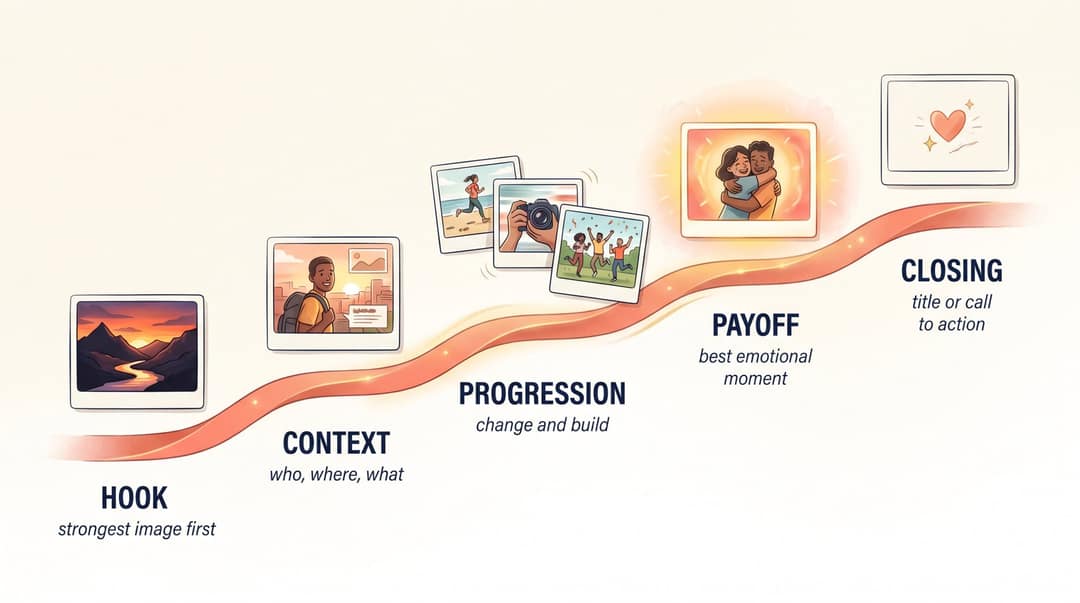
Order by emotion, not only by time. A travel video doesn't have to open with the first photo you took. It should open with the one most likely to stop the scroll, even if that's the sunset from day three.
Step 2: Select and prepare your photos
- Delete duplicates and near-duplicates: five similar compositions in a row feel slow.
- Pick photos that are sharp and well lit, and that differ from each other.
- Fix brightness on dark or washed-out shots.
- Keep faces near the center if the video is vertical.
- Rename files in story order (
01-arrival,02-venue) before uploading.
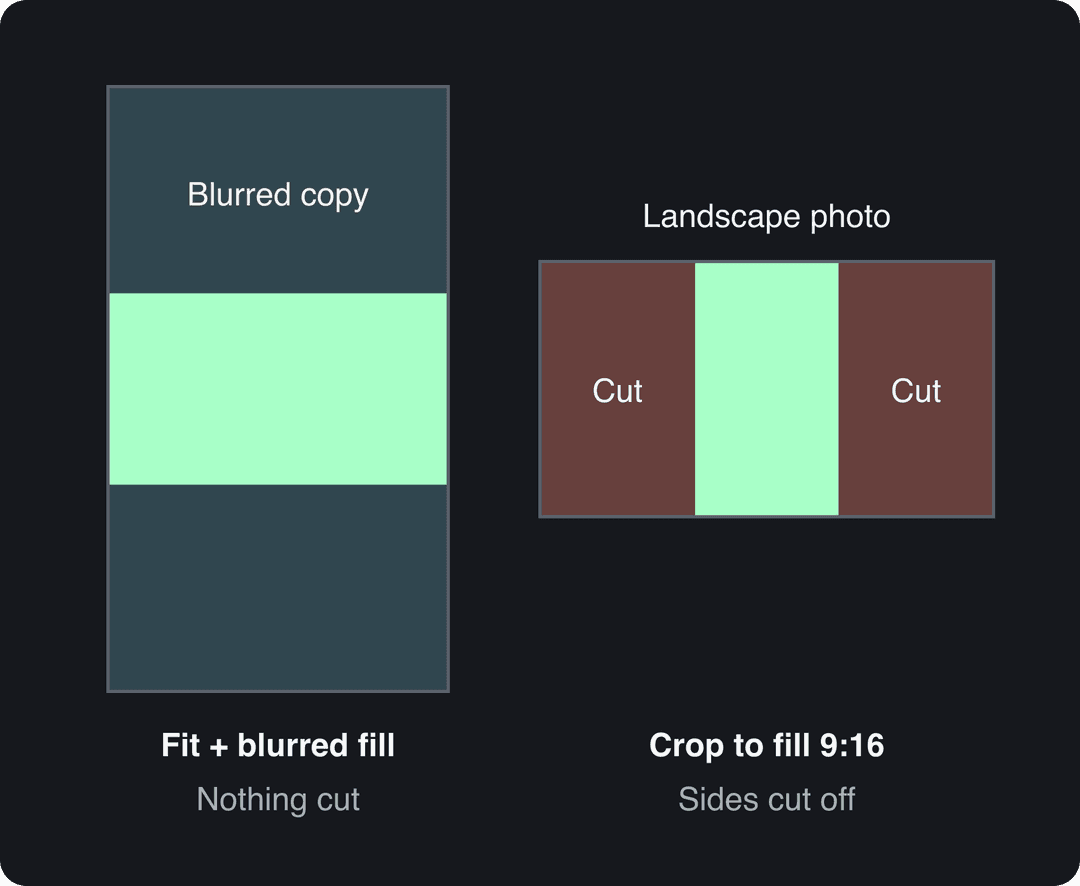
Landscape photos in a vertical video need a decision. Either crop each one to fill the frame and lose the sides, or show the full photo centered over a blurred copy of itself. Most editors offer both. Crop when the subject sits in the middle, and fit when the edges matter (group photos, wide views).
Step 3: Choose the song first
Music tells viewers how to feel before they've decided for themselves, so pick it before you touch the timing.
| Mood | Music style |
|---|---|
| Nostalgic | Piano, acoustic guitar, soft strings |
| Romantic | Warm cinematic, slow pop, orchestral |
| Fun | Upbeat pop, funk, playful beats |
| Adventure | Percussion, energetic indie, cinematic |
| Product or luxury | Minimal electronic, confident beat, ambient |
| Memorial | Gentle piano, slow instrumental |
With no voice-over, the music can play at full volume. With a voice-over, sit the music low enough that every word is clear. Before you commit to a track, check the rights (see the copyright section below).
Step 4: Sync photo changes to the beat
Photo duration sets the feel of the whole video.
| Style | Seconds per photo | Best for |
|---|---|---|
| Fast | 0.5 to 1.5 | TikToks, hype edits, event recaps |
| Balanced | 1.5 to 3 | Reels, travel, product videos |
| Emotional | 3 to 5 | Weddings, tributes, family videos |
| Documentary | 4 to 7 | Storytelling, history, education |
To sync photos to music:
- Put the song on the timeline before any photo.
- Play it and tap along to find the beat. Mark the first drop, the chorus and the final chord.
- Place your strongest photos on those marks.
- Cut faster in energetic sections and hold longer in quiet ones.
- End on the song's natural ending, never mid-phrase.
If you know the song's BPM, a music video shot planner and BPM calculator turns beats into exact cut times.
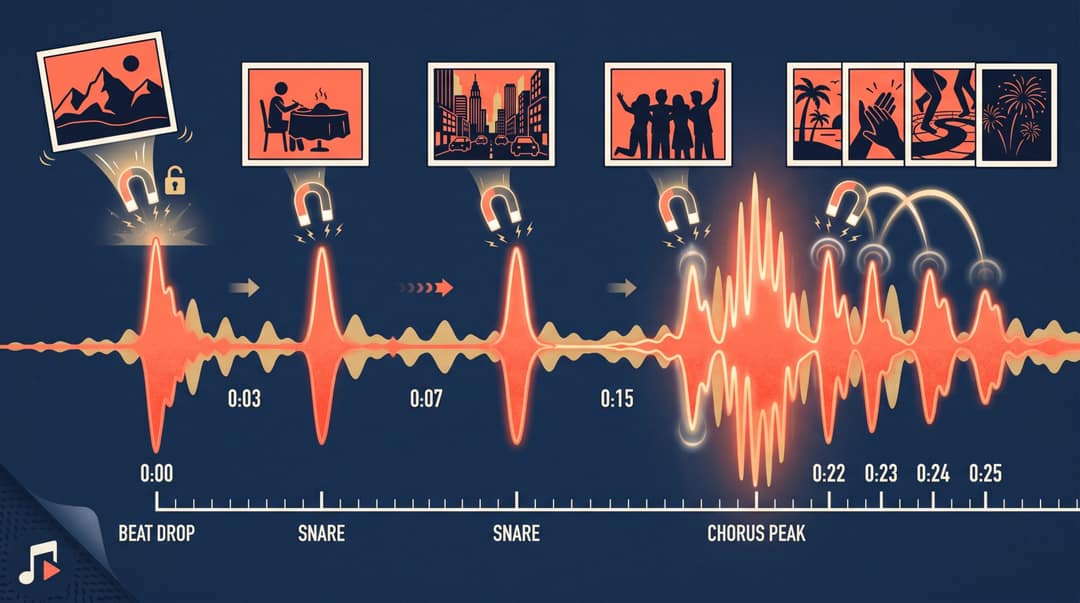
Here's a 30-second travel video as an example:
| Time | Visual |
|---|---|
| 0:00 | Best landscape photo + title text |
| 0:03 | Arrival |
| 0:05 | Street scene |
| 0:07 | Food |
| 0:09 | Friends or group |
| 0:12 | Landmark |
| 0:15 | Fast run of 4 to 5 detail shots (usually the chorus) |
| 0:22 | Sunset or best cinematic photo |
| 0:27 | Final group shot |
| 0:30 | Location and date, or call to action |
Step 5: Make still photos move
A slow zoom or pan across a still image, the Ken Burns effect, makes a slideshow feel like a video. iMovie applies the Ken Burns effect to photos by default, which is why iMovie photo videos look smoother than a basic slideshow.
| Photo | Motion |
|---|---|
| Group photo | Slow zoom toward faces |
| Landscape | Slow pan left or right |
| Product shot | Slight zoom in |
| Room interior | Slow push-in |
| Portrait | Gentle zoom toward the eyes |
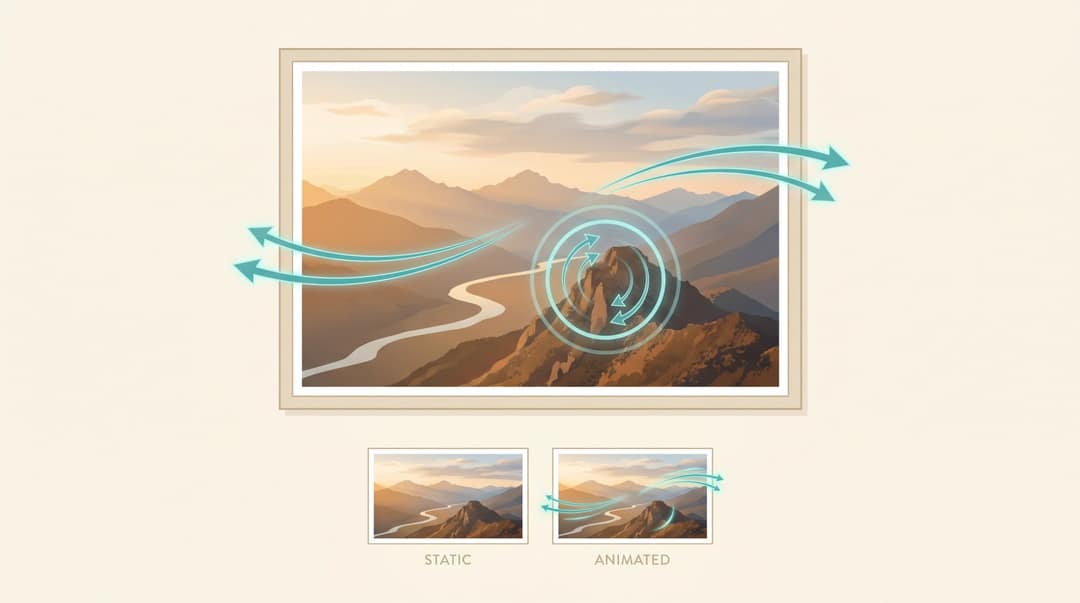
Keep the motion subtle: if every photo spins and bounces, the video looks cheap. For one or two key shots, AI animation goes further. Revid's AI Image Animator animates a single photo from a text prompt, for example wind in the trees of a mountain shot. TikTok's AI Alive, announced in May 2025, animates photos for TikTok Stories. Animate where it adds feeling, not everywhere.
Step 6: Use one or two transition styles
- Hard cuts for fast, modern videos and beat-synced sections.
- Fades and cross dissolves for emotional or nostalgic videos.
- Push or slide for travel and real estate, where direction suggests movement.
Pick one or two styles and keep them for the whole video. If viewers notice the transitions more than the photos, there are too many.
Step 7: Add text, titles and captions
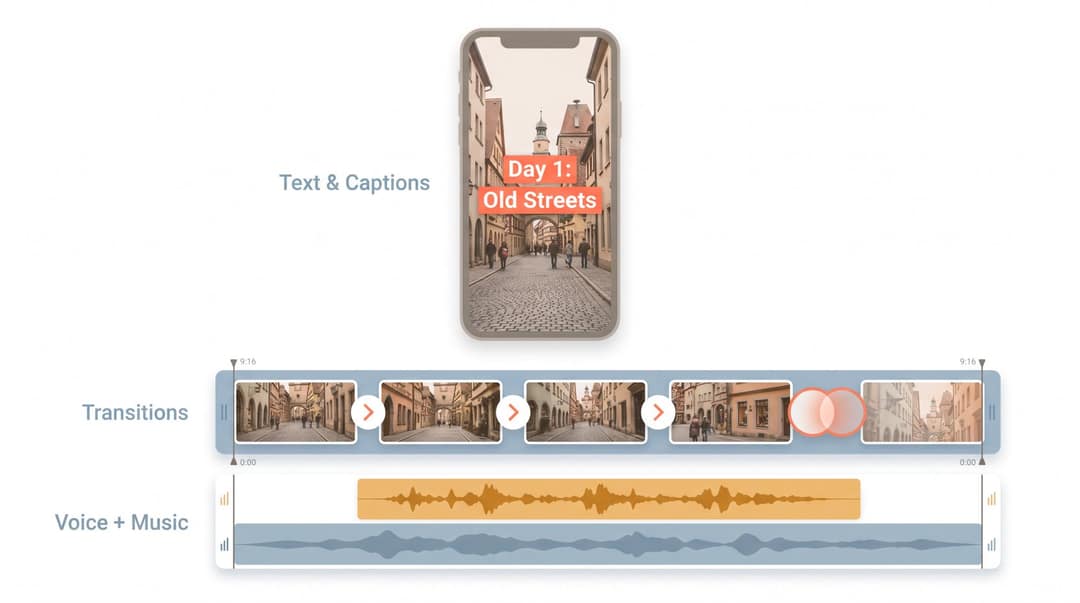
Text gives context to people watching without sound, and lets you make a video with photos, music and text that explains itself.
| Video | Text ideas |
|---|---|
| Travel recap | "3 days in Kyoto" / "Day 1: Old streets" |
| Wedding | "The morning" / "The vows" / "Forever starts here" |
| Product | "Lightweight" / "Waterproof" / "Shop now" |
| Real estate | "4 bedrooms" / "Open kitchen" / "Private garden" |
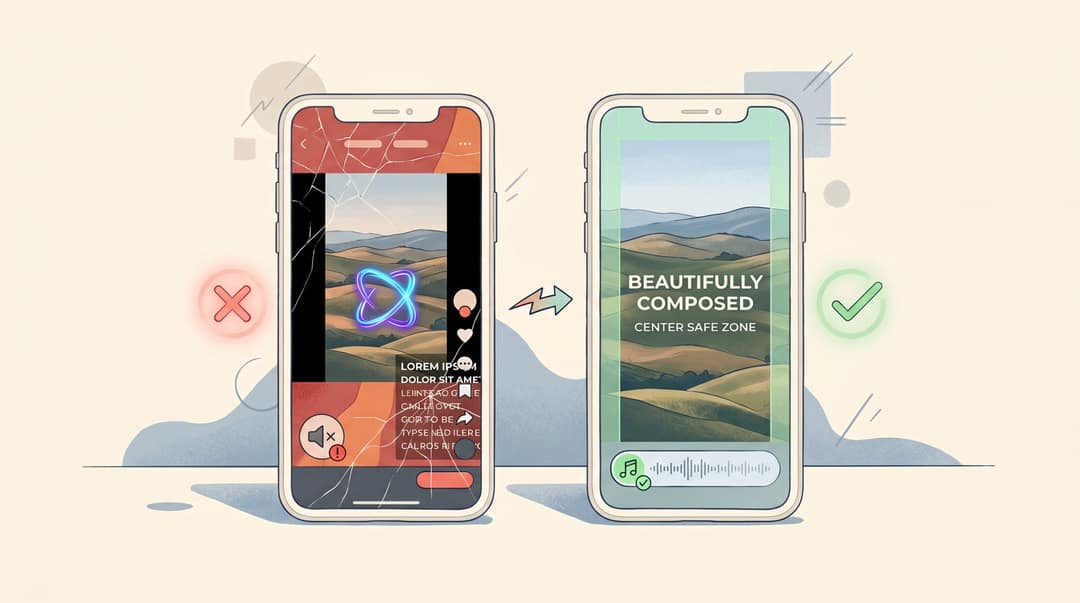
Keep text to a few words per screen. On vertical video, keep it out of the bottom, the right edge and the top corners, where captions, usernames and buttons sit. A TikTok safe zone overlay shows the exact area to avoid.
Step 8: Decide between music only and a voice-over
On social, a music-led photo video isn't at a disadvantage. In the same Revid analysis of 176,367 TikToks, videos with under 40 characters of speech had a median of 123K views, and 20.2% passed 1 million. Videos with talking throughout had 68K and 11.9%, and videos with no speech at all reached a 73K median. This is TikTok data, and it shows what top videos have in common, not what causes views. It still supports a simple rule: let the music and on-screen text carry an emotional photo video.
Videos with just a few spoken words (a line or two) beat both silent videos and videos that talk the whole way through, which were the most common and the weakest.
Source: Revid analysis of 176,367 TikToks analyzed by AI, with 1,000+ likes posted between Oct 1, 2025 and Oct 16, 2026 (61,203 creators)
Show the data
| Median views | Share that passed 1M views | |
|---|---|---|
| No speech | 73.3K | 14.3% |
| Under 40 | 122.7K | 20.2% |
| 40 to 120 | 97.2K | 17.6% |
| 120 to 300 | 91.6K | 16.8% |
| 300+ | 67.7K | 11.9% |
Add a voice-over when the viewer needs facts: real estate, products, tutorials and story videos. Keep it short and specific, for example:
"Welcome to this bright three-bedroom home minutes from the city center. The living room gets light all day, the kitchen is fully renovated, and the private garden is made for weekends outside."
Step 9: Preview on a phone and export
Watch the whole video on a phone before you export. If you get bored, cut faster. If something is confusing, add a text label. If the mood is wrong, change the song before you try to fix the edit. Check that no faces are cropped, that the text is readable and that the ending looks intentional.
| Setting | Vertical social | YouTube or TV |
|---|---|---|
| Format | MP4 (H.264) | MP4 (H.264) |
| Aspect ratio | 9:16 | 16:9 |
| Resolution | 1080 × 1920 | 1920 × 1080 |
| Frame rate | 30 fps | 30 fps |
TikTok's in-feed ad specs also recommend 9:16 and accept MP4 or MOV. If you post to several platforms, export a separate version for each (different first frame, hook text and call to action) rather than forcing one crop everywhere.
Which tool should you use: AI, a template or a manual timeline?
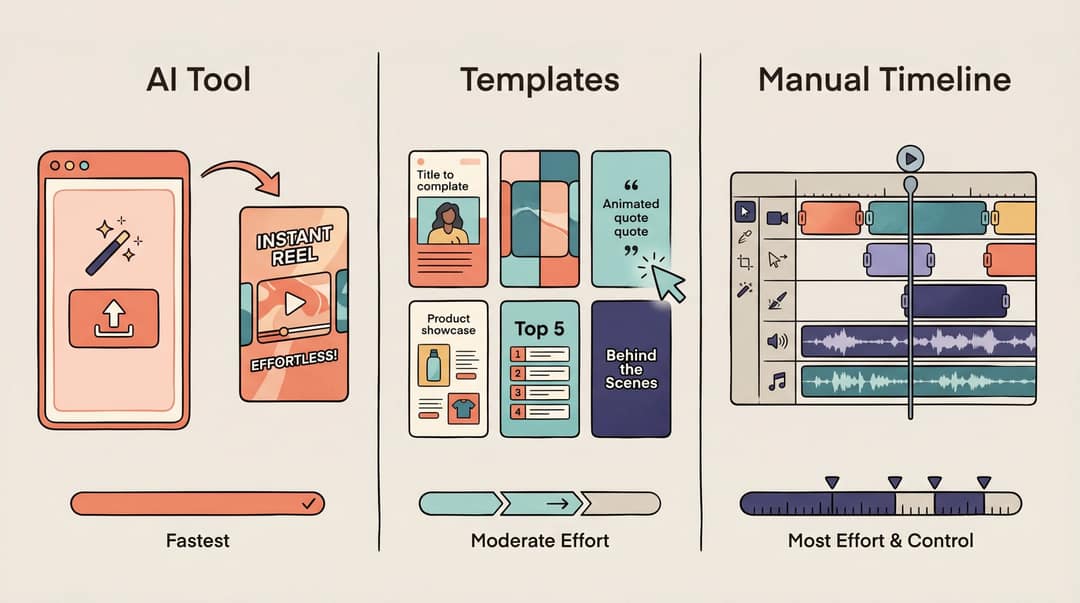
- AI tool: you upload photos, describe the video, and the tool arranges, paces and adds music. It's the fastest route for memory videos, travel recaps, product teasers and listings.
- Template editor (Canva, Adobe Express, CapCut templates): you drop photos into a designed layout. Good for invitations, branded posts and event slideshows.
- Manual timeline (iMovie, CapCut, Clipchamp, Premiere, Final Cut, DaVinci Resolve): you control every cut. Best for wedding films and anything where timing has to be exact.
How to make a video with photos and music in Revid
- Open the AI Photo to Video Converter, upload your photos in rough story order and choose 9:16, 16:9 or 1:1.
- Describe the video in a sentence or two, for example: "A warm 35-second vertical travel recap. Start with the mountain view, then food, streets, friends, sunset and a final group photo. Soft upbeat music and short location captions."
- Pick background music or upload your own track. Add an AI voice-over (70+ languages) only if the video needs explaining.
- Generate, then fix photo order, durations, captions and music volume in the timeline editor.
- Export in 1080p or 4K, or publish and schedule it directly to TikTok, Instagram and YouTube.
For birthdays, anniversaries and tributes, the memory video maker is built for that brief. Sign-up is free and new accounts get free credits to try it, no credit card needed. Regular creation then uses credits from a paid plan, starting at $39/month.
How to make a photo video on iPhone, Android and free apps
iPhone and Mac: Apple Photos and iMovie
On a Mac, Apple Photos can save a slideshow project with a theme, music, text and duration controls, then export it. It works best for family and event slideshows where vertical format doesn't matter. iMovie, on iPhone or Mac, gives you a real timeline with control over pacing and audio. iMovie's Magic Movie builds a video automatically from selected photos and clips, with titles, transitions and music, and you can edit the result.
Android and Google Photos
Google Photos makes highlight videos that combine photos and clips with music: select your items, create the video, then change the music, clip order and individual clips. On Android, its Photo to video option animates a single photo into a short clip, and it may crop landscape photos to portrait.
CapCut, Canva, Adobe Express and Clipchamp
CapCut suits TikTok-style beat-synced edits with templates or a manual timeline. Canva and Adobe Express are template-first and include stock music, and Adobe Express adds Adobe Stock photos, video and audio inside the editor. Clipchamp is Microsoft's browser editor, with stock music and presets for YouTube, TikTok and Instagram aspect ratios.
What's the best app to make a video with pictures and music?
| Tool | Best for | Trade-off |
|---|---|---|
| Revid | AI-built photo, memory and music videos with voice-over, captions and direct publishing | Generation uses paid-plan credits |
| CapCut | Manual beat-synced edits and trend templates | You do the timing yourself |
| Canva | Designed slideshows, invitations, branded posts | Template look, less motion |
| Adobe Express | Branded videos with stock assets and music | Template-first |
| Clipchamp | Timeline editing in the browser or on Windows | Manual work |
| iMovie | Apple users who want control, with Ken Burns built in | Apple devices only |
| Google Photos | Quick memory videos from your library | Few editing controls |
| Apple Photos | Quick Mac slideshows | Not built for vertical video |
For a longer comparison, read our roundup of photo and music video makers. If you're choosing between AI generation and editing by hand, see Revid vs CapCut.

How to make a video with photos and video clips
Mixing clips and photos follows the same steps, with three adjustments:
- Trim clips to the same rhythm as your photos (1 to 4 seconds), using only the moment where something happens.
- Use clips for the moments that need movement (a toast, a jump into the sea) and photos for faces and details.
- Turn clip audio down under the song, or mute it, unless the sound is the point (a speech, a laugh).
Google Photos highlight videos, iMovie Magic Movie, CapCut and Revid all accept a mix of photos and clips.
How to make a music video with pictures and a song
When the song is the main asset (your own track, a lyric video, a tribute set to one specific song), build everything around its structure. Map the intro, verses, chorus and outro. Give each section its own set of photos, and put the most striking images on the chorus. Add lyric captions if people will watch without sound. If you'd rather have visuals generated for the track, the AI music video generator takes an audio file or a music link and produces beat-synced visuals with lyric captions.
Prompt to try
Create a 30-second vertical 9:16 photo video of a weekend in Lisbon from these photos. Open on the best sunset shot with the text "3 days in Lisbon in 30 seconds", then show streets, food, friends and a fast run of detail shots on the chorus. Use hard cuts on the beat, subtle zooms and upbeat indie music. End on a group photo with "Part 2?".
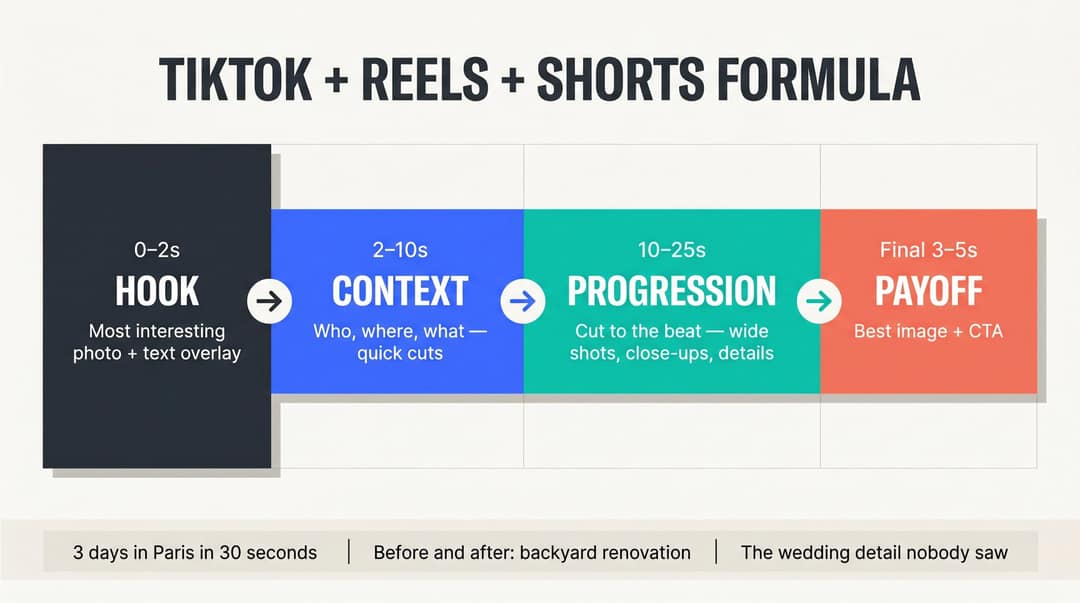
The photo video formula for TikTok, Reels and Shorts
- 0 to 2 seconds, hook: your most interesting photo, plus text like "3 days in Paris in 30 seconds" or "We turned 12 old photos into this".
- 2 to 10 seconds, context: who, where, what, with quick cuts and short labels.
- 10 to 25 seconds, progression: cut on the music and alternate wide shots, close-ups, people and details.
- Final 3 to 5 seconds, payoff: the best image or clearest message, then a call to action ("Save this idea", "Book a tour", "Part 2?").
TikTok also lets you publish a photo post of up to 35 photos with a sound. It suits a set of photos you want people to swipe through, while a video gives you control over timing and beat sync. For Instagram-specific steps, see how to make a picture video on Instagram.
Music copyright: which songs can you use in a photo video?
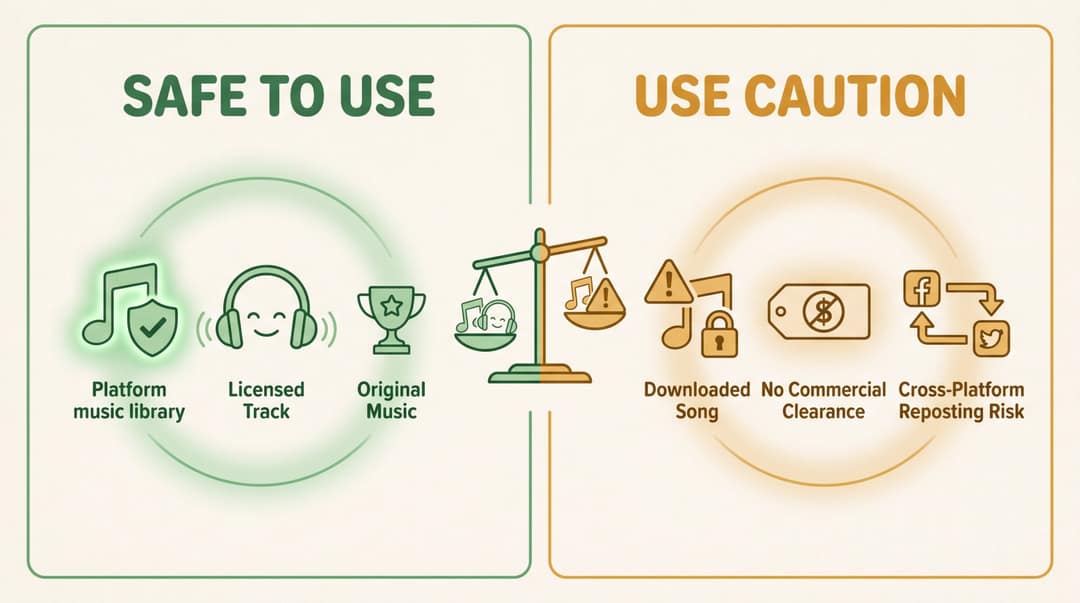
Usually safe:
- The in-app music library, for personal posts on that same platform.
- TikTok's Commercial Music Library, for business and brand accounts on TikTok.
- Meta's Sound Collection, for Facebook and Instagram videos.
- Royalty-free tracks whose license covers your use (personal, commercial, ads).
- Music you made, or commissioned with a written license.
Be careful with:
- Popular songs downloaded without a license.
- Music added in one app and reposted to another platform.
- Tracks in ads, sponsored posts or client videos without commercial clearance.
- YouTube Shorts longer than one minute.
TikTok's guidance on commercial music says brands and businesses should use the Commercial Music Library. You can browse that library in TikTok Creative Center. For Facebook and Instagram, Meta Sound Collection offers free music and sound effects.
Most songs in the Shorts Audio Library can be used for up to 90 seconds in a 3-minute Short, and some are limited to 60 or 30 seconds. YouTube's Shorts copyright guidance covers the details. For business videos, keep proof of every license. Swapping a track takes two minutes, while dealing with a muted video or a copyright claim takes far longer.
5 photo video templates you can copy
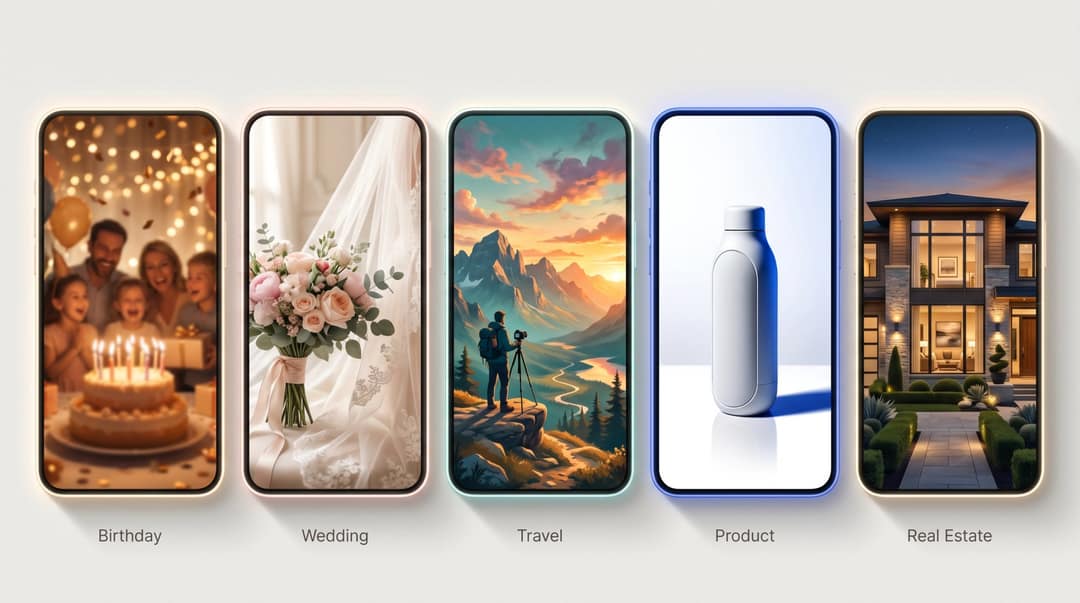
| Video | Length | Photos | Music | Story order |
|---|---|---|---|---|
| Birthday | 45 s | 18 to 22 | Warm, upbeat | Current portrait, childhood, funny moments, friends and family, recent milestones, group photo, "Happy Birthday" card |
| Wedding teaser | 60 s | 20 to 30 | Cinematic romantic instrumental | Venue, details, rings, ceremony, portraits, reception, dance, final portrait |
| Travel recap | 30 s | 12 to 18 | Upbeat indie or electronic | Best scenic shot, arrival, streets, food, people, landmark, sunset, title card |
| Product promo | 20 to 30 s | 8 to 12 | Clean modern beat | Hero shot, use case, two features, in action, detail, key benefit, call to action |
| Real estate | 45 to 60 s | 15 to 25 | Calm, premium | Exterior, entry, living room, kitchen, bedrooms, bathrooms, outdoor space, contact |
Copy-paste prompts for AI photo video tools
Travel recap:
Create a 35-second vertical travel recap from these photos. Make it cinematic, warm and energetic. Start with the most impressive landscape, then show the streets, food, people, details and sunset. Add short location captions, smooth motion and upbeat music. End with a title card: "A weekend to remember."
Birthday:
Create a warm 45-second birthday video from these photos. Make it nostalgic, joyful and personal. Start with a strong current photo, then move through older memories, funny moments, friends and family. Add upbeat emotional music and simple text: "Happy Birthday," "So many memories," "Here's to the next chapter."
Real estate:
Create a polished 45-second real estate listing video from these photos. Use a calm, premium style. Order the photos like a home tour: exterior, entrance, living room, kitchen, bedrooms, bathrooms, outdoor space, final contact slide. Add subtle zooms, smooth transitions, elegant music and short room labels.
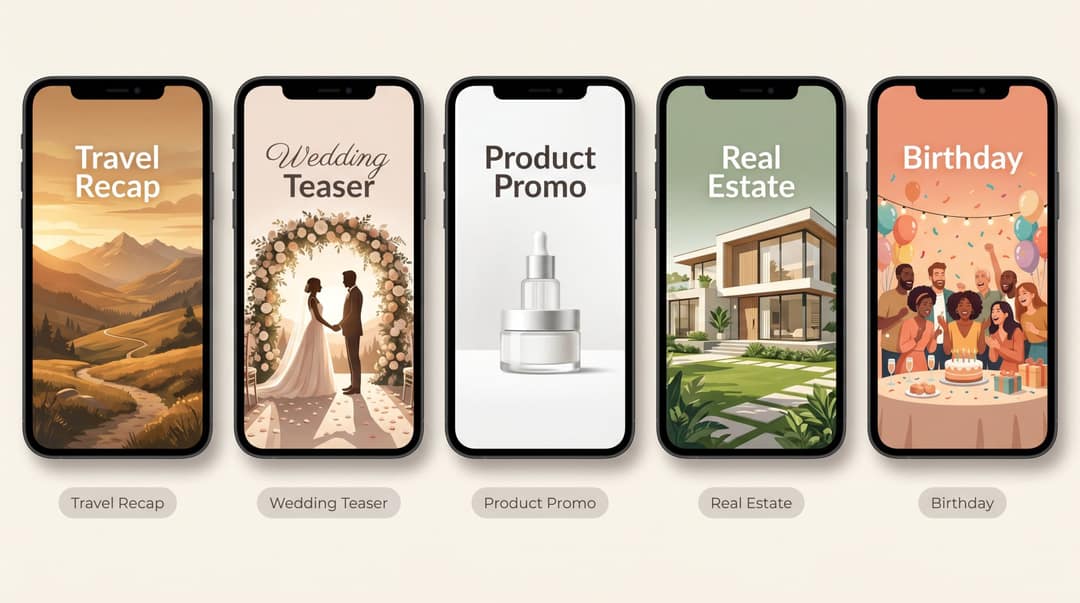
7 tips that make a photo video look professional
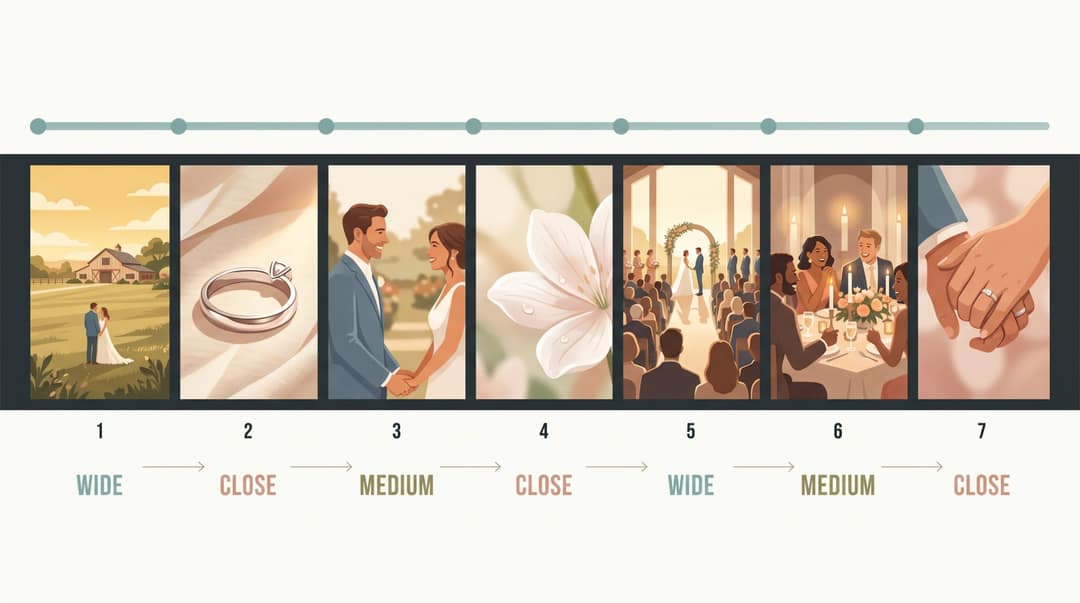
- Use fewer, better photos. 15 strong photos beat 60 random ones in the same 30 seconds.
- Alternate wide, medium and close-up shots. For a wedding: wide venue, close ring, medium couple, close flowers, wide ceremony.
- Match transitions to the mood. Fast cuts don't belong in a memorial, and slow fades drag down a party recap.
- Keep text short. Write "Old town lunch by the river", not a full sentence about the day.
- Treat the first frame as the thumbnail. It should make sense, and look good, before the video plays.
- Keep branding subtle. A small logo or a final brand card is enough for business videos.
- Make platform-specific versions. The same photos and song can become a TikTok, a Reel and a Short, each with its own hook and length.
Common photo video mistakes and how to fix them
| Mistake | Fix |
|---|---|
| Too many photos | Cut the weakest 30 to 50% of your first selection |
| Boring first image | Open with your strongest photo, whatever its date |
| Music added after the edit | Put the song down first and cut to its beat |
| Unlicensed music | Use platform-cleared or properly licensed tracks |
| Wrong aspect ratio | Choose 9:16, 16:9, 1:1 or 4:5 before you edit |
| Text under platform buttons | Keep text in the center safe area |
| A different transition every time | Use one or two styles |
| Blurry export | Use sharp sources and export at 1080p or higher |

Photos are cropped badly. You're probably editing landscape photos in a vertical frame. Switch those shots to fit with a blurred background, or reframe each crop by hand.
The music got muted after posting. Replace the track with one from the platform's cleared library or a licensed royalty-free source, then repost.
The YouTube Short was blocked. Check whether it runs over one minute with claimed music. Trim it under a minute or swap the audio.
It looks too AI-generated. Tone down extreme motion, replace odd animated scenes with your real photos, and keep the key emotional moments as unaltered photos.
The text is hard to read. Use fewer words, a larger size and higher contrast, and add a semi-transparent backdrop behind text on busy photos.
FAQ
Can I make a video with photos and music for free?
Yes. Google Photos, Apple Photos, iMovie, CapCut, Canva, Clipchamp and Adobe Express all make photo videos with music at no cost, though free tiers may limit templates, stock music or exports. AI tools that build the edit for you, like Revid, use paid credits.
Can I use any song in my photo video?
No. Whether you can use a song depends on the platform, your account type and whether the video is personal or commercial. For business posts, use cleared libraries such as TikTok's Commercial Music Library or Meta Sound Collection, and keep claimed songs out of YouTube Shorts over one minute.
Can you make a video with pictures but no music?
Yes. Follow the same steps and let text, a voice-over or the natural sound of video clips carry the rhythm. Without music, photos feel slower, so use the shorter end of each duration range.
Is a slideshow the same as a photo video?
Not quite. A slideshow shows photos one after another with simple transitions. A photo video adds a story order, beat-synced cuts, motion, text and platform-specific formatting.
How do I make a memory video with pictures and music?
Start with a recent photo of the person, move through older memories in rough order, and end on a group photo and a short message, set to a gentle track. Hold key photos 3 to 5 seconds. 30 to 90 seconds suits most birthdays and anniversaries, and memorials can run longer.
Sources
- Revid analysis of 176,367 TikToks analyzed by AI, with 1,000+ likes posted between Oct 1, 2025 and Oct 16, 2026 (61,203 creators)
- Revid analysis of 176,367 TikToks with 1,000+ likes posted between Oct 1, 2025 and Oct 16, 2026 (61,203 creators)
- YouTube Official Blog, Tall updates coming to Shorts (October 2024)
Charts and figures checked on November 6, 2026.