Social Media Caption Generator: 6 Best AI Tools for 2026
Six AI caption generators compared by what they're actually good at, three popular picks to skip, and Revid's data on the caption length and hashtag count that top TikToks use.
On this page
The best social media caption generator depends on where the caption goes. Use Revid's free generators for TikTok, Instagram Reels and YouTube Shorts, Canva's Magic Write for captions written next to a design, Jasper or Copy.ai for brand-voice marketing copy, and Hootsuite or Lately when captions are part of scheduling or repurposing.
Length matters more than most generators assume. In Revid's analysis of 176,367 TikToks with 1,000+ likes, videos with no caption had a median of 36K views, while captions of 41 to 80 characters reached 67K. A tool that pads every post with a paragraph of emojis and a wall of hashtags works against you, so tell it exactly what you want (prompts below).
- Median TikTok views with a 41 to 80 character caption, the best length
- 67K
- Revid analysis of 176,367 TikToks
- Median TikTok views for videos posted with no caption
- 36K
- Revid analysis of 176,367 TikToks
- Median TikTok views for posts with 4 hashtags, the best count
- 77K
- Revid analysis of 176,367 TikToks
- Marketers who already use generative AI tools to create social content
- 73%
- HubSpot, September 2026
Best social media caption generators at a glance
| Tool | Best for | Free option | Starting price | Watch out for |
|---|---|---|---|---|
| Revid | Captions for TikTok, Reels and Shorts, plus the video itself | Free caption, title and description generators | Free credits on sign-up, then video plans from $39/month | Built for short-form, not long LinkedIn posts or emails |
| Canva | Writing the caption next to the design | Free plan with a small AI allowance | Pro from €110/year | AI writing is lighter than dedicated writers |
| Jasper | Brand-voice copy across many channels | Free trial | See its site | Priced for marketing teams |
| Copy.ai | Teams running sales and marketing workflows | See its site | See its site | Now a go-to-market platform, heavy for one creator |
| Hootsuite | Writing captions inside a scheduler | No free plan | See its site | Learning curve, team pricing |
| Lately | Turning long content into many posts | See its site | See its site | Needs existing long-form content to work from |
Pricing changes often. Treat any figure above as a starting point and confirm on each tool's pricing page.
1. Revid: best for short-form video captions
Revid is an AI video platform for TikTok, Instagram Reels and YouTube Shorts, and it includes free generators for the text that goes with a post: a TikTok caption generator, an Instagram caption generator, a YouTube title generator and a YouTube description generator. You describe what the post is about, get several captions with hashtags, and edit the one you like.
The difference is that each generator writes for its platform: short hooks and a few hashtags for TikTok, a storytelling first line and a call to action for Instagram, search-friendly titles and descriptions for YouTube. If the video doesn't exist yet, Revid can make it too: script, visuals, a voice-over in 70+ languages, synced captions and music, then publishing to TikTok, Instagram and YouTube.
The caption generators are free. New accounts get free credits to try video creation, no credit card needed; regular creation then uses the credits of a paid plan, from $39/month (Growth, 2,000 credits a month). Where it fits less well: long LinkedIn posts, newsletters or ad copy for search campaigns, where a general writer like Jasper does more.
Prompt to try
Make a 30-second vertical TikTok about three morning habits that save busy parents 20 minutes. Open with the hook "You're losing 20 minutes every morning, here's where." Use bright stock footage, a friendly voice-over and bold synced captions, and end with a question asking viewers which habit they'll try first.
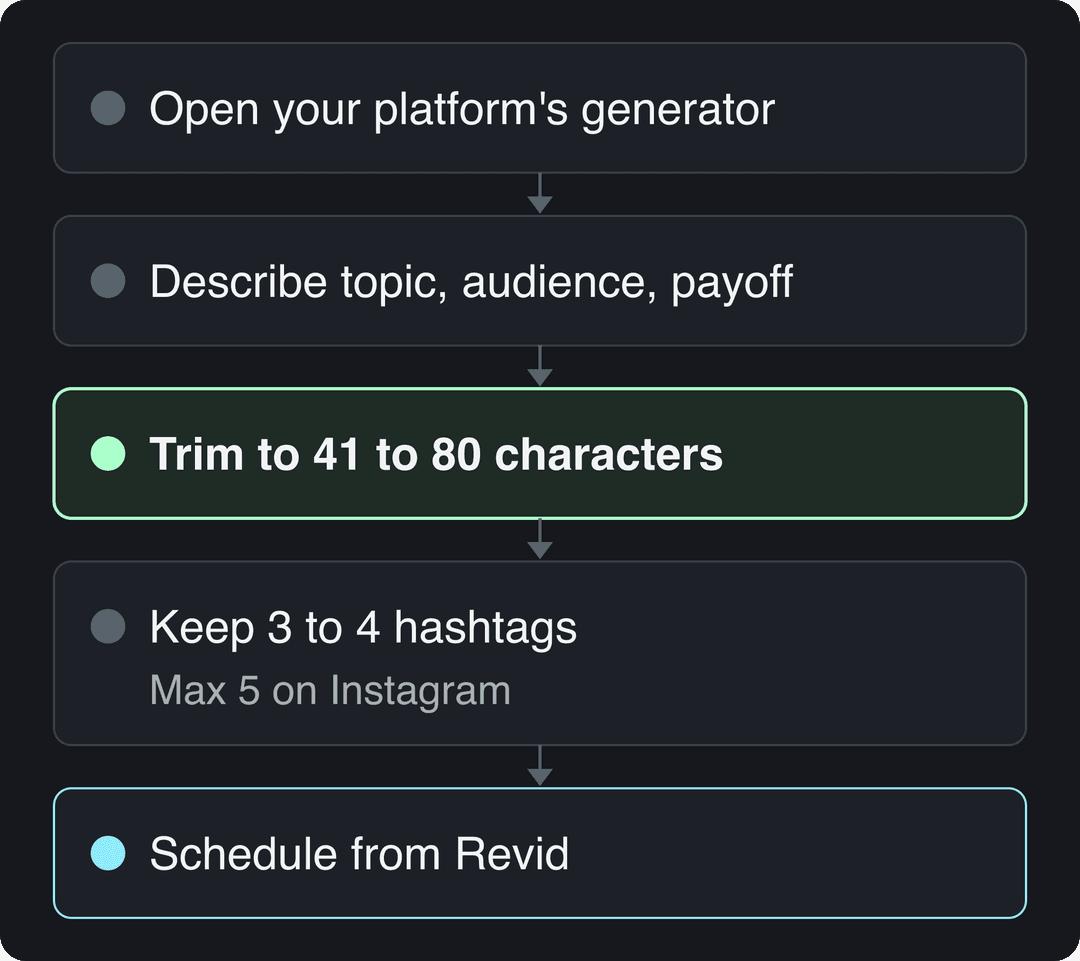
How to write a caption with Revid
- Open the generator for your platform (TikTok, Instagram or YouTube).
- Describe the video in one or two sentences: the topic, who it's for and the payoff.
- Pick the option whose first line works on its own, then trim it toward 41 to 80 characters for TikTok.
- Keep 3 to 4 hashtags on TikTok and never more than 5 on Instagram.
- If you made the video in Revid, schedule it from the same place with Revid's social media publishing.
2. Canva: best for captions written next to the design
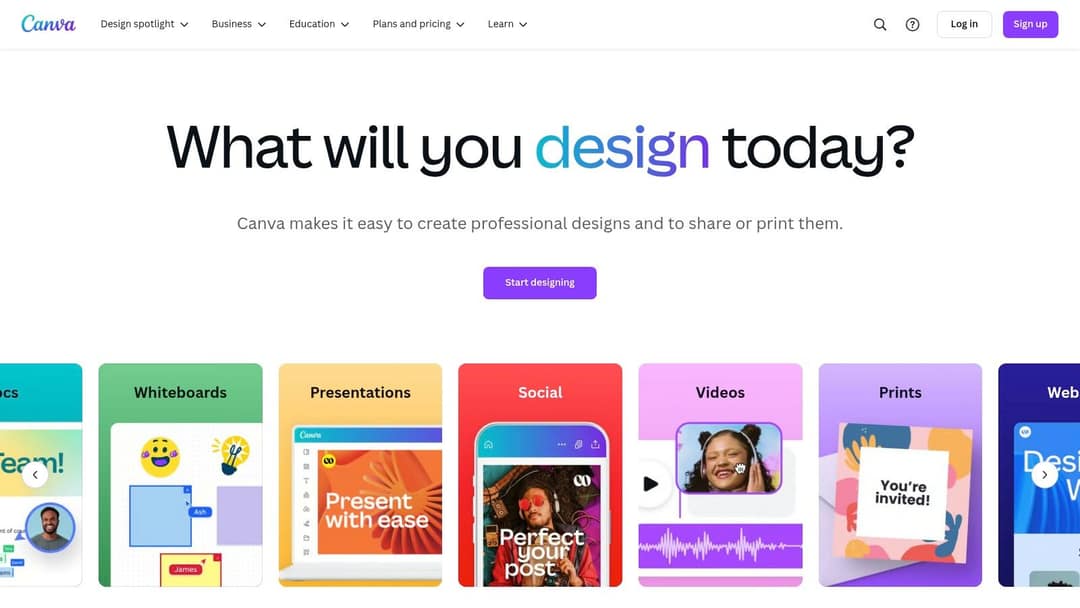
Canva's Magic Write drafts text inside the same editor where you build the post, so the caption and the visual are made together. That is the best Canva-integrated captioning workflow for most people: design the graphic or short video, ask Magic Write for caption options, then copy the one you keep into your scheduler.
The free plan includes 1.6 million+ templates and a small AI allowance (up to 20 uses). Canva Pro starts at €110 per year. Its caption writing is simpler than dedicated writers, so expect to edit more. If your posts are moving to video, the Revid vs Canva comparison explains when generating a full short-form video from text beats designing one by hand.
3. Jasper: best for brand-voice marketing copy
Jasper positions itself as AI built for marketing teams. Its strength is brand voice: you define your style once and Jasper applies it to social posts, emails, blogs and ads, which keeps captions consistent across Instagram, Facebook, LinkedIn and X.
It offers a free trial; paid plans cost more than caption-only tools, so check the current price on its site. Choose Jasper if one team writes copy for many channels. Skip it if you only need Reels or TikTok captions: you'll pay for features you won't use.
4. Copy.ai: best for teams with sales and marketing workflows
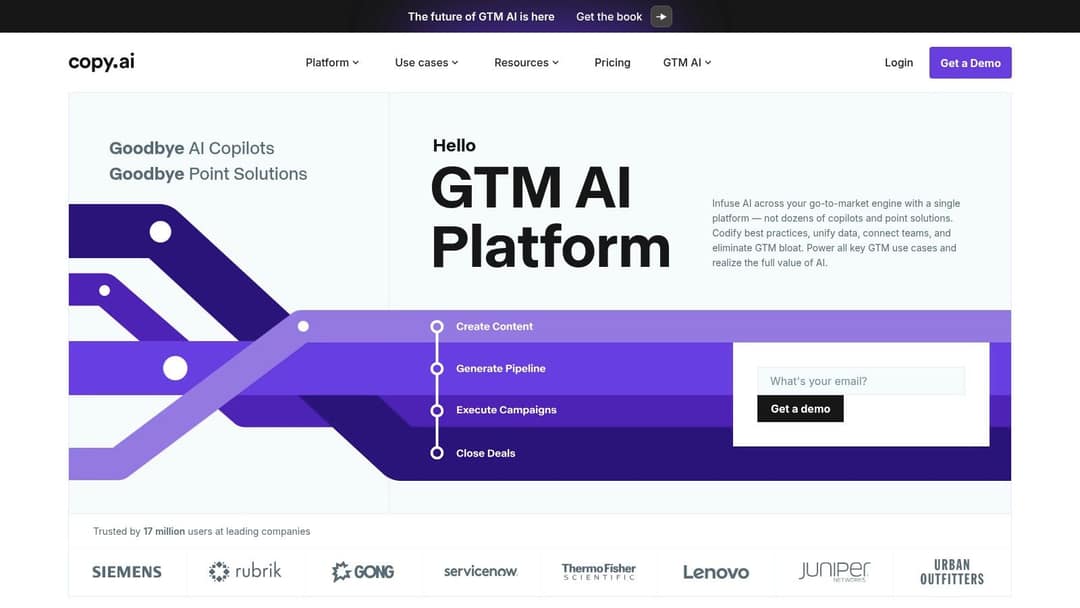
Copy.ai started as a copywriting tool and now presents itself as a go-to-market AI platform covering content, pipeline, campaigns and deals. Social captions are one workflow among many, with tone controls and multilingual output.
That shift makes it a strong pick for a marketing team that also wants AI in sales outreach, and a heavy one for a solo creator. If your only job is captions, a platform-specific generator gets you there faster.
5. Hootsuite: best for captions inside a scheduling tool

Hootsuite is a social media management platform with an AI caption writer built into the post composer, next to scheduling, analytics and team approvals. The advantage is fewer steps: you write, approve and schedule in one place across several accounts.
Hootsuite no longer offers a free plan, and it takes time to set up. If scheduling is your main need, compare it with Buffer and Sprout Social, which also manage several accounts, and check each one's current AI writing features before you pick.
6. Lately: best for turning long content into posts
Lately takes long content (blog posts, podcasts, webinars, videos) and breaks it into many short social posts in your brand's voice, learning from which past posts got engagement. It suits small businesses and marketers who already publish long-form content and want social posts from it without writing each one.
It does little if you don't have source material, and pricing sits above simple caption tools. Check its site for current plans.
Three tools often listed that aren't caption generators
These show up in many "best caption generator" lists, including earlier versions of this one. They aren't the right tool for the job:
- WordAi: WordAi is an article rewriter that rebuilds sentences in bulk. It can rephrase text you already have, but it doesn't write a caption from an idea, and its site markets avoiding AI detection, which isn't a caption goal.
- Kicksta: Kicksta sells Instagram follower growth. Its homepage leads with growth, not writing, so confirm what caption features you get before paying. For Instagram captions, a general writer such as Copy.ai or Jasper covers more.
- Lightricks: Lightricks makes Facetune and Videoleap, and its homepage now leads with LTXV, an open-source video generation model. It doesn't present a standalone caption writer, so check your app store before planning around one.
How long should an AI-generated caption be?
Aim for one strong line. In Revid's analysis of 176,367 TikToks with 1,000+ likes posted between October 2025 and October 2026, captions of 41 to 80 characters had the best median (67K views, with 12.5% passing 1 million). Videos with no caption had a median of 36K and only 7.5% passed 1 million.
A caption of 41 to 80 characters (one clear sentence) performed best. Posts with no caption at all earned roughly half the median views.
Source: Revid analysis of 176,367 TikToks with 1,000+ likes posted between Oct 1, 2025 and Oct 16, 2026 (61,203 creators)
Show the data
| Median views | Share that passed 1M views | |
|---|---|---|
| No caption | 36.4K | 7.5% |
| 1 to 40 | 58K | 11.1% |
| 41 to 80 | 67.3K | 12.5% |
| 81 to 150 | 66.6K | 12.3% |
| 151 to 300 | 63.8K | 11% |
| 300+ | 67.8K | 11.7% |
Hashtags follow the same pattern: in the same TikTok data, posts with 4 hashtags had the best median (77K views) and 3 hashtags came close (75K). No hashtags dropped to 51K, and 9 or more fell to just 16K. The full method is in the study what makes a TikTok go viral.
Two limits matter. This is TikTok data, and it only covers videos that already reached 1,000+ likes, so it shows what top videos have in common, not what causes views. Still, the rule for your generator is clear: ask for a short hook line and 3 to 4 hashtags instead of accepting its default.
Posts with 3 or 4 hashtags earned the most views. Captions stuffed with 9 or more hashtags did worst of all, with median views cut by about 80%.
Source: Revid analysis of 176,367 TikToks with 1,000+ likes posted between Oct 1, 2025 and Oct 16, 2026 (61,203 creators)
Show the data
| Median views | Share that passed 1M views | |
|---|---|---|
| None | 51.1K | 9.8% |
| 1 | 64K | 11.8% |
| 2 | 71.3K | 12.7% |
| 3 | 75.4K | 13.1% |
| 4 | 77.2K | 13.4% |
| 5 | 67.3K | 12.1% |
| 6 to 8 | 71.8K | 12.7% |
| 9+ | 15.6K | 7.8% |
Caption limits for Instagram, TikTok, YouTube and Facebook
| Platform | Text limit | Hashtag rule | What to ask the generator for |
|---|---|---|---|
| Instagram posts and Reels | 2,200 characters | Up to 5 per post | A hook first line, a call to action, up to 5 hashtags |
| TikTok | 2,200 for video captions posted through TikTok's API; the in-app limit isn't published | No official cap published | 41 to 80 characters, 3 to 4 hashtags |
| YouTube Shorts | Title up to 100 characters; description up to 5,000 | Tags limited to 500 characters in total | A title with the search phrase early, a description with context |
| Facebook Reels | Check the composer | Check the composer | Since June 2025, every new Facebook video is shared as a reel, so write it like a Reels caption |
Prompts that get better captions from any generator
Most weak AI captions come from weak inputs. Paste this template into any tool, Revid's generators included:
Write several captions for a [platform] [post or Reel] about [topic]. Audience: [who]. Tone: [funny / inspirational / direct]. The first line must work as a hook on its own. Keep each between 41 and 80 characters. End with one question or one call to action. Add 3 to 4 hashtags: one broad, the rest niche.
Then adjust one line for the caption type you need.
Funny and witty captions
Add: "Use one specific, relatable detail, no puns on the brand name." Example: "My 'quick' coffee order took longer than my commute."
Inspirational captions and quotes
Add: "Write it in my voice, not as a famous quote, and tie it to what the video shows." Example: "Small steps still count. This was day one." Generic quotes are easy to generate and easy to scroll past; a line tied to your own story isn't.
Event promotion captions
Add: "Lead with the date and what people get, end with save or share." Example: "Doors open Saturday night. Free entry for the first hour. Save this so you don't forget."
Marketing copy and product captions
Add: "Name one concrete benefit and one objection it answers." Example: "Fits a laptop, a gym kit and lunch. Still looks good at the office."
Instagram Reels captions
Add: "The video carries the story; the caption adds context the video doesn't show." Reels viewers see the video first, so a caption that repeats the on-screen text wastes the space.
Prompt to try
Create a 25-second Instagram Reel for a small bakery showing how one sourdough loaf goes from dough to oven. Hook: "This loaf takes 36 hours, and it's worth it." Warm, close-up visuals with calm music and short on-screen captions, ending with a call to visit this weekend.
Need on-screen captions (subtitles) instead?
"Caption" also means the text burned into the video. For that, use a subtitle tool, not a text writer. Revid's AI caption generator adds animated, synced captions to any video in 100+ languages, with 30 caption styles to choose from.
If you need to subtitle hundreds of TikTok UGC ads, test one ad end to end first: check that the style matches your brand and that emojis render the way you expect, then run the batch. Custom brand fonts vary by tool, so confirm support before you commit at volume.
How to choose a caption generator
- If you post short-form video every week, start with Revid's free platform generators.
- If you design posts in Canva already, use Magic Write there and skip a second tool.
- If a team writes copy for many channels and must sound the same everywhere, use Jasper or Copy.ai.
- If captions are the last step before scheduling for several accounts, use Hootsuite or compare Buffer and Sprout Social.
- If you have blogs or podcasts to mine, use Lately.
Whatever you pick, you're not alone in using AI for this: in HubSpot's 2026 social media trends data, 73% of marketers said they already use generative AI tools to create social content (see more in our short-form video statistics). The edge comes from editing the first line yourself.
FAQ
What is the best caption generator for social media?
For TikTok, Instagram Reels and YouTube Shorts, Revid's free caption generators are the most direct option because each writes for its platform. For design-led posts use Canva, for brand-voice copy across channels use Jasper, and for scheduling teams use Hootsuite.
Is there a free AI caption generator for social media?
Yes. Revid's TikTok and Instagram caption generators and its YouTube title and description generators are free, and Canva's free plan includes a small Magic Write allowance (up to 20 uses).
How much does Revid cost?
Revid's caption generators are free and sign-up is free. New accounts get free credits to try video creation (no credit card needed), then regular creation uses paid credits: Growth is $39/month ($32 billed yearly), Elite $89/month and Ultra $199/month, with the current list on the Revid pricing page.
Do you have to disclose AI-written captions?
Not on YouTube: AI-written titles, scripts and captions don't require disclosure. TikTok's and Meta's AI labels target realistic AI-generated images, audio or video, not the text you write with an assistant.
Can a caption generator write captions automatically for every post?
It can draft them, but publish only after a human edit. Generators repeat structures over time, so rewrite the first line and cut hashtags to the platform's limit before posting.
Sources
- Revid analysis of 176,367 TikToks with 1,000+ likes posted between Oct 1, 2025 and Oct 16, 2026 (61,203 creators)
- HubSpot, The Future of Social Media [Research]: What Marketers Need to Know in 2026 (September 2026)
Charts and figures checked on November 6, 2026.