Twórcy publikują ponad 30 000 filmów miesięcznie w Revid
Generator wideo AI z promptu
Prompt na wideo zamienia opis tekstowy w gotowy film. Opisz scenę, historię i styl, jakiego chcesz, a Revid napisze narrację, wygeneruje obraz jako wideo AI lub animowane obrazy AI, a potem doda lektora, muzykę, efekty dźwiękowe i napisy. Wybierz dowolną długość od 8 sekund do 5 minut.
Twój prompt do filmu
💡 Opisz zwykłymi słowami, co chcesz zobaczyć w filmie. AI wygeneruje scenariusz na podstawie Twojego promptu.
2,603 filmów utworzonych w Revid w ciągu ostatnich 24 h
Gotowy w kilka minut · Edytuj wszystko przed publikacją
Przykładowe wyniki
Media: Stock videosRatio: 9:16
Podobne narzędzia dla Ciebie:
lub odkryj ponad 42 inne narzędzia i stwórz dokładnie taki film, jaki chcesz
**Recommended preset: Ultra Realism**
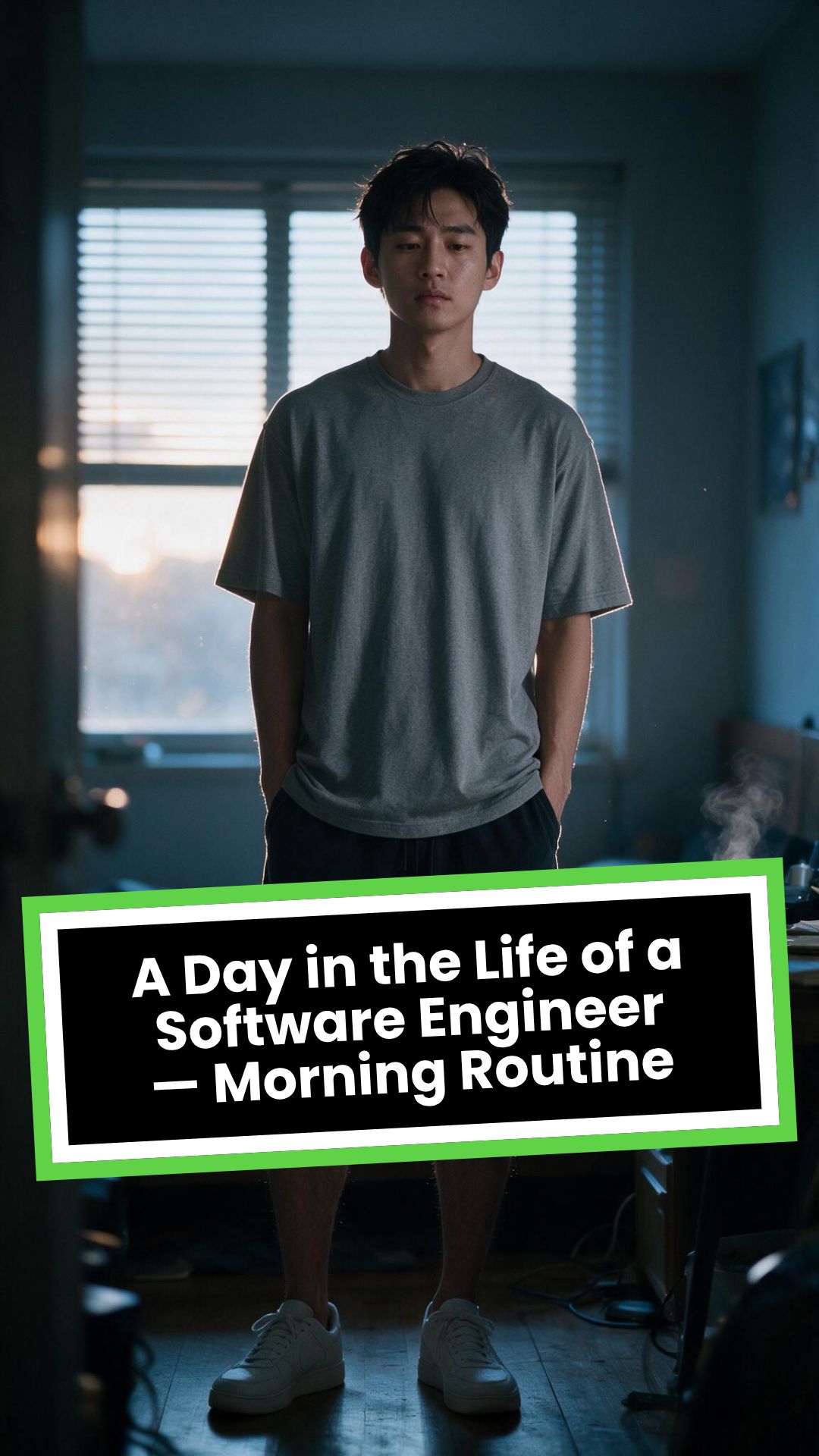
# A Day in the Life of a Software Engineer — Morning Routine
## STARTING FRAME
Extreme macro close-up of a smartphone resting face-up on a dark wooden bedside table in a quiet apartment bedroom before sunrise. The alarm reads **6:30 AM** in crisp white digits. The edge of the phone, tiny dust particles on the table, and the faint reflection of the screen are sharply detailed.
Several feet behind it, a young Asian man in his late twenties lies asleep beneath slightly rumpled bedding. He is only a soft, indistinct silhouette because of the extremely shallow depth of field. Cool blue-grey morning light leaks through partially closed curtains, creating faint horizontal shadows across the room.
A closed laptop, sleeping monitor, mechanical keyboard, notebook, headphones, water bottle, and hoodie resting over a desk chair are visible only as subdued background shapes.
The room is completely still.
Animate forward from this exact frame.
---
## [0s–3s] — THE ALARM
The camera remains extremely low, almost level with the bedside table.
For the first moment, nothing moves.
Then the alarm begins ringing.
The smartphone vibrates against the wooden surface in short mechanical pulses. One corner taps faintly against the table with each vibration. The glow from the screen reflects subtly across the wood grain.
Keep the sleeping man fully blurred in the background.
Do not reveal his face yet.
The curtains move almost imperceptibly from a weak draft. Distant traffic hums outside. A soft electrical ambience comes from the sleeping computer monitor.
Allow the alarm to interrupt the quiet rather than immediately triggering a reaction.
---
## [3s–6s] — THE FIRST REACTION
Begin a very slow rack focus away from the phone.
The alarm digits gradually soften.
The sleeping man’s shoulder, face, pillow, and blanket slowly resolve into focus.
He does not immediately wake.
His eyebrows contract slightly.
His head presses deeper into the pillow as though instinctively trying to escape the sound.
One hand shifts beneath the blanket.
His fingers curl faintly against the fabric.
The bedding moves only a few centimetres as his body reacts before his mind is fully awake.
The voice-over begins quietly:
> “Most days aren’t my best days.”
The delivery is close, restrained, personal, and slightly tired. It should sound like a private thought rather than narration for an audience.
---
## [6s–10s] — WAKING
His eyes open slowly.
They remain unfocused.
He blinks once.
A longer pause.
Then he blinks again.
His gaze drifts toward the sound without turning his head completely.
One hand emerges from beneath the blanket and reaches toward the bedside table. His arm moves heavily, dragging slightly across the mattress.
His fingers miss the phone on the first attempt.
They brush against the charging cable, slide across the table, then finally reach the screen.
He presses the alarm off.
The sound stops abruptly.
The room becomes quiet again.
Let the silence remain for a full beat.
His hand stays resting beside the phone rather than instantly returning to bed.
He exhales slowly through his nose.
The camera makes an almost imperceptible push toward him.
No dramatic expression. No exaggerated yawn.
Only the slow recognition that the day has started.
---
## [10s–14s] — SITTING UP
He turns onto one side.
The blanket pulls across his torso and gathers naturally around his waist.
His elbow presses into the mattress.
The mattress compresses visibly beneath his weight as he pushes himself upward.
His head rises last.
His hair is slightly flattened on one side and falls unevenly across his forehead.
He moves both legs toward the edge of the bed.
One foot searches for the floor.
Then the other.
His bare toes make contact first, followed by the rest of each foot.
He remains seated at the edge of the mattress.
His back curves slightly.
His shoulders hang low.
His hands rest loosely beside his thighs.
He stares at the floor without really looking at anything.
Hold this moment.
The creased bedding behind him should remain compressed where his body had been.
The voice-over continues after a natural pause:
> “But I remember why I do this…”
---
## [14s–17s] — STANDING
He shifts his feet slightly farther apart.
His weight moves forward.
His elbows press lightly against his thighs before he pushes himself upright.
His hips rise first, followed by his shoulders.
Show realistic balance adjustment as his body settles onto both feet.
He stands still for a brief moment.
His loose neutral-coloured T-shirt falls naturally back into place. His shoulders remain slightly lowered. His breathing is calm but heavy with sleep.
The camera stays behind him at approximately waist-to-shoulder height, observing rather than presenting him.
He takes two slow steps toward the bedroom wall.
His bare feet make soft contact with the floor.
He runs his fingers along the wall for a moment before finding the light switch.
He presses it.
A warm bedside or ceiling practical light turns on.
Do not flood the entire room with brightness.
The warm light should gradually reveal wood, bedding, fabric, and skin while the cool morning light remains visible through the curtains.
His eyes narrow slightly in response.
---
## [17s–20s] — TOWARD THE BATHROOM
He turns toward the bathroom doorway and begins walking.
The camera follows several steps behind with restrained handheld drift.
His pace is slow and partially automatic.
He does not acknowledge the camera.
His arms hang naturally beside him.
His shirt moves subtly across his back with each step.
Use the bathroom doorway as a natural frame around his body.
As he crosses the threshold, briefly hold the bedroom in the background:
* the unmade bed;
* the silent phone;
* the closed laptop;
* the dark monitor;
* the hoodie over the chair;
* cool daylight still entering through the curtains.
The voice-over completes:
> “…and I get up anyway.”
The line should not swell emotionally. It should land quietly, almost as though he is reminding himself.
---
## [20s–25s] — THE BATHROOM
Follow him into a small, modern, lived-in bathroom.
Use one hidden natural transition as the camera passes behind the doorframe if necessary, but preserve the feeling of one continuous shot.
He reaches toward the bathroom light switch.
A soft neutral overhead light turns on.
The camera settles into a side angle where both his real profile and part of his reflection are visible. He never looks directly into the lens.
His face in the mirror appears tired but composed.
He reaches toward a simple toothbrush holder.
His fingers close around the toothbrush.
He turns the tap handle.
Water begins flowing into the basin with a steady, natural sound.
Small droplets strike the ceramic surface and collect around the drain.
He briefly passes the toothbrush beneath the water.
He picks up the toothpaste with his other hand.
His thumb flips open the cap.
He positions the tube above the brush and squeezes slowly.
The tube compresses naturally between his fingers.
A small line of toothpaste settles across the bristles.
He releases pressure, places the toothpaste beside the sink, and brings the toothbrush to his mouth.
He begins brushing with slow, absent-minded movements.
His free hand rests against the edge of the basin.
The water continues running softly for a moment before he reaches over and turns it off.
End with him brushing his teeth in silence while early-morning ambience fills the room.
No smile.
No inspirational pose.
No sudden burst of energy.
The morning has simply begun.
---
# CAMERA DIRECTION
* One continuous observational sequence whenever possible.
* Extreme macro lens for the opening alarm.
* Very shallow depth of field during the first six seconds.
* Slow rack focus from the alarm to the sleeping man.
* Subtle push-in while he wakes.
* Low bedside camera placement.
* Gentle handheld drift only after he stands.
* Restrained tracking movement toward the bathroom.
* Use the bedroom and bathroom doorframes as natural foreground obstruction.
* Slight parallax as the camera follows him.
* Side-angle bathroom composition with a partial mirror reflection.
* Camera movement must feel physically operated by a patient documentary filmmaker.
* No orbiting around the character.
* No floating camera.
* No passing through walls.
* No dramatic sweeps or crane movements.
* No rapid cuts.
* One concealed doorway transition is permitted for stability.
---
# CHARACTER PERFORMANCE
Use one consistent young Asian man in his mid-to-late twenties.
He should appear like a normal working software engineer rather than a fashion model.
Maintain:
* slightly messy morning hair;
* naturally tired eyes;
* realistic skin texture;
* ordinary body proportions;
* loose neutral T-shirt;
* comfortable shorts or pyjama trousers;
* bare feet;
* understated, believable posture.
His sleepiness should be communicated through timing and body weight.
He should:
* blink heavily;
* pause before each major movement;
* keep his shoulders slightly lowered;
* move his hands without perfect coordination immediately after waking;
* shift his weight realistically;
* walk quietly;
* remain unaware of the camera;
* never perform the voice-over on screen.
Do not make him appear severely exhausted, unwell, intoxicated, miserable, or emotionally distressed.
---
# ENVIRONMENTAL DETAIL
The apartment should feel modest, modern, believable, and personally inhabited.
Bedroom details may include:
* closed laptop;
* monitor in sleep mode;
* mechanical keyboard;
* notebook with a pen;
* headphones;
* charging cable;
* water bottle;
* desk chair;
* hoodie over the chair;
* soft curtains;
* plain bedding;
* digital alarm or smartphone.
These objects must remain secondary.
Avoid excessive RGB lighting, futuristic interfaces, glowing code, multiple giant monitors, hacker imagery, or stereotypical technology props.
The bathroom should include:
* small ceramic sink;
* ordinary mirror;
* toothbrush holder;
* toothpaste;
* hand towel;
* simple shelf;
* subtle tile reflections;
* minor signs of everyday use.
Avoid a spotless luxury hotel bathroom.
---
# LIGHTING AND COLOUR
* Begin with soft, cool, low-contrast dawn light.
* Use blue-grey illumination passing naturally through curtains or blinds.
* Let the alarm screen create a small local glow.
* Introduce warm practical light when he presses the bedroom switch.
* Preserve the contrast between cool exterior daylight and warm interior light.
* Use soft neutral or slightly warm bathroom lighting.
* Maintain natural skin tones.
* Use gentle cinematic contrast and realistic shadow falloff.
* Keep the overall palette muted, intimate, and grounded.
Avoid:
* neon colours;
* heavy teal-and-orange grading;
* artificial lens flares;
* dramatic rim lighting;
* fantasy glow;
* excessive darkness;
* overexposed bathroom lighting;
* motivational-commercial brightness.
---
# SOUND DESIGN
Keep the soundscape quiet, layered, and tactile.
### Bedroom ambience
* distant city traffic;
* faint room tone;
* soft electrical hum;
* subtle curtain movement;
* alarm vibration against wood;
* charging cable shifting;
* bedding sliding;
* mattress compression;
* breathing;
* bare feet touching the floor;
* quiet fabric movement;
* light-switch click;
* soft footsteps.
### Bathroom ambience
* bathroom switch;
* toothbrush lifted from the holder;
* tap handle turning;
* water striking the basin;
* toothbrush touching water;
* toothpaste cap opening;
* tube compressing;
* toothpaste settling on the bristles;
* slow brushing;
* subtle room echo.
The voice-over should sit gently above these sounds rather than overpowering them.
---
# VOICE-OVER
Use a young adult male voice.
Delivery must be:
* quiet;
* sincere;
* close-microphone;
* slightly tired;
* reflective;
* conversational;
* emotionally restrained.
Do not use trailer narration, motivational-speaker cadence, inspirational music swelling, or exaggerated pauses.
Voice-over text:
> “Most days aren’t my best days.
> But I remember why I do this…
> and I get up anyway.”
Begin the first sentence during the focus shift.
Deliver the second sentence while he sits at the edge of the bed.
Complete the final phrase as he walks into the bathroom.
---
# PHYSICAL REALISM
Every movement must show weight, resistance, and consequence.
Include:
* smartphone vibrating against wood;
* blanket tension as he moves;
* pillow compression;
* mattress deformation beneath his elbow and hips;
* feet searching for the floor;
* realistic centre-of-gravity changes while standing;
* natural cloth movement;
* proper hand contact with the switch;
* believable walking rhythm;
* accurate grip on the toothbrush and toothpaste;
* realistic water flow;
* toothpaste tube deformation;
* correct mirror behaviour;
* natural brushing motion.
Objects must not move unless physically touched or affected by the environment.
---
# CONTINUITY REQUIREMENTS
Maintain exactly the same:
* face;
* hairstyle;
* clothing;
* body proportions;
* skin tone;
* bedroom arrangement;
* bathroom arrangement;
* phone;
* bedding;
* toothbrush;
* toothpaste;
* lighting direction;
* time of morning.
The bathroom must feel directly connected to the bedroom.
The character must not change appearance between spaces.
The mirror reflection must match his real movement precisely.
---
# NEGATIVE CONSTRAINTS
* No direct eye contact with the camera.
* No on-screen dialogue.
* No lip-syncing to the voice-over.
* No influencer presentation.
* No vlog gestures.
* No smiling at the audience.
* No fast montage.
* No opening the laptop.
* No typing or coding.
* No breakfast sequence.
* No shower.
* No getting dressed.
* No leaving the apartment.
* No dramatic stretching.
* No exaggerated yawning.
* No energetic wake-up.
* No instant movement from bed to bathroom.
* No teleportation.
* No unrelated extra scenes.
* No rapid edits.
* No impossible camera paths.
* No random camera shake.
* No warped mirror reflection.
* No changing facial features.
* No changing clothes.
* No malformed hands.
* No extra fingers.
* No floating objects.
* No disappearing props.
* No changing room layout.
* No excessive slow motion.
* No text overlays.
* No captions.
* No logos.
* No watermark.
* No artificial motivational-commercial tone.
Format wizualnyWideo AI
Styl wizualnyPhotography
GOTOWY FILM
Zamień dowolny prompt tekstowy w wideo w 3 prostych krokach
1 Napisz prompt do wideo
Zacznij od wpisania opisu tekstowego w naszym generatorze wideo AI z promptu. Dobry prompt na wideo opisuje scenę, akcję, styl i nastrój. Jeśli nie masz jeszcze pomysłu, skorzystaj z wbudowanego generatora promptów, aby stworzyć idealny prompt tekstowy do wideo.
2 Wybierz styl wizualny i rodzaj materiałów
Zdecyduj, jak ma wyglądać Twoje wideo wygenerowane przez AI. Nasze narzędzie do tworzenia wideo z promptu obsługuje różne rodzaje materiałów: prawdziwe klipy wideo AI, animowane obrazy AI, dynamiczną grafikę ruchomą lub wysokiej jakości filmy stockowe. Możesz też wybrać preferowane proporcje obrazu, na przykład 9:16 dla TikTok i Reels albo 16:9 dla YouTube.
3 Wygeneruj i edytuj wideo AI
Kliknij „Generuj”, a nasze AI zamieniające tekst w wideo od razu przekształci Twój prompt w gotowy film ze scenami, lektorem AI, muzyką w tle i napisami. Po wygenerowaniu użyj intuicyjnego edytora, aby dopracować wideo AI stworzone z tekstu, a następnie pobierz je i udostępnij w swoich kanałach społecznościowych.
01
Opisz dowolną scenę i zobacz, jak zamienia się w opublikowane wideo
Zamiana prompta na wideo to najprostszy format tworzenia, jaki oferuje Revid. Opisz wideo, które chcesz zobaczyć, wraz z obrazem, nastrojem, bohaterami i fabułą, a AI wygeneruje kompletne wideo z dopasowanymi materiałami lub obrazami stworzonymi przez AI, narracją lektora, muzyką w tle i napisami. Nie musisz wybierać szablonu ani przechodzić przez wieloetapową konfigurację. Prompt to cały brief kreatywny. Sprawdza się przy fabule, treściach w stylu dokumentalnym, prezentacjach produktów, filmach wyjaśniających, postach w mediach społecznościowych i wszystkim innym, co da się opisać słowami.
02
Co silnik zamiany prompta na wideo robi z Twoim opisem
Po otrzymaniu prompta AI Revid analizuje zamierzony gatunek, ton, tematykę i kluczowe momenty wizualne, a następnie buduje wokół nich strukturę wideo scena po scenie. Wybiera lub generuje obraz do każdego momentu, pisze narrację dopasowaną do opisanej treści, dobiera utwór z dopracowanej biblioteki i układa całość w spójne krótkie wideo. Narzędzie obsługuje obrazy generowane przez AI na trzech poziomach jakości: base, pro i ultra, dzięki czemu możesz dopasować jakość efektu do celu treści.
03
Prompt na wideo dla twórców, marketerów i nauczycieli
Twórcy treści używają go do szybkiego testowania nowych pomysłów, zanim zainwestują w dopracowaną produkcję. Marketerzy generują z jego pomocą wideo produktowe i wizerunkowe na podstawie briefów kampanii, bez angażowania agencji. Nauczyciele tworzą ilustracyjne wideo do złożonych tematów, gdy dostępne materiały nie pasują do potrzebnego wyjaśnienia. Ponieważ cały proces zaczyna się od opisu tekstowego, nie potrzebujesz żadnych umiejętności poza tym, by wyrazić słowami, co chcesz zobaczyć. Jeśli chcesz opowiadać historie z bohaterem na bazie tego samego formatu prompta, generator wideo POV nakłada na te same dane wejściowe perspektywę pierwszej osoby.
Watch & Learn
Jak w pełni wykorzystać nasz generator wideo z prompta?
Dowiedz się, jak używać naszego narzędzia do zamiany prompta na wideo, aby tworzyć treści mądrze i skutecznie.
Wpisałem jedno zdanie, a AI zrobiło z niego całe wideo (poradnik: prompt na wideo)
Grupa docelowa
Dla kogo jest to narzędzie?
Niezależni twórcy treści
Przejdź od pomysłu do opublikowanego wideo bez nakładu pracy produkcyjnej, który zwykle dzieli kreatywną koncepcję od gotowego materiału, i publikuj nowe treści tak szybko, jak wpadasz na pomysły.
Zespoły marketingowe i agencje
Zamieniaj pisemne briefy kampanii w materiały wideo do social mediów, reklam i prezentacji, bez dokładania produkcji wideo zespołowi, który ma już pełny harmonogram.
Autorzy opowieści
Testuj fikcyjne światy, postacie i wątki fabularne w formie wideo, zanim zdecydujesz się na pełną produkcję, i szybko dopracowuj kierunek kreatywny przy każdym kolejnym generowaniu.
Nauczyciele i trenerzy
Twórz własne wideo ilustrujące każde zagadnienie, którego nie da się dobrze pokazać na istniejących nagraniach, i dawaj uczniom kontekst wizualny, jakiego nie zapewni sam pisemny opis.
Porównanie
Dlaczego warto wybrać Revid do generowania wideo z promptu?
Tradycyjna produkcja wideo zaczyna się od briefu, a kończy gotowym filmem dopiero po tygodniach. Prompt na wideo eliminuje każdy etap między kreatywnym opisem a efektem.
Dane wejściowe
Revid Prompt na wideoPiszesz opis tekstowy i od razu generujesz
Tradycyjna produkcja wideoWymaga scenariusza, storyboardu i planu produkcji przed rozpoczęciem zdjęć
Obraz
Revid Prompt na wideoAI generuje lub dobiera obraz dopasowany do opisu każdej sceny
Tradycyjna produkcja wideoWymaga kręcenia zdjęć, zakupu materiałów stockowych lub zlecenia motion graphics
Lektor
Revid Prompt na wideoNarracja AI generowana i automatycznie zsynchronizowana z obrazem
Tradycyjna produkcja wideoPrzy każdym projekcie trzeba nagrać głos samodzielnie lub zatrudnić lektora
Muzyka
Revid Prompt na wideoMuzyka w tle wybierana z dopracowanej biblioteki i dodawana automatycznie
Tradycyjna produkcja wideoMuzykę trzeba mieć na licencji i ręcznie dopasować do osi czasu wideo
Czas produkcji
Revid Prompt na wideoGotowe wideo w kilka minut na podstawie prompta
Tradycyjna produkcja wideoOd briefu do gotowego filmu mijają dni lub tygodnie
Szybkość wprowadzania poprawek
Revid Prompt na wideoNową wersję z zaktualizowanego prompta wygenerujesz w kilka minut
Tradycyjna produkcja wideoKażda poprawka wymaga ponownego montażu, nagrania głosu lub dokręcenia materiału
Funkcja / korzyść
Revid Prompt na wideo
Tradycyjna produkcja wideo
Dane wejściowe
Piszesz opis tekstowy i od razu generujesz
Wymaga scenariusza, storyboardu i planu produkcji przed rozpoczęciem zdjęć
Obraz
AI generuje lub dobiera obraz dopasowany do opisu każdej sceny
Wymaga kręcenia zdjęć, zakupu materiałów stockowych lub zlecenia motion graphics
Lektor
Narracja AI generowana i automatycznie zsynchronizowana z obrazem
Przy każdym projekcie trzeba nagrać głos samodzielnie lub zatrudnić lektora
Muzyka
Muzyka w tle wybierana z dopracowanej biblioteki i dodawana automatycznie
Muzykę trzeba mieć na licencji i ręcznie dopasować do osi czasu wideo
Czas produkcji
Gotowe wideo w kilka minut na podstawie prompta
Od briefu do gotowego filmu mijają dni lub tygodnie
Szybkość wprowadzania poprawek
Nową wersję z zaktualizowanego prompta wygenerujesz w kilka minut
Każda poprawka wymaga ponownego montażu, nagrania głosu lub dokręcenia materiału
Przykładowe filmy
Zobacz, co możesz stworzyć w narzędziu Wideo z promptu
Odkryj różne style i możliwości z naszym narzędziem Wideo z promptu
Generator wideo AI z promptu dla twórców
Zamień prompty tekstowe w efektowne filmy dzięki naszemu generatorowi wideo AI z promptu. Wystarczy, że opiszesz swoją wizję, a zaawansowane AI stworzy profesjonalne wideo z dynamicznym obrazem, idealnym tempem i angażującą treścią.
Zaawansowana technologia generowania wideo AI z promptu
Zamiana tekstu na wideo w profesjonalnej jakości
Dynamiczny obraz i idealne tempo na podstawie opisów
Idealne dla twórców treści i opowiadaczy historii
Kreatywne generowanie wideo z promptów tekstowych
Uwolnij swoją kreatywność dzięki naszemu generatorowi wideo z promptu. Zamień dowolny opis tekstowy w wciągające wideo dzięki opowiadaniu historii obrazem opartemu na AI, idealne do social mediów, marketingu i rozrywki.
Kreatywna technologia AI do tworzenia wideo z promptu
Opowiadanie historii obrazem na podstawie opisów tekstowych
Generowanie wideo zoptymalizowane pod social media
Idealne do treści marketingowych i rozrywkowych
Imponujące tworzenie wideo z promptu
Twórz filmy w profesjonalnej jakości z prostych promptów tekstowych dzięki najnowocześniejszej technologii AI. Nasz generator wideo z promptu radzi sobie ze złożonymi koncepcjami wizualnymi i tworzy materiały gotowe do emisji, do dowolnego celu.
Profesjonalne generowanie wideo AI z promptu
Produkcja wideo w jakości telewizyjnej na podstawie tekstu
Obsługa złożonych koncepcji wizualnych
Odpowiednie do zastosowań firmowych i profesjonalnych
Więcej narzędzi
Odkryj podobne narzędzia wideo AI: Tworzenie wideo
Odkryj więcej sposobów na tworzenie angażujących filmów dzięki naszym narzędziom AI
FAQ
Najczęściej zadawane pytania
Czym jest prompt na wideo?
Prompt na wideo to generowanie wideo przez AI na podstawie opisu tekstowego. W Revid wpisujesz prompt, na przykład „lis zwiedzający zaśnieżony las o świcie, filmowy styl”, i otrzymujesz kompletny film: sceny, narrację, muzykę, efekty dźwiękowe i napisy, gotowe do publikacji na TikTok, YouTube Shorts lub Instagram Reels.
Jak zamienić prompt w wideo?
Wpisz prompt, wybierz rodzaj materiałów (wideo AI, animowane obrazy AI, grafika ruchoma, filmy stockowe lub Twoje własne materiały), ustaw długość i format, a następnie kliknij „Generuj”. Revid dzieli pomysł na sceny, generuje obrazy i lektora, a wynik otwiera w edytorze, żebyś mógł go dopracować przed eksportem.
Czym jest prompt do wideo?
Prompt do wideo to tekst, na podstawie którego pracuje generator wideo AI. Dobry prompt mówi, co widzimy (obiekt i akcja), gdzie to się dzieje, jaki jest styl wizualny, nastrój i, jeśli ma to znaczenie, jak pracuje kamera, na przykład: „powolne ujęcie z lotu ptaka nad neonowymi ulicami Tokio w deszczu, styl cyberpunk, spokojny nastrój”.
Jak napisać dobry prompt na wideo?
Określ dokładnie obiekt, akcję, miejsce, styl i nastrój, a w jednej scenie zawieraj tylko jeden pomysł. Kliknij „Przykłady” w kreatorze, aby zobaczyć gotowe prompty, albo „Generator promptów”, aby zamienić ogólny pomysł w szczegółowy opis. Prompty możesz też pisać w darmowym generatorze promptów do wideo AI.
Jakie obrazy może wygenerować Prompt to Video?
Wideo AI, w którym postacie działają, a kamera się porusza (jakość Base, Pro lub Ultra), animowane obrazy AI, grafikę ruchomą, materiały stockowe albo Twoje własne pliki. Do promptu możesz też dołączyć obrazy jako odniesienia wizualne i zastosować gotowy styl, na przykład anime lub animację 3D.
Jak długi może być film stworzony z promptu?
Od 8 sekund do 5 minut. Zostaw czas trwania na Auto, a Revid dopasuje długość filmu do Twojego promptu, albo ustaw dokładną wartość. Domyślnie filmy są pionowe 9:16, ale mogą mieć też format 16:9, 1:1 lub 4:5.
Czy prompt na wideo jest za darmo?
Sceny wideo AI wymagają płatnego planu Revid, a animowane obrazy AI, grafika ruchoma i materiały stockowe nie są ograniczone tylko dla subskrybentów. Każde generowanie zużywa kredyty, a dokładny koszt zobaczysz przed wygenerowaniem.
Czy mogę edytować wideo po wygenerowaniu?
Tak. Każdy film otwiera się w edytorze Revid, gdzie możesz przepisać narrację, wygenerować dowolną scenę od nowa z nowego promptu, zmienić głos, muzykę lub napisy, a następnie wyeksportować film w 720p, 1080p lub 4K.
Czym różni się Prompt to Video od AI Movie Maker?
Prompt to Video sprawdza się przy każdym rodzaju wideo i dodaje do niego lektora. AI Movie Maker tworzy wieloscenową historię, w której postacie mówią na ekranie. Jeśli zależy Ci na konkretnym wyglądzie, zacznij od wersji tego narzędzia w wybranym stylu, takiej jak generator wideo AI w stylu kreskówki lub generator wideo AI w stylu anime.
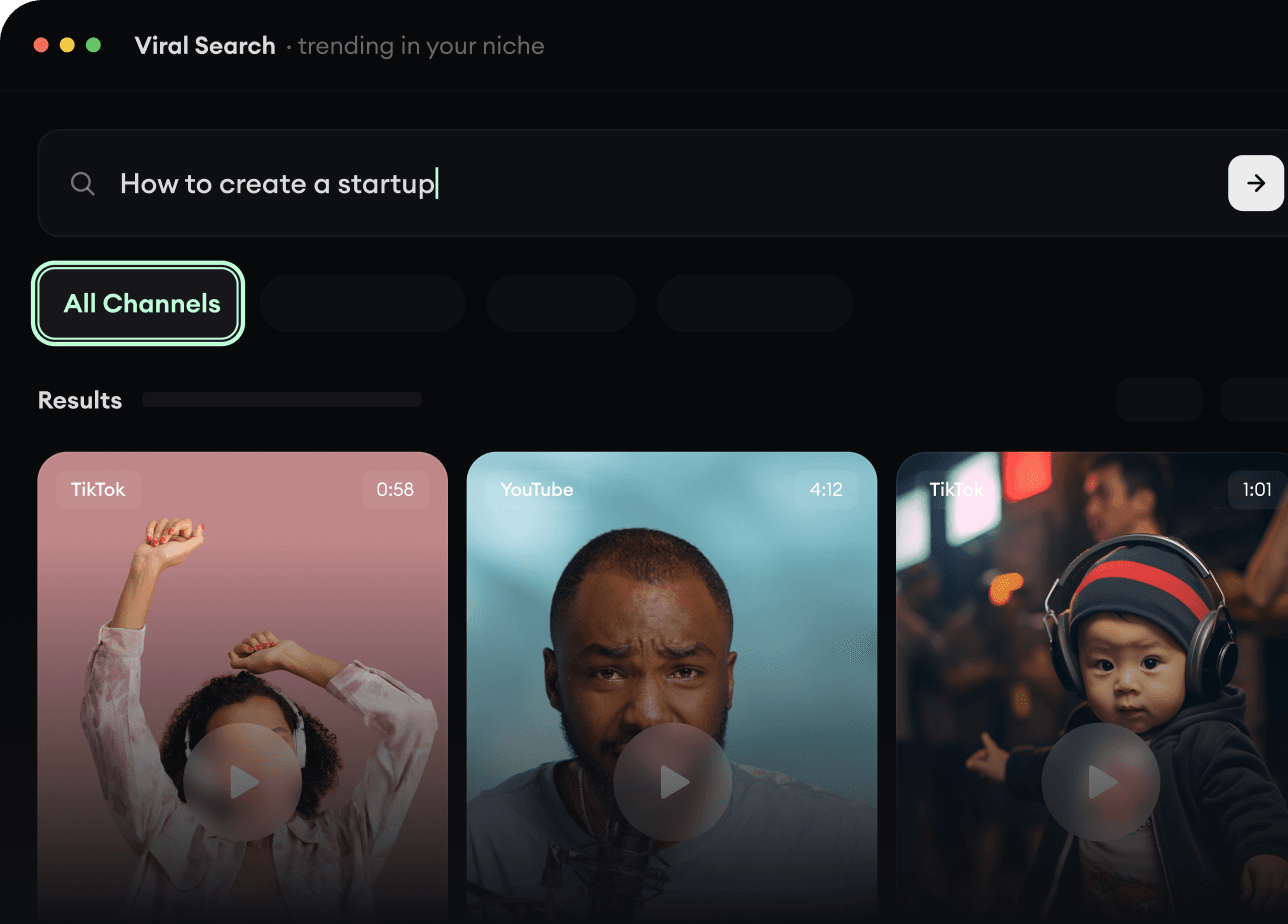
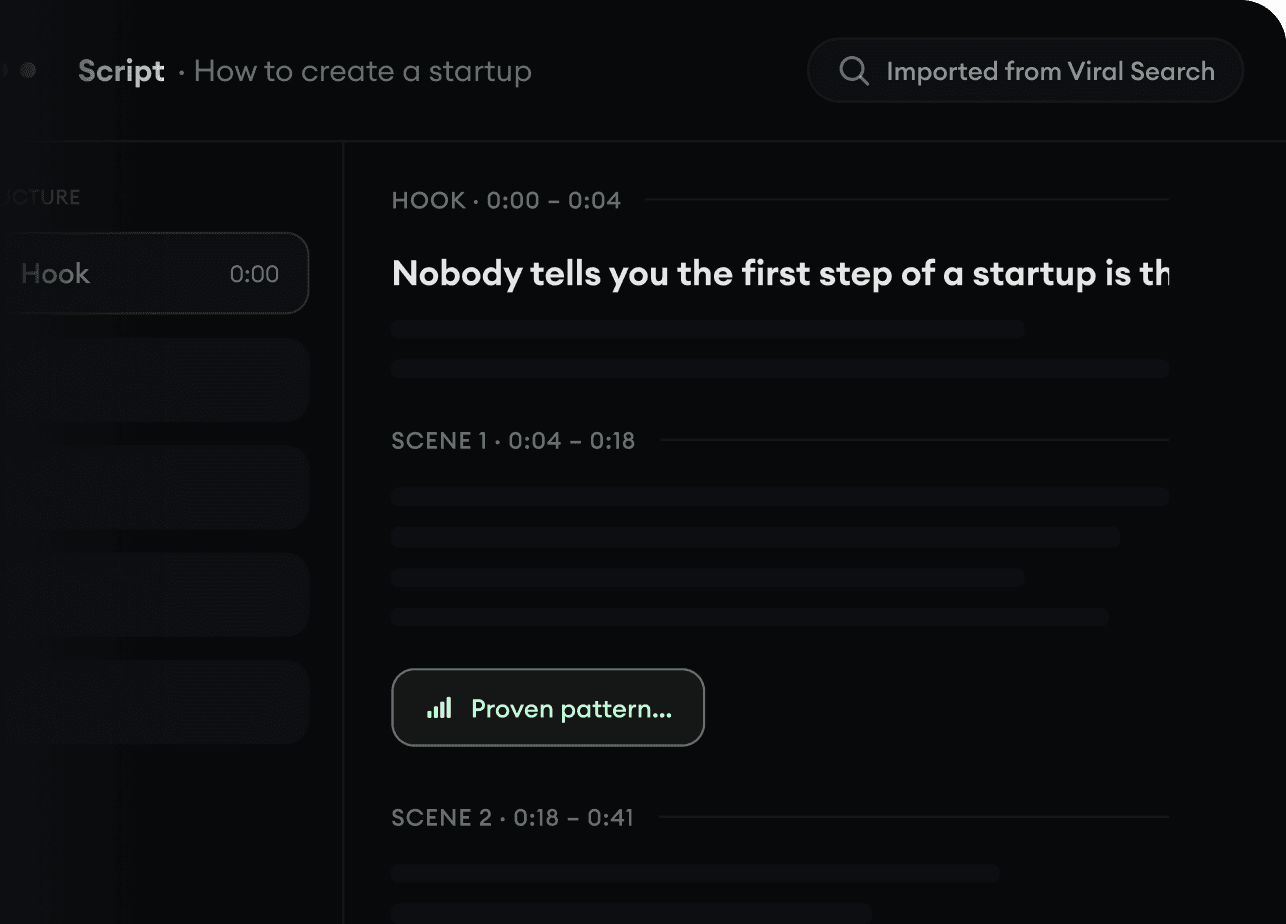
Viral Search i Channel Watcher w Revid AI pokazują formaty, twórców i trendy, które właśnie przyciągają uwagę, a potem pomagają Ci zamienić je we własne pomysły.
Odkryj skuteczne formaty wideo w swojej niszy
Obserwuj twórców i kanały, które się liczą
Zacznij od sprawdzonych pomysłów, zamiast zgadywać
2
Zamień pomysł w historię.
Masz temat wart filmu? Revid AI pisze scenariusz, proponuje strukturę i zamienia linki, prompty lub tematy w kompletne koncepcje filmów.
Zacznij od promptu, tematu lub adresu URL
Generuj scenariusze oparte na sprawdzonych schematach
Twórz historie, które przykuwają widzów do ekranu
3
Wygeneruj gotowy film.
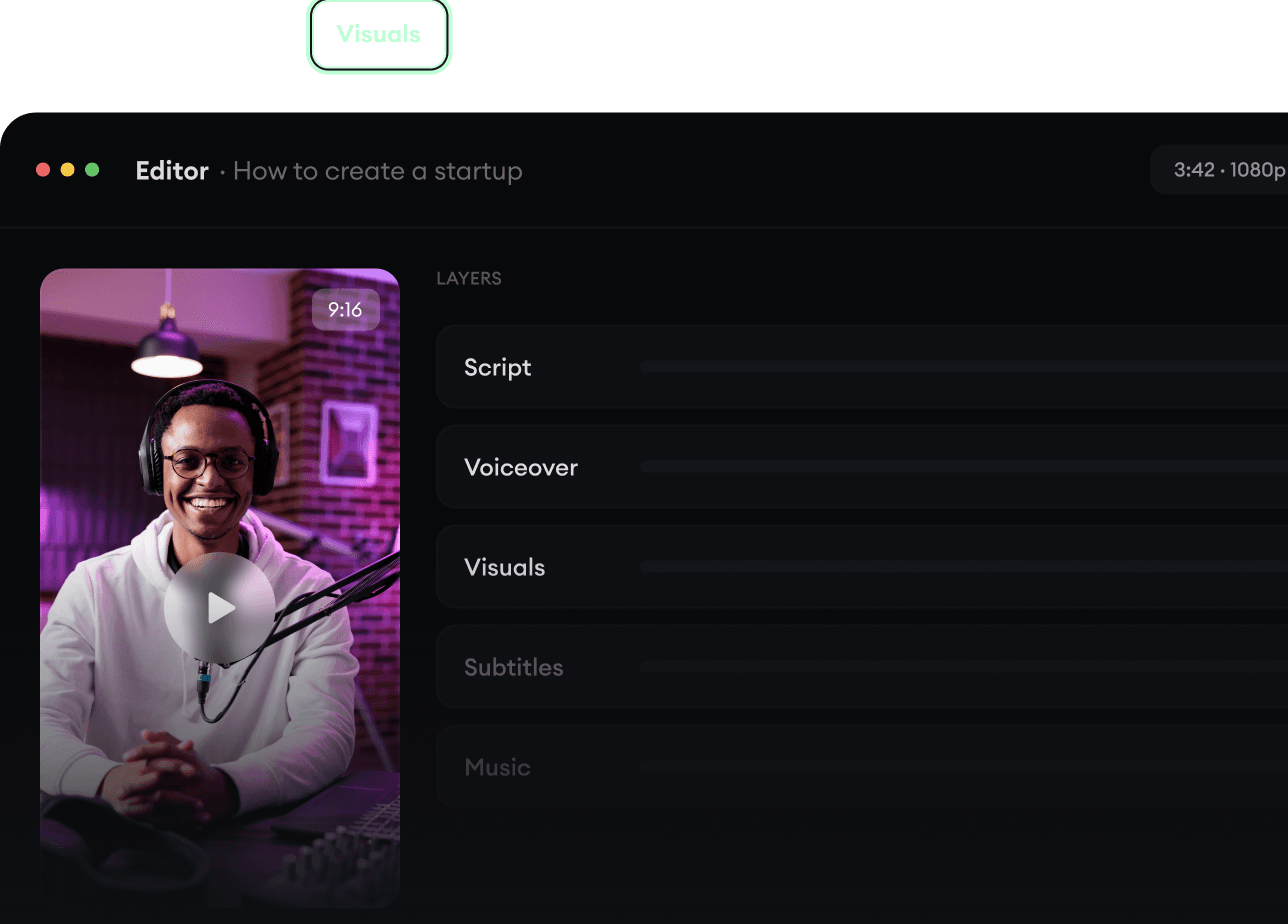
Scenariusz, lektor, wizualizacje, napisy i montaż w jednym procesie. Bez łączenia pięciu różnych narzędzi.
Zamieniaj tekst w kompletne, kilkuminutowe filmy
Generuj wszystko w jednym miejscu
Dopracuj efekt w edytorze
4
Publikuj wszędzie.
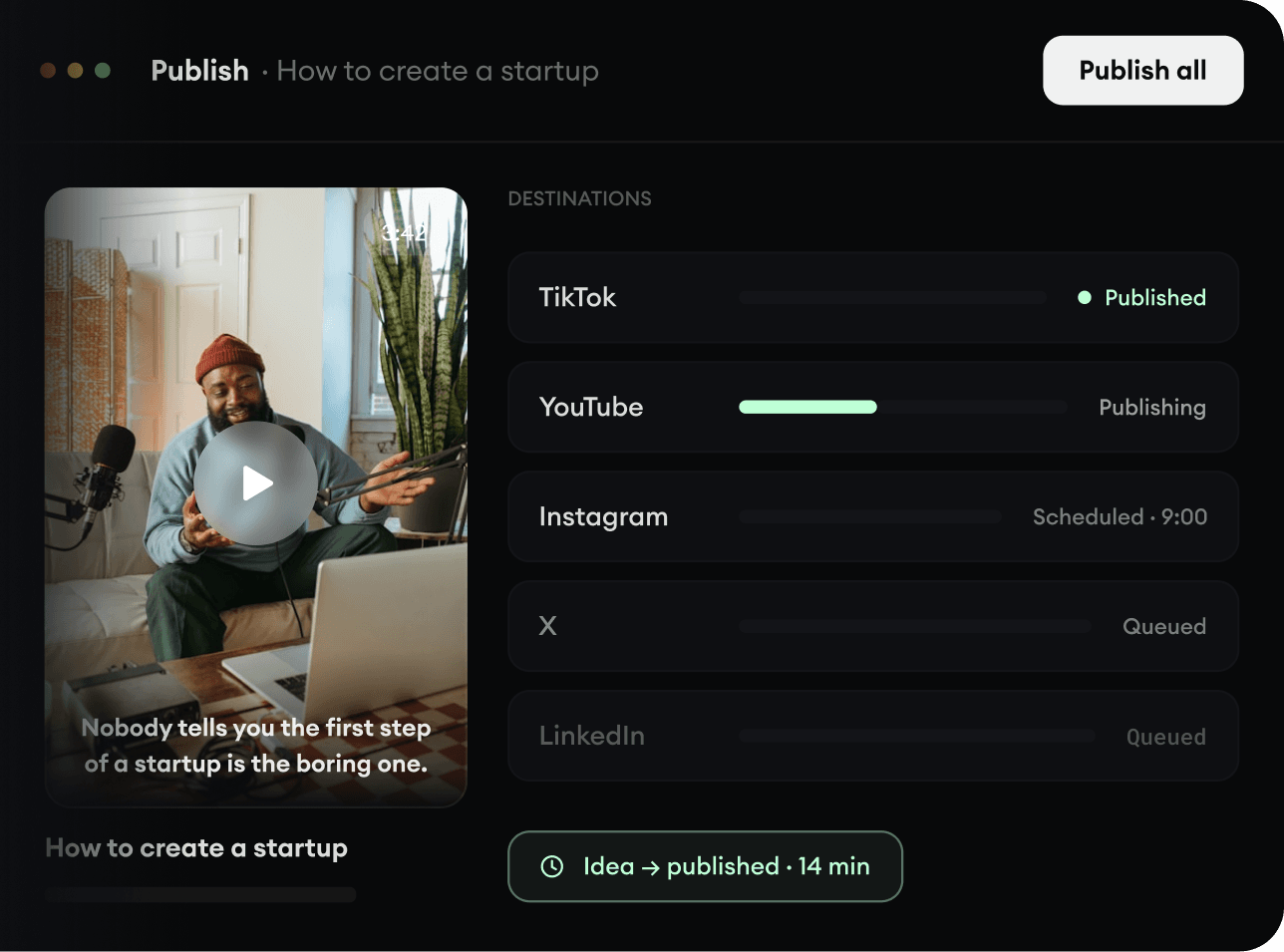
Udostępniaj swoje filmy na TikToku, YouTube, Instagramie i wszędzie tam, gdzie jest Twoja publiczność.
Publikuj na wszystkich głównych platformach
Docieraj do większej liczby osób mniejszym nakładem pracy