On this page
The best AI tools for video creation in 2026 depend on the job: Revid for finished short-form videos from an idea or link, Runway and Pika for generated clips, HeyGen and Synthesia for avatar presenters, Descript and CapCut for editing footage you filmed, and Premiere Pro or DaVinci Resolve for professional post-production. Most have a free plan or trial.
Most roundups miss one fact: many of these tools rent the same generation models. Google Veo, Seedance and Kling are sold through APIs to every video app, so two tools given the same prompt return similar clips. What separates them is everything around the clip: the script, voice, captions, editing and publishing. Choose on workflow, not on model names.
- Average views of AI-generated TikToks compared with real footage
- 2x
- Revid AI videos vs real footage study
- Videos rendered on Revid each month
- 100K+
- Revid
- Creators who passed 100,000 views with videos made on Revid
- 400+
- Revid
- Real short-form videos and posts in Revid's searchable viral library
- 2.77M
- Revid
Quick picks: which AI video tool fits which job
| Tool | Best for | Paid plans from | Free option |
|---|---|---|---|
| Revid | Finished TikToks, Reels and Shorts from an idea, link or viral format | $39/month | Free sign-up with free credits to try video creation |
| Runway | High-end generated clips and shot-level control | $15/month | 125 one-time credits, watermarked |
| Pika | Fast, playful clips and effects on your own footage | $8/month (billed yearly) | Free account, buy credit packs, no commercial license |
| Synthesia | Corporate training and internal comms with avatars | $29/month | Up to 10 minutes of video a month |
| Descript | Editing talking-head video and podcasts by editing text | $24/month ($16 billed yearly) | 60 media minutes a month, 720p |
| Adobe Premiere Pro | Professional editing with AI assists | Creative Cloud subscription | Free trial |
| Canva | Social videos inside a design tool | €110/year (Pro) | Templates plus a small AI allowance |
| CapCut | Fast mobile and desktop editing of your clips | About $9.99/month | Full editor with 1080p export |
| VEED | Browser editing, subtitles and dubbing for teams | Roughly $10 to $24/month | 720p with watermark |
| InVideo AI | Prompt-to-video with a large stock library | $20/month per seat | Watermarked, weekly limits |
| DaVinci Resolve | Film-grade editing, color and audio | One-time Studio license | Free version |
| HeyGen | Realistic avatars and lip-synced translation | $29/month ($24 billed yearly) | 3 watermarked videos a month |
Competitor prices come from vendor pages checked between August and September 2026; confirm on each site before buying. For side-by-side details, Revid keeps fact-checked comparisons with each tool. If you want a wider list that also covers writing and design apps, see our roundup of AI content creation tools; for newer generators to watch, see the top AI video creation tools list.
Growth is $39/month with 2,000 credits. Generated music adds 20 credits per started minute; sound effects add 1 credit each. Videos per month = 2,000 divided by the 30 s cost, rounded down.
Source: Revid public API POST /api/public/v3/calculate-credits, workflow prompt-to-video, 9:16, run October 29, 2026
Show the data
| 30 s video (credits) | 60 s video (credits) | 30 s videos per Growth month | |
|---|---|---|---|
| Stock footage | 11 | 22 | 181 |
| Animated AI images, Standard | 18 | 35 | 111 |
| Animated AI images, Pro | 37 | 75 | 54 |
| AI video clips, Base | 110 | 220 | 18 |
| AI video clips, Pro | 341 | 682 | 5 |
| AI video clips, Ultra (Seedance 2.5) | 671 | 1,342 | 2 |
1. Revid: best for finished short-form videos
Revid turns an idea, a script, a link (a blog post, a YouTube video, a Reddit thread, a post on X) or a song into a finished vertical video: script, scene-by-scene visuals, a voice-over in 70+ languages, synced captions and music. You then fix anything in a timeline editor and publish or schedule straight to TikTok, Instagram and YouTube. Visuals come from Seedance 2.5, MiniMax Hailuo H3, Wan 3.0 and Google Veo 3 (chosen per scene), plus stock footage and motion graphics, exported in 720p, 1080p or 4K at 30 or 60 fps.
What makes it different is where a video starts. Revid includes a searchable library of about 2.77 million real short-form videos and posts with their public engagement data. Open one that performed in your niche, pick "Same energy, new script" or "Make it about your topic", and Revid keeps the hook, structure and pacing while writing new words and visuals. A free deep analysis (up to 60 a day) explains why any video worked: the hook, the timed structure and how to adapt it.
For volume, Auto-Mode workers create a fresh video every day from a prompt or content source (3 on Growth, 5 on Elite, 10 on Ultra), and every paid plan includes the API, an MCP server and a CLI. Sign-up is free, needs no credit card and includes free credits to try video creation; regular creation then uses the monthly credits of a paid plan, from $39/month (Growth, 2,000 credits, or $32/month billed yearly). A 30-second video with Pro AI visuals and a voice-over costs about 40 to 80 credits, and the full list is on the Revid pricing page. Each month, more than 100,000 videos are rendered on Revid, and 400+ creators have passed 100,000 views with videos made on it.
Limits: AI scripts need a quick read for tone and facts, and Revid is not the tool for long-form cinematic editing or for hand-editing only your own footage.
How to make a short-form video with Revid
- Open the AI video generator and paste an idea, a script or a link, or start from a video in the viral library.
- Pick a visual style, an AI model for each scene and one of 1,000+ voices.
- Review the script and scenes in the timeline editor; swap shots, choose one of 30 caption styles and adjust the music.
- Export up to 4K, or publish and schedule to TikTok, Instagram and YouTube from one queue.
Prompt to try
Make a 30-second vertical video on why octopuses have three hearts. Open with the hook "This animal's heart stops every time it swims." Use cinematic underwater AI visuals, a calm curious voice-over and bold captions.
2. Runway: best for high-end generated clips
Runway is a model lab with a creative app on top. Its Gen-4.5 model is among the highest-rated for generation quality, and Aleph adds shot-level control: camera moves, relighting and object removal on footage. Runway tends to ship frontier features first (native audio, world models, motion transfer) and offers an API and MCP server for developers.
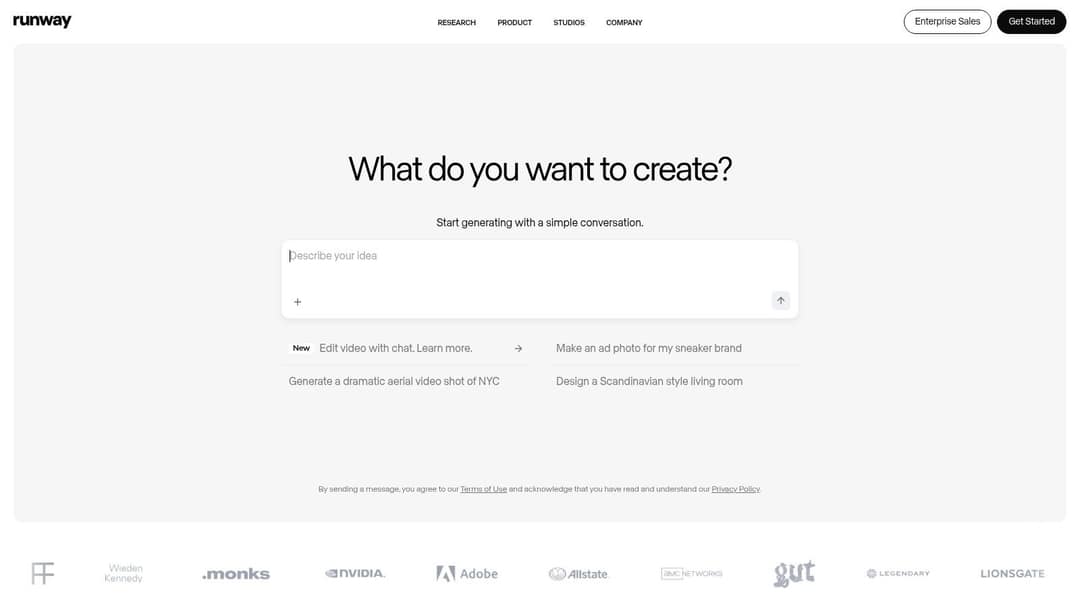
It produces clips, not finished videos: script, voice, captions, assembly and publishing are up to you. Credits are charged per second of video, so high-resolution experiments add up; tight prompts waste fewer credits. Paid plans start at $15/month, and the free plan gives 125 one-time credits with a watermark.
Best for: creative teams, music video directors and agencies that need novel B-roll or cinematic shots.
3. Pika: best for quick creative clips and effects
Pika is the playful option. Its signature effects do things other generators don't: Pikadditions inserts AI characters or objects into footage you filmed, Pikaswaps replaces objects, and Pikaffects applies stylized transformations. Generations take about 1 to 2 minutes, and credits roll over instead of expiring.
Paid plans start at $8/month billed yearly. The free account gives access to all models without a watermark, but it includes no monthly credits (you buy one-time packs) and no commercial license, so client or monetized work needs a paid plan. Like Runway, Pika makes clips, not finished multi-scene videos.
If your starting point is a still photo rather than a prompt, AI Photo HQ's explainer on AI picture-to-video walks through that workflow.
4. Synthesia: best for corporate training videos
Synthesia turns scripts and slide decks into presenter videos with AI avatars in 140+ languages. Its Express-2 avatars use full-body gestures, and the slide-based workflow feels familiar to learning and development teams. Enterprise features matter here: SCORM and LMS export, SSO and governance, plus the ability to re-render a video when a policy changes.
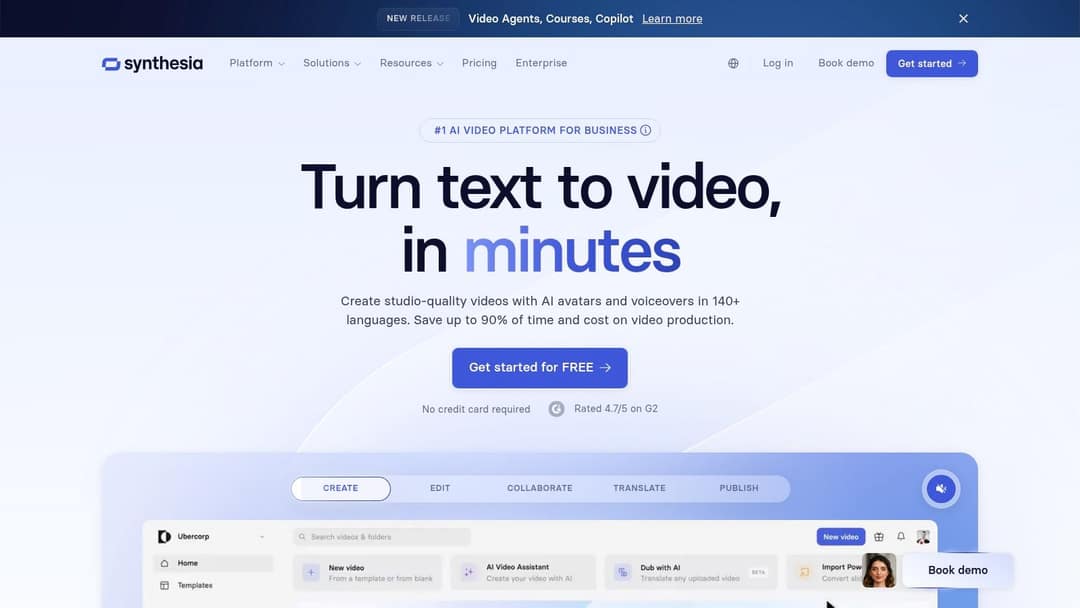
Plans start at $29/month, and the free plan covers up to 10 minutes of video a month with 9 stock avatars. It is the wrong tool for TikTok-native content, where a presenter on a background rarely holds attention.
Best for: onboarding, compliance training and multilingual internal comms, including training videos built from text prompts and documents.
5. Descript: best for editing talking-head video
Descript lets you edit video by editing its transcript: delete a sentence and the matching footage disappears. Studio Sound cleans noisy audio, filler-word removal strips the ums, Underlord acts as an AI co-editor, and Create Clips cuts long recordings into social clips.
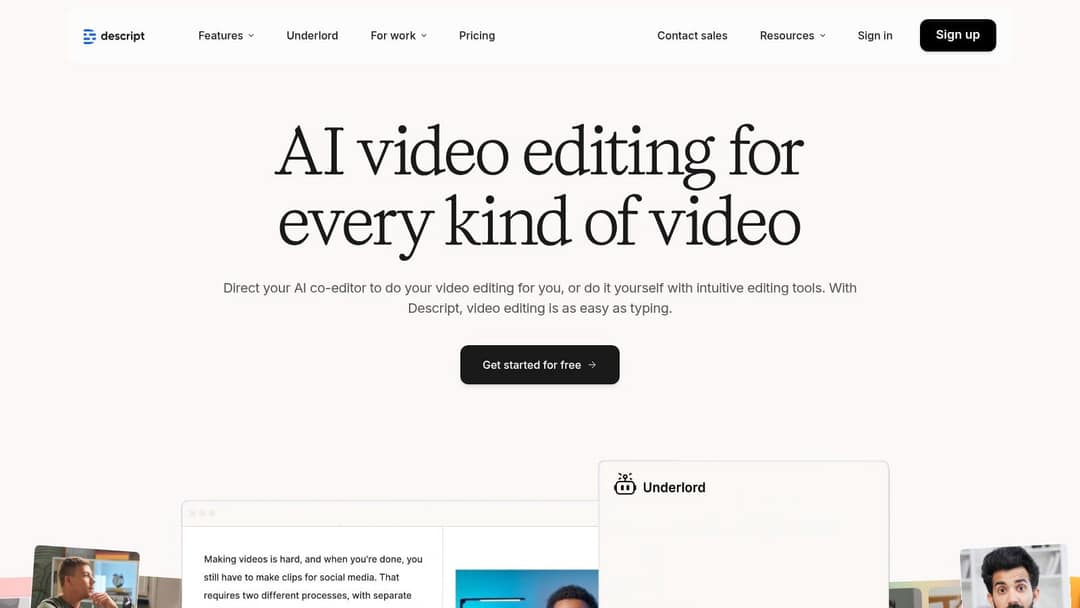
Paid plans start at $24/month ($16 billed yearly) with 10 media hours. The free plan gives 60 media minutes a month, 100 one-time AI credits and 720p export; watermark-free export starts on paid plans. Descript needs source footage, and its visual effects are basic compared with a full editor.
Best for: podcasters, webinar hosts, course creators and anyone whose videos are mostly speech.
6. Adobe Premiere Pro: best for professional editors
Adobe Premiere Pro does not generate videos from prompts; its AI speeds up post-production inside an industry-standard editor. Text-Based Editing transcribes footage so you cut a rough edit by deleting text, Enhance Speech cleans dialogue in one click, and auto-captioning and audio category tagging save manual work.
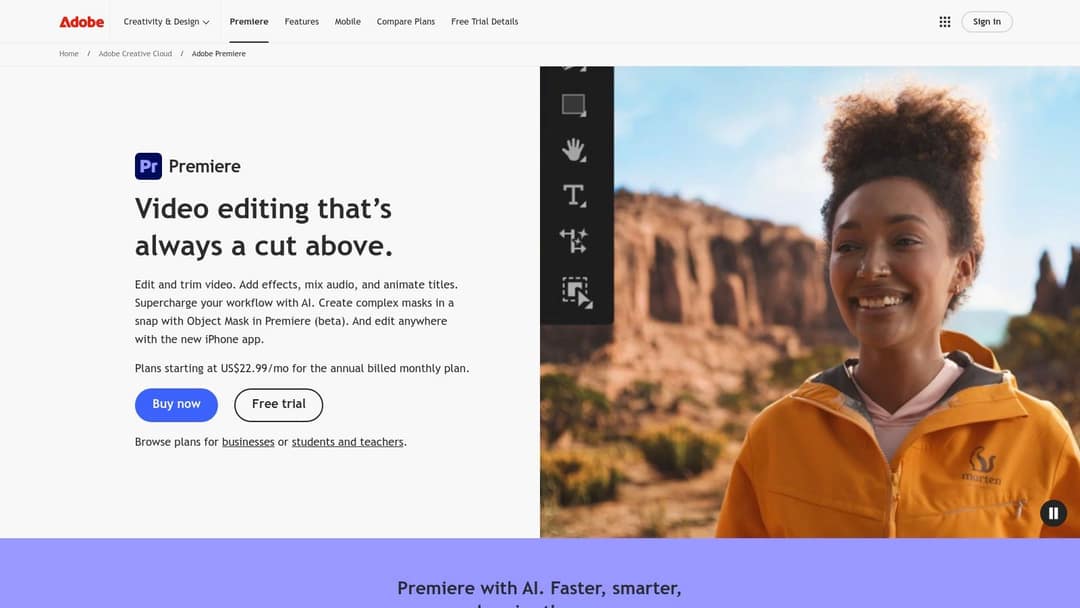
It is sold as a Creative Cloud subscription with a free trial. The learning curve is steep and it needs a capable computer, but if you already work in After Effects or other Adobe apps, it is the natural fit.
Best for: freelancers doing client work that needs frame-level control and reliable delivery.
7. Canva: best for social videos inside a design tool
Canva is a design suite first, with video as one of many formats. The free plan includes 1.6 million+ templates and a small AI allowance (up to 20 uses), while paid plans add short Veo 3 clips with synchronized audio inside your designs. Brand kits and team collaboration keep a small marketing team consistent.
Canva Pro starts at €110/year. Create a Video Clip is not available on the free plan, and Canva's generator produces short clips to drop into designs, not complete narrated videos.
Best for: small businesses and social media managers who already design posts in Canva and need the occasional Reel.
8. CapCut: best for fast editing of your own clips
CapCut is the default editor for many TikTok creators: fast on mobile and desktop, with trend templates that drop your clips into viral formats and the tightest TikTok integration of any editor. Auto-captions, background removal and a large effect library are built into the timeline, and Pro adds speaker-identified captions.
The free tier includes the full editor with 1080p export and auto-captions; the Standard plan costs about $9.99/month, and most premium templates and AI features are paid. CapCut edits footage; it does not generate a video from text the way Revid does.
Best for: creators who film on their phone and want to edit in minutes.
9. VEED: best for browser-based editing and subtitles
VEED is a full editor in the browser: multi-track timeline, screen recording and brand kits, plus some of the best-known auto-subtitles in the category. It adds translation, AI dubbing, eye-contact correction, 30+ stock avatar presenters and Seedance generation inside the editor when you need a clip.
Entry plans run roughly $10 to $24/month. The free plan exports at 720p with a VEED watermark and limited AI trials.
Best for: marketing teams that edit real footage and need subtitles or dubbing in several languages without installing software.
10. InVideo AI: best for prompt-to-video with stock footage
InVideo AI builds a whole video from a prompt using a chat-style agent: you edit by typing commands instead of moving clips on a timeline. It draws on a 16M+ stock library (with metered iStock assets on paid plans), bundles AI avatars and voice clones from the entry tier and offers a menu of third-party generation models.
Plans start at $20/month per seat, and the free plan is watermarked with weekly generation limits. The stock-heavy look suits ads and explainers; if you want generated visuals by default, a model-first tool fits better. Editing by prompt is fast for broad changes and slower when one shot needs a precise fix.
Best for: marketers who want promotional and explainer videos without sourcing assets.
11. DaVinci Resolve: best free professional editor
DaVinci Resolve combines editing, color grading, Fairlight audio and Fusion effects in one application. Its Neural Engine powers Magic Mask (automatic subject isolation), Smart Reframe for vertical crops and Voice Isolation for clean dialogue.
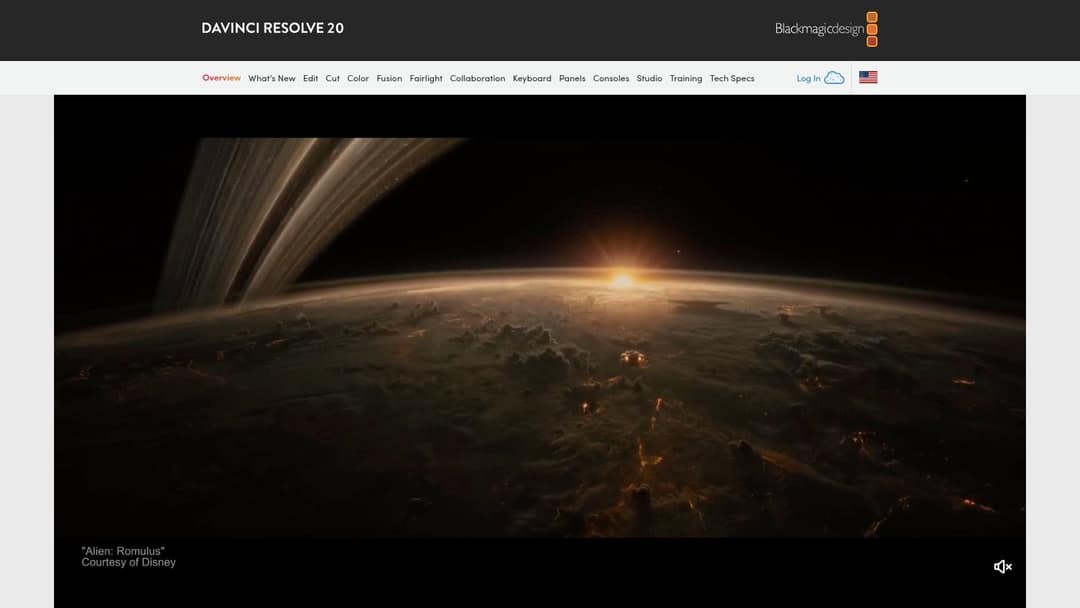
The free version handles projects up to UHD 4K at 60fps, which is more than most paid editors. Most Neural Engine features need the paid Studio version, a one-time purchase rather than a subscription. Expect a steep learning curve and a strong computer.
Best for: editors and colorists who want professional tools without monthly fees.
12. HeyGen: best for realistic avatars and translation
HeyGen has some of the most realistic avatars and digital twins available: type a script and a lifelike presenter, or a clone of you, delivers it. Its video translation dubs an existing video into 175+ languages with lip sync, and LiveAvatar powers real-time, interactive avatars for support, sales or training. It is rated 4.8/5 on G2 (Summer 2026).
Plans start at $29/month on Creator ($24 billed yearly), and the free plan allows 3 watermarked videos a month of up to 1 minute each. HeyGen makes presenter videos; complete short-form videos with generated scenes, music, captions and direct posting are where Revid fits better, as our Revid vs HeyGen comparison explains.
Best for: marketers and educators who want a human face on screen without a shoot, and global teams localizing video.
How to choose the right AI video tool
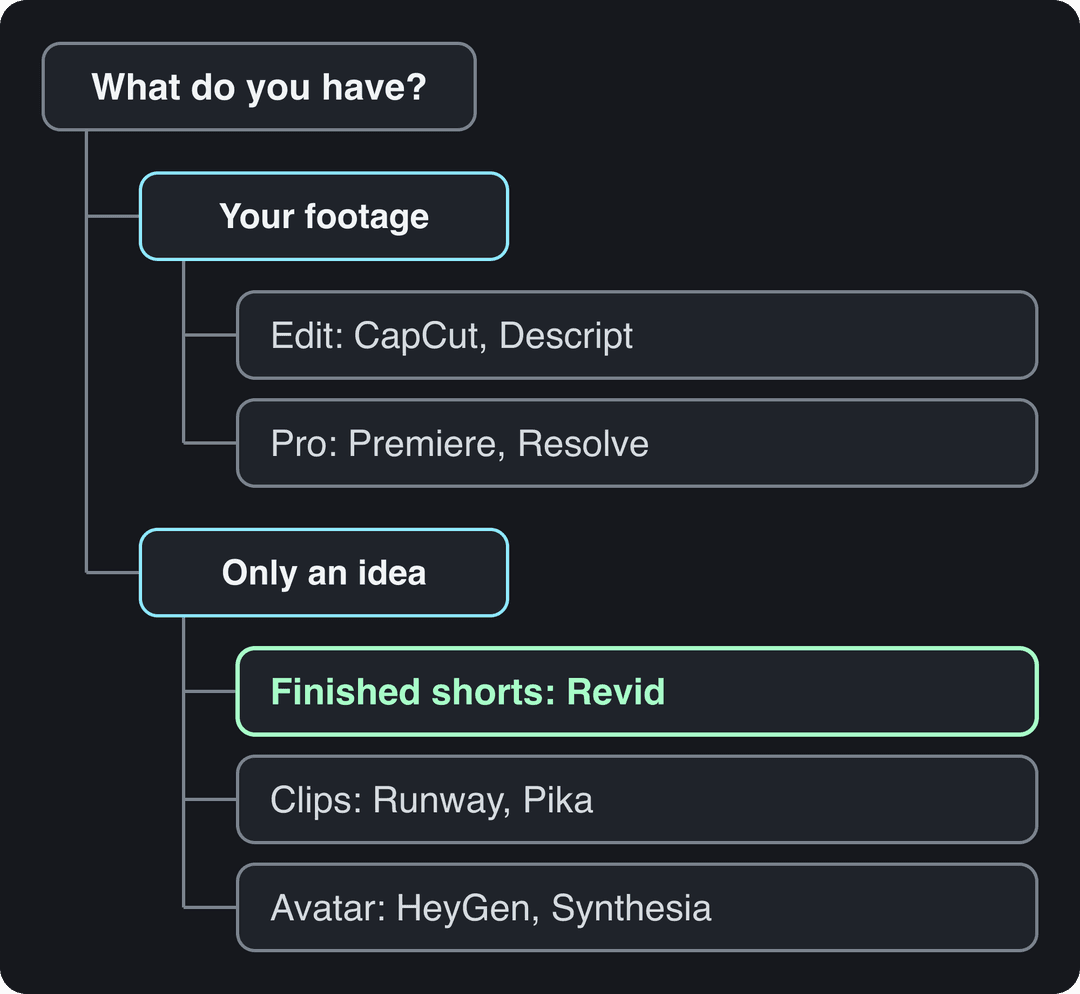
Start from what you already have, then match the output you need:
- If you have footage and want it edited fast, use CapCut (phone-first) or Descript (speech-heavy).
- If you deliver client work that must be pixel-perfect, use Premiere Pro or DaVinci Resolve and add AI tools for B-roll.
- If you only have an idea and need a finished TikTok, Reel or Short, use Revid, which writes, visualizes, captions and publishes in one place.
- If you need cinematic shots to drop into an edit, use Runway; for quick experiments, Pika.
- If a presenter must talk to camera, use HeyGen for marketing or Synthesia for training.
- If you are a beginner, pick one tool that ends with a usable file (Canva, CapCut or Revid) rather than a clip generator that leaves assembly to you.
What features matter for Instagram Reels and YouTube Shorts?
Prioritize the features that save you a step on every video:
| Feature | Why it matters | What to check |
|---|---|---|
| Vertical export | Reels, Shorts and TikTok are 9:16; TikTok recommends 1080x1920 | Native 9:16 output, not a cropped landscape video |
| Auto-captions | Many people watch on mute | Accuracy, style options, languages |
| Auto-editing | Removes silences and adds cuts without a timeline | Can you override every AI choice? |
| Licensed music | A Short longer than one minute with an active Content ID claim is blocked worldwide and cannot be monetized | A built-in library cleared for social use |
| Direct publishing | Exporting and re-uploading wastes time | Scheduling to TikTok, Instagram and YouTube |
| AI disclosure | TikTok, YouTube and Meta require labels on realistic AI content | Whether the tool adds C2PA metadata that triggers auto labels |
Mind length too: Shorts can run up to 3 minutes, and Instagram does not recommend Reels longer than 3 minutes to non-followers.
Which tool turns a webinar into captioned TikTok clips?
If the recording is on YouTube, paste the link into Revid's YouTube clip maker: the AI picks moments, reframes them vertically and adds captions. Dedicated clipping tools are the other route. OpusClip's free plan exports 1080p clips with watermarked captions, but media expires after 3 days (paid from $15/month). Vizard's free plan gives 60 credits a month (one credit per minute of video) at 720p with a watermark. Klap has no permanent free plan, and Descript's Create Clips works inside its editor.
A clipping tool pays for itself only if you already record long sessions regularly; it cannot create content you never filmed. That is also the short answer to OpusClip versus InVideo: OpusClip cuts recordings you have, InVideo builds new videos from prompts, so they solve different problems.
Prompt to try
Create a 45-second faceless video on 3 everyday habits the Romans invented. Hook: "You did something Roman before breakfast today." Use AI historical scenes, a deep documentary voice and captions, ending with a question for comments.
Which faceless video automation platforms should you shortlist?
For faceless channels, shortlist by the look you want and how much you will check each video:
- Revid: AI-video scenes with the faceless video generator, Auto-Mode workers that publish on a schedule, and a timeline editor to fix any video before it posts.
- AutoShorts: the simplest hands-off setup, built on AI image slideshows, from $19/month for 3 posts per week.
- Crayo: ready-made viral formats such as Reddit stories, fake texts and gameplay splits, about $13/month billed yearly, no free plan.
- Fliki: voice-first, with 2,000+ voices and automated recurring TikTok series, from $28/month.
If you need 50 social videos fast from text prompts, use automation workers or an API batch rather than one-off prompts. Keep a human in the loop: YouTube does not monetize AI content made from generic templates that looks mass-produced, and its inauthentic content policy covers repetitive output.
Which tools let ChatGPT or Claude make real videos?
ChatGPT and Claude cannot render video by themselves, but they can drive tools that do. Revid's MCP server, CLI and API offer 15 tools and one-click sign-in for Claude, ChatGPT, Claude Code, Cursor and VS Code, so an agent can search viral videos, create a video and publish it with the same key. Runway also has an API and MCP server for raw clips, and OpusClip and Pictory offer MCP servers for clipping and repurposing.
Posts with AI visuals
Source: Revid social index: 388,379 posts from X, Instagram, Threads, Reddit and LinkedIn with AI labels per post, snapshot of Sep 15, 2026.
Show the data
| Posts with AI visuals | |
|---|---|
| High engagement | 1.6% |
| Medium engagement | 2.9% |
| Low engagement | 6.7% |
Does AI-generated video perform on social media?
It depends on the platform. In Revid's AI videos vs real footage study, AI-generated TikToks averaged twice the views of real footage, while on X, Instagram and Threads, AI visuals clustered in the lowest engagement tier. Test AI-heavy visuals on TikTok first and lean on real footage or text-led formats elsewhere.
Label realistic AI content. TikTok and YouTube both state that the disclosure label alone does not reduce distribution, while YouTube now auto-labels undisclosed photorealistic AI and Meta shows an AI info label.
FAQ
Which AI video tool is best for beginners?
Canva or CapCut if you want to edit with templates, and Revid if you want a finished video from a prompt or link without editing skills. Avoid starting with raw clip generators, which leave script, voice and assembly to you.
How many templates do AI video makers typically offer?
It varies widely: Canva's free plan includes 1.6 million+ templates, while generators such as Revid rely on 100+ specialized tools and prompts instead of fixed templates. Template count matters less than whether the output is vertical, captioned and editable.
What is the best tool for live AI video generation?
HeyGen's LiveAvatar is the clearest option, with real-time, interactive avatars for conversations. Most other AI video tools render videos rather than generate them live.
Do you own the videos and scripts AI tools generate?
It depends on each tool's terms and plan, so read them before client work. Pika's free plan, for example, carries no commercial license, and you remain responsible for having rights to any footage, music or script you reuse.
Can AI make a software tutorial without recording your screen?
Yes, partly: an avatar presenter from Synthesia or HeyGen can narrate over screenshots or slides you supply. For a clear step-by-step demo, a short screen recording edited in Descript still beats a fully generated video.
Is there a completely free AI video tool?
For editing, DaVinci Resolve and CapCut have capable free versions. Generators offer only watermarked or limited free tiers, such as Runway's 125 one-time credits or HeyGen's 3 videos a month.
Sources
- Revid public API POST /api/public/v3/calculate-credits, workflow prompt-to-video, 9:16, run October 29, 2026
- Revid social index: 388,379 posts from X, Instagram, Threads, Reddit and LinkedIn with AI labels per post, snapshot of Sep 15, 2026.
Charts and figures checked on November 6, 2026.