On this page
The best AI content creation software depends on what you publish. Use ChatGPT, Gemini or Copilot for writing, Canva or Adobe Firefly for graphics, Descript for editing recordings, Runway for single AI clips, and Revid for finished short-form videos published to TikTok, Instagram and YouTube.
What most roundups miss: the big video models (Google Veo, Seedance, Kling, Wan, MiniMax Hailuo) are sold through APIs to nearly every video tool, Revid included. Two apps that send the same prompt to the same model get comparable clips. The real difference is everything around the model: the script, the hook, the editing, publishing, and whether the tool knows what your audience already watches.
- Marketers who use AI for content creation
- 80%
- HubSpot, 2026
- Video marketers who have used AI video tools, up from 51% a year earlier
- 63%
- Wyzowl, December 2025
- Gen Z who blocked, muted or unfollowed a brand over AI slop
- 50%
- Sprout Social, March 2026
- Real short-form videos in Revid's searchable viral library
- 2.77M
- Revid
Quick comparison: the 12 tools at a glance
| Tool | Best for | Free option | Paid from |
|---|---|---|---|
| Revid | Finished short-form videos, publishing, automation | Free sign-up with free credits to try video creation | $39/month ($32 billed yearly) |
| ChatGPT | Writing, scripts, research, images | Yes | See OpenAI's site |
| Microsoft Copilot | Writing inside Word, PowerPoint, Outlook | Yes (basic) | See Microsoft's store |
| Google AI Pro (Gemini) | Writing inside Gmail and Docs, research | Yes (basic Gemini) | See Google One plans |
| Adobe Creative Cloud + Firefly | Professional design and video editing | Check Adobe's site | See Adobe plans |
| Canva | Fast on-brand graphics and simple videos | Yes (up to 20 AI uses) | €110/year (Pro) |
| Jasper | Marketing copy in a brand voice | Check Jasper's site | See Jasper pricing |
| Writesonic | SEO articles and AI search visibility | Check Writesonic's site | See Writesonic pricing |
| Descript | Editing recordings by editing the transcript | Yes (60 media minutes/month, 720p) | $24/month ($16 billed yearly) |
| Runway | Cinematic AI clips with shot-level control | Yes (125 one-time credits, watermarked) | $15/month |
| AppSumo | Lifetime deals on new tools | Free to browse | Per deal |
| G2 | Comparing tools through user reviews | Free | Free |
What is AI content creation software?
AI content creation software is any app that uses generative AI to draft, design, edit or produce content for you. In practice it falls into five groups, and most creators need two or three of them, not one:
- Writing assistants (ChatGPT, Gemini, Copilot, Jasper, Writesonic) draft posts, scripts, captions and articles.
- Design suites (Canva, Adobe) generate and edit images, layouts and short clips inside a design editor.
- Editors for recorded media (Descript) clean up and cut footage and audio you already have.
- Clip generators (Runway) produce single AI shots; script, voice, captions and assembly are up to you.
- Finished-video platforms (Revid) go from an idea or a link to a captioned, voiced video and publish it.
If you want a beginner-level explainer of the category before comparing tools, Sendfame has a general overview of AI content creation tools.
The 12 best AI content creation tools in 2026
The list is grouped by job, not ranked. Pick the tool that matches the output you publish most.
1. Revid: finished short-form videos, from idea to published post
Revid turns an idea, a script, a link, a song or a reference video into a finished vertical video: the script, scene-by-scene visuals (stock footage, AI images, AI video or motion graphics), a voice-over, synced captions and music. It then publishes or schedules the video to TikTok, Instagram and YouTube from one queue, which makes it the most publish-ready AI content platform on this list. According to Revid's own 2026 analytics, more than 100,000 videos are rendered and more than 30,000 published through it every month.
What sets it apart is where a video starts. Revid includes a searchable library of about 2.77 million real short-form videos and posts with their public engagement data. Instead of a blank prompt, you can start from a format audiences already watch and remix a proven viral video into an original one with your topic, script and visuals.
- Models: Seedance 2.5, MiniMax Hailuo H3, Wan 3.0 and Google Veo 3, chosen per scene under one credit system.
- Voices and captions: 1,000+ AI voices in 70+ languages, 30 caption styles, automatic captions in 100+ languages, plus talking avatars.
- Editing and export: a full timeline editor, export in 720p, 1080p or 4K at 30 or 60 fps.
- Automation: Auto-Mode workers that create a fresh video every day from a prompt or a content source, and a REST API, MCP server and CLI on every paid plan.
How to make a video with Revid:
- Paste a blog post or product page into the blog to video tool, or type a prompt or script.
- Or open the viral library, search your topic, pick a high-engagement video and choose "Make it about your topic".
- Pick a voice, a caption style and the visual model for each scene.
- Fix anything in the timeline editor, then publish or schedule to TikTok, Instagram and YouTube.
Best for: founders, small businesses, e-commerce brands, creators and social media managers who publish short-form video every week.
Limits: not built for long-form or cinematic film work edited shot by shot; AI generation uses credits.
Pricing: sign-up is free (no credit card needed) and new accounts get free credits to try video creation. Regular video creation uses the credits of a paid plan, from $39/month (Growth, 2,000 credits, or $32/month billed yearly). A 30-second video with Pro AI visuals and a voice-over costs about 40 to 80 credits. The Revid pricing page has the current plans.
2. ChatGPT: the all-round writing and research assistant
ChatGPT is still the default AI content creator tool for text: blog drafts, captions, video scripts, outlines and rewrites. It accepts file uploads such as PDFs and spreadsheets, analyzes data, generates images, and lets you build custom GPTs for repeat jobs like brand-voice rewrites. If you need content creation and data synthesis in one place (summarize a spreadsheet, then write the post about it), this is the strongest general pick.
One change matters for video creators: OpenAI discontinued the Sora app in April 2026 and removed the Sora 2 models from its API on September 24, 2026. ChatGPT is a script and idea tool now, not a video generator. Pair it with a video tool that turns the script into scenes, voice and captions.
Limits: the free version has lower usage limits and fewer features; usage caps apply even on paid plans. Plan names and prices change often, so check OpenAI's site.
3. Microsoft Copilot: AI inside Word, PowerPoint and Outlook
For teams that live in Office, Microsoft Copilot Pro puts AI drafting where you already work: write a document in Word from a prompt, summarize an email thread in Outlook, build a first-draft deck in PowerPoint, analyze a sheet in Excel. It also generates images with Microsoft Designer.
Limits: the in-app features depend on a Microsoft 365 subscription, and Microsoft has been reshuffling how Copilot is bundled into its consumer plans, so confirm what your plan includes on the store page. It is weaker than a chat-first tool for open-ended creative work.
4. Google AI Pro (Gemini): AI inside Gmail, Docs and NotebookLM
Google's AI Pro plan (formerly sold as Gemini Advanced) adds higher Gemini limits plus AI help inside Gmail, Docs, Sheets and Slides. The standout for content creators is NotebookLM: upload your sources and get summaries, FAQs and drafts grounded in that material, which suits research-heavy posts and scripts.
The plan bundles 2 TB of storage and other Google One benefits. Feature limits, including any video generation, change frequently; check the current list on Google One plans.
Best for: creators who already run their work in Google Drive.
5. Adobe Creative Cloud + Firefly: AI inside professional design apps
Adobe builds its Firefly models into Photoshop (Generative Fill and Expand), Illustrator (text to vector graphics) and Premiere Pro, so you generate and refine in the same file. Adobe says Firefly is trained on Adobe Stock and openly licensed content and designed to be commercially safe, which matters for brand and client work.
Limits: it is the most expensive stack here, generative credits add complexity for heavy users, and Adobe renamed and repriced its plans in 2025. Compare current bundles on Adobe's Creative Cloud plans page.
Best for: designers and editors who already use Adobe apps.
6. Canva: the fastest way to on-brand graphics
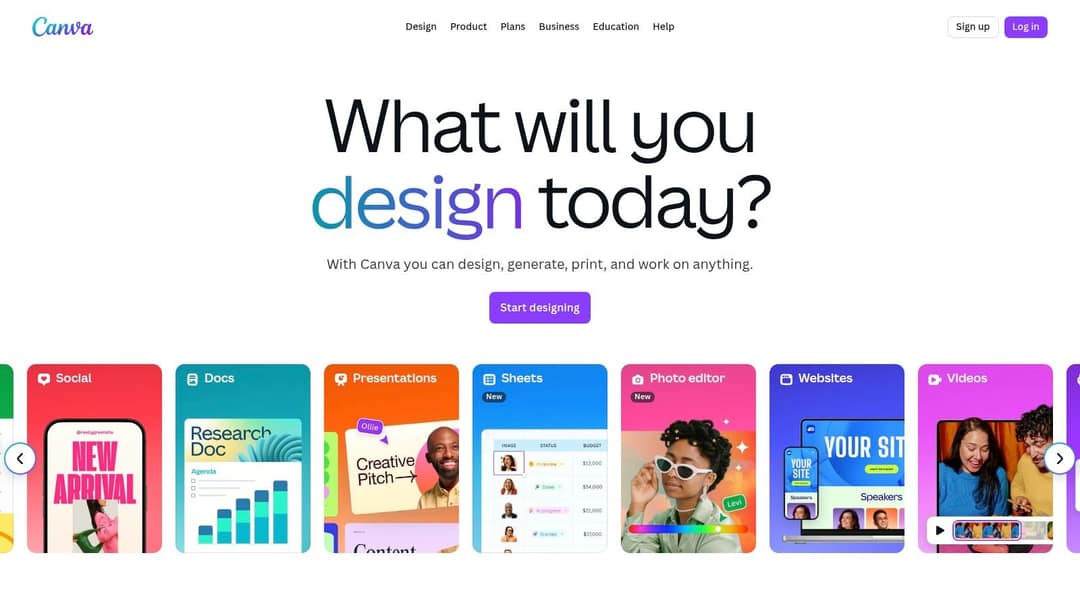
Canva is the easiest content creation tool for non-designers. Its Magic Studio features write copy, turn a prompt into a multi-page design, resize and translate designs, and apply brand kits. Paid plans can generate short Veo 3 clips with synchronized audio inside a design.
The free plan is usable long term: 1.6 million+ templates and a small AI allowance (up to 20 uses). Pro starts at €110/year.
Limits: it is a design suite first. For videos generated from text with voice, captions and direct posting, see how Revid and Canva compare.
7. Jasper: marketing copy in your brand voice
Jasper is built for marketing teams rather than solo writers. You load your brand voice, style guide and product knowledge, and it produces campaign assets (blog posts, ads, emails, landing page copy) that stay on message. Templates and campaign workflows cover common marketing formats, and a browser extension brings it into your docs.
Limits: it costs more than general assistants, and the strongest brand controls sit on higher tiers. Check current plans on Jasper's pricing page.
Best for: content teams and agencies that care most about brand consistency.
8. Writesonic: SEO content and AI search visibility

Writesonic started as an AI writer and now leads with tracking how your brand shows up in AI search answers, alongside SEO article writing, site audits and its Chatsonic assistant grounded in live search data. If you publish to win search traffic, it covers more of that workflow than a general chatbot.
For a third-party look at its feature set, see this Writesonic product write-up.
Limits: drafts still need an editor for tone and accuracy, and the advanced SEO features sit on higher tiers.
9. Descript: edit recordings like a document
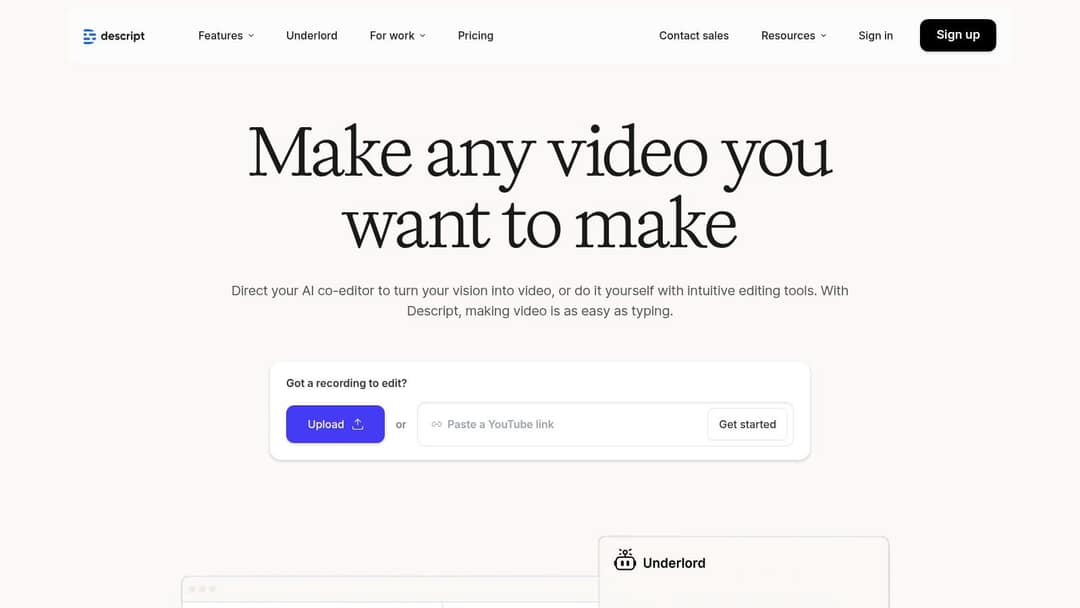
Descript transcribes your recording and lets you cut the video by deleting words in the transcript. Studio Sound cleans up voice audio, filler words disappear in one step, Underlord acts as an AI co-editor, and Create Clips pulls short clips from long recordings.
The free plan includes 60 media minutes a month, 100 one-time AI credits and 720p export; paid plans start at $24/month ($16 billed yearly).
Limits: it edits footage you already have. If you need videos made from an idea with no recording, see Revid vs Descript.
Prompt to try
Make a 30-second vertical video on why most new coffee shops close in their first year. Open with the hook "Most cafes die before their second birthday, and it is not the coffee." Use cinematic AI visuals of empty cafes and busy counters, a calm narrator voice and bold captions.
10. Runway: cinematic AI clips with shot-level control
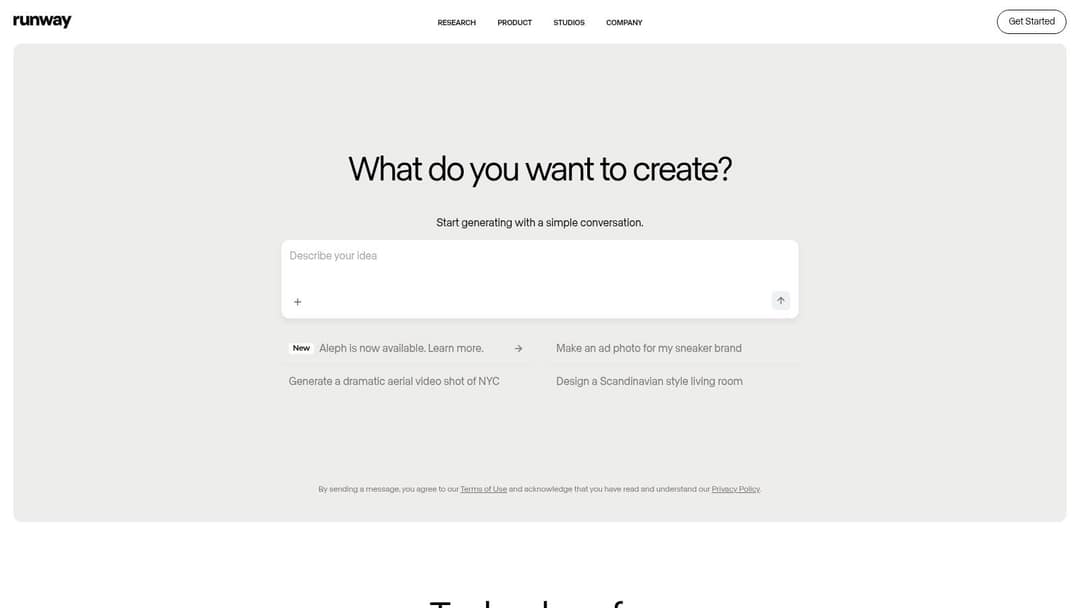
Runway offers some of the highest-rated video generation available (Gen-4.5) and tools that change a shot after the fact: camera moves, relighting and object removal with Aleph. It is the pick for directors and motion designers who want control over each shot.
The free plan gives 125 one-time credits with a watermark; paid plans start at $15/month.
Limits: it makes clips, not finished social videos. Script, voice, captions, music, assembly and publishing are up to you. The Revid vs Runway comparison covers when each fits.
11. AppSumo: lifetime deals on new creator tools

AppSumo is a marketplace, not a tool. It sells one-time-payment deals on new creator tools (writing, video, SEO, automation), with user reviews and Q&A on each listing. It is a good place to find new creator tools before they raise prices.
Limits: a lifetime deal is only worth something while the startup survives and keeps the product updated. Read the reviews, check the refund terms on each deal, and avoid putting a core workflow on a tool with a thin track record.
12. G2: compare tools through real user reviews
G2's AI writing assistant category aggregates verified user reviews, satisfaction scores and side-by-side comparisons, with filters for company size, pricing model and features. Use it to shortlist before you start free trials.
Limits: some listings are sponsored, and feature summaries can lag behind vendor updates, so confirm details on the vendor's own site.
US dollars except InVideo, which showed euros on October 29. InVideo Starter has no Seedance 2.5; Revid Growth includes 2,000 credits, the editor, publishing and the API, MCP server and CLI.
Source: Vendor pricing pages (invideo.io, runway.com, synthesia.io, pictory.ai, heygen.com, zebracat.ai, revid.ai), read October 29, 2026
Show the data
| Billed monthly | Billed yearly, per month | |
|---|---|---|
| InVideo AI Starter (EUR) | 20 | 10 |
| Runway Standard | 15 | 12 |
| Synthesia Starter | 19 | 14 |
| Pictory Starter | 29 | 25 |
| HeyGen Creator | 29 | 24 |
| Zebracat Cat Mode | 39 | 23 |
| Revid Growth | 39 | 32 |
Other AI content tools worth knowing
These specialists do one job well and often appear in other roundups. Use them when your bottleneck is exactly that job.
| Tool | What it does | Free option | Paid from |
|---|---|---|---|
| Synthesia | Avatar presenter videos for training and internal comms, 140+ languages | Up to 10 minutes of video a month | $29/month |
| HeyGen | Realistic avatars and video translation with lip sync | 3 watermarked videos a month | $29/month |
| InVideo | Chat-style agent that assembles videos from stock and AI models | Watermarked free plan | $20/month |
| Pictory | Blog posts, scripts and webinar recordings into stock-footage videos | Free trial | $29/month |
| Copy.ai | Now sold as a go-to-market AI agent platform for sales and marketing teams | Check its site | Check its site |
| Rytr | Simple, low-cost writer for short copy like posts and product descriptions | Free plan | Check its site |
| Murf AI | Text-to-speech voiceovers with adjustable pitch and voice cloning | Free plan to test voices | Check its site |
| Freepik | Stock photos and vectors plus an AI image generator | Free plan with attribution | Check its site |
Synthesia and HeyGen are the virtual content creator tools here: a digital presenter reads your script. They fit corporate training, onboarding and translated explainers better than feed-native social content; the Revid vs Synthesia comparison lays out where each one wins.
Posts with AI visuals
Source: Revid social index: 388,379 posts from X, Instagram, Threads, Reddit and LinkedIn with AI labels per post, snapshot of Sep 15, 2026.
Show the data
| Posts with AI visuals | |
|---|---|
| High engagement | 1.6% |
| Medium engagement | 2.9% |
| Low engagement | 6.7% |
Which AI content creation tool fits your job?
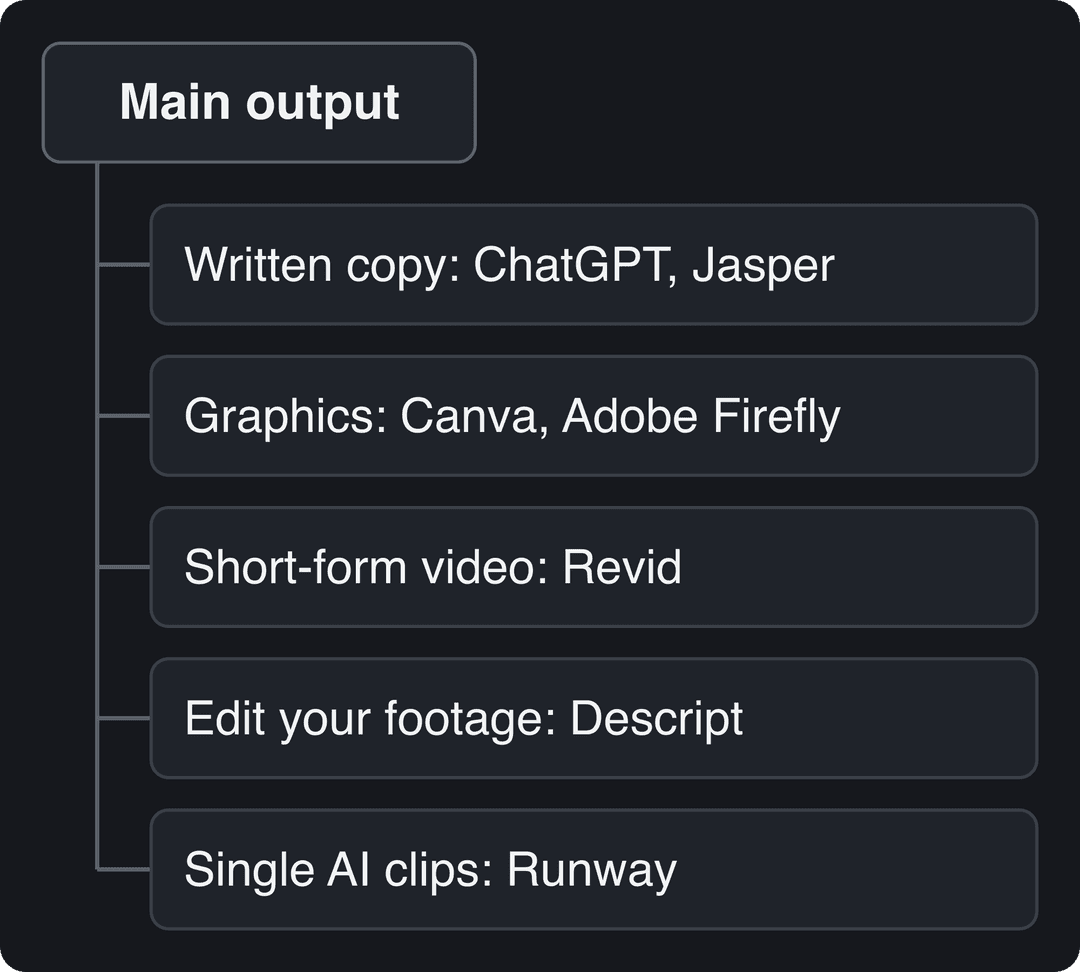
Start from the output you publish most, then add a second tool only where the first is weak:
- If you mostly write (blogs, newsletters, scripts): ChatGPT, Gemini or Copilot, whichever matches the apps you already use. Add Jasper if a team must keep one brand voice.
- If you mostly design (carousels, thumbnails, ads): Canva for speed, Adobe for full control.
- If you record yourself (podcasts, talking-head videos): Descript to edit, then a clipping or short-form tool to cut vertical clips.
- If you publish short-form video without filming: Revid, which writes, voices, captions and posts the video.
- If you need one striking shot for an ad or a music video: Runway.
- If Instagram is your main channel: Canva for carousels and Revid for Reels. Instagram now allows up to 5 hashtags per post, so let any AI caption tool you use stay under that cap.
Adoption is no longer the question: HubSpot's 2026 State of Marketing report found that 80% of marketers use AI for content creation, and in Wyzowl's 2026 survey 63% of video marketers had used AI video tools, up from 51% a year earlier. Quality is the question. In Sprout Social research from March 2026, 50% of Gen Z said they had already blocked, muted or unfollowed a brand or creator because its content felt like AI slop.
Platform matters too. In Revid's study of AI videos vs real footage, AI-generated TikToks averaged twice the views of real footage, while on X, Instagram and Threads AI visuals clustered in the lowest engagement tier. Rapid content creation only pays off if each piece has a real idea, a specific hook and your own point of view.
What's the best free AI creative tool that's actually production-ready?
For graphics, Canva's free plan: its templates are production quality and the AI allowance covers light use. For editing recordings, Descript's free plan works for short projects, though 720p export limits it for final delivery. For writing, the free tiers of ChatGPT and Gemini handle drafts and scripts. For finished AI video at volume, no free tool is production-ready: generation costs compute, so every serious option, Revid included, charges credits.
Which tools make quick videos from customizable templates?
Canva is the simplest if you want to drag your own photos and text into a video template. If you want the tool to write and assemble the video for you, Revid generates it from a prompt or a link and lets you change every scene, voice and caption style in the timeline. For a wider list of video options, see our guide to AI tools for video creation.
How do you make branded software or release-notes videos from a brief?
Paste the brief, release notes or product page into a script-to-video or motion-graphics tool rather than a clip generator, because you need on-screen text, a voice-over and your real screenshots in the right order. Revid's motion graphics generator produces kinetic typography and animated explainers from a script, and its product video tools read a product URL and keep its real images. This works the same for SaaS release notes, e-commerce product demos and B2B or manufacturing product explainers.
Prompt to try
Create a 45-second faceless vertical video on three spreadsheet shortcuts that save an hour a week. Hook: "You are wasting an hour every week in Excel." Use clean screen-style motion graphics, an upbeat voiceover and large captions, ending with a quick recap.
What can produce dozens of videos a week without manual editing?
You need automation, not a faster editor. For a team producing 30 videos a week across platforms, the pattern that works is: one source of ideas (a content calendar, blog posts or proven formats), automated generation, a human review pass, and scheduled publishing. In Revid that is Auto-Mode workers (3 on Growth, 5 on Elite, 10 on Ultra) creating a video each day, the timeline editor for review, and one publishing queue; teams that run their own pipeline can call the API instead. E-commerce teams can mix product videos from product pages with music videos made from a song in the same workspace.
Which tools handle multilingual content?
For video, Revid offers AI voices in 70+ languages and automatic captions in 100+, Synthesia offers avatar presenters in 140+ languages, and HeyGen translates existing videos with lip sync across 175+ languages. For text, ChatGPT, Gemini and Jasper all draft and translate in many languages, but have a native speaker review anything customer-facing.
Where AI content creation is heading
The tools converge on the same models, so the edge moves to inputs and distribution: what you say, what evidence the script is built on, and how fast you can publish and learn. Influencer Marketing Jobs tracks how brands fold AI into campaigns in its roundup of influencer marketing trends, and Reach Influencers has a piece on the future of influencer marketing with AI and VR.
Your next step: pick one tool from the table for your main output, run a two-week trial on real posts, and keep it only if it saves time without making your content sound generic.
FAQ
Is Revid AI free?
Sign-up is free with no credit card needed, and new accounts get free credits to try video creation. Regular video creation uses the monthly credits of a paid plan, starting at $39/month.
Which AI content tools give you full ownership of the generated video and script?
Ownership depends on each tool's terms of service and your plan, so read the terms before using outputs commercially. Adobe positions Firefly as commercially safe because of its training data, and with any tool you remain responsible for having the rights to footage, music or scripts you reuse.
Which AI content creation tools support video, image and text in one platform?
Canva and Adobe Creative Cloud cover text, images and video inside a design workflow, and ChatGPT covers text and images. For finished short-form video with script, visuals, voice, captions and music generated together, Revid does it in one product.
Can I turn blog posts or a content feed into social videos automatically?
Yes. Revid turns a blog post or article link into a narrated vertical video, and its Auto-Mode workers can create a fresh video every day from a content source and publish it on a schedule.
Can AI-generated videos be monetized on YouTube?
Yes, if the final video shows your creative vision and gives real educational or entertainment value. YouTube does not let mass-produced videos from generic AI templates, incoherent compilations of unrelated AI clips, or AI personas posing as human experts on health, legal, financial or political topics earn money.
Sources
- Vendor pricing pages (invideo.io, runway.com, synthesia.io, pictory.ai, heygen.com, zebracat.ai, revid.ai), read October 29, 2026
- Revid social index: 388,379 posts from X, Instagram, Threads, Reddit and LinkedIn with AI labels per post, snapshot of Sep 15, 2026.
- HubSpot, 2026 State of Marketing Report (2026)
- Wyzowl, Video Marketing Statistics 2026 (December 2025)
- Sprout Social, Social Media is Now the Top Source for Breaking News, New Sprout Social Research Finds (press release) (March 2026)
Charts and figures checked on November 6, 2026.