On this page
The best Clipchamp alternative depends on whether you edit footage you already have or need the video made for you. To edit your own clips, CapCut is the closest swap (free 1080p export and auto-captions). To turn a script, link or idea into a finished short-form video and post it to TikTok, Instagram and YouTube, use Revid.
Most people who leave Clipchamp switch to another timeline editor and keep the same bottleneck: they still have to find footage, record a voice-over and cut every scene by hand. If the editor itself is the problem, change editors. If the hours are the problem, change the workflow.
- Revid Growth plan per month ($32 billed yearly), with 2,000 credits
- $39
- Revid pricing page
- Credits for a 30-second Revid video with Pro AI visuals and voice-over
- 40-80
- Revid credit estimate
- Real short-form videos in Revid's searchable library, with engagement data
- 2.77M
- Revid
- Templates included in Canva's free plan
- 1.6M+
- Canva pricing page
Clipchamp alternatives compared
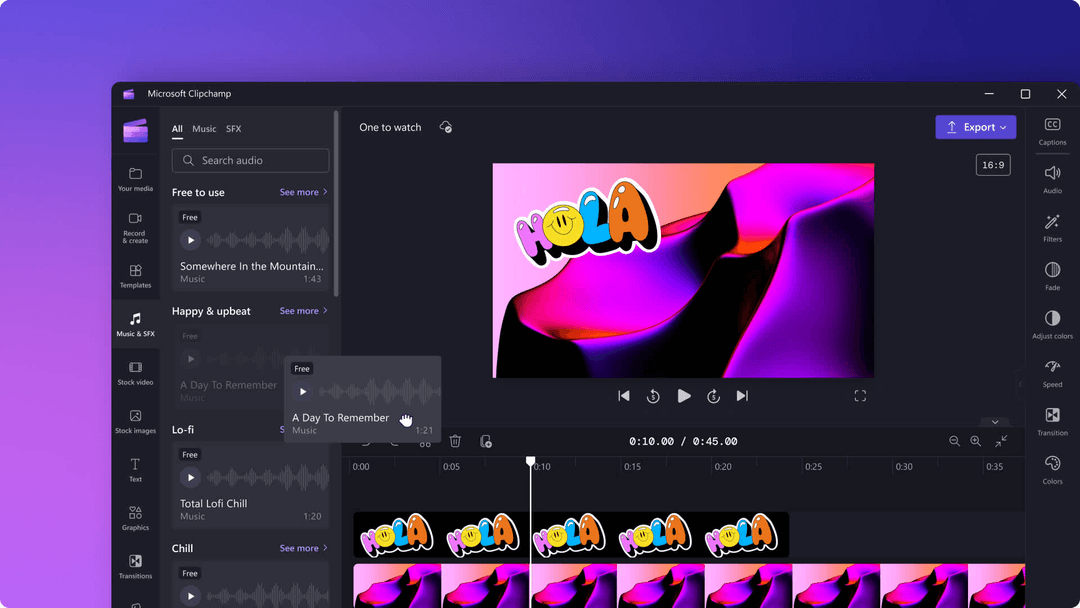
Clipchamp is Microsoft's browser-based video editor: you build a video on a timeline from your own clips, stock media and templates. The tools below either do that job differently or skip the timeline entirely. They are listed in no particular order.
| Tool | Best for | Starting price | Free option |
|---|---|---|---|
| Revid | Generating short-form videos from text, links or songs, then publishing them | $39/month ($32 billed yearly) | Free sign-up with free credits to try video creation |
| CapCut | Editing footage you filmed, on mobile or desktop | About $9.99/month (Standard) | Full editor with 1080p export |
| Canva | Teams that already design everything in Canva | From €110/year (Pro) | Free plan with 1.6 million+ templates |
| Veed | Browser editing with subtitles and screen recording | About $10 to $24/month | Watermarked, 720p export |
| Descript | Editing talking videos and podcasts by editing the transcript | From $24/month ($16 billed yearly) | 60 media minutes/month, 720p export |
| InVideo | Editing by typing commands to an AI agent | From $20/month per seat | Watermarked, with weekly limits |
Prices come from each tool's pricing page as checked in August and September 2026. Check the live pages before you buy.
Prompt to try
Make a 30-second vertical video explaining 3 quick tips to cut editing time for small business social posts. Open with the hook "You're spending hours on a 30-second video." Use clean stock footage, a friendly voice-over and bold captions.
US dollars except InVideo, which showed euros on October 29. InVideo Starter has no Seedance 2.5; Revid Growth includes 2,000 credits, the editor, publishing and the API, MCP server and CLI.
Source: Vendor pricing pages (invideo.io, runway.com, synthesia.io, pictory.ai, heygen.com, zebracat.ai, revid.ai), read October 29, 2026
Show the data
| Billed monthly | Billed yearly, per month | |
|---|---|---|
| InVideo AI Starter (EUR) | 20 | 10 |
| Runway Standard | 15 | 12 |
| Synthesia Starter | 19 | 14 |
| Pictory Starter | 29 | 25 |
| HeyGen Creator | 29 | 24 |
| Zebracat Cat Mode | 39 | 23 |
| Revid Growth | 39 | 32 |
Which Clipchamp alternative fits your workflow?
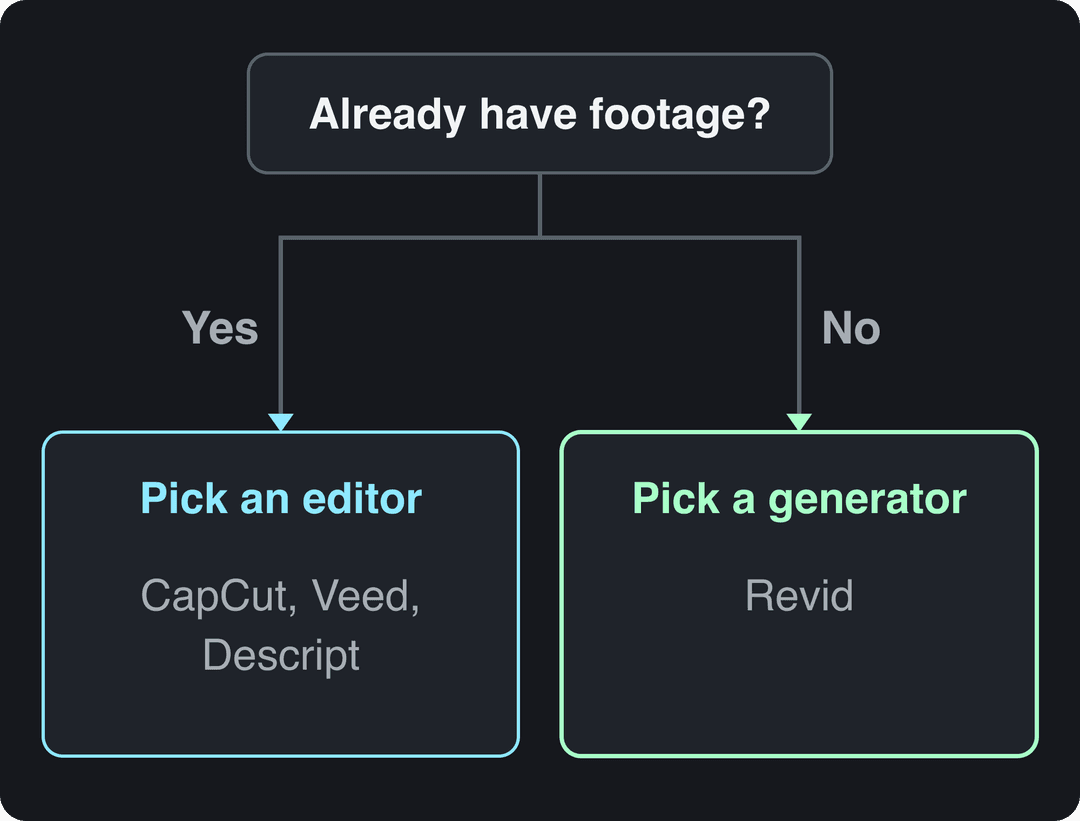
Ask one question first: do you already have the footage?
- If you have clips and want to cut them faster, pick an editor: CapCut for mobile and TikTok, Veed for browser editing and screen recordings, Descript for anything with a lot of talking.
- If you start from a blank page (an idea, a blog post, a product link, a song), pick a generator. Revid writes the script and builds the scenes, so there is nothing to film.
- If video is a small part of your design work (social graphics, presentations, print), stay in Canva.
- If you post short-form every day, look for direct publishing and scheduling, so you are not downloading and re-uploading every file.
The 6 best Clipchamp alternatives
Revid: best for making short-form videos without footage
Revid starts where a timeline editor leaves you: with an empty project. Give it an idea, a script, a link (a blog post, a YouTube video, a Reddit thread, a post on X) or a song, and the AI video generator writes the script, builds scene-by-scene visuals (stock footage, AI images, AI video or motion graphics), and adds an AI voice-over in 70+ languages, synced captions and music.
For AI video scenes you can choose Seedance 2.5, MiniMax Hailuo H3, Wan 3.0 or Google Veo 3, scene by scene, under one credit system. A full timeline editor is there when you want to fix a scene by hand, and you can export in 720p, 1080p or 4K at 30 or 60 fps.
What no editor offers is a place to start: Revid includes a searchable library of about 2.77 million real short-form videos with their public engagement data. You can pick a format that already performs in your niche and turn it into an original video. Finished videos go straight out through direct publishing to TikTok, Instagram and YouTube, including scheduling.
The trade-offs: generation uses credits, so there is no unlimited free tier, and if all you want is to trim your own footage by hand, a classic editor is more direct.
CapCut: best free editor for your own clips
CapCut is built for editing footage you filmed, fast, on mobile or desktop. Its free tier includes the full editor, 1080p export and auto-captions, and its trend templates drop your clips into formats that are already popular on TikTok. Premium templates, effects and most AI features need the paid plan. See the full Revid vs CapCut comparison, or our roundup of CapCut alternatives if CapCut is also on your shortlist.
Canva: best if you already design in Canva
Canva covers graphics, presentations, documents, print and video in one tool, with the gentlest learning curve of the group. The free plan includes 1.6 million+ templates and a small AI allowance; paid plans add short Veo 3 clips with synced audio inside your designs. It is a design suite first, so long or heavily edited videos are not its strength. Compare it in Revid vs Canva.
Veed: best browser editor for subtitles and screen recordings
Veed is the closest match to Clipchamp's browser workflow: a multi-track timeline, screen recording, brand kits, and some of the best-known auto-subtitles and translation in the category, plus AI dubbing and stock avatar presenters. The free plan exports at 720p with a "Made with VEED" watermark. Details in Revid vs Veed.
Descript: best for editing talking videos by transcript
If most of your videos are people talking (podcasts, interviews, tutorials), Descript lets you edit the video by editing the text. It adds recording, Studio Sound, filler-word removal and an AI co-editor called Underlord. The free plan gives 60 media minutes a month at 720p. See Revid vs Descript.
InVideo: best for editing by typed commands
InVideo replaces the timeline with a chat-style agent: you describe the change and it edits the video. It draws on a 16M+ stock library, with AI avatars and voice clones from the entry tier. The free plan carries a watermark and weekly generation limits. Compare it in Revid vs InVideo.
In dollars at the Growth rate ($39 for 2,000 credits), a 60-second video costs about $0.43 with stock footage, $0.68 with animated AI images, $1.46 with pro AI images, $4.29 with AI video clips and $13.30 with pro AI video. A 90-second video costs 1.5 times the 60-second price. Every price includes the AI voice-over (10 credits per 30 seconds); motion graphics show the calculator's upper bound.
Source: Revid public credit calculator (POST /api/public/v3/calculate-credits, no key), prompt-to-video workflow, 30, 60 and 90 seconds, queried Oct 29, 2026.
Show the data
| 60-second video, credits | 30-second video, credits | 60-second videos per Growth month | |
|---|---|---|---|
| Stock footage | 22 | 11 | 90 |
| Animated AI images | 35 | 18 | 57 |
| AI images, pro | 75 | 37 | 26 |
| AI video clips | 220 | 110 | 9 |
| Motion graphics | 275 | 160 | 7 |
| AI video, pro | 682 | 341 | 2 |
How to make a video in Revid instead of Clipchamp
- Open the AI video generator and paste a script, a one-line idea or a link.
- Pick the look: stock footage, AI images or AI video. For AI video, choose a model per scene if one suits a shot better.
- Choose a voice (1,000+ voices in 70+ languages) and one of 30 caption styles.
- Check the credit estimate before generating. As a guide, a 30-second video with Pro AI visuals and a voice-over costs about 40 to 80 credits.
- Review the result in the timeline editor and fix any scene.
- Export in 720p, 1080p or 4K, or publish and schedule it to TikTok, Instagram and YouTube from the same queue.
What to use if Clipchamp captions or audio aren't working
Caption and audio problems are among the most common reasons people look for another editor. Two fixes, depending on your situation:
- Captions on a video you already made: upload it to Revid's AI caption generator, which transcribes and times captions automatically in 100+ languages. CapCut and Veed also include auto-captions.
- Voice-over that keeps drifting out of sync: generate the video in Revid instead. The voice-over is created by AI and the captions are synced to it, so there is no manual audio alignment.
If the problem is a bug in one project, try Clipchamp's own help resources first: a reinstall or browser change can be quicker than learning a new tool.
When another tool beats both
For long-form or cinematic work where every shot is edited by hand, a professional editor such as Premiere Pro or DaVinci Resolve is the better choice. For corporate training videos with a fixed presenter, a dedicated avatar platform such as Synthesia fits better than any of the tools above.
FAQ
Is there a free alternative to Clipchamp?
Yes. CapCut's free tier includes the full editor with 1080p export and auto-captions, and Canva's free plan includes 1.6 million+ templates. Veed and Descript have free plans limited to 720p, and Revid's sign-up is free with free credits to try video creation, no credit card needed; regular creation then uses the monthly credits of a paid plan, from $39/month.
Can I use Revid if Clipchamp isn't available in my country?
Yes. Revid runs in the browser with nothing to install, and it has users in 68 countries. You also need a TikTok, Instagram or YouTube account in a supported region if you want to publish directly.
How much does Revid cost?
The Growth plan is $39/month ($32/month billed yearly) with 2,000 credits a month, enough for many short videos at about 40 to 80 credits per 30-second video with Pro AI visuals and a voice-over. The live price list at revid.ai/pricing is authoritative.
Can Revid edit long YouTube videos?
Revid is built for short-form video, but it can turn a long YouTube video into vertical Shorts, TikToks or Reels. For editing a full long-form video shot by shot, use a classic editor such as DaVinci Resolve or Premiere Pro.
Sources
- Vendor pricing pages (invideo.io, runway.com, synthesia.io, pictory.ai, heygen.com, zebracat.ai, revid.ai), read October 29, 2026
- Revid public credit calculator (POST /api/public/v3/calculate-credits, no key), prompt-to-video workflow, 30, 60 and 90 seconds, queried Oct 29, 2026.
Charts and figures checked on November 6, 2026.