On this page
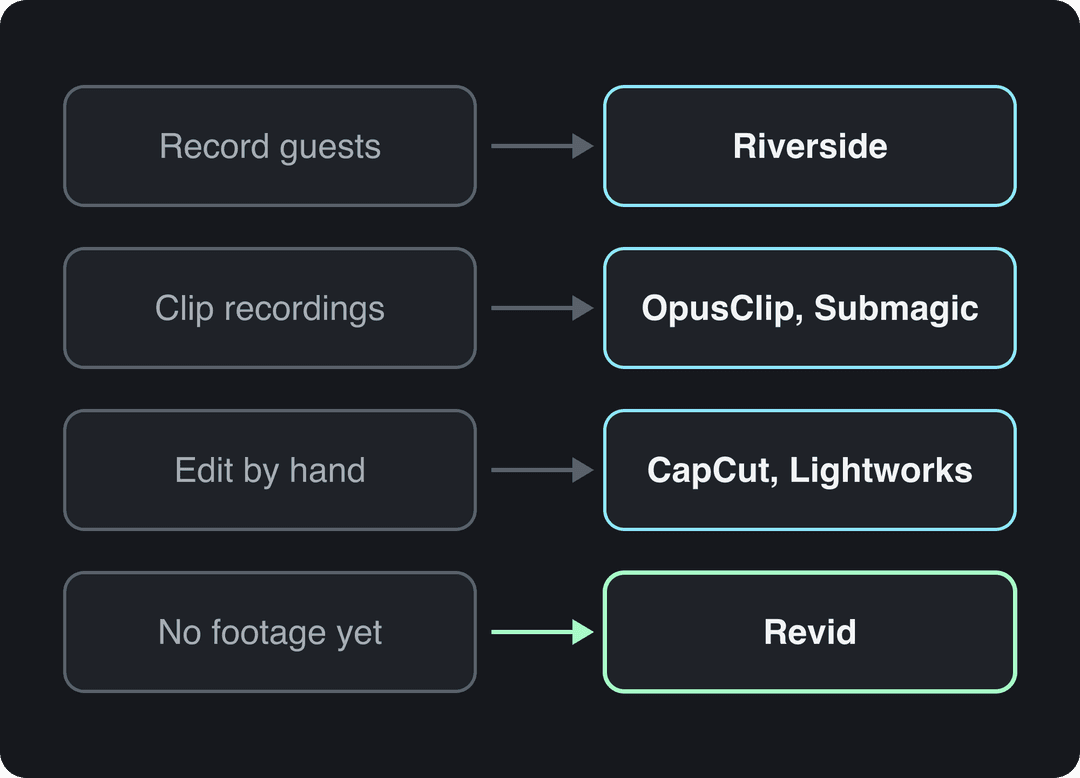
The best Descript alternative depends on the job you hired Descript for: Riverside for recording podcasts, OpusClip or Submagic for turning recordings into captioned clips, CapCut or Lightworks for manual editing, and Revid for short-form videos made from an idea or script with no footage. Descript itself starts at $24 a month ($16 billed yearly).
The usual mistake is replacing Descript with another all-in-one editor when the real bottleneck sits somewhere else. If most of your Descript hours go into cutting a weekly podcast into vertical clips, a clipping tool does that in a few clicks. If you have no recording at all, no editor can help, and a video generator is the right category.
- Descript entry paid plan per editor per month, billed monthly
- $24
- Descript pricing, 2026
- Descript entry plan per month when billed yearly
- $16
- Descript pricing, 2026
- Media minutes per month on Descript's free plan, with 720p export
- 60 min
- Descript free plan
- CapCut Standard plan per month, the cheapest editing option compared
- $9.99
- CapCut pricing, 2026
What Descript does well, and where it falls short
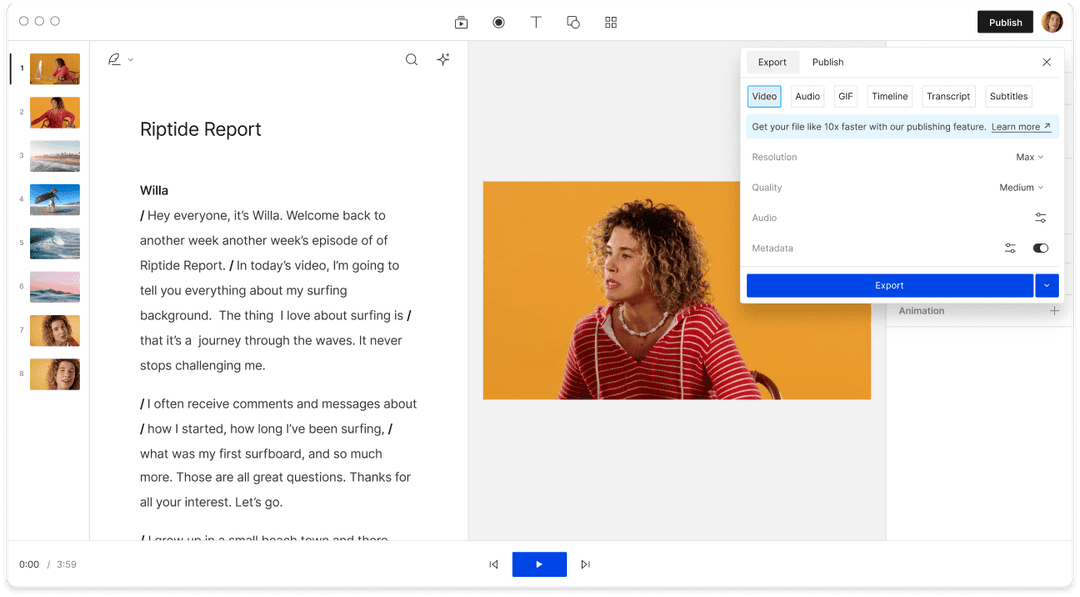
Descript is a video and audio editor built around the transcript. You record or import media, Descript transcribes it, and deleting a sentence in the text deletes it from the video. For talking-head videos, podcasts and interviews, that is faster than scrubbing through a waveform.
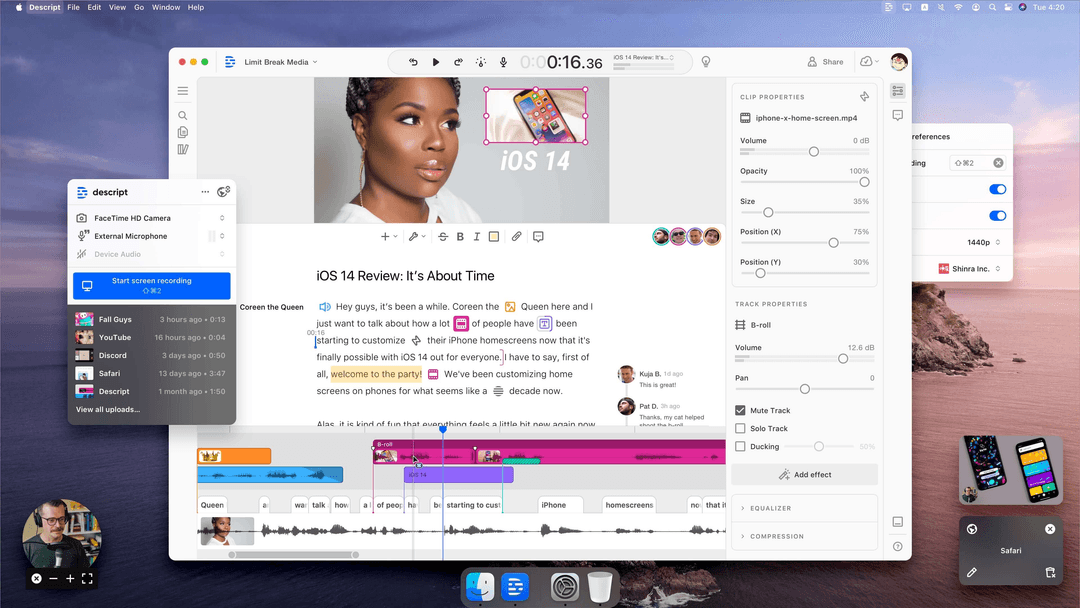
Its main features in 2026:
- Transcript editing: cut, move and rearrange media by editing text.
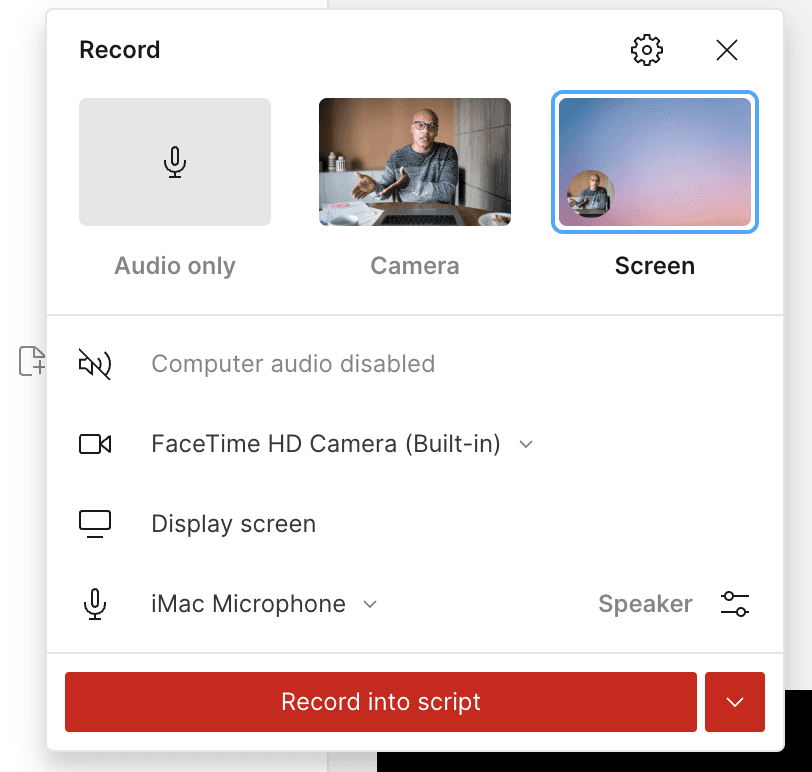
- Recording: camera, screen or audio only, recorded straight into the script.
- Studio Sound and filler-word removal: cleans up voice recorded in an ordinary room and strips out the "ums".
- AI speech (launched as Overdub): type a correction and generate it in a voice clone instead of re-recording.
- Underlord, an AI co-editor, plus Create Clips for cutting long recordings into short ones.
- Team features: comments, Brand Studio, SOC 2 Type II and SSO.
Where it falls short: Descript needs source material. Every feature assumes you already recorded something. Producing a steady stream of vertical clips still means editing each one, and if you think in pictures rather than words, a traditional timeline editor will feel more natural.
Descript pricing in 2026: is Descript free?
Yes, Descript has a free plan: 60 media minutes a month, 100 one-time AI credits and 720p export, with no card required. Watermark-free export starts on paid plans, so the free plan is for testing the workflow, not for publishing.
Paid plans start at $24 per editor per month, or $16 a month billed yearly, with 10 media hours on the entry tier. Higher tiers add media hours, AI usage and team features, and their prices change often, so check Descript's pricing page before you commit. You can sign up through Descript's website (partner link).
Descript reviews: what users praise and complain about
Public reviews and forums such as r/Descript keep returning to the same themes.

What users praise:
- Text-based editing is intuitive, especially for people who never learned a timeline editor.
- Studio Sound rescues audio recorded without a treated room.
- Comments and shared projects make it workable for small teams.
What users complain about:
- Slowdowns and crashes on long or heavy projects.
- Transcription that struggles with some accents and jargon, which means manual fixes.
- Export quality, with some users reporting heavy compression.
Use the complaint to pick the replacement. If performance on long edits is the problem, move to a traditional editor. If transcript accuracy is the problem, use a dedicated transcription service. If the time sink is making short clips, use a clipping or generation tool.
US dollars per month
The plans do not buy the same thing: OpusClip, Vizard and Quso sell minutes of uploaded video, Klap sells clips, Submagic sells videos, Descript and Kapwing sell seats, and Revid sells credits that also make new videos from scratch. Billed yearly, most of these drop by 30 to 50%.
Source: Vendor pricing pages read October 29, 2026. Vizard's page did not render prices that day, so its figure is from vizard.ai/pricing on September 30, 2026; Klap's page showed yearly prices only, so its monthly price is from klap.app/pricing on August 13, 2026.
Show the data
| US dollars per month | |
|---|---|
| OpusClip Starter | 15 |
| Kapwing Pro | 16 |
| Submagic Starter | 19 |
| Descript Hobbyist | 24 |
| Vizard Creator | 29 |
| Klap Basic | 29 |
| Quso Lite | 29 |
| Revid Growth | 39 |
Descript alternatives compared: price and best use
On price, Descript sits in the middle: its entry plan costs less than Revid's, and more than the monthly plans of CapCut, OpusClip or Submagic. Competitor prices below were last checked in August and September 2026; confirm them on each site.
| Tool | Best for | Paid plans from | Free option |
|---|---|---|---|
| Descript | Editing recordings by editing the transcript | $24/month ($16 billed yearly) | 60 media minutes a month, 720p |
| Revid | Short-form videos from an idea, script, link or audio | $39/month ($32 billed yearly) | Free sign-up with free credits to try; regular creation uses paid credits |
| Riverside | Recording podcasts and remote interviews | See Riverside's pricing page | Free plan |
| OpusClip | Clipping long videos into shorts automatically | $15/month | 1080p exports with watermarked captions |
| Submagic | Animated captions and one-click polish | $19/month ($12 billed yearly) | 3 watermarked videos a month |
| Veed | Browser editing and auto-subtitles | Roughly $10 to $24/month | Watermarked 720p export |
| CapCut | Editing your own footage on a budget | About $9.99/month | Full editor with 1080p export |
| Lightworks | Traditional professional timeline editing | Create and Pro tiers (check the site) | Free version |
| Screen Studio | Polished screen recordings on Mac | Check the site | Free to try |
| Voicenotes | Voice notes, transcripts and AI summaries | Check the site | Free to try |
The best Descript alternatives by use case
Revid: for short-form videos when you have no footage
Revid is not a transcript editor, so it will not replace Descript for cutting a recorded interview line by line. It replaces Descript when the output you actually need is TikToks, Reels and Shorts. Revid turns an idea, a script, a link or an audio file into a finished vertical video: the script, scene visuals (stock footage, AI images or AI video from Seedance 2.5, MiniMax Hailuo, Wan 3.0 and Google Veo 3), a voice-over from 1,000+ voices in 70+ languages, synced captions and music.
- Best for: founders, small businesses and creators who publish short-form video every week.
- For recordings you already have: the YouTube clip maker cuts long YouTube videos into vertical clips, and the AI caption generator adds captions in 100+ languages to any video.
- What no other tool here has: a library of about 2.77 million real short-form videos with their engagement data, so you can start from a format audiences already watch instead of a blank page.
- Pricing: free sign-up with free credits to try video creation, no card needed; regular creation uses credits from a paid plan, starting at $39 a month (Growth, 2,000 credits, or $32 a month billed yearly). See Revid pricing.
The full side-by-side, with sources, is in our Revid vs Descript comparison.
Riverside: for recording podcasts and remote interviews
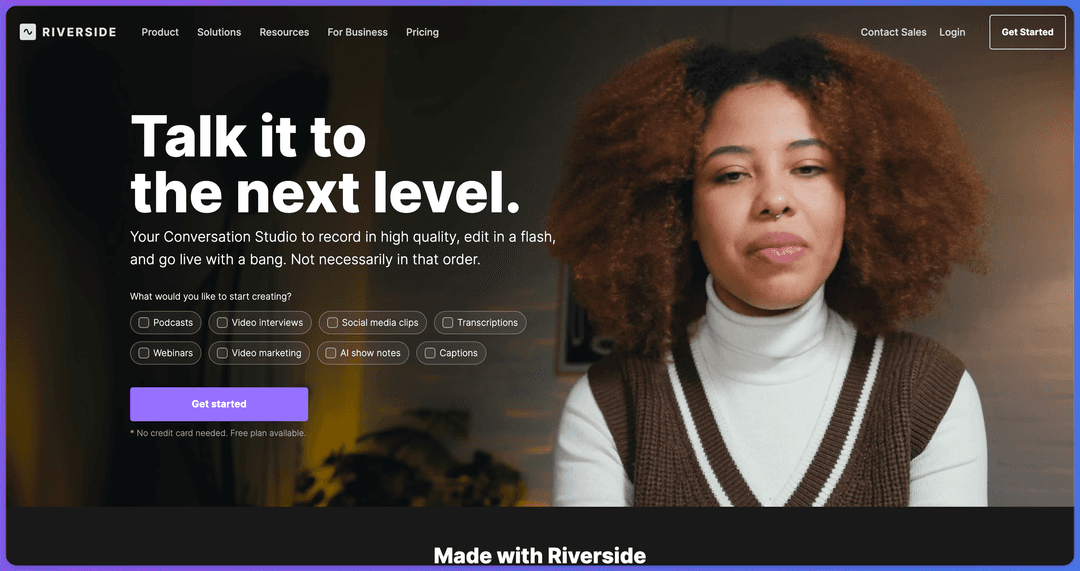
If you mainly use Descript to record guests, Riverside is the closest swap. It records podcasts and video interviews in high quality, then adds AI transcription, show notes and social clips. A free plan is available with no card needed. If the audio is already recorded, Revid's podcast clip generator turns it into a captioned video.
Price divided by included minutes, assuming you use the whole allowance. Descript's hours are editing hours, not automatic clipping, so it is cheap per hour but you do the picking. Klap (billed per clip) and Revid (billed per job in credits) do not bill by source minutes and are left out.
Source: Monthly prices and allowances from vendor pricing pages on October 29, 2026 (Quso, Descript, Munch Studio yearly price), OpusClip allowances (150 and 300 minutes) from Castmagic's OpusClip pricing guide verified August 20, 2026, Vizard from vizard.ai/pricing on September 30, 2026.
Show the data
| US dollars per 10 hours of uploads | Minutes of video included per month | |
|---|---|---|
| Quso Lite | 174 | 100 |
| Quso Essential | 78 | 300 |
| OpusClip Starter | 60 | 150 |
| OpusClip Pro | 58 | 300 |
| Munch Studio Essential | 46 | 500 |
| Vizard Creator | 29 | 600 |
| Descript Hobbyist | 24 | 600 |
OpusClip: for turning long videos into shorts automatically
OpusClip scans podcasts, streams and webinars, ranks moments with a virality score, reframes talking-head footage to vertical and adds animated captions. Paid tiers add posting and scheduling. Plans start at $15 a month; the free plan exports 1080p with watermarked captions, and media expires after 3 days. Choose it over Descript's Create Clips when clipping is the whole job (Revid vs OpusClip).
Submagic: for captions, polish and transcript trimming
Submagic is known for animated captions in 48 languages and one-click polish: b-roll, zooms, sound effects, hook titles and silence removal. It also lets you trim a video by editing its transcript, the most Descript-like feature on this list. Plans start at $19 a month ($12 billed yearly), and the free plan gives 3 watermarked videos a month of up to 90 seconds each (Revid vs Submagic).
Veed: for browser-based editing and subtitles
Veed is a full manual editor in the browser: multi-track timeline, screen recording, brand kits, auto-subtitles and translation, AI dubbing and eye-contact correction. Entry plans run roughly $10 to $24 a month, and the free plan exports 720p with a "Made with VEED" watermark. Pick it if you want Descript's convenience with a conventional timeline.
CapCut: for editing your own footage on a budget
CapCut is the cheapest serious option: the free tier includes the full editor, auto-captions and 1080p export, and the Standard plan costs about $9.99 a month. Premium templates, effects and most AI features are paid. It edits on a timeline rather than by transcript, and its trend templates and TikTok integration make it fast for vertical video.
Lightworks vs Descript: free professional timeline editing
Lightworks is a traditional non-linear editor with multi-cam editing and advanced effects, offered as a free version plus paid Create and Pro tiers. Choose Lightworks when the picture drives the cut (cutaways, multiple cameras, effects); choose Descript when the spoken word drives it. Expect a steeper learning curve. For more options in this category, see our roundup of the best AI video editors.
Screen Studio: for polished screen recordings on Mac
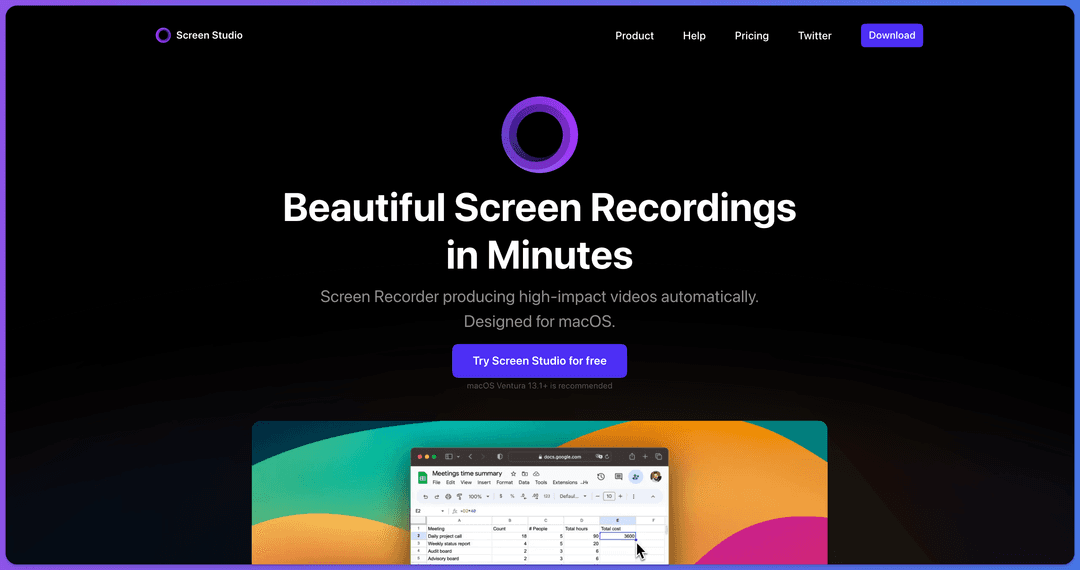
If you used Descript mostly for product demos and tutorials, Screen Studio is the specialist. It is a macOS screen recorder that turns raw captures into polished videos automatically, with zooms that follow your cursor, and you can try it for free. Get it from Screen Studio's website (partner link).
Voicenotes: for transcription and voice notes
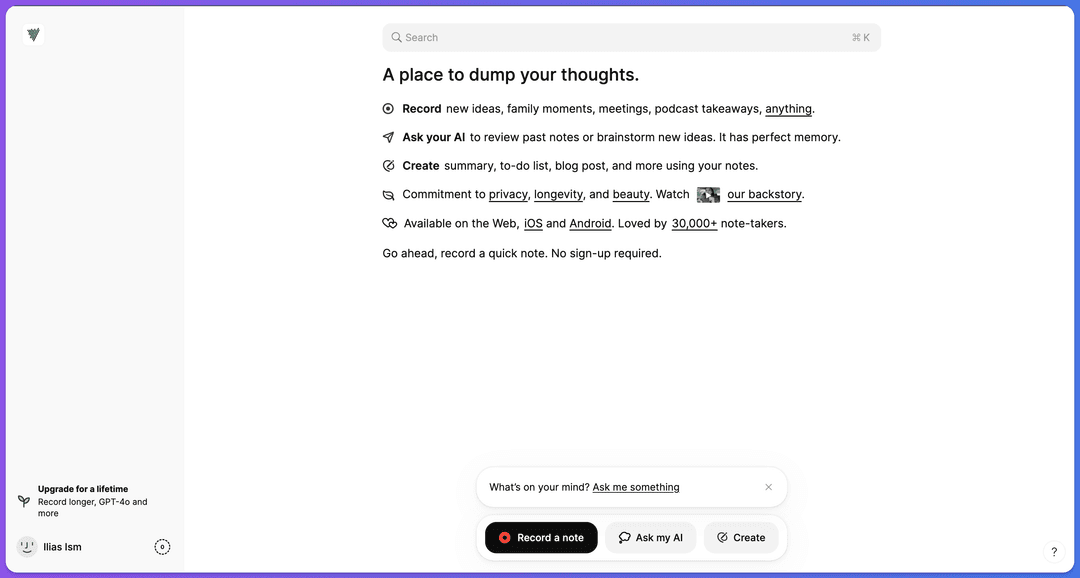
Voicenotes is not a video editor. It replaces Descript if you only used it to get transcripts: it records notes on the web, iOS and Android, transcribes them and lets an AI summarize them or turn them into to-do lists and drafts. You can record a first note without signing up. Its guide on how to transcribe audio to text covers the workflow, and you can start from the Voicenotes app (partner link).
Rev vs Descript and ElevenLabs vs Descript
Rev vs Descript: which is better for transcription?
Rev is a transcription and captioning service, with both AI and human transcription; Descript is an editor that transcribes so you can edit. Based on reviews, people pick Rev when the transcript itself is the deliverable (research, legal, publishing) and Descript when the transcript is a tool for editing audio or video.
ElevenLabs vs Descript: which is better for AI voices?
ElevenLabs is a dedicated AI voice platform for text to speech, voice cloning and voice design. Descript's AI speech is built to patch a word or sentence inside an existing recording. Generating whole voice-overs from scratch: ElevenLabs gives more control. Fixing a fumbled line in a podcast: Descript is faster. Revid includes ElevenLabs voices among its 1,000+ voices.
Prompt to try
Make a 40-second vertical video for small business owners titled "3 signs you are wasting hours editing videos." Open with the hook "You spent 3 hours editing a 30-second clip?" then cover each sign with fast stock footage cuts, bold captions and an upbeat voice-over. End with one simple tip to batch-create short videos each week.
How to make a short video with Revid instead of editing one
- Open Revid's AI video generator and paste an idea, a script or a link (a blog post, a YouTube, TikTok, X or Reddit post).
- Or start from the viral library: open a video that performed in your niche and choose "Make it about your topic" to reuse its hook style and pacing with a new script.
- Revid writes the script and builds each scene with visuals, voice-over, captions and music.
- Adjust anything in the timeline editor: swap a scene, change the voice, pick one of 30 caption styles.
- Export in 720p, 1080p or 4K, or publish and schedule to TikTok, Instagram and YouTube from one queue.
If you still record yourself and miss Studio Sound, Revid's audio enhancer cleans up the voice in an existing recording.
FAQ
Is there a free alternative to Descript?
Yes. CapCut's free tier includes the full editor and 1080p export, Lightworks has a free version, and Riverside has a free plan for recording. None of them edits by transcript the way Descript does, so for that workflow Descript's own free plan (60 media minutes a month, 720p) is the closest free option.
Is there a Descript coupon code?
Promo codes appear from time to time, but the discount that is always available is annual billing, which takes the entry plan from $24 to $16 a month. Check the checkout page for any current offer before paying monthly.
What is the cheapest Descript alternative?
CapCut, at about $9.99 a month with a usable free tier, is the cheapest for manual editing. For automatic clipping of long videos, OpusClip starts at $15 a month.
Can Revid edit a video by editing its transcript?
Not the way Descript does. Revid generates videos from ideas, scripts, links and audio and lets you adjust them in a timeline editor; if cutting footage line by line through a transcript is your core workflow, stay with Descript or try Submagic's text-based editing.
Sources
- Vendor pricing pages read October 29, 2026. Vizard's page did not render prices that day, so its figure is from vizard.ai/pricing on September 30, 2026; Klap's page showed yearly prices only, so its monthly price is from klap.app/pricing on August 13, 2026.
- Monthly prices and allowances from vendor pricing pages on October 29, 2026 (Quso, Descript, Munch Studio yearly price), OpusClip allowances (150 and 300 minutes) from Castmagic's OpusClip pricing guide verified August 20, 2026, Vizard from vizard.ai/pricing on September 30, 2026.
Charts and figures checked on November 6, 2026.