5 Best Final Cut Pro Alternatives in 2026 (Windows, Mac, AI)
Final Cut Pro only runs on Apple devices. Compare DaVinci Resolve, Premiere Pro, CapCut, iMovie and Revid by platform, price model, AI features and the kind of video you make.
On this page
The best Final Cut Pro alternatives in 2026 are DaVinci Resolve (free, runs on Windows, Mac and Linux), Adobe Premiere Pro (the subscription industry standard), CapCut (free tier, built for vertical video), iMovie (free on Mac) and Revid (AI that generates short-form videos instead of editing them). On Windows, DaVinci Resolve is the closest equivalent.
Most people looking for an alternative are solving one of two problems: Final Cut Pro does not run on Windows, or editing takes too long for the amount of short-form video they need to publish. Those problems have different answers. A traditional editor fixes the first. For the second, a different timeline helps less than removing the manual steps (script, footage, captions, reformatting) altogether.
- Price of DaVinci Resolve's core version, the closest Final Cut Pro equivalent on Windows
- $0
- DaVinci Resolve free version
- Approximate monthly price of CapCut's paid plan
- $9.99
- CapCut pricing
- Starting monthly price of Revid's paid plans
- $39
- Revid pricing page
- Real short-form videos in Revid's library with public engagement data
- 2.77M
- Revid
Final Cut Pro alternatives compared
| Tool | Platforms | Price model | Best for | Main AI features |
|---|---|---|---|---|
| Adobe Premiere Pro | Windows, Mac | Creative Cloud subscription | Professional editing, teams using Photoshop and After Effects | Generative Extend, text-based editing, Enhance Speech, Auto Reframe |
| DaVinci Resolve | Windows, Mac, Linux | Free; paid Studio version (one-time purchase) | Color grading, VFX, audio post, a free pro editor | Neural Engine tools (Magic Mask, Voice Isolation, Smart Reframe), mostly in Studio |
| Revid | Browser | Free sign-up; paid plans from $39/month | Generating TikToks, Reels and Shorts from text, links or viral formats | Script, AI visuals, voice-over, captions, publishing |
| CapCut | Windows, Mac, mobile, web | Free tier; paid from about $9.99/month | Fast vertical edits of footage you filmed | Auto-captions, text-to-speech, background removal |
| iMovie | Mac, iPhone, iPad | Free | Simple edits for beginners on Apple devices | Few; basic templates and trailers |
US dollars per month
Revid's $39 Growth plan includes 2,000 credits, the editor, direct posting and the API. Yearly billing is cheaper on most tools.
Source: Pricing page of each tool, checked for Revid's comparison pages (revid.ai/vs) in November 2026.
Show the data
| US dollars per month | |
|---|---|
| Creatify | 15 |
| OpusClip | 15 |
| Higgsfield | 19 |
| Synthesia | 19 |
| CapCut | 20 |
| InVideo | 20 |
| Fliki | 28 |
| Klap | 29 |
| Revid | 39 |
Is there a Final Cut Pro equivalent for Windows?
No. Final Cut Pro only runs on Mac and iPad, and Apple has never released a Windows version. The closest Final Cut Pro alternative for Windows is DaVinci Resolve: it is free, covers editing, color, effects and audio in one app, and its Cut page is built for the same kind of quick assembly editing Final Cut Pro users are used to.
Pick Premiere Pro instead if you work with an agency or team that already shares Adobe projects, or if you rely on After Effects and Photoshop. Pick CapCut desktop if your output is mostly short vertical video and you want templates over control. If you want a free, open-source option, Kdenlive and Shotcut both run on Windows, though they are less polished than Resolve.
1. Adobe Premiere Pro: the industry-standard editor
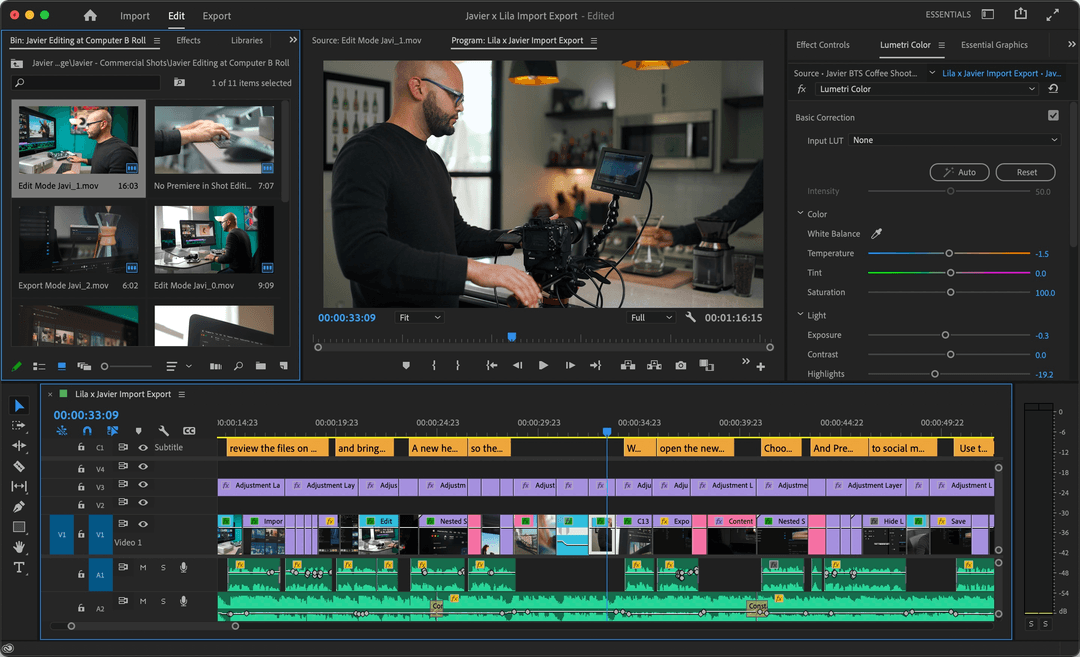
Premiere Pro is the default choice for professional editors who need to leave the Mac, and it matches Final Cut Pro feature for feature on multi-camera editing, long timelines and broadcast delivery.
Why switch to it:
- Windows and Mac. The same projects open on both, which matters when you collaborate.
- Adobe integration. Dynamic Link sends clips to After Effects for motion graphics and pulls in Photoshop files without exporting.
- AI tools that save real time. Generative Extend lengthens a clip by a few frames when a shot ends too early, text-based editing lets you cut by deleting lines in the transcript, Enhance Speech cleans noisy dialogue, and Auto Reframe turns a horizontal edit into a vertical one.
Watch out for: it is subscription-only, and the interface is denser than Final Cut Pro's magnetic timeline. Expect a learning curve of a few weeks if you edit daily.
2. DaVinci Resolve: the free professional alternative
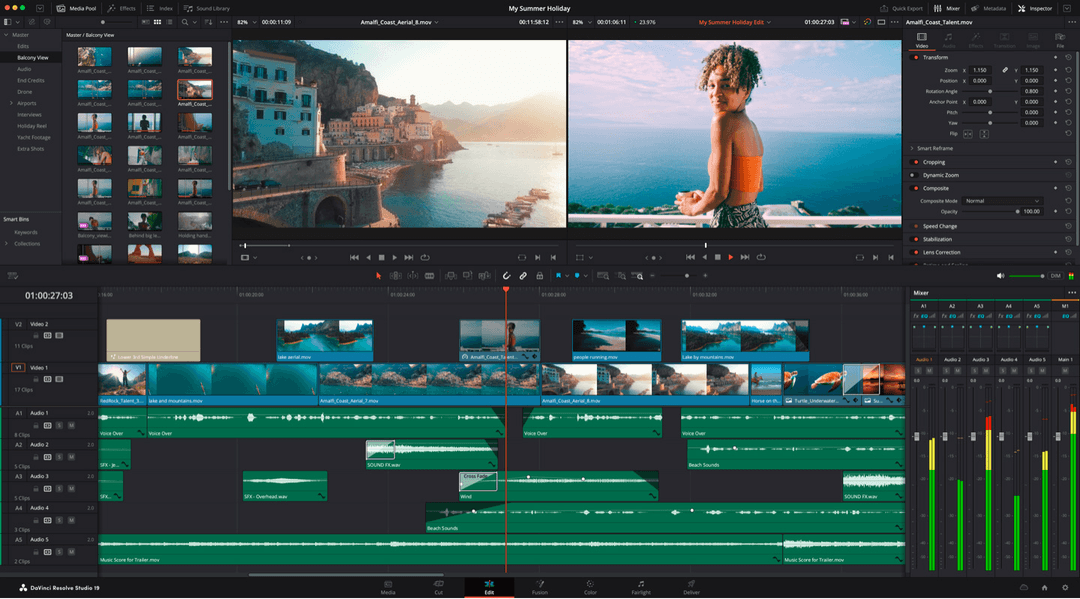
DaVinci Resolve started as a color-grading system and grew into a full post-production suite. Its free version is good enough for most YouTube creators, which makes it the strongest no-cost Final Cut Pro alternative.
Why switch to it:
- Color grading beyond anything in Final Cut Pro. The Color page is what film and TV colorists use.
- Everything in one app. Fusion handles visual effects and Fairlight handles audio mixing, so you rarely export to another program.
- Windows, Mac and Linux. The widest platform support of any editor here.
Watch out for: most of the DaVinci Neural Engine AI tools, such as Magic Mask, Voice Isolation and Smart Reframe, are in the paid Studio version, not the free one. Resolve also wants a capable GPU; on an older laptop, generate proxy media before you edit.
3. Revid: the AI alternative to editing
If you searched for a video editing AI alternative, this is the category you mean. Revid does not try to be a better timeline editor. It generates the video for you: you give it an idea, a script, a link or a song, and it writes the script, builds scene-by-scene visuals, adds a voice-over and synced captions, sets the music, and publishes to TikTok, Instagram and YouTube.
What makes it different from blank-prompt generators is where a video starts. Revid includes a library of about 2.77 million real short-form videos with their public engagement data, so you can start from a format audiences already watch and turn it into an original video on your topic.
What you get:
- Several AI video models in one subscription: Seedance 2.5, MiniMax Hailuo H3, Wan 3.0 and Google Veo 3, chosen per scene.
- 1,000+ AI voices in 70+ languages and 30 caption styles.
- A full timeline editor to fix any scene by hand, with export in 720p, 1080p or 4K at 30 or 60 fps.
- Direct publishing and scheduling to TikTok, Instagram and YouTube from one queue.
How to make a short-form video with Revid:
- Open the text to video tool and paste a script, an article link or a one-line idea.
- Choose a visual style, a voice and the 9:16 format.
- Review the result in the AI video editor and swap any scene, line or caption.
- Export in 1080p or 4K, or publish straight to your accounts.
Already have long recordings? The YouTube clip maker cuts a long video into vertical Shorts, and the AI caption generator adds synced captions in 100+ languages to footage you edited elsewhere.
Watch out for: Revid is built for short-form social video. For long-form or cinematic work where you edit every shot by hand, keep Premiere Pro or Resolve. Sign-up is free and new accounts get free credits to try it, no credit card needed. Regular generation then uses credits from a paid plan; the Revid pricing page lists the current plans, from $39/month.
In dollars at the Growth rate ($39 for 2,000 credits), a 60-second video costs about $0.43 with stock footage, $0.68 with animated AI images, $1.46 with pro AI images, $4.29 with AI video clips and $13.30 with pro AI video. A 90-second video costs 1.5 times the 60-second price. Every price includes the AI voice-over (10 credits per 30 seconds); motion graphics show the calculator's upper bound.
Source: Revid public credit calculator (POST /api/public/v3/calculate-credits, no key), prompt-to-video workflow, 30, 60 and 90 seconds, queried Oct 29, 2026.
Show the data
| 60-second video, credits | 30-second video, credits | 60-second videos per Growth month | |
|---|---|---|---|
| Stock footage | 22 | 11 | 90 |
| Animated AI images | 35 | 18 | 57 |
| AI images, pro | 75 | 37 | 26 |
| AI video clips | 220 | 110 | 9 |
| Motion graphics | 275 | 160 | 7 |
| AI video, pro | 682 | 341 | 2 |
4. CapCut: free, fast and built for TikTok
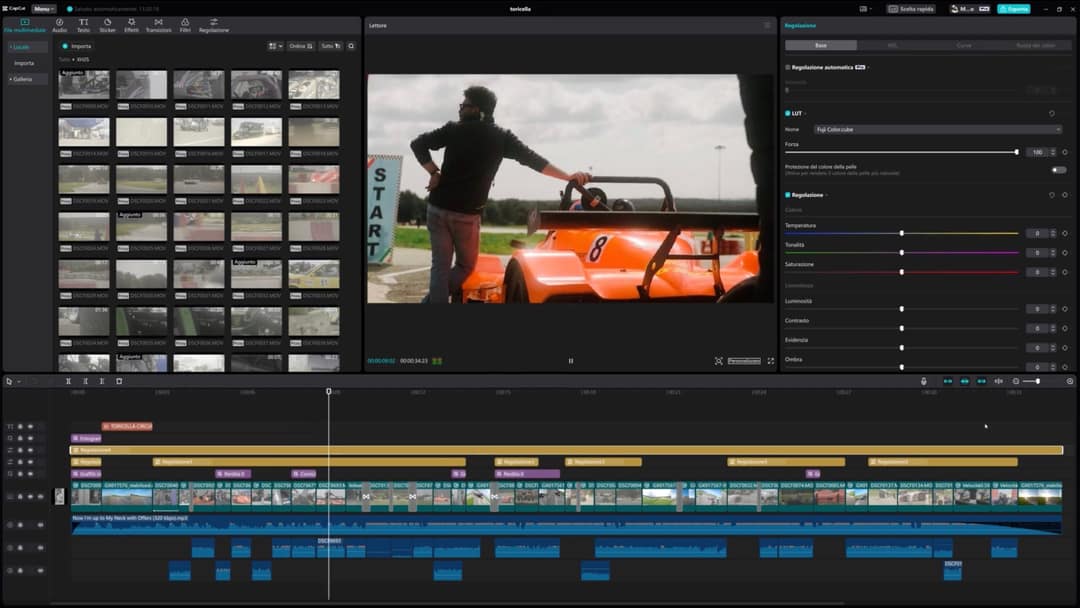
CapCut, made by ByteDance (TikTok's parent company), began as a phone app and now runs on Windows, Mac and the web. It is the quickest way to edit footage you filmed into a vertical video.
Why switch to it:
- A generous free tier with the full editor and 1080p export.
- Trend templates that drop your clips into formats already popular on TikTok, plus the tightest TikTok integration of any editor.
- More than a basic app: keyframe animation, chroma key, smooth slow motion, auto-captions, text-to-speech and background removal.
Watch out for: premium templates, effects and most AI features sit behind the paid plan, and it is not built for long-form projects with many tracks. If you would rather generate videos from text than edit clips, our Revid vs CapCut comparison covers the trade-offs, and the roundup of CapCut alternatives lists other options.
5. iMovie: the free starter editor for Mac
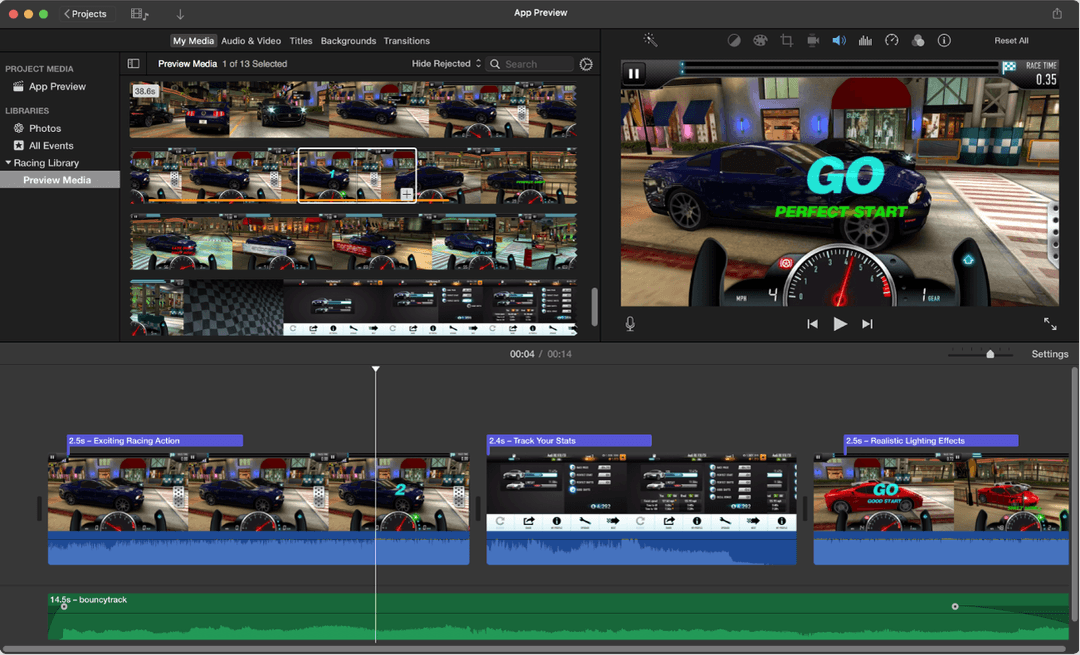
iMovie comes free on Mac, iPhone and iPad. It is the right choice if Final Cut Pro feels like too much and you only need to trim clips, add titles and a soundtrack.
Why switch to it:
- Free and simple. Drag clips onto the timeline, add a transition, export.
- Templates and trailers that give beginners a finished look fast.
- An upgrade path. iMovie projects can be sent to Final Cut Pro if you outgrow it.
Watch out for: limited tracks, basic color correction, few AI tools and no Windows version. If your audio is rough, run it through an AI audio enhancer before you import it.
What AI features does Final Cut Pro have?
Final Cut Pro has added AI-assisted tools in recent versions, so check them before you leave. The main ones:
- Magnetic Mask isolates a person or object from the background without a green screen.
- Transcribe to Captions creates captions from dialogue on your Mac.
- Smart Conform reframes horizontal footage for vertical or square formats.
- Object Tracker follows a face or object so titles and effects move with it.
Apple adds features in point releases, so check the current Final Cut Pro release notes on Apple's site for the latest list. Compared with the alternatives, Premiere Pro has the broadest generative tools (Generative Extend, text-based editing), Resolve Studio has the strongest masking and audio cleanup, and CapCut puts the most one-tap AI effects in front of beginners. None of them writes the video for you; that is the gap tools like Revid fill.
Prompt to try
Make a 30-second vertical video titled "3 editing mistakes that make your videos look amateur". Open with the hook "Your footage is fine. Your edit is the problem." Cover jump cuts with no purpose, music louder than the voice, and missing captions, using clean motion graphics and bold captions, and end with a quick tip to fix each one.
Which Final Cut Pro alternative should you pick?
- If you are moving to Windows and want free: DaVinci Resolve.
- If you work with clients or a team on Adobe: Premiere Pro.
- If color grading or VFX is the core of your work: DaVinci Resolve (Studio for the AI tools).
- If you edit phone footage into TikToks and Reels: CapCut.
- If you are a Mac beginner: iMovie, then Final Cut Pro or Resolve when you outgrow it.
- If you need many short-form videos and don't want to film or edit each one: Revid.
New to editing altogether? Our guide to video editing software for beginners compares more starter options by need.
FAQ
Is DaVinci Resolve better than Final Cut Pro?
For color grading, effects and audio post, yes: Resolve goes further and its core version is free. Final Cut Pro is faster to learn and runs very efficiently on Apple silicon Macs, so it stays the better pick for quick edits if you never leave the Mac.
Is there a free version of Final Cut Pro?
No, Final Cut Pro is paid, though Apple has offered a free trial. The closest free alternatives are DaVinci Resolve for professional work and iMovie for simple edits on a Mac.
Do professional editors use Final Cut Pro or Premiere Pro?
Both, but Premiere Pro is more common in agencies and studios because it runs on Windows and Mac and fits into Adobe workflows. Final Cut Pro is popular with solo creators and YouTubers on Mac.
Can AI replace a video editor?
For short-form social videos, largely yes: AI tools can write the script, generate visuals, voice and captions, and publish. For long-form, documentary or cinematic work where every cut is a creative decision, a human editor with Premiere Pro, Resolve or Final Cut Pro is still the better choice.
Sources
- Pricing page of each tool, checked for Revid's comparison pages (revid.ai/vs) in November 2026.
- Revid public credit calculator (POST /api/public/v3/calculate-credits, no key), prompt-to-video workflow, 30, 60 and 90 seconds, queried Oct 29, 2026.
Charts and figures checked on November 6, 2026.