Podcast Script Template: Copy-Paste Formats + Best Free Downloads
A copy-paste podcast script template, plus outline, ad-read, rundown and transcript formats, and the best free downloads for Google Docs and Word.
On this page
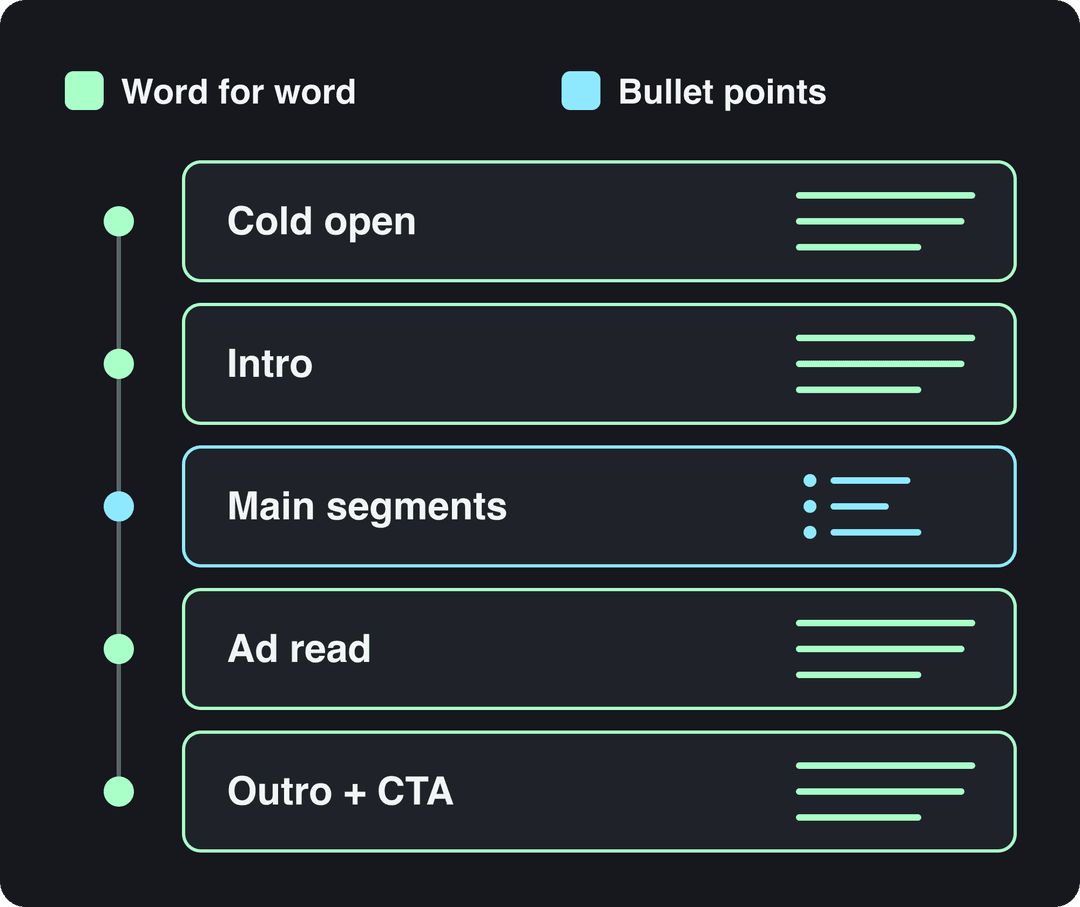
A podcast script template is a fill-in document that lists each part of an episode in order: cold open, intro, main segments, ad read, and outro with a call to action. Write the open, the ad and the close word for word, and keep the main segments as bullet points so you still sound like yourself.
The most common mistake is the opposite: writing out the whole episode and reading it. Transistor's template page, written by a branded-podcast producer, warns that it is nearly impossible to sound natural when reading something word for word. Every template below is built around that split, so you can copy one into Google Docs or Word and record today.
- Median TikTok views for videos with under 40 characters of speech
- 123K
- Revid analysis of 176,367 TikToks
- Median TikTok views for videos that talk throughout (300+ characters)
- 68K
- Revid analysis of 176,367 TikToks
- Share of low-speech TikToks (under 40 characters) that passed 1M views
- 20.2%
- Revid analysis of 176,367 TikToks
- Maximum length of a YouTube Short
- 3 minutes
- YouTube Official Blog, October 2024
Podcast script format: what to write out and what to bullet
A good podcast script layout follows the order listeners hear the episode, and it marks how much of each part you write out. The parts where a stumble costs you (the first lines, the sponsor's offer, the final ask) are scripted. The conversation is not.
| Segment | Write it as | Why |
|---|---|---|
| Cold open | Full sentences | It is the first thing a new listener hears. A surprising line or a clip from later in the episode earns the rest of their attention. |
| Intro and welcome | Full sentences | Show name, host names and the episode's promise, said the same way every week. |
| Main segments | Bullet points | Talking points, stories, facts and questions. You talk around them. |
| Ad read | Full sentences | The sponsor's claims, code and URL must be exact. |
| Outro and call to action | Full sentences | One ask only: follow, review, join the list or listen to the next episode. |
If you are scripting a narrative or documentary-style show, you will write the segments out too. In that case, read every page aloud before recording and rewrite any sentence you trip over.
The podcast script template (copy and paste)
Paste this into a blank document, replace everything in [brackets] and delete the segments your show does not use.
PODCAST SCRIPT
Show: [Podcast name]
Episode: [Number]: [Title]
Record date: [Date]
Host(s): [Names]
Guest: [Name, title, one-line bio]
Sponsor: [Name, placement: pre-roll, mid-roll or post-roll]
Goal: [What the listener knows or can do by the end]

COLD OPEN (scripted)
[One surprising line, question or short clip from later in the episode]

INTRO (scripted)
"Welcome to [Show], the show where [promise]. I'm [Host]."
"Today: [this episode's promise in one sentence]."
[MUSIC: intro sting, fade under]

SEGMENT 1: [Title] (bullets)
- Point: [claim]
- Story or example: [specific detail]
- Fact and source: [figure, where it comes from]
- Transition: [line that leads into the next segment]

AD READ (scripted, see the ad template)

SEGMENT 2: [Title] (bullets)
- Point:
- Story or example:
- Listener question: [question, name if they agreed]
- Transition:

OUTRO (scripted)
"That's it for today. The one thing to remember: [takeaway]."
"[Single call to action]."
"Next week: [teaser]."
[MUSIC: outro, fade out]

PRODUCTION NOTES
- Sound cues: [where music beds and sound effects go]
- Edit notes: [cuts, pickups, name pronunciations]
- Show notes links: [every URL mentioned]
- Clip candidates: [moments to cut for TikTok, Reels and Shorts]If a blank segment stalls you, Revid's free AI script generator drafts talking points from a topic. Treat the draft as raw material: keep your own stories and opinions, cut the generic lines.
Podcast outline template for unscripted episodes
Conversational shows usually need a podcast outline template, not a full script. The episode outline below fits on one page, which is what you want on screen while recording.
EPISODE OUTLINE
Title:
Big idea (one sentence):
Why now:
Opening line (written out):

Talking points
1. [Point]: [proof or story]
2. [Point]: [proof or story]
3. [Point]: [proof or story]

Questions to ask each other or the guest:
Must-say facts and names (spelled out):
Closing line and call to action (written out):Decision rule: if you cannot write the big idea in one sentence, the episode is not ready to record. Once you have several outlines, slot them into a free content calendar template so release dates, guests and sponsors line up.
Podcast format templates for solo, interview and co-host shows
The master template works for any show. These three podcast structure templates adjust it to the format, so you are not deleting half the document every week.
Solo episode template
SOLO EPISODE
Cold open (scripted): [the most surprising sentence in the episode]
Promise (scripted): "By the end of this episode you'll know [outcome]."
Point 1: [claim] / Story: [specific example] / So what: [what the listener does]
Point 2: [claim] / Story: / So what:
Point 3: [claim] / Story: / So what:
Recap (scripted): "So: [point 1], [point 2], [point 3]."
Call to action (scripted): [one ask]Solo hosts have no one to rescue a flat moment, so give every point a story. A claim without an example is where listeners drift off.
Interview episode template
INTERVIEW EPISODE
Guest intro (scripted): "[Name] is [role] who [specific achievement]. Today we get into [promise]."
Origin: "When did you first [relevant thing]?"
Turning point: "What changed your mind about [topic]?"
How-to: "Walk me through exactly how you [process], step by step."
Pushback: "A lot of people say [common view]. Where do they get it wrong?"
Rapid fire: [three short questions]
Close: "Where should people find you, and what should they do first?"
Follow-ups to keep ready: "What did that cost you?" / "What would you do differently?"Send the guest the topics, not the exact questions. You want prepared answers to the how-to question and unrehearsed ones to the pushback question.
Prompt to try
Create a 60-second vertical video podcast with two hosts, [Alex] and [Sam], on whether new podcasters should script their first episode. Alex opens with the hook: "Reading a script word for word is the fastest way to lose a listener." Sam pushes back with a counterpoint, Alex leads the segment with one short story, and Sam closes with a single call to action. Casual, warm tone with synced captions.
Co-host episode template
CO-HOST EPISODE
[Alex] Cold open line.
[Sam] Reaction and setup of the topic.
[Alex] "Welcome to [Show]. I'm Alex."
[Sam] "And I'm Sam. Today: [promise]."

SEGMENT 1 (Alex leads)
- Alex's take:
- Sam's counterpoint:
- Story either host tells:

SEGMENT 2 (Sam leads)
- Sam's take:
- Alex's counterpoint:
- Story:

[Alex] Takeaway.
[Sam] Call to action and next week's teaser.Give each segment one lead. The other host's job is to ask the question the listener would ask, which stops two people from agreeing with each other for ten minutes.
Podcast ad script template
Host-read ads work when they sound like the host, but the facts must be the sponsor's. Use this structure and send the filled-in version to the sponsor for approval before recording.
AD READ: [Sponsor] ([pre-roll / mid-roll / post-roll])
Disclosure: "This episode is sponsored by [Sponsor]."
Bridge: [why it fits this episode or this audience]
Problem: [one sentence the listener recognizes]
What it does: [one specific feature, as approved by the sponsor]
Your experience: [only if you actually use it]
Offer: "Go to [URL] and use code [CODE] for [offer]."
Repeat: "[URL], code [CODE]."
Back to the show: [transition line]Say the URL and code twice, slowly, because most people hear the ad while doing something else. Never add a personal claim you cannot back up.
Podcast rundown template
A rundown is the one-page version of the script that the host, co-host and producer all follow during recording. A simple table does the job:
| Segment | Lead | Cue | Script or bullets | Notes |
|---|---|---|---|---|
| Cold open | Host | Clip from segment 2 | Script | |
| Intro | Host | Intro music, fade under | Script | |
| Segment 1 | Host | None | Bullets | Guest bio on screen |
| Ad read | Host | Short music sting | Script | Code and URL in bold |
| Segment 2 | Co-host | None | Bullets | Listener question |
| Outro | Host | Outro music | Script | One call to action |
Add a target length column if your show runs to a fixed time, and compare it with the actual length after each episode.
Podcast transcript template
A script is what you plan to say; a transcript is what was actually said, written up after recording. Publish it with the show notes for accessibility and search.
TRANSCRIPT
Show: [Name] | Episode: [Number]: [Title] | Published: [Date]
Speakers: [Host full name] (host), [Guest full name] (guest)

[hh:mm:ss] [HOST]: [What was said, cleaned of filler words]
[hh:mm:ss] [GUEST]: [What was said]
[hh:mm:ss] [AD READ: Sponsor]

Links mentioned: [URL list]Keep timestamps at each speaker change so readers can jump to the moment in the audio.
Podcast script template for Google Docs and Word
Any template above works in Google Docs or Microsoft Word. Five settings make it easier to record from:
- Paste the template into a new document.
- Turn every segment name into a Heading 2. The document outline in Google Docs, or the Navigation pane in Word, then becomes a clickable rundown.
- Put producer notes in comments, and edit in Suggesting mode (Google Docs) or with Track Changes (Word) so the host sees what changed.
- Increase the font size for the recording copy so you can read it at a glance.
- Dictate talking points instead of typing them. This guide to speech to text in Google Docs shows how to set up voice typing.
Prefer a ready-made file? ClickUp offers a free podcast script template for Google Docs and a podcast script template for Microsoft Word, both with fields for the show, hosts, guests and a sponsor message. The Word version suits offline writing; the Google Docs version suits co-hosts editing at the same time.
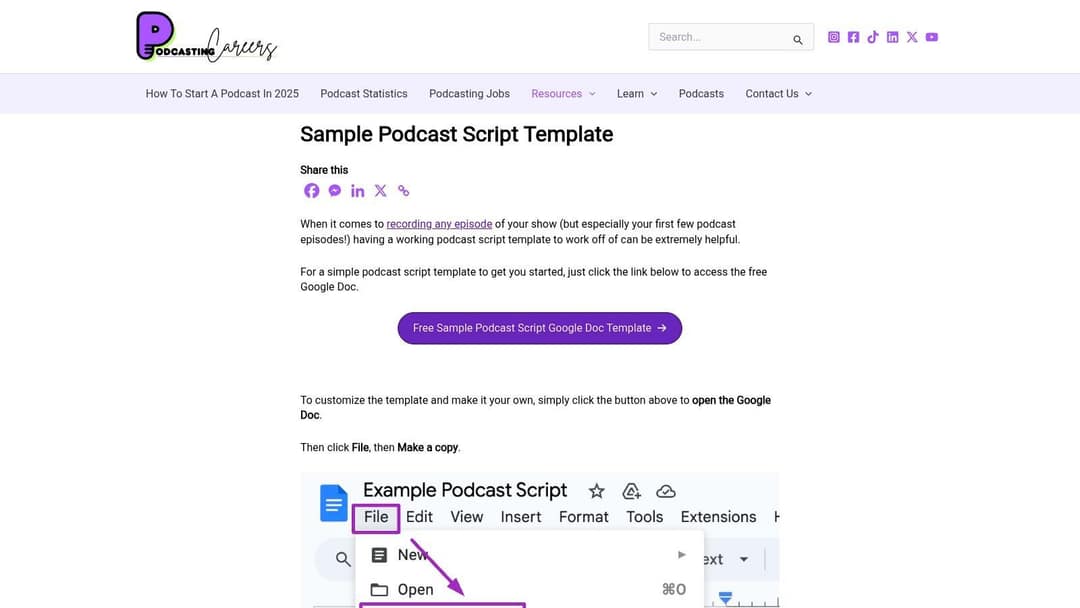
Podcasting Careers shares a free sample podcast script template as a Google Doc with an outline section, a script section and guest details. Open it, then choose File, Make a copy to get your own editable version.
Best free podcast script templates to download
If you would rather start from someone else's layout, these are the useful options, in no particular order.
| Resource | Format | Cost | Best for |
|---|---|---|---|
| ClickUp | ClickUp Doc, Google Docs, Word | Free template; the in-app version needs a ClickUp account | Teams tying scripts to tasks and deadlines |
| Milanote | Visual board | Free plan with limits, paid plans for more | Visual planners and narrative shows |
| Template.net | Word, Google Docs, PDF, online editor | Some free, premium templates paid | Polished, business-style layouts |
| Transistor | Web page | Free | Beginners who want simple structure |
| Podcasting Careers | Google Doc | Free (Google account) | Solo hosts who script in detail |
| AT A GLANCE | Download | Free | A bare-bones starting point |
| Etsy | PDF, Canva, Docs or Word (varies by seller) | Paid per template | Designed, branded planning documents |
ClickUp
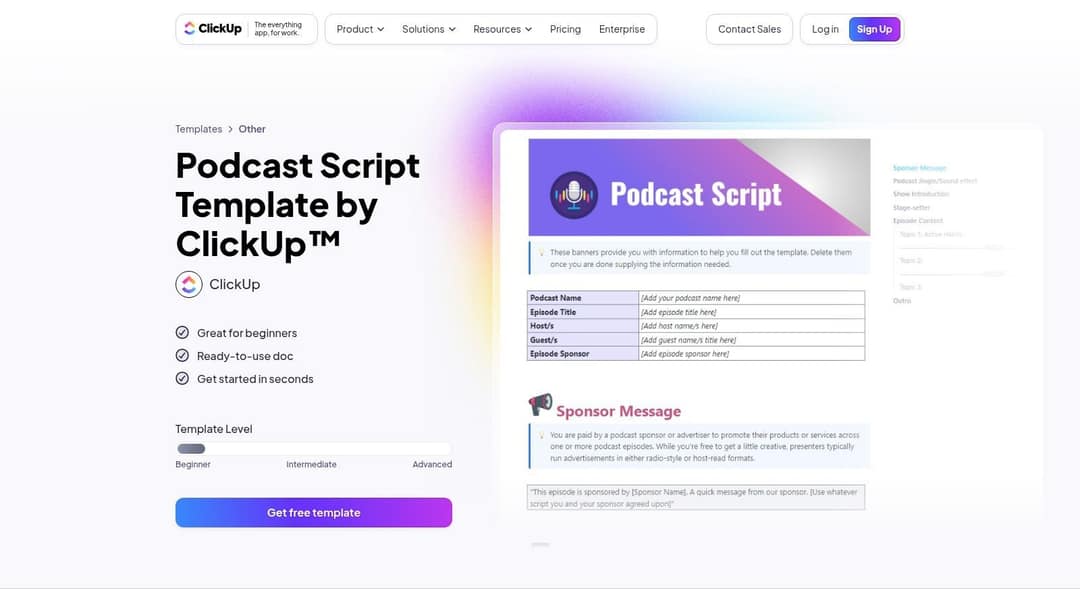
The in-app ClickUp podcast script template lives inside ClickUp Docs, so the script can sit next to tasks such as booking the guest, editing and publishing. It has sections for the show introduction, sponsor message, topics and outro. It is the right pick for a team; for a solo host, it is more software than a script needs.
Milanote
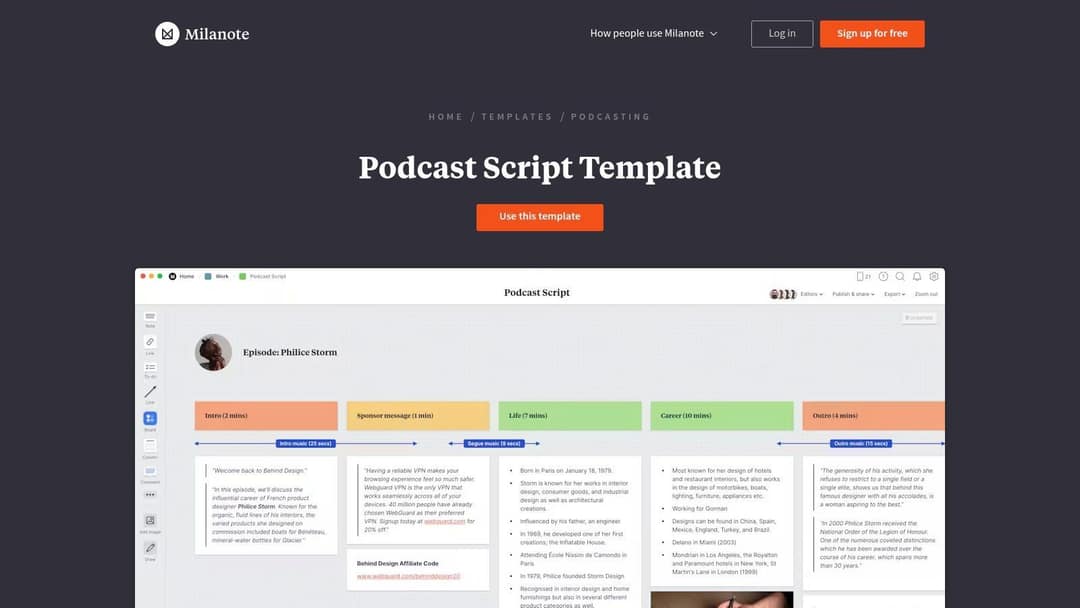
The Milanote podcast script template lays an episode out as columns on a board (intro, sponsor message, main sections, outro), with notes, images and links you can drag around. It suits shows built from research and multiple segments. The free plan caps how much you can add to boards, so check Milanote's pricing page if you plan to use it every week.
Template.net
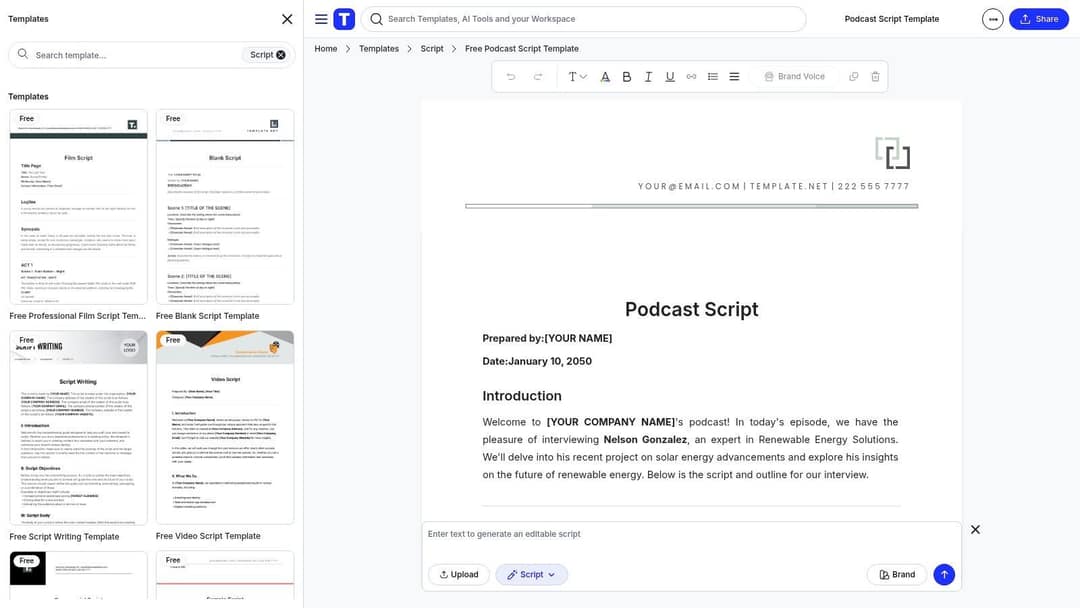
Template.net has a downloadable podcast script template for Word, Google Docs or PDF, and a separate podcast script you can edit in the browser, which helps on a shared or school computer. The layouts are clean and formal. Some templates are free, and the premium library needs a subscription, so check which one you are opening before you fill it in.
Transistor
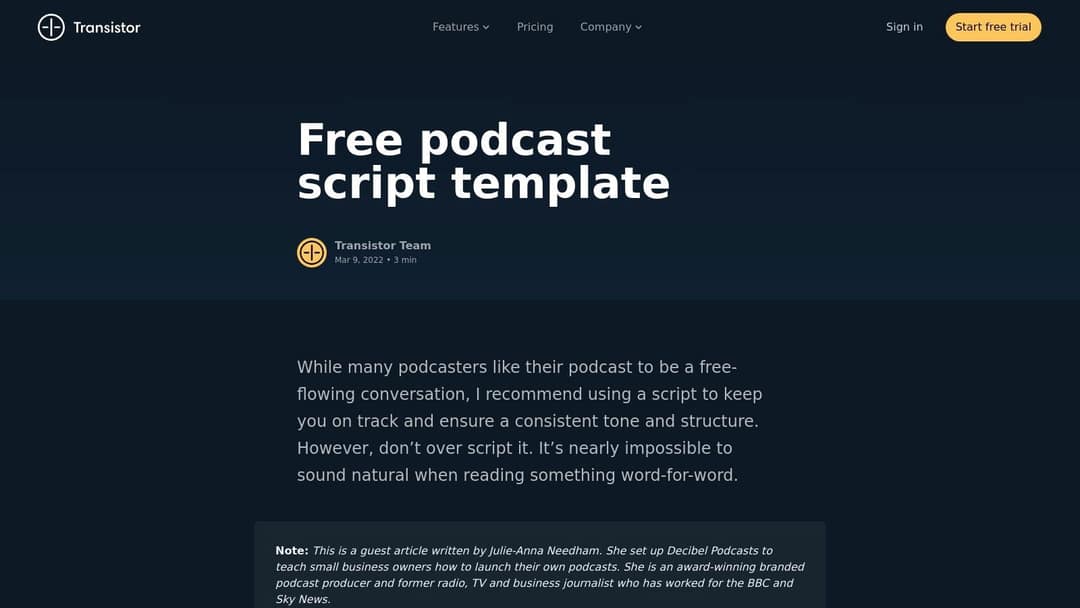
Podcast host Transistor publishes a free podcast script template from Transistor as a guest article by a branded-podcast producer. Its main value is the advice: use a script for consistency, but do not over-script. Copy its structure into your own document.
AT A GLANCE
The AT A GLANCE podcast script template is a plain, generic outline with an intro, main topics, transitions and a call to action. The page is busy with unrelated templates, so download only the file you need.
Etsy
Search "podcast script template" on Etsy for designed planners from independent sellers. Quality varies, so read the reviews and confirm the file format (PDF, Canva, Google Docs or Word) before you buy.
Turn a podcast script into a video podcast with Revid
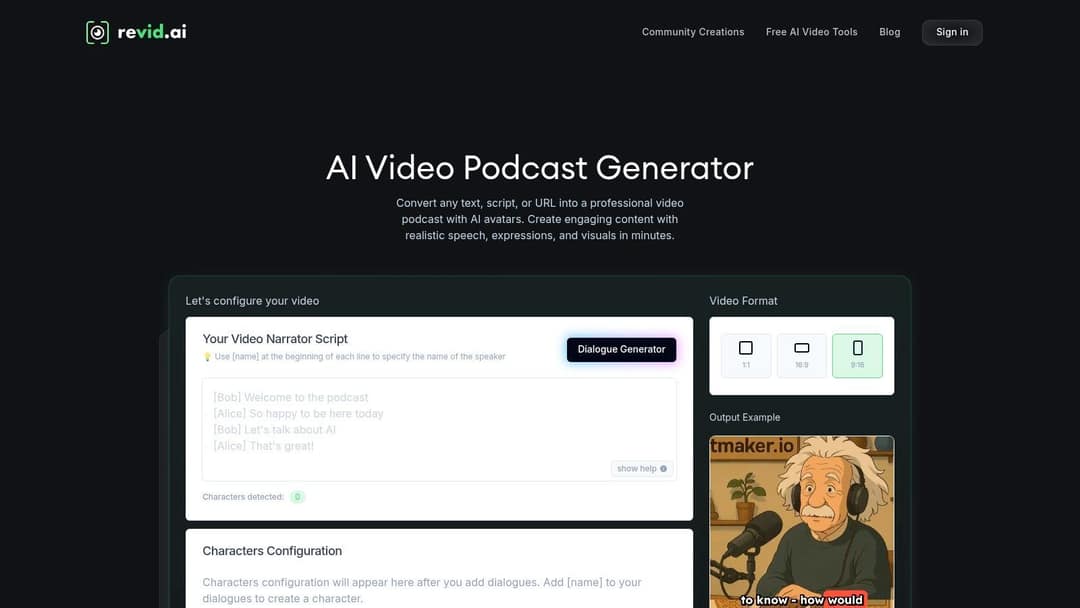
If you want a video version of your show without filming, Revid's AI Video Podcast Generator turns a dialogue script into a video podcast with AI avatars, AI voices and synced captions.
- Write the script with the speaker's name in square brackets at the start of each line, the way the co-host template above does:
[Bob] Welcome to the podcast. - Paste it into the script field, or use the Dialogue Generator to draft one.
- Give each detected character an avatar and a voice (1,000+ AI voices in 70+ languages).
- Pick the format: 9:16 for TikTok, Reels and Shorts, 16:9 for YouTube, 1:1 for square feeds.
- Generate, fix any scene in the timeline editor, and publish to TikTok, Instagram and YouTube from one queue.
Sign-up is free and new accounts get free credits to try video creation, no credit card needed; regular creation then uses the monthly credits of a paid plan, starting at $39/month (see Revid pricing). Already recorded the episode? Our guide to turning podcast audio into a YouTube video covers that route, and the YouTube video script template helps when a long-form video version needs its own structure.
Script clip-ready moments for TikTok, Reels and Shorts
Short clips are how many listeners first find a show, and the script is the best place to plan them. Talk-heavy clips start at a disadvantage. In Revid's analysis of 176,367 TikToks with 1,000+ likes posted between October 2025 and October 2026, videos with under 40 characters of speech had a median of 123K views and 20.2% passed 1M views, while videos that talked throughout (300+ characters of speech) had a median of 68K and 11.9% passed 1M.
Videos with just a few spoken words (a line or two) beat both silent videos and videos that talk the whole way through, which were the most common and the weakest.
Source: Revid analysis of 176,367 TikToks analyzed by AI, with 1,000+ likes posted between Oct 1, 2025 and Oct 16, 2026 (61,203 creators)
Show the data
| Median views | Share that passed 1M views | |
|---|---|---|
| No speech | 73.3K | 14.3% |
| Under 40 | 122.7K | 20.2% |
| 40 to 120 | 97.2K | 17.6% |
| 120 to 300 | 91.6K | 16.8% |
| 300+ | 67.7K | 11.9% |
That is TikTok data on videos that had already passed 1,000 likes, and it shows what top videos have in common, not what causes views (the method is in Revid's study of what makes a TikTok go viral). Read it as a warning against clips that are only two people talking. Use the Clip candidates line of your template to plan for it:
- Mark one moment per segment that works with the sound off: a bold claim, a reveal, a surprising result.
- Write that moment's hook as on-screen text, so a scrolling viewer reads it in the first second. The hook rules in our video script writing process apply here.
- Give the editor something to cut to: a screen share, a prop, a chart or b-roll.
- Keep licensed music out of long Shorts. YouTube Shorts can run up to 3 minutes, but any Short longer than one minute with an active Content ID claim is blocked globally.
- Keep Reels for new audiences at 3 minutes or less; Instagram does not recommend longer reels to non-followers.
For the editing side, see our guide to converting podcast episodes into social videos, or drop a recording into the podcast clip generator to get a captioned video.
The index leans toward videos that surface in hashtag and keyword searches, so its view counts run high: compare the groups, not the absolute numbers.
Source: Revid TikTok index: 2,377,477 TikToks with AI labels per video, snapshot of Sep 15, 2026. Median views estimated from view buckets.
Show the data
| Median views | Share past 1M views | |
|---|---|---|
| 0-7s | 88.3K | 19.9% |
| 8-15s | 111.1K | 22.6% |
| 16-30s | 141K | 25.1% |
| 31-60s | 120.4K | 22.8% |
| 61-120s | 97K | 19.8% |
| 2-5 min | 89.1K | 18.3% |
| 5 min+ | 90.1K | 17.2% |
FAQ
What does a good podcast script example include for internal storytelling?
One real person as the main character (an employee or a customer), the problem they faced, the decision or turning point, the result in their own words, and one action for listeners. Script the open and the takeaway, and let the interviewee tell the middle from bullet-point prompts.
What is the difference between a podcast script and a podcast outline?
A script writes out what you will say; an outline lists the talking points you will speak around. Most shows mix the two: a scripted open, ad read and close, with an outlined middle.
Is there a free podcast outline generator?
Yes. Revid's free AI script generator drafts talking points from a topic, or you can paste the outline template above into any AI chat with a prompt such as: "Fill this podcast outline for an episode about [topic] for [audience], with a story for each talking point and five interview questions." Edit the result so the stories are yours.
What are good podcast script ideas for a new show?
Start with formats that are easy to script: a common belief in your field you disagree with, a teardown of a well-known example, listener questions, and what you would do if you started from zero today. Each one gives you a built-in cold open and a clear takeaway.
How long should a podcast script be?
As long as the parts you script. For an outlined show, that is the open, the ad and the close; for a fully scripted narrative show, read the script aloud, time it, and cut until it fits your target episode length.
Sources
- Revid analysis of 176,367 TikToks analyzed by AI, with 1,000+ likes posted between Oct 1, 2025 and Oct 16, 2026 (61,203 creators)
- Revid TikTok index: 2,377,477 TikToks with AI labels per video, snapshot of Sep 15, 2026. Median views estimated from view buckets.
- YouTube Official Blog, Tall updates coming to Shorts (October 2024)
Charts and figures checked on November 6, 2026.