Creators publish 30,000+ videos a month with Revid

Voiceover to Video Maker

Voiceover to Video AI: Create faceless videos in minutes. No filming needed. Natural voices, dynamic visuals for any topic. Ultimate faceless video tool for creators. Try for free!

Paste a voiceover script or URL and turn it into a TikTok-ready video with AI voice, captions, and scroll-stopping visuals.

  • Paste text or URL
  • AI voiceover
  • TikTok-ready 9:16
  • Auto captions and visuals
2,595 videos created with Revid in the last 24h
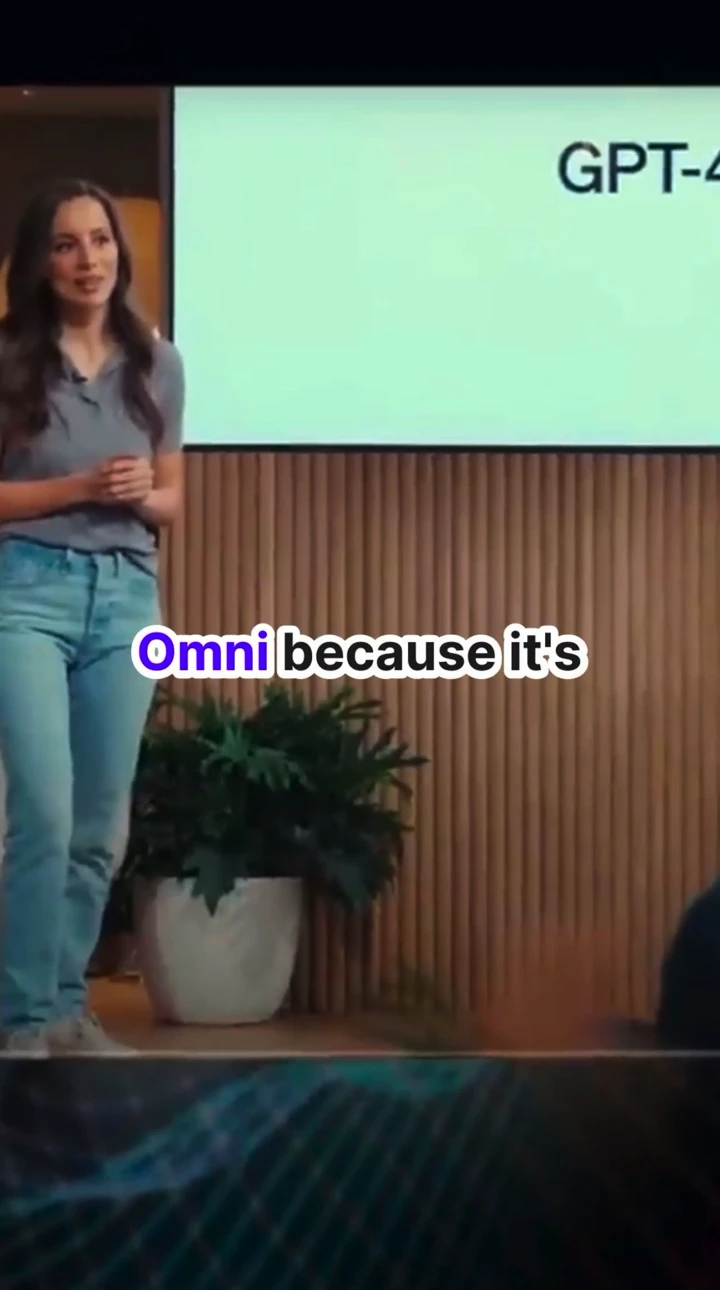
Ready in minutes · Edit everything before you post

Related tools you might like:

or explore our 42+ other tools to create the exact video you want

Explore our tools
Proof of range

Start From What Already Works

YOUR IDEA
Your Prompt

Script automatically generated by Revid

Deep in the enchanted forest of Lumenara, the rarest magic was not fire or lightning. It was stillness. Every dawn, a wandering knight would sit with a woodland enchantress, listening to every word she carried like it was sacred. No armor clanking. No sword polishing. Just him, fully there. Until she would rest her head on his shoulder, and time would simply stop. In a world of endless chaos, he chose silence. For her. Every single day.
Visual FormatAI Video
Visual StyleUltra Realism
Avatar
Avatar
Selected Avatar
FINAL VIDEO

Turn Your Text into Engaging Content in 3 Steps using Script to Video AI

1 Input Your Script or URL

Start by pasting your written voiceover script directly into our Script to Video AI tool. You can also paste a URL from an article or blog post. If you want specific b-roll, use [bracketed text] to guide the AI visuals, and add <break time="0.5s" /> tags for natural pauses in the narration.

2 Select Media Type and AI Voice

Choose how you want your video to look. Our Voiceover to Video AI supports real AI video clips, animated AI images, motion graphics, stock videos, or even your own uploaded media. Then, select a highly realistic AI voice to read your text.

3 Generate and Post

Click generate and let the text to video AI work its magic. In minutes, you'll get a fully formatted 9:16 vertical video with synced voiceover, matching visuals, and auto-captions, ready to post to TikTok, YouTube Shorts, or Instagram Reels.

Step-by-step guideHow do I generate a video with AI? A step-by-step guideGenerate a video with AI in 6 steps: pick the format, write a prompt the model can follow, choose a model, generate, fix what breaks, then add voice and captions.
01

Go from a Written Script to a Finished Video Without Any Production Steps

Paste your script into Revid and the AI generates a complete short video with matching visuals, natural voiceover, captions, and formatted output ready to post. There is no filming, visual sourcing, or editing involved. Every element of the video is produced automatically from the text you provide. This is the most direct workflow for faceless content creators, educators, and marketers who already write their content in script form but currently spend hours converting those scripts into finished videos through manual production.

02

What the AI Builds from Your Voiceover Script Automatically

The voiceover to video AI reads your script and generates a visual story that matches the narrative, timing, and pacing of your written content. Each paragraph or scene break becomes a visual sequence with imagery that corresponds to the subject being discussed. Natural AI voiceover is recorded and synced to the visual timeline automatically. Captions are added and formatted for the platform you are targeting. The output is a complete, polished short video that accurately represents your script without any manual production involvement.

03

Script-Based Video Content That Scales Your Output Without Adding Workload

Most prolific content creators already work from scripts. The bottleneck is not ideas or writing, it is the production time required to turn a written script into a finished video. Revid collapses that production step into a single automated process. Write the script, generate the video, and post. Creators who adopt this workflow consistently produce three to five times more content per week than those using traditional production methods, which directly translates to faster audience growth across every platform they publish to.

Watch & Learn

How to Get the Most Out of our Voiceover to Video AI

Discover how to use Voiceover to Video AI to create content in a smart and effective way.

How to create AI music videos with Revid

Target Audience

Who is this tool for?

Faceless content creators publishing scripted videos

Convert your written scripts into finished short videos automatically, publishing daily content across TikTok and YouTube Shorts without filming, cameras, or editing software.

Scriptwriters and storytellers publishing their own content

Bring your scripts to life as video without a production team, turning written narratives, monologues, and stories directly into shareable short-form video content.

Educators and course creators

Convert lesson outlines and lecture scripts into short instructional videos that students can watch on TikTok and YouTube Shorts, increasing the reach of your educational content.

Marketing teams with scripted ad and content copy

Turn approved marketing copy and brand scripts into short video ads and content posts automatically, reducing the production gap between written campaign assets and published video.

Comparison

Revid vs. Manually Producing Voiceover Videos

Manual voiceover video production requires visual sourcing, voiceover recording, editing, and captioning for every video. Revid generates the entire production automatically from your written script.

Input
Revid Voiceover to Video AIPaste a script and generate immediately
Other ToolsSource visuals, record voiceover, and edit all elements manually
Visuals
Revid Voiceover to Video AIAI generates matched imagery for every scene in the script
Other ToolsRequires sourcing or filming footage for each script section
Voiceover
Revid Voiceover to Video AIAI narration generated and synced to the script automatically
Other ToolsRequires recording or commissioning voiceover talent per video
Captions
Revid Voiceover to Video AIOn-screen captions generated and styled automatically
Other ToolsManual captioning required after editing is complete
Production time
Revid Voiceover to Video AIFinished video in minutes per script
Other ToolsHours of production work per scripted video
Content volume
Revid Voiceover to Video AIGenerate multiple scripted videos in one session
Other ToolsEach script requires a separate full production run
FAQs

Frequently Asked Questions

What is the Script to Video AI tool?
Our Script to Video AI is a powerful text-to-video generator that automatically converts your written scripts, articles, or text into fully produced short-form videos. It automatically adds matching visuals, highly realistic AI voiceovers, and dynamic captions, making it the ultimate Voiceover to Video AI maker for faceless creators.
How do I convert a script to a video?
It's incredibly simple to convert a script to a video. Just paste your text or a URL into the Script to Video AI generator, choose your preferred visual style (like AI video, stock footage, or motion graphics), select an AI voiceover, and hit generate. The AI handles the entire production process in minutes.
Can I use an article URL instead of a written script?
Yes! Our Script to Video AI allows you to paste any public article or blog URL. You can choose to have the AI automatically summarize the content into a short, punchy script, or keep the text exactly as is before converting it into a voiceover video.
What types of visuals does the AI Voiceover Video Maker use?
You have full control over the visual style in our Voiceover to Video AI tool. You can choose from real AI-generated video clips, animated AI images, dynamic motion graphics, high-quality stock videos, static satisfying gameplay footage, or even upload your own custom media.
How can I control the visuals and pacing of my AI video?
Our Script to Video AI is highly customizable. You can guide the visual b-roll by adding [bracketed keywords] in your script (e.g., [happy dog playing]). To control the pacing of the AI voiceover, simply insert break tags like to create natural pauses in the narration.
Is this tool suitable for faceless YouTube Shorts and TikToks?
Absolutely. The Script to Video AI is designed specifically for faceless content creators. Since the AI handles the voiceover generation, visual sourcing, and captioning automatically, you can create viral TikToks, Reels, and YouTube Shorts without ever showing your face or stepping in front of a camera.
Do I have to use the AI voice, or can I use my own?
While our Voiceover to Video AI includes a wide library of ultra-realistic, natural-sounding AI voices, you can also use your own voice through voice cloning on the Elite plan, and the AI will still sync the visuals and captions perfectly.
How long does it take to generate an AI video from a script?
The Script to Video AI is incredibly fast. Instead of spending hours sourcing b-roll and editing, our automated text-to-video process typically delivers your fully finished, ready-to-post vertical video in just a few minutes.
Are captions automatically added to the video?
Yes! When you use the Script to Video AI, dynamic, scroll-stopping captions are automatically generated and perfectly synced to the AI voiceover. You don't need any external captioning tools or manual editing to make your videos accessible and engaging.
Can I edit the video after the Script to Video AI generates it?
Yes, all videos created with our Voiceover to Video AI maker are fully editable. Once the initial generation is complete, you can use our built-in timeline editor to swap out visuals, adjust the caption styling, or tweak the timing before downloading.
How much does the Script to Video AI cost to use?
Creating a video with the Script to Video AI uses credits from your Revid account. The base cost depends on the length of your script and the specific media types you select (like premium AI video generation). Free users get starting credits, and paid plans offer monthly allocations to scale your content production.
Can marketers and educators use the text to video AI?
Definitely. Marketers can use the Script to Video AI to instantly turn ad copy into video ads, while educators can convert lesson scripts into engaging short-form educational videos. It's the perfect way to scale video output without increasing production workload.

Still have questions?

Contact us

Find detailed answers to 100+ questions about features, tools, and workflows

or check our markdown version optimized for LLMs

Tools

Free AI Video Tools

Choose your tool, add your content, and create a video in seconds. Then customize it to your liking.

See all tools

AI TikTok Video Generator

Turn text into trendy, viral TikTok videos in a snap

Try it out

Prompt to Video

Turn your prompts into engaging videos with AI assistance

Try it out

Add Caption to Video

Generate subtitles in 100+ languages with AI captions

Try it out

PDF to Brainrot

Convert PDFs into attention-grabbing, scrollable videos

Try it out

Text to Brainrot

Turn your text into trendy, scrollable content with dynamic visuals

Try it out

AI Talking Avatar

Create lifelike talking avatars from text in seconds

Try it out

Video Podcast Generator

Transform your podcasts into visually engaging video content

Try it out

AI Movie Maker

Create studio-quality videos from text, no filming required

Try it out

Audio to Video

Make engaging videos from your podcasts, interviews, or any audio content

Try it out

Animated Lyrics Video Generator

Turn any song into an animated lyric video with synced text and visuals.

Try it out

AI Music Video Generator

Transform your music into cinematic music videos.

Try it out

AI Lyrics Video Generator

Transform your lyrics into a complete music video with AI

Try it out
How it works

From Signal To Published In Four Steps.

1

Find Viral & Trending Videos.

RevidAI's Viral Search and Channel Watcher surface the formats, creators, and trends getting attention right now, then help you turn them into ideas of your own.
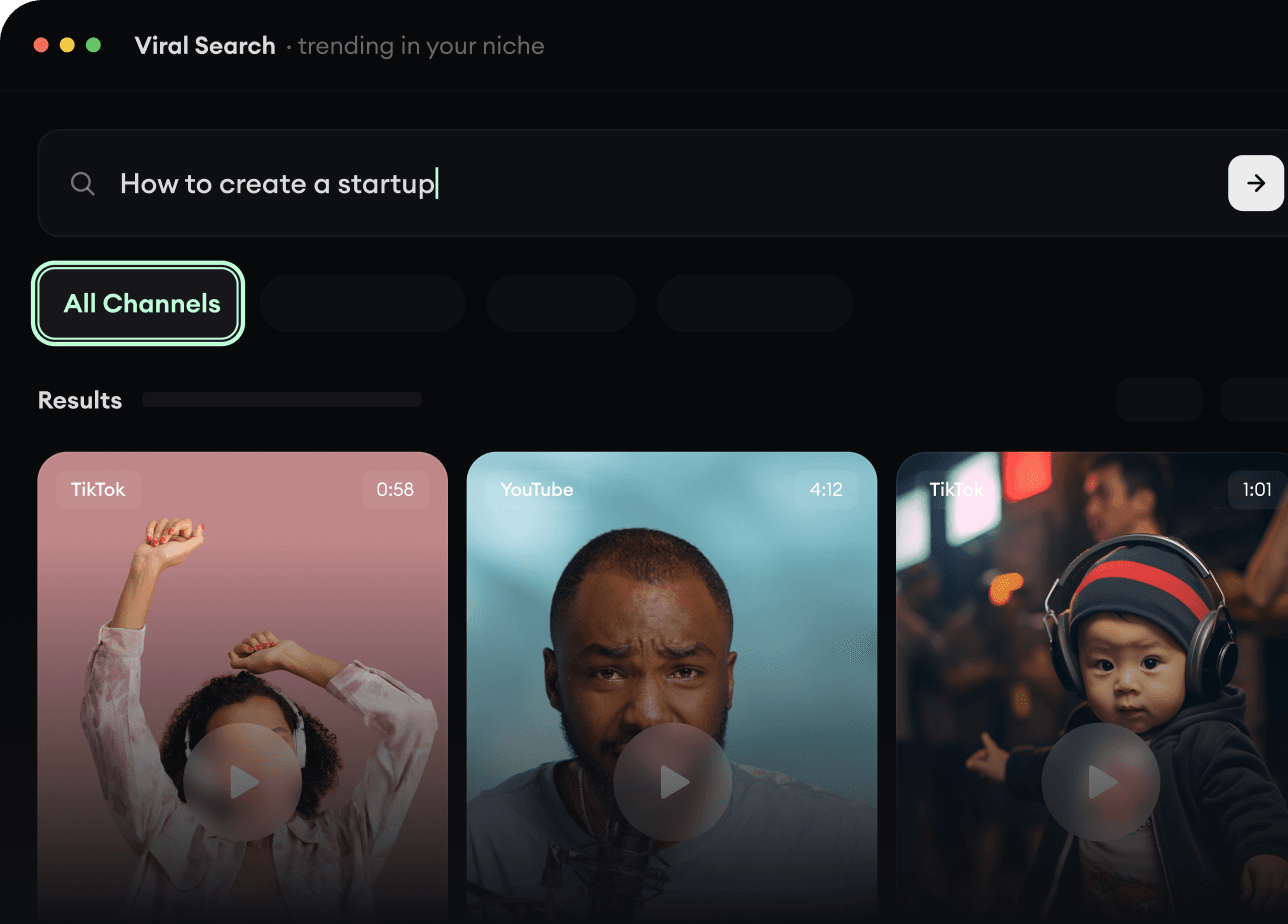
  • Discover winning video formats in your niche
  • Follow creators and channels that matter
  • Start with proven ideas instead of guessing
Find Viral & Trending Videos.
2

Turn An Idea Into A Story.

Found something worth making? Revid AI writes the script, suggests the structure, and turns links, prompts, or topics into complete video concepts.
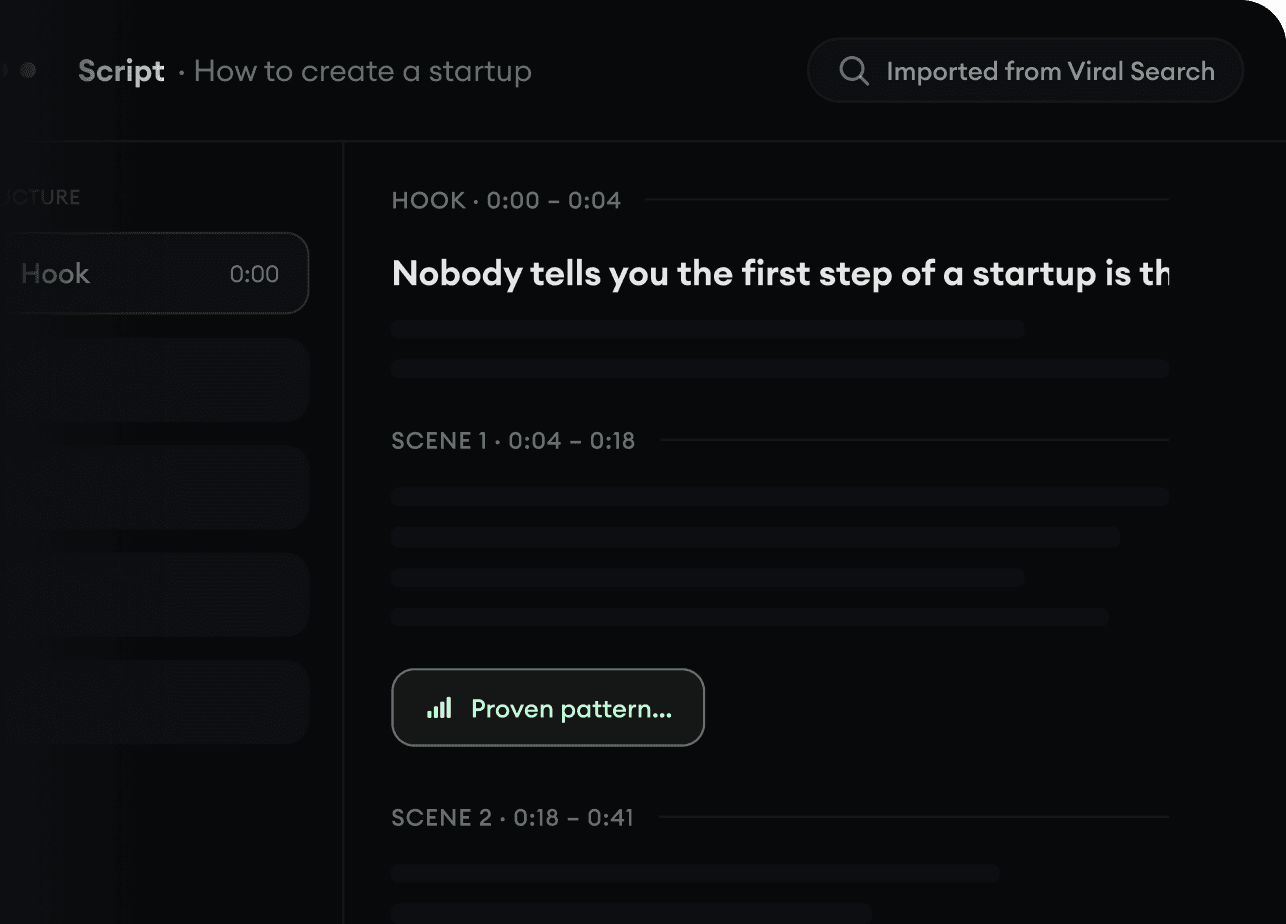
  • Start with a prompt, topic, or URL
  • Generate scripts inspired by proven patterns
  • Build stories designed to keep people watching
Turn An Idea Into A Story.
3

Generate The Finished Video.

Script, voiceover, visuals, subtitles, and editing all come together in one workflow. No stitching together five different tools.
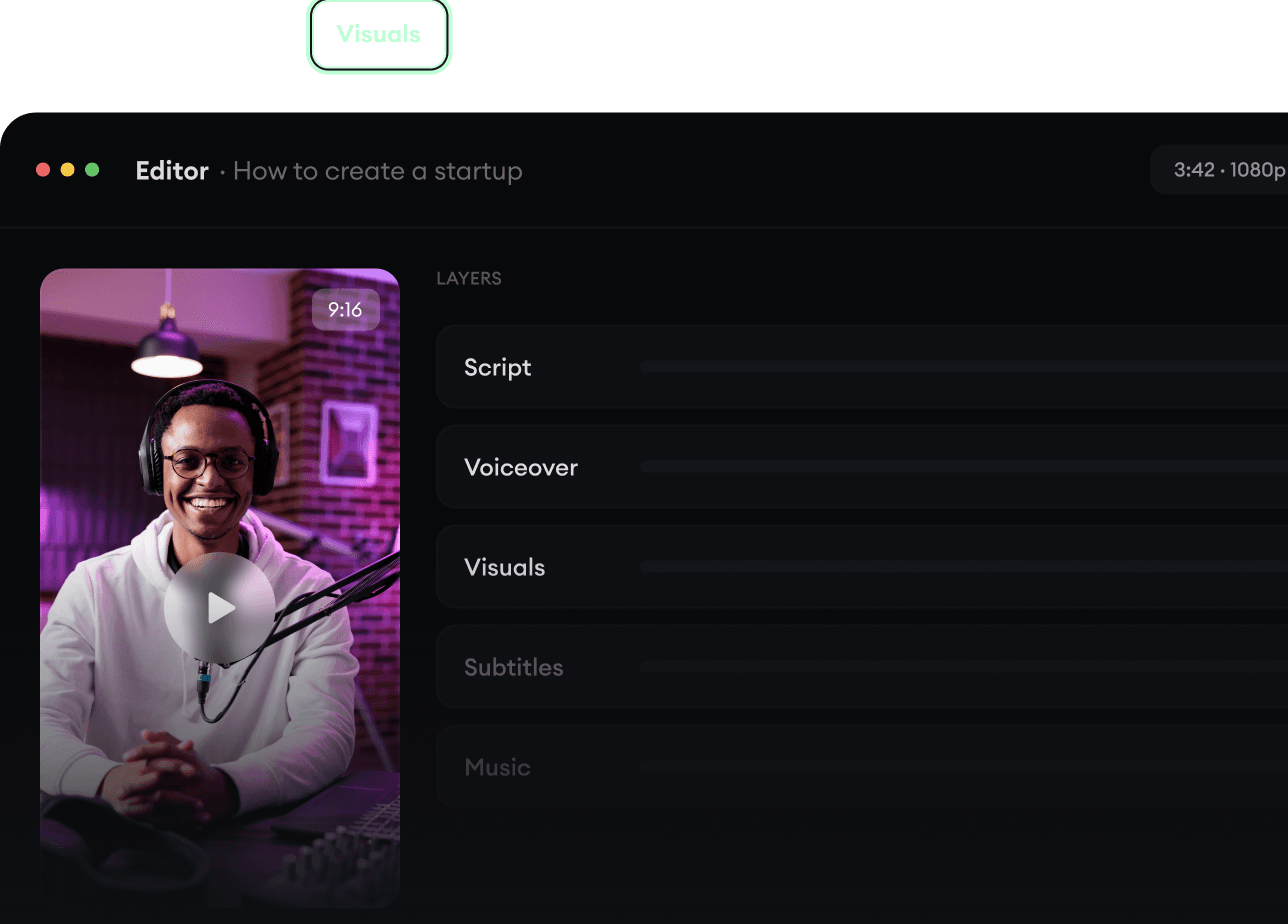
  • Turn text into complete, multi-minute videos
  • Generate everything in one place
  • Refine the result in the editor
Generate The Finished Video.
4

Publish Everywhere.

Share your videos to TikTok, YouTube, Instagram, and wherever your audience is.
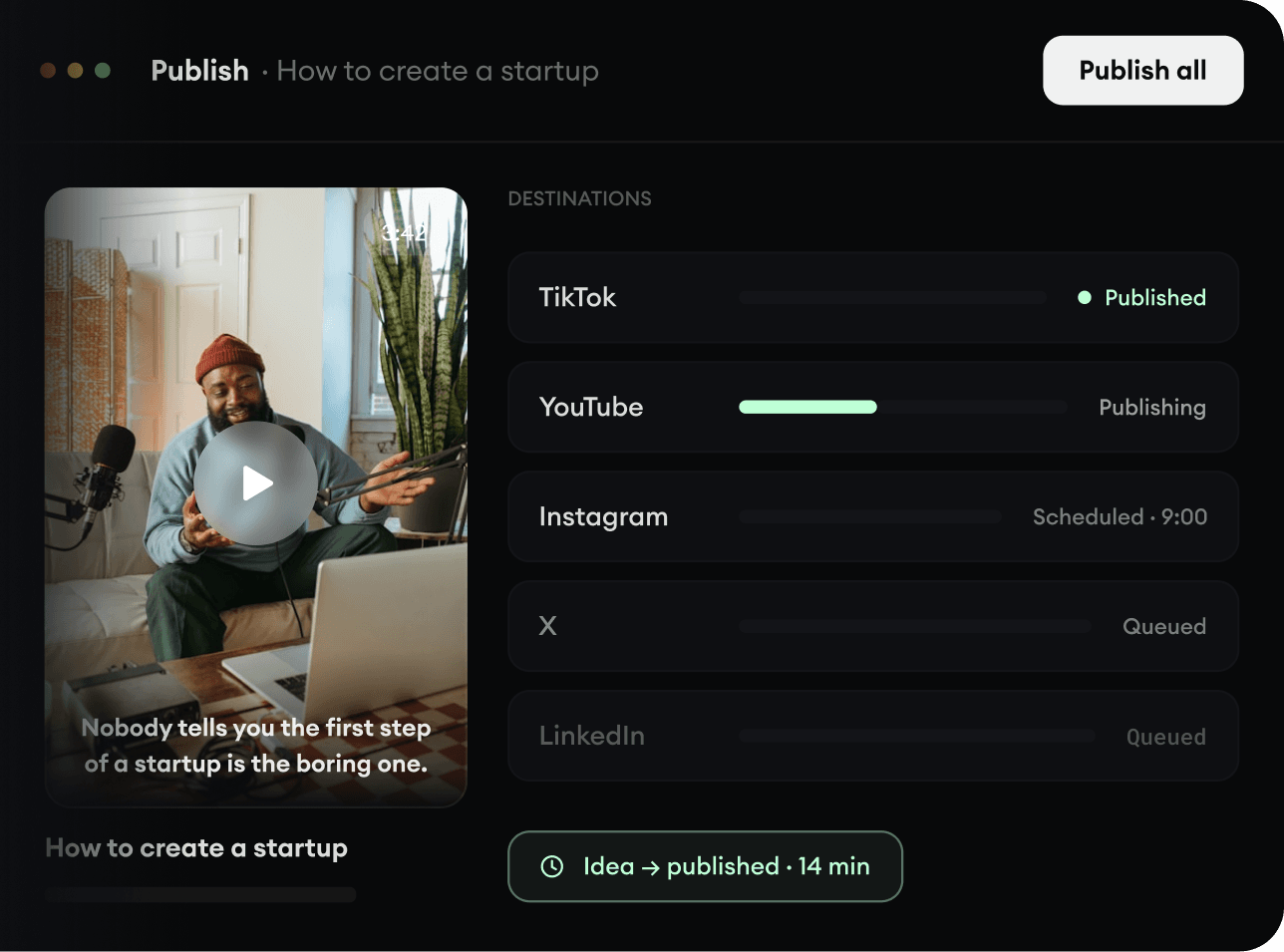
  • Publish across every major platform
  • Reach more people with less work
  • Go from idea to published video in minutes
Publish Everywhere.