Best AI Video Maker for YouTube Shorts From Text: 10 Tools (2026)
Text, a long video or your own footage: the right AI Shorts maker depends on what you start with. 10 tools compared on workflow, automation and 2026 pricing.

On this page
The best AI tool for creating YouTube Shorts from text is one that writes the script, generates the visuals, adds voice and captions, and publishes in one pass. Revid does that full loop from $39/month; InVideo AI and Pictory suit stock-footage narration, and Opus Clip or Klap win if you start from a long video.
The catch: the most automated tool is not automatically the best. YouTube does not monetize AI videos made with generic templates that look mass-produced, and on July 15, 2025 it renamed its repetitious content policy to inauthentic content to make that explicit. The tool worth paying for is the one that lets you fix the hook, script and visuals quickly, not the one that takes you out of the loop.
Below, 10 tools are grouped by what you feed them. Competitor prices are as listed on their sites when checked in August and September 2026, so confirm them before you subscribe.
- Daily YouTube Shorts views
- 200B+
- YouTube Official Blog, August 2026
- Channels publishing Shorts each day as of March 2026
- 10M+
- Alphabet, April 2026
- Maximum length of a YouTube Short (square or vertical)
- 3 min
- YouTube Official Blog, October 2024
- Monthly entry price of Revid Growth, with 2,000 credits
- $39
- Revid pricing page
Which AI Shorts maker fits your workflow?
| You start with | Best pick | Alternatives | Entry price of best pick | Free option |
|---|---|---|---|---|
| Text, a script or an idea | Revid | InVideo AI, Pictory | $39/month | Free sign-up with free credits |
| A topic you want posted on autopilot | Revid Auto-Mode | AutoShorts | $39/month | Free sign-up |
| A long video (podcast, webinar, stream) | Opus Clip | Klap, Revid YouTube clip maker | $15/month | Watermarked free plan |
| Footage you filmed | CapCut | VEED, Kapwing | About $9.99/month (Standard) | Free tier with 1080p export |
| Brand assets and templates | Canva | Adobe Express | €110/year (Pro) | Free plan |
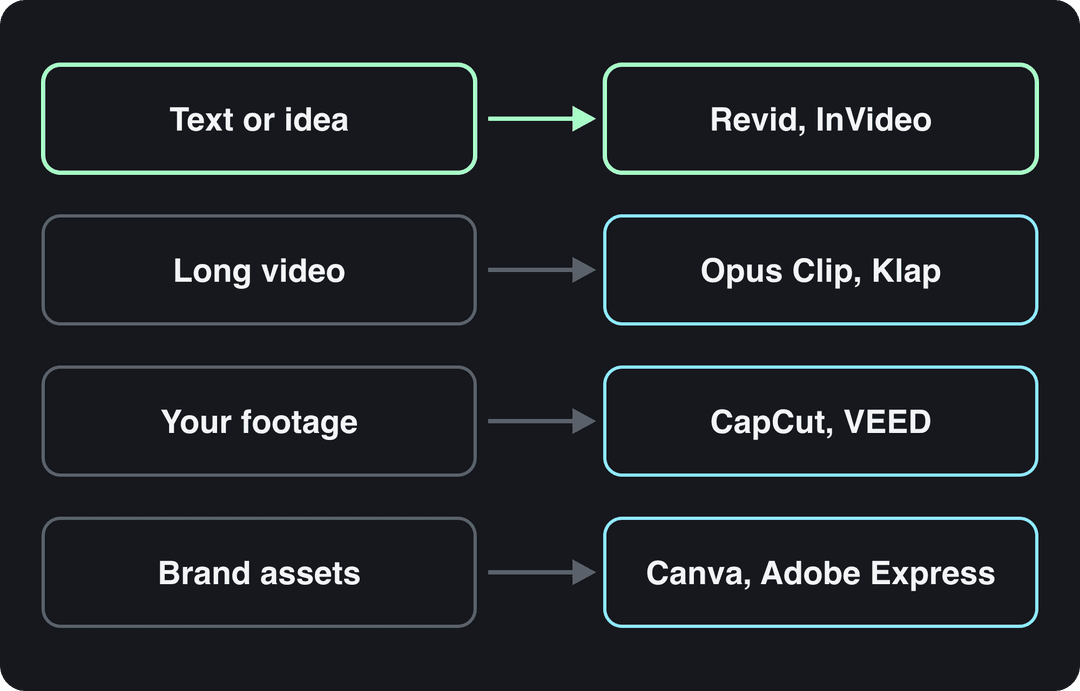
Decision rule: if your bottleneck is writing and producing, buy a generator. If you already have more footage than you can edit, buy a clipper or an editor. Paying for generation you won't use is an easy way to overspend.
Best AI tools for turning text into YouTube Shorts
1. Revid: the full text-to-Short pipeline
Revid turns a script, a prompt, an article link or a video link into a finished vertical Short. It writes the script, builds visuals scene by scene (stock footage, AI images, or AI video from Seedance 2.5, MiniMax Hailuo H3, Wan 3.0 or Google Veo 3, chosen per scene), adds a voice-over from 1,000+ AI voices in 70+ languages, syncs captions and music, and publishes directly to YouTube, TikTok and Instagram.
The difference from a blank prompt is the input. When Revid writes a script from a prompt in its automations and several tools, it first pulls transcripts of related TikToks with more than 10,000 likes as references for style and story. You can also open any of the roughly 2.77 million videos in its library and choose "Make it about your topic" to apply a proven hook and pacing to your subject, with a new script and new visuals.
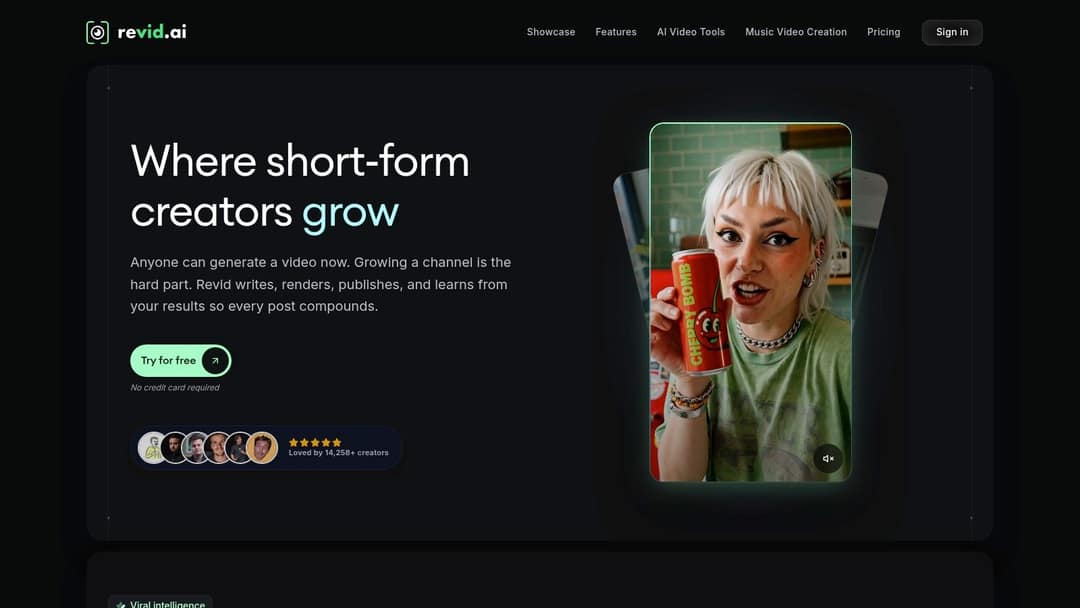
The trade-off is credits. A 30-second video with Pro AI visuals and a voice-over costs about 40 to 80 credits, premium models cost 100 to 130 credits per 5 seconds, and Revid shows the estimate before you generate. Growth costs $39/month ($32/month billed yearly) for 2,000 credits and includes the API, MCP server and CLI; voice cloning starts on Elite at $89/month. Check the live Revid pricing page before you commit. If cutting your own long recordings is your main need, a dedicated clipper fits better (see below).
Prompt to try
Make a 40-second YouTube Short on why octopuses have three hearts. Open with the hook "Your heart beats once. An octopus has three doing it." Use close-up underwater visuals, a calm curious narrator and bold word-by-word captions, and end on the fact that swimming stops one of its hearts.
How to make a YouTube Short from text with Revid
- Open the AI YouTube Shorts generator and paste a script, an idea, or a link to an article or video.
- Choose a voice, one of 30 caption styles and the visual style; switch the AI model on any scene that needs motion.
- Use the timeline editor to rewrite weak lines, swap visuals or tighten the opening.
- Export in 1080p or 4K at 30 or 60 fps, or publish and schedule straight to your YouTube channel.
2. InVideo AI: chat-style editing with stock footage
InVideo AI starts from a prompt and lets you revise the draft by typing commands instead of working on a timeline. It bundles a 16M+ stock library (with metered iStock assets on paid plans), AI avatars and voice clones from the entry tier, and several third-party generation models in one subscription. Plans start at $20/month per seat, and the free plan adds a watermark.
The risk is generic stock: a first draft can pair narration with loosely related clips. Budget time to replace weak shots and check every factual claim. If you want a real timeline and direct publishing, see Revid vs InVideo.
An entry price buys very different amounts: Synthesia's Starter covers about 12 video minutes a month, Pictory's up to 30, Zebracat's 15 videos of up to 2 minutes, and Revid's Growth plan 2,000 credits (about 90 one-minute stock-footage videos). InVideo's figures were shown in euros.
Source: Vendor pricing pages read on Oct 29, 2026 (invideo.io, pictory.ai, synthesia.io, heygen.com, zebracat.ai, revid.ai/pricing); Fliki from fliki.ai/pricing on Aug 13, 2026. US dollars except InVideo (euros).
Show the data
| Billed monthly | Billed yearly, per month | |
|---|---|---|
| Revid | 39 | 32 |
| InVideo AI | 20 | 10 |
| Pictory | 29 | 25 |
| Fliki | 28 | 21 |
| Synthesia | 19 | 14 |
| HeyGen | 29 | 24 |
| Zebracat | 39 | 23 |
3. Pictory: blog posts and scripts into narrated video
Pictory turns written content, scripts, URLs and long recordings into narrated videos, with a 12M+ licensed stock library from Getty Images and Storyblocks and ElevenLabs voices on premium plans. It suits faceless educational channels that already publish articles, and it has an enterprise API and MCP server. It starts at $29/month, with a free trial on every plan and no permanent free tier.
Write for the edit: one idea, a clear opening, a deliberate ending, and one visual per beat. Stock footage that doesn't match the narration makes the Short feel generic. The Revid vs Pictory comparison covers when AI-generated scenes beat a stock-footage look.
Fully automated Shorts makers: Revid vs AutoShorts pricing
An automatic Shorts maker creates and posts videos on a schedule from a topic or a content source, with little work per video. These are the two options most often compared:
| Revid | AutoShorts | |
|---|---|---|
| Entry price | $39/month (Growth, 2,000 credits) | $19/month (3 posts a week) |
| What runs on its own | Auto-Mode workers that each create a fresh video every day (3 on Growth, 5 on Elite, 10 on Ultra) | One series from one topic, auto-posted on a schedule |
| Visuals | AI video scenes (Seedance, MiniMax Hailuo, Wan, Veo 3), AI images or stock | AI image slideshows in dozens of art styles |
| Review before posting | Full timeline editor | Hands-off by design |
| Posts to | YouTube, TikTok, Instagram | YouTube, TikTok, Instagram |
| Free option | Free sign-up with free credits | Free sample video (paused in September 2026) |
4. AutoShorts: the simplest hands-off setup
AutoShorts is the easiest automation to start: give it a topic and it produces and posts narrated slideshows with no further input. Revid costs more but runs several workers, uses AI video scenes, and lets you open any video in the editor before it posts. Its Search & Remix automation also picks a high-engagement reference from the library on your topic and generates an original video from it, never reusing the same reference twice. The Revid vs AutoShorts comparison goes feature by feature.
FlowShorts also comes up in these searches. We don't have verified pricing for it, so compare its posts per week, output type (slideshow or video) and posting platforms on its own pricing page. If the same automated videos also go to TikTok, plan cadence and review per platform; Silver Spoon Agency's guide to a scalable TikTok growth strategy covers the TikTok side.
Best YouTube Shorts clip maker for long videos
5. Opus Clip
Opus Clip pulls short clips out of podcasts, webinars, streams and interviews automatically, ranks them with a virality score, reframes talking heads to 9:16 and adds animated captions. Paid tiers add posting and scheduling, and it has its own API and MCP server. It starts at $15/month; the free plan exports 1080p with watermarked captions, and media expires after 3 days.
A score helps you sort candidates, not decide what to publish. Review each clip this way:
- Check the start: does it begin after the setup the viewer needs?
- Rewrite weak hooks: make the payoff clear in the opening line.
- Check framing: faces, gestures and on-screen material stay visible.
- Check the end: the last caption and spoken line aren't cut off.
- Polish last: refine captions and B-roll only on the clips you keep.
The Revid vs OpusClip comparison explains when you need clipping and when you need new videos.
US dollars per month
The plans do not buy the same thing: OpusClip, Vizard and Quso sell minutes of uploaded video, Klap sells clips, Submagic sells videos, Descript and Kapwing sell seats, and Revid sells credits that also make new videos from scratch. Billed yearly, most of these drop by 30 to 50%.
Source: Vendor pricing pages read October 29, 2026. Vizard's page did not render prices that day, so its figure is from vizard.ai/pricing on September 30, 2026; Klap's page showed yearly prices only, so its monthly price is from klap.app/pricing on August 13, 2026.
Show the data
| US dollars per month | |
|---|---|
| OpusClip Starter | 15 |
| Kapwing Pro | 16 |
| Submagic Starter | 19 |
| Descript Hobbyist | 24 |
| Vizard Creator | 29 |
| Klap Basic | 29 |
| Quso Lite | 29 |
| Revid Growth | 39 |
6. Klap
Klap is the leaner route: paste a YouTube link or upload a long video, and it finds moments, reframes them with face tracking, adds captions in 52 languages and writes a title for each clip alongside a virality score. All plans connect unlimited social accounts, and there is a public API. It starts at $29/month ($14/month billed yearly); there is no permanent free plan, and the full 3-day trial needs a card. Choose Klap for fast multi-platform clipping, Opus Clip when you want more polish options per clip.
Revid's YouTube clip maker
Revid's YouTube clip maker turns a long YouTube video into vertical clips from a link, which is handy if you already use Revid for text-to-video and want one subscription. If clipping your own recordings is your only job, Opus Clip or Klap is the better fit.
Which AI video editor is best for YouTube Shorts you filmed?
7. CapCut
CapCut is the fastest way to edit footage you filmed, on mobile or desktop. Its free tier includes the full editor, auto-captions and 1080p export, and trend templates drop your clips straight into popular formats. Premium templates, effects and most AI features are paid, starting at about $9.99/month for Standard; Pro adds speaker-identified captions.
The trap is sameness: if every Short uses the same template transitions and caption style, your channel looks like the template library. Pick one caption style and one transition set and keep them as your look. CapCut edits footage; it doesn't write or generate it, which is the split covered in Revid vs CapCut.
8. VEED
VEED is a browser editor built around subtitles: auto-subtitles, translation, AI dubbing, eye-contact correction, 30+ stock avatars, brand kits and a multi-track timeline, plus Seedance clip generation inside the editor. It fits teams publishing in several languages. Entry plans run roughly $10 to $24/month; the free plan exports 720p with a "Made with VEED" watermark.
For captions, accuracy comes first and style second: animated words help only if viewers can read them on a phone. Kapwing is a similar browser-based option with subtitles, resizing, dubbing and shared workspaces; its free exports carry a watermark, so check current plan limits.
Best AI tools for on-brand Shorts
9. Canva
Canva fits teams that need Shorts, thumbnails and social graphics in one consistent look, with brand kits and team collaboration. The free plan includes 1.6 million+ templates and a small AI allowance (up to 20 uses), and Create a Video Clip is not available on it. Short Veo 3 clips with synchronized audio need a paid plan; Pro starts at €110/year.
The timeline is light. For intricate sound design, compositing or complex pacing, finish in a dedicated editor or hand the cut off; Moonb's list of video editing companies is a starting point.
10. Adobe Express
Adobe Express suits teams already working in Adobe: prompt-based video generation, a Clip Maker that turns long recordings into captioned clips, Adobe Stock assets, fonts, brand kits, resizing and social scheduling sit in one workspace, and designers can bring in Photoshop or Illustrator files. Generative features depend on plan allowances, so check current limits before building a high-volume process.
How to test an AI Shorts maker before you pay
Shorts draw over 200 billion daily views, YouTube said in August 2026, up from over 30 billion in April 2022 (sources in our YouTube Shorts statistics; SendShort's Shorts statistics roundup collects more viewing data). Over ten million channels were publishing Shorts each day as of March 2026, so a Short that looks like everyone else's template is easy to scroll past.
Quality is where AI tools still lose people. In Vidio's early-2026 survey on AI video editing adoption, 71% of 243 US marketing and creative professionals named quality their top decision factor, and 78% said AI output still looks generated. Usage is already mainstream: an Adobe survey of 384 US video creators, summarized in Arcade's state of AI video report, found 71% had used AI video generation or editing tools and 41% used them weekly, with editing the top use at 58%.
So judge a tool on how fast you can fix its first draft, not on how fast it makes one. Run this test on a free tier or trial:
- Use one real input you'll publish every week: a script, a podcast episode or a product recording.
- Time the first draft, then time the fixes until you'd actually post it.
- Note the credits or minutes each step used, including re-generations.
- Watch the result on a phone with the sound off: are the captions readable, and does the first line make sense?
- Publish it and compare its retention in YouTube Studio with your usual Shorts.
For more generator options, see our roundup of AI YouTube Shorts generators.
What to check before you publish an AI-made Short
- Length: square or vertical videos up to 3 minutes (uploaded on or after October 15, 2024) count as Shorts.
- Music: a Short longer than one minute with any active Content ID claim is blocked globally and can't be monetized. If the tool added music you don't hold rights to, stay under a minute or swap the track.
- AI labels: since May 2026, YouTube automatically labels undisclosed videos with significant photorealistic AI and makes the label permanent for content made with Veo or carrying fully generative C2PA metadata.
- Monetization: from February 1, 2027, earning Shorts ad revenue in a month requires at least 10 million qualified Shorts views in the last 90 days; channels below that stay in YPP and keep long-form earnings.
- Thumbnails: verified accounts can upload a custom Shorts thumbnail only from YouTube Studio on a computer; YouTube recommends 9:16 at 2160x3840.
FAQ
Is there a free AI tool for making YouTube Shorts?
Yes, with limits. In September 2025 YouTube began integrating Veo 3 Fast into Shorts for free, generating 480p clips with sound, first in the US, UK, Canada, Australia and New Zealand. CapCut's free tier exports 1080p and Canva has a free plan, while most AI generators watermark free output or limit it to a trial.
Can you monetize YouTube Shorts made with AI?
Yes, if the final video shows your creative vision and gives educational or entertainment value. YouTube blocks mass-produced template content, stitched compilations of unrelated AI clips, and AI personas presented as experts on health, legal, financial or political topics.
Do I have to disclose AI in YouTube Shorts?
Only for realistic AI content, such as a real person appearing to say something they didn't or a realistic scene that never happened, using the AI use setting in YouTube Studio. AI-written scripts, captions and your own cloned voice need no disclosure, and disclosing does not by itself limit reach or earnings.
Do AI YouTube Shorts makers work for TikTok and Instagram Reels?
Yes. All the generators and clippers here export vertical 9:16 video, and Revid and AutoShorts publish directly to YouTube, TikTok and Instagram. Check each platform's own length and caption rules before cross-posting.
Is Revid free?
Sign-up is free, no credit card is needed, and new accounts get free credits to try video creation. Regular video creation uses the monthly credits of a paid plan, from $39/month.
Sources
- Vendor pricing pages read on Oct 29, 2026 (invideo.io, pictory.ai, synthesia.io, heygen.com, zebracat.ai, revid.ai/pricing); Fliki from fliki.ai/pricing on Aug 13, 2026. US dollars except InVideo (euros).
- Vendor pricing pages read October 29, 2026. Vizard's page did not render prices that day, so its figure is from vizard.ai/pricing on September 30, 2026; Klap's page showed yearly prices only, so its monthly price is from klap.app/pricing on August 13, 2026.
- YouTube Official Blog, New opportunities to earn and changes to the YouTube Partner Program (August 2026)
- Alphabet, Q1 2026 earnings call transcript (April 2026)
- YouTube Official Blog, Tall updates coming to Shorts (October 2024)
Charts and figures checked on November 6, 2026.