Best Short Video Maker in 2026: 6 AI Shorts Makers Compared
A short video maker can generate, clip or edit, and picking the wrong kind wastes money. Here are six AI Shorts makers compared by what you start with, with prices, free plans and YouTube's 2026 rules.

On this page
A short video maker turns an idea, a long video or your own footage into vertical clips (9:16, up to 3 minutes on YouTube Shorts). Pick by your starting point: an AI generator like Revid for an idea or a link, a clipping tool like OpusClip for a long video, an editor like CapCut for footage you filmed.
Most "best shorts maker" lists rank these three kinds of tools against each other, which is how people end up paying for a clipper with nothing to clip. The choice matters more on YouTube in 2026: AI videos built from generic templates that look mass-produced are not allowed to monetize, so the tool should help you add your own idea, not just fill a template. The audience is worth getting right: YouTube said in August 2026 that Shorts get over 200 billion daily views (YouTube Shorts statistics).
- Daily views on YouTube Shorts
- 200B+
- YouTube Official Blog, August 2026
- Maximum length of a YouTube Short (square or vertical)
- 3 min
- YouTube Official Blog, October 2024
- Entry monthly price of OpusClip, the cheapest paid clipper compared
- $15
- OpusClip pricing page
- Real short-form videos in Revid's searchable viral library
- 2.77M
- Revid
What does a short video maker do?
Every short video maker outputs a vertical, captioned clip you can post as a YouTube Short, a TikTok or an Instagram Reel. What differs is the raw material it needs from you.
| Type | You start with | It does | Examples |
|---|---|---|---|
| AI generator | An idea, a script, a link or a reference video | Writes the script, creates visuals, voice-over, captions and music | Revid, InVideo |
| Clipping tool | A long video (podcast, stream, webinar) | Finds the best moments, reframes to vertical, adds captions | OpusClip, Revid's clip maker |
| Editor | Footage you filmed | Gives you a timeline, effects, text and templates to cut it yourself | CapCut, Canva, Kapwing |
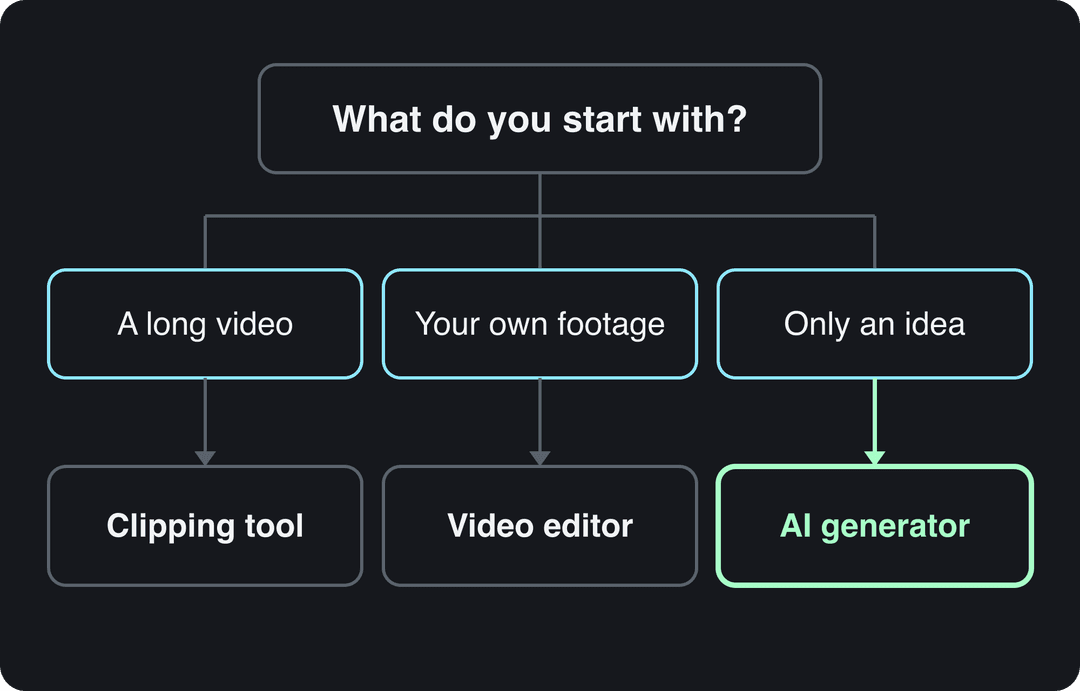
The rule: if you have nothing filmed and nothing long to cut, you need a generator. If you have hours of recordings, a clipper pays for itself. If you love filming and just need to cut faster, an editor with auto-captions is enough.
The best short video makers in 2026, compared
Prices below are the entry prices listed on each tool's site when Revid's comparison pages checked them in August and September 2026. Check each site before you buy, since plans change often.
| Tool | Type | Best for | Paid plans from | Free option |
|---|---|---|---|---|
| Revid | AI generator, clipping and publishing | Finished Shorts from an idea, link or viral format, posted in bulk | $39/month | Free sign-up with free credits to try video creation; regular creation uses paid plan credits |
| OpusClip | Clipping | Podcasts, streams and webinars cut into clips | $15/month | 1080p exports with watermarked captions; media expires after 3 days |
| CapCut | Editor | Editing footage you filmed, fast | About $9.99/month | Full editor with 1080p export and auto-captions |
| Canva | Design suite | Template Shorts next to your other design work | €110/year (Pro) | 1.6 million+ templates and up to 20 AI uses |
| InVideo | AI agent and stock editor | Editing by typing commands, stock-heavy videos | $20/month | Watermarked, with weekly generation limits |
| Kapwing | Browser editor | Quick trims, crops and text in the browser | See Kapwing's pricing page | See Kapwing's site |
US dollars per month
The plans do not buy the same thing: OpusClip, Vizard and Quso sell minutes of uploaded video, Klap sells clips, Submagic sells videos, Descript and Kapwing sell seats, and Revid sells credits that also make new videos from scratch. Billed yearly, most of these drop by 30 to 50%.
Source: Vendor pricing pages read October 29, 2026. Vizard's page did not render prices that day, so its figure is from vizard.ai/pricing on September 30, 2026; Klap's page showed yearly prices only, so its monthly price is from klap.app/pricing on August 13, 2026.
Show the data
| US dollars per month | |
|---|---|
| OpusClip Starter | 15 |
| Kapwing Pro | 16 |
| Submagic Starter | 19 |
| Descript Hobbyist | 24 |
| Vizard Creator | 29 |
| Klap Basic | 29 |
| Quso Lite | 29 |
| Revid Growth | 39 |
Revid: from an idea or a viral format to a published Short
Revid is an AI video platform that turns an idea, a script, a link or a proven viral format into a finished short video and publishes it to YouTube, TikTok and Instagram. It writes the script, builds scene-by-scene visuals (stock footage, AI images or AI video from Seedance 2.5, MiniMax Hailuo H3, Wan 3.0 or Google Veo 3, chosen per scene), adds a voice-over from 1,000+ AI voices in 70+ languages, syncs captions in one of 30 styles, and adds music.
What sets it apart is where a video starts. Revid includes a searchable library of about 2.77 million real short-form videos with their public engagement data, so you can start from a format audiences already watch and turn it into an original video with your own topic. A full timeline editor lets you fix any scene, and you export in 720p, 1080p or 4K at 30 or 60 fps. Start with the AI YouTube Shorts generator.
Best for founders, small businesses and faceless channels that need finished Shorts without filming. Less suited to people who only want to cut their own footage by hand.
OpusClip: the specialist for long recordings
OpusClip turns podcasts, streams and webinars into short clips automatically, ranks moments with a virality score, and adds animated captions with auto-reframing of talking-head footage. Paid tiers add posting and scheduling. It needs source footage: it does not create videos from an idea. See the Revid vs OpusClip comparison for where each fits.
CapCut: the free editor for your own footage
CapCut is the fastest way to edit clips you filmed, on mobile or desktop. Its free tier includes the full editor, 1080p export and auto-captions, and its trend templates drop your clips into viral formats. Premium templates, effects and most AI features are paid. If you never film, CapCut has little to work with; the Revid vs CapCut breakdown covers that trade-off.
Canva: Shorts inside a design suite
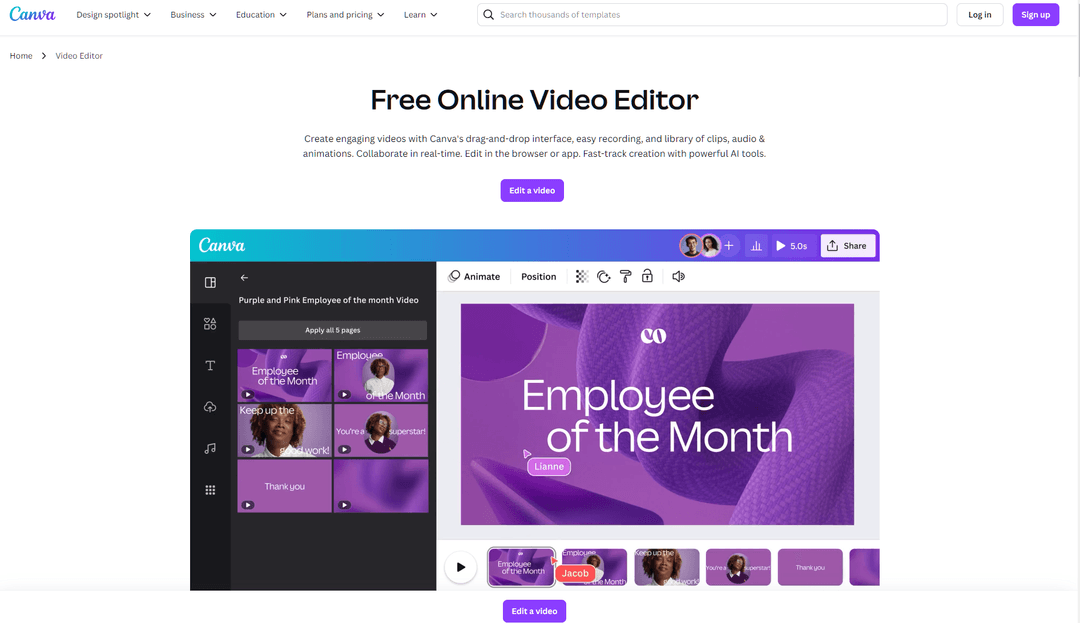
Canva suits teams that already design graphics, presentations and print there. You build Shorts from templates with drag-and-drop editing, and paid plans can add short Veo 3 clips with synchronized audio inside a design (Create a Video Clip is not on the free plan). It is a design tool first, so scripting, voice-over and publishing are mostly up to you. More in Revid vs Canva.
InVideo: edit by typing commands
InVideo works as a chat-style agent: you describe changes instead of using a timeline. It draws on a stock library of 16 million+ assets, offers AI avatars and voice clones from the entry tier, and gives access to several third-party video models in one subscription. The free plan carries a watermark and weekly limits. See Revid vs InVideo.
Kapwing: a simple browser editor
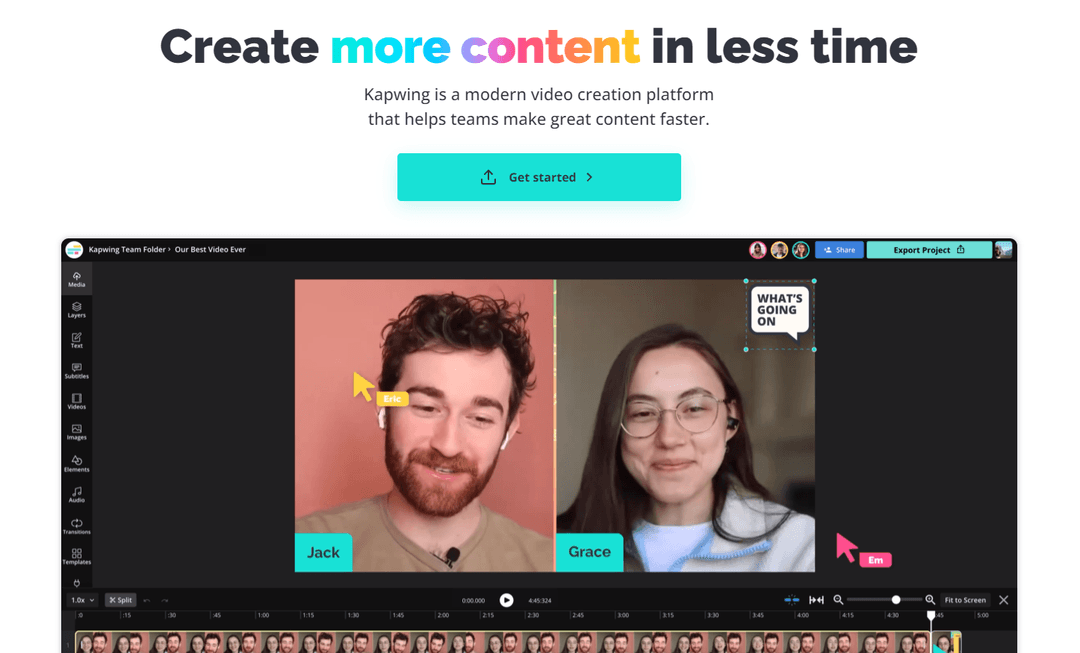
Kapwing is a browser editor for trimming, cropping, adding text and layering effects, with export to MP4. It is a reasonable pick for beginners who want to cut existing clips without installing anything. Check its site for current plans and AI features before committing.
Prompt to try
Make a 40-second YouTube Short for a home coffee channel titled "3 mistakes ruining your morning coffee". Open with the hook "You are probably making mistake number 2 right now." Use close-up AI video of brewing, a warm friendly voice-over and bold captions, and end by asking viewers which mistake they make.
What is the best AI video generator for YouTube Shorts?
It depends on the job, so use these rules:
- You have only an idea, a product page or an article: use an AI generator that outputs a finished Short (script, visuals, voice, captions, music). Revid fits, and it publishes to YouTube directly.
- You want to copy a format that already works in your niche: start from a reference video rather than a blank prompt. Revid's library and remix options ("Same energy, new script", "Make it about your topic") exist for this.
- You have long recordings: a clipper such as OpusClip, or Revid's clip maker if you also want to generate new videos.
- You film everything yourself: CapCut, Kapwing or Canva, plus an AI caption tool.
- You need presenter-style corporate videos: a dedicated avatar platform fits better than any Shorts maker.
How to make a YouTube Short with Revid
- Open the Shorts generator and paste an idea, a script or a link. Or search the viral library, open a video that fits your niche and choose what to make from it.
- Pick a voice, a caption style and the visual type (stock, AI images or AI video). You can choose a different AI model for each scene.
- Check the estimated credit cost before generating. As a guide, a 30-second video with Pro AI visuals and a voice-over costs about 40 to 80 credits.
- Review the result in the timeline editor and fix any scene, line or caption.
- Export in 1080p or 4K, or publish and schedule it straight to YouTube, TikTok and Instagram from one queue.
Price divided by included minutes, assuming you use the whole allowance. Descript's hours are editing hours, not automatic clipping, so it is cheap per hour but you do the picking. Klap (billed per clip) and Revid (billed per job in credits) do not bill by source minutes and are left out.
Source: Monthly prices and allowances from vendor pricing pages on October 29, 2026 (Quso, Descript, Munch Studio yearly price), OpusClip allowances (150 and 300 minutes) from Castmagic's OpusClip pricing guide verified August 20, 2026, Vizard from vizard.ai/pricing on September 30, 2026.
Show the data
| US dollars per 10 hours of uploads | Minutes of video included per month | |
|---|---|---|
| Quso Lite | 174 | 100 |
| Quso Essential | 78 | 300 |
| OpusClip Starter | 60 | 150 |
| OpusClip Pro | 58 | 300 |
| Munch Studio Essential | 46 | 500 |
| Vizard Creator | 29 | 600 |
| Descript Hobbyist | 24 | 600 |
Can AI turn a long video into Shorts?
Yes. A video-to-Shorts maker finds the strongest moments in a long video, reframes them to vertical and adds captions. Revid's YouTube clip maker does this from a pasted YouTube link and can create several clips from one video.
For the full process (choosing moments, trimming and formatting), follow the walkthrough on making short clips from YouTube videos.
How to make Shorts in bulk without hiring a video editor
Posting every day to YouTube Shorts, TikTok and Reels is a scheduling problem as much as an editing one. A bulk setup needs three things: videos that generate without manual editing, a publishing queue, and a way to see which posts worked.
Revid covers that loop. Auto-Mode workers create a fresh video every day from a prompt or a content source (3 workers on the Growth plan, 5 on Elite, 10 on Ultra), and the Search & Remix automation picks a high-engagement reference from the library on your topic and turns it into an original video on a schedule, never reusing the same reference twice. Everything publishes from one queue, each post reports its views, likes and comments, and a post that did well can be remixed from a viral video in one click. Developers and AI agents can run the same workflow through the API, MCP server or CLI, included on every paid plan.
Also disclose realistic AI-generated scenes with the "AI use" setting in YouTube Studio. Disclosure alone does not limit reach or earnings, while repeated failure to disclose can lead to labels, removal or YPP suspension.
YouTube Shorts specs your short video maker should hit
| Setting | What YouTube allows |
|---|---|
| Length | Up to 3 minutes (square or vertical videos uploaded on or after October 15, 2024) |
| Aspect ratio | Vertical 9:16 or square |
| Title | Up to 100 characters |
| Music | Most Shorts Audio Library songs up to 90 seconds; some tracks limited to 60 or 30 seconds |
| Copyright | Any Short over 1 minute with an active Content ID claim is blocked globally |
| Custom thumbnail | Verified accounts, YouTube Studio on a computer, 2160x3840 recommended |
The Content ID rule is the one that catches people: if your Short runs past one minute, use music you have the rights to or keep it under a minute.
How to save your own YouTube Shorts as MP4
An MP4 copy is useful for re-editing a Short or posting it elsewhere. A downloader such as the Savefrom YouTube Shorts downloader (a third-party site, not part of Revid) converts a pasted Short link into an MP4 file.
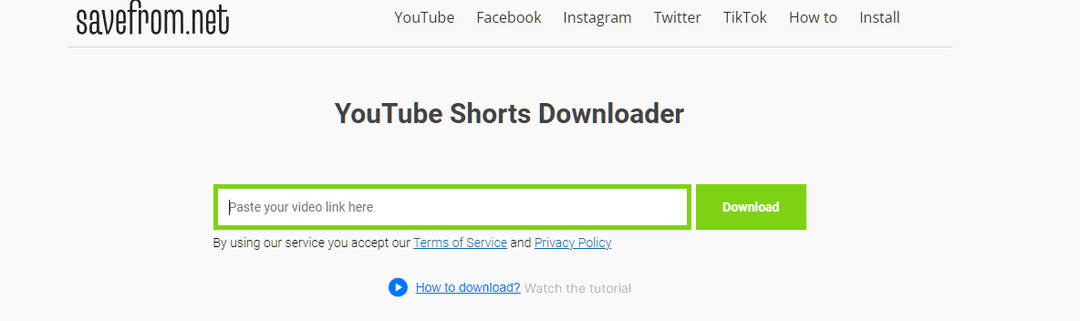
- Copy the link of your Short.
- Paste it into the downloader and click Download.
- Save the MP4 and re-edit or re-post it.
Only download Shorts you own or have permission to reuse: downloading other creators' videos can break YouTube's Terms of Service and copyright rules. Re-posting unoriginal content also costs reach elsewhere; since March 2026, Facebook deprioritizes reposts that only add borders, captions or speed changes.
FAQ
Which AI can create short videos for free?
CapCut's free tier (1080p export and auto-captions) and Canva's free plan (templates plus up to 20 AI uses) are the most usable free options, and OpusClip's free plan clips long videos with watermarked captions. Revid's sign-up is free, with no credit card needed, and new accounts get free credits to try video creation; regular creation then uses the monthly credits of a paid plan.
What is the most affordable AI tool for posting Shorts every day?
If you already have long recordings, a clipper such as OpusClip (from $15/month) is the cheapest route to daily posts. If you start from ideas, Revid's Growth plan ($39/month, or $32/month billed yearly, 2,000 credits) includes 3 Auto-Mode workers that create a video every day and publish it for you.
Can you monetize YouTube Shorts made with AI?
Yes, if the videos show your own creative vision and give real value; YouTube only blocks template-made, mass-produced AI content and incoherent AI clip compilations. Channels also need to meet YouTube Partner Program thresholds, such as 1,000 subscribers and 10 million qualified Shorts views in the last 90 days.
Do videos from a Shorts maker work on TikTok and Instagram Reels?
Yes, a 9:16 video works on all three. Keep Reels at 3 minutes or less, because longer Reels are not recommended to non-followers, while TikTok accepts uploads up to 60 minutes.
Sources
- Vendor pricing pages read October 29, 2026. Vizard's page did not render prices that day, so its figure is from vizard.ai/pricing on September 30, 2026; Klap's page showed yearly prices only, so its monthly price is from klap.app/pricing on August 13, 2026.
- Monthly prices and allowances from vendor pricing pages on October 29, 2026 (Quso, Descript, Munch Studio yearly price), OpusClip allowances (150 and 300 minutes) from Castmagic's OpusClip pricing guide verified August 20, 2026, Vizard from vizard.ai/pricing on September 30, 2026.
- YouTube Official Blog, New opportunities to earn and changes to the YouTube Partner Program (August 2026)
- YouTube Official Blog, Tall updates coming to Shorts (October 2024)
Charts and figures checked on November 6, 2026.