On this page
Good tags to use on YouTube are your video's main keyword, a few exact variations people search, common misspellings, and one or two broader topic tags, all within YouTube's 500-character tag limit. Tags help YouTube understand your topic, but they do not get views by themselves.
That second sentence is where most creators lose time. YouTube's own help page says tags play a minimal role in discovery and matter most when your topic is often misspelled. A list of "viral tags" pasted onto every upload does nothing, and tags that don't describe your video break YouTube's spam rules. Spend a few minutes on tags, then put the rest of your effort into the title and thumbnail.
- Characters of tags YouTube allows per video, in total
- 500
- YouTube tag limit
- Tags most videos need
- 5 to 15
- Character limit for a YouTube title
- 100
- YouTube field limit
- Character limit for a YouTube description
- 5,000
- YouTube field limit
What are YouTube tags?
Tags are keywords you type into the Tags field of a video's details in YouTube Studio. Viewers don't see them on the watch page. YouTube reads them alongside your title, description and thumbnail, but gives them far less weight.
Tags earn their place in three situations:
- Misspellings: people search "spagetti recipe" as well as "spaghetti recipe". A tag catches the typo without putting it in your title.
- Alternate names: "air fryer" and "airfryer", "budgeting" and "money management". Tags cover the version your title doesn't use.
- Ambiguous words: a "Python tutorial" could be about code or snakes. Tags like "python programming" and "coding for beginners" settle it.
If none of these apply, tags won't change much. Add them anyway (it's free), but don't expect a jump in views.
Which YouTube tags get more views?
No tag gets views on its own. Searches for "tags on YouTube to get more views" assume a magic list exists; it doesn't. YouTube ranks videos mostly on whether people click and keep watching, so a tag only helps when it matches what a real viewer types and your video then satisfies that viewer.
Use these decision rules:
- If a phrase is something people search and your video answers it, tag it.
- If a phrase is popular but unrelated to your video, leave it out. It can't help and it can count as spam.
- If your main keyword is easy to misspell, tag the common misspellings. This is where tags help most.
- If you'd only be repeating your title word for word, one tag with the main keyword is enough.
What tags should you use on YouTube?
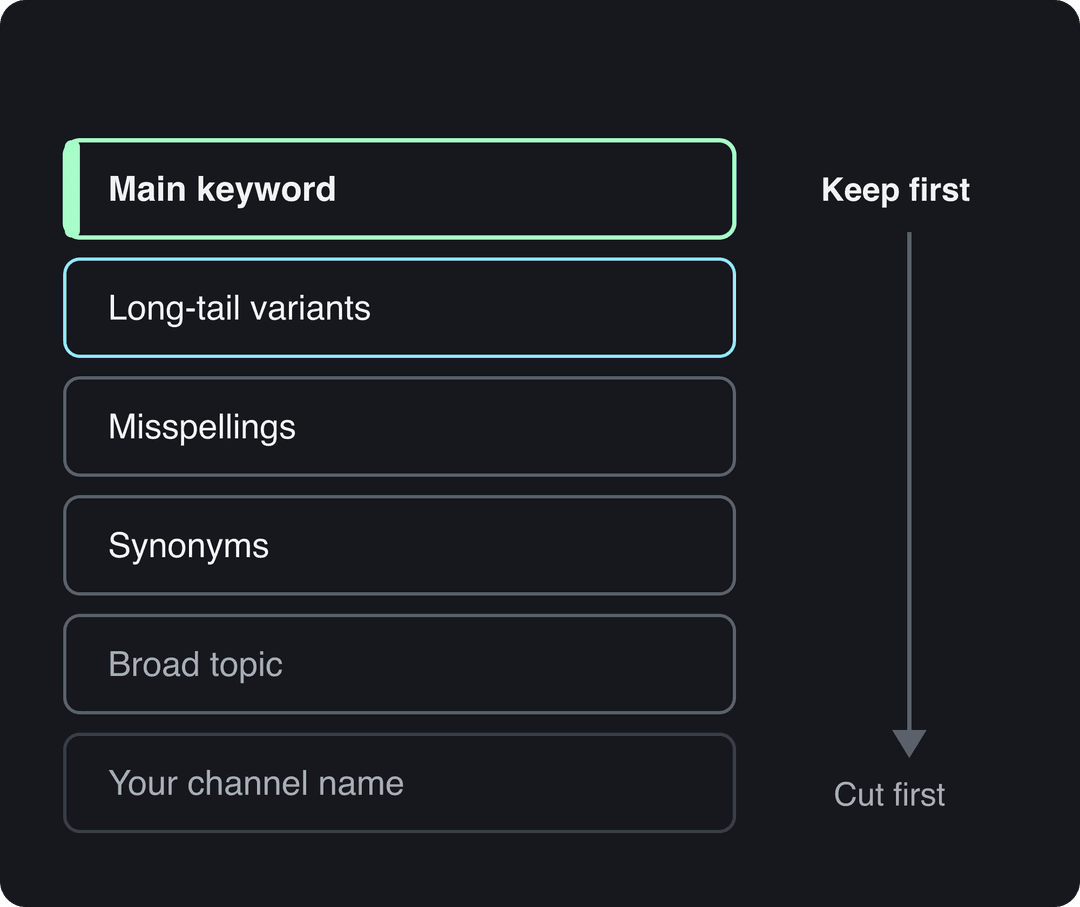
Build every tag set from the same layers. Here is what each one does, using a pasta recipe video as the example:
| Tag type | What it does | Example tags |
|---|---|---|
| Main keyword | The exact phrase you want to rank for, also in your title | pasta recipe |
| Long-tail variants | Longer, specific searches with less competition | easy pasta recipe for beginners, pasta recipe without meat |
| Misspellings and alternate spellings | Catch searches your title can't | pasta recipie, spagetti recipe |
| Synonyms | Cover other words for the same thing | homemade noodles, how to cook pasta |
| Broad topic | Tell YouTube the general category | cooking tutorial, italian food |
| Branded | Group your own videos together | your channel name |
Put the main keyword first. If you run out of room under the 500-character limit, the tags you cut will be the least important ones.
Checking competitor tags is fine for ideas, but don't add other creators' channel names or video titles. That is misleading metadata, and it won't send their viewers to you.
A copy-paste YouTube tag template
Fill in the brackets for each video and paste the result into the Tags field (YouTube separates tags with commas):
[main keyword], [main keyword + who it's for], [main keyword + how to / question form], [common misspelling], [synonym], [broad topic], [your channel name]Filled in for a home workout video:
10 minute workout, 10 minute workout for beginners, how to do a 10 minute workout at home, 10 min workout, home workout no equipment, fitness routine, YourChannelNameThat is seven tags and well under the character limit. Most videos need only 5 to 15 tags; past that, you are usually adding phrases that barely relate to the video.
Good YouTube tag examples by niche
Use these as starting points, then check each phrase in YouTube's search suggestions (next section) before you keep it.
| Niche and video | Main tags | Long-tail tags | Broad tags |
|---|---|---|---|
| Fitness: 10-minute workout | 10 minute workout, home workout | 10 minute workout no equipment, quick workout for beginners | fitness routine, exercise video |
| Tech: smartphone review | smartphone review, latest smartphone 2026 | best smartphone under $500, 2026 smartphone comparison | tech review, electronics review |
| Personal finance: how to budget | budgeting tips, personal finance | how to budget paycheck, budgeting for beginners | money management, personal finance advice |
| Gaming: Minecraft guide | minecraft survival tips, minecraft guide | minecraft survival tips for beginners, how to start minecraft survival | minecraft tutorial, mincraft |
Notice the gaming row tags "mincraft": a common typo, which is exactly the job tags do well.
How to find tags people actually search
Good tags come from real searches, not guesses. Use these sources in this order.
1. YouTube search suggestions
Type your main keyword into the YouTube search bar and read the autocomplete list. These suggestions come from what people search, so they make strong long-tail tags.
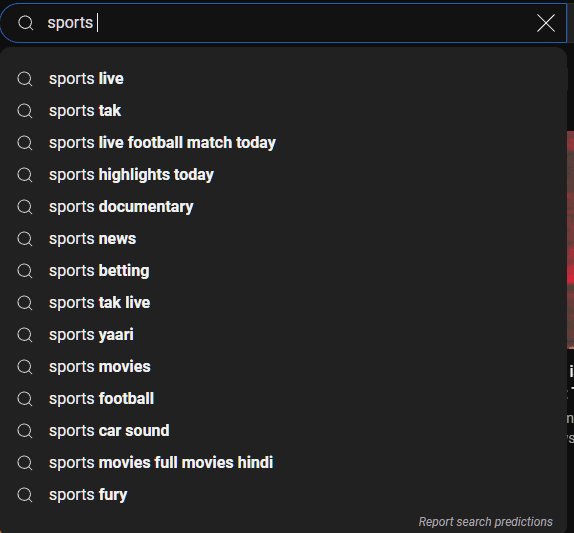
Try adding a letter after your keyword ("pasta recipe a", "pasta recipe b") to surface more variants.
2. The search terms that already bring you viewers
In YouTube Studio on a computer, open Analytics and look for the YouTube search traffic source report. It lists the exact terms viewers typed before finding your videos. Phrases that show up there but aren't in your tags are easy additions for your next upload on the same topic.
3. Google Trends, filtered to YouTube
Open Google Trends, enter two or three candidate phrases, and switch the search type from Web Search to YouTube Search. You'll see which wording people use more on YouTube and whether interest is rising or fading.
4. Keyword tools
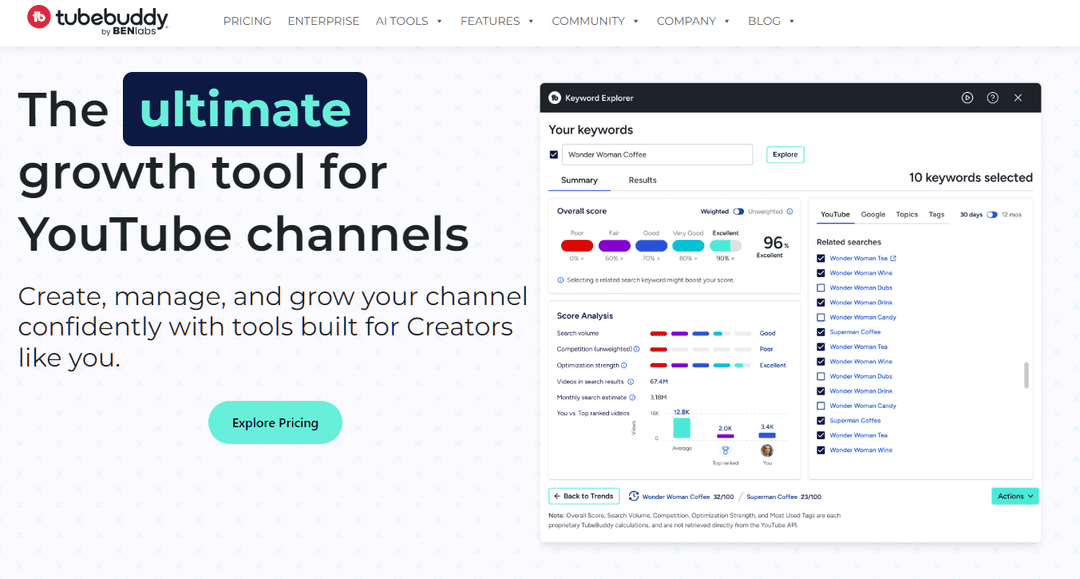
Browser extensions and tools such as TubeBuddy, vidIQ and Ahrefs' YouTube keyword tool estimate search volume and competition for each phrase. Treat their scores as estimates, not YouTube data. For a full keyword workflow, see this guide to finding YouTube keywords that get searched.
5. Competitor tags
Tags are hidden on the watch page, but extensions like TubeBuddy and vidIQ display them. Look at the top videos for your keyword, note recurring phrases that also describe your video, and skip anything that names the other channel.
Where can you check top YouTube searches?
YouTube doesn't publish a list of the most searched tags, and viewers don't search tags anyway: they search phrases. To see what people search on YouTube, use the three free sources above: the autocomplete list in the search bar, Google Trends with the YouTube Search filter, and the YouTube search traffic report in your own Studio analytics. Any site selling a "most searched YouTube tags" list is guessing.
How many tags can you have on YouTube?
YouTube allows 500 characters of tags in total per video, not 500 per tag. Short tags let you fit more; long phrases fill the limit quickly.
You rarely need the full allowance. Cover your main keyword, its real variants and misspellings, and a broad topic, then stop. For context, the other text fields have their own caps: titles up to 100 characters and descriptions up to 5,000.
How to add tags to a YouTube video
- Open YouTube Studio on a computer.
- Go to Content and click the video you want to edit (or start a new upload).
- On the Details page, scroll down and click Show more.
- Type your tags in the Tags field, separating them with commas.
- Click Save (or continue the upload).
The same field works for Shorts, since a Short is uploaded and edited like any other video in Studio.
Tags vs hashtags on YouTube
They are different things. Tags are hidden and live in the Tags field. Hashtags start with # and go in your title or description, where viewers can see and tap them to reach a page of videos with the same hashtag.
Use both, for different jobs: tags for spelling variants and context, hashtags for a few visible topic labels. If you post Shorts, this guide to YouTube Shorts tags and hashtags covers the short-form side, and YouTube Shorts SEO covers titles and descriptions for Shorts.
Posts with 3 or 4 hashtags earned the most views. Captions stuffed with 9 or more hashtags did worst of all, with median views cut by about 80%.
Source: Revid analysis of 176,367 TikToks with 1,000+ likes posted between Oct 1, 2025 and Oct 16, 2026 (61,203 creators)
Show the data
| Median views | Share that passed 1M views | |
|---|---|---|
| None | 51.1K | 9.8% |
| 1 | 64K | 11.8% |
| 2 | 71.3K | 12.7% |
| 3 | 75.4K | 13.1% |
| 4 | 77.2K | 13.4% |
| 5 | 67.3K | 12.1% |
| 6 to 8 | 71.8K | 12.7% |
| 9+ | 15.6K | 7.8% |
YouTube tag mistakes to avoid
- Repeated tags. Adding the same tag twice, or both "pasta recipe" and "pasta recipes", wastes characters and adds nothing.
- Unrelated popular tags. Tagging a cooking video with a trending celebrity's name won't borrow their audience, and viewers who click and leave quickly tell YouTube the video isn't a match.
- Only single words. "Workout" or "technology" are too broad to match a real search. Mix in multi-word phrases.
- Copy-pasted "viral tag" lists. The same block on every video describes none of them.
- Spending your effort on tags. If a video isn't getting views, the problem is almost never the tags.
Prompt to try
Make a 30-second vertical YouTube Short titled "10 Minute Home Workout for Beginners". Open with the hook "No gym, no equipment, just 10 minutes" and show the first exercise within the first two seconds. Use energetic upbeat music, bold captions and clear step-by-step visuals of each move.
What moves YouTube views more than tags
If you came here for more views, these four fields matter far more than your tag list:
- Title: put the main keyword near the start, keep the promise specific, and stay well under the 100-character limit so it isn't cut off.
- Thumbnail: custom thumbnails need a verified account; YouTube recommends 3840x2160 (16:9). One clear subject and a few words at most.
- Description: repeat the main keyword naturally in the first two lines, since those show in search results.
- The first seconds of the video: deliver what the title promised right away. Retention decides how far YouTube pushes a video.
On desktop, YouTube Studio's Test & Compare feature can A/B test up to 3 titles and thumbnails on long-form videos (Shorts are not eligible). For drafting options to test, Revid's free YouTube title generator and YouTube description generator give you several versions in seconds. The full checklist is in our YouTube SEO tips, and Shorts creators can start with how to get more views on YouTube Shorts.
FAQ
Do tags help on YouTube?
A little. YouTube says tags play a minimal role in discovery and are most useful when your topic is often misspelled; titles, thumbnails and descriptions carry far more weight.
Should I add tags to YouTube Shorts?
Yes, the same way as long videos, in the Tags field in YouTube Studio. Keep them to the main keyword, variants and misspellings, and use a few hashtags in the title or description for visible topic labels.
Can you see other people's tags on YouTube?
Not on the watch page, where tags are hidden. Browser extensions such as TubeBuddy and vidIQ display the tags of any public video.
Should I change the tags on old videos?
Only to fix a missing keyword or misspelling. If an old video underperforms, a new title or thumbnail is far more likely to help than new tags.
What are the best tags for YouTube?
The best tags are the exact phrases people search that your video answers: your main keyword, its long-tail variants, common misspellings and one broad topic tag. There is no universal list that works for every video.
Sources
- Revid analysis of 176,367 TikToks with 1,000+ likes posted between Oct 1, 2025 and Oct 16, 2026 (61,203 creators)
Charts and figures checked on November 6, 2026.