Ink-Style Animation with AI: Make One in Revid, Step by Step
Write a short script, put an ink visual direction in brackets on every line, choose AI video as the media type, and Revid turns it into a narrated black-ink-on-paper animation. Includes bracket wording and a sample script.
On this page
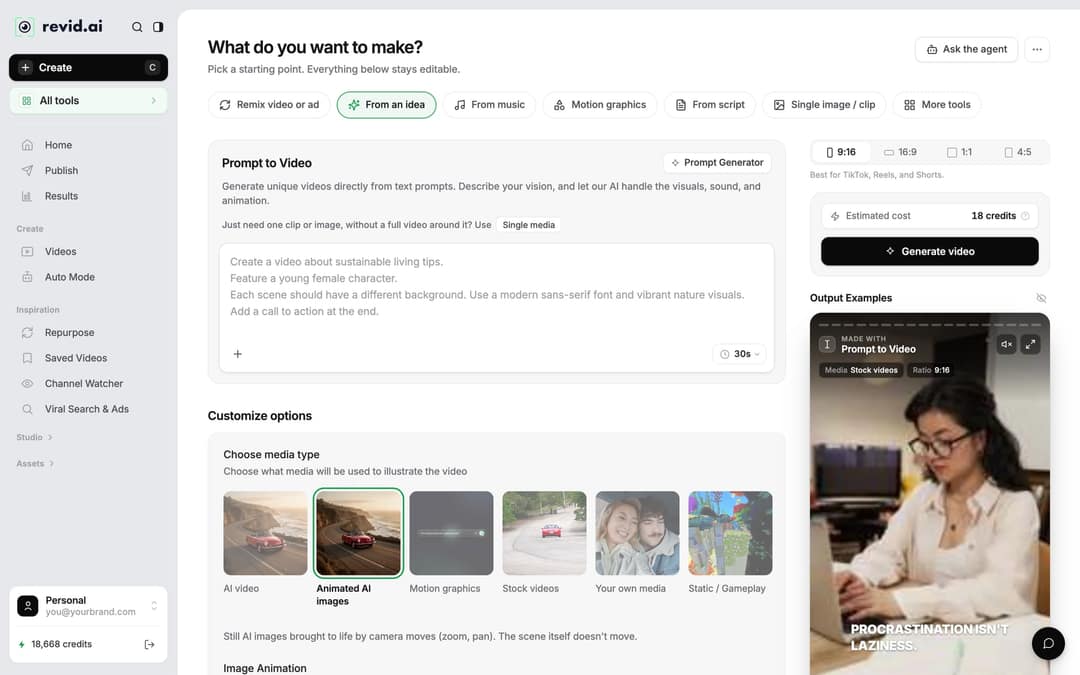
To make an ink-style animation with AI, write a short script and put a visual direction in square brackets on each line, such as [black ink brush strokes on white paper, sumi-e ink wash style]. In Revid, bracketed text is not read aloud: it guides that scene's visuals, while the voice-over reads only your spoken words.
Two mistakes ruin most ink videos. The first is describing the ink look once and hoping it carries through: each scene follows its own brackets, so a bracket without the style words drifts toward a generic look. The second is keeping the default media type, Animated AI images, which only pans and zooms over a still picture, so your ink never actually spreads or bleeds.
- Median TikTok views with under 40 characters of speech
- 123K
- Revid analysis of 176,367 TikToks
- Share of low-speech TikToks (under 40 characters) that passed 1M views
- 20.2%
- Revid analysis of 176,367 TikToks
- Starting monthly price of a Revid paid plan for AI video scenes
- $39
- Revid pricing
- Longest pause a break tag can add to hold an ink shot
- 10 s
- ElevenLabs and MiniMax voices
What an ink-style animation made in Revid looks like
This example was made in Revid from a bracketed script: moving black ink on paper, a narrated voice-over and synced captions.
Share of clips
Source: Revid production data: 713,649 AI video clips generated Jun 29, 2026 to Sep 26, 2026.
Show the data
| Share of clips | |
|---|---|
| 16:9 | 54% |
| 9:16 | 40.3% |
| 1:1 | 4.3% |
| 3:4 | 0.5% |
How to create an ink-style animation in Revid
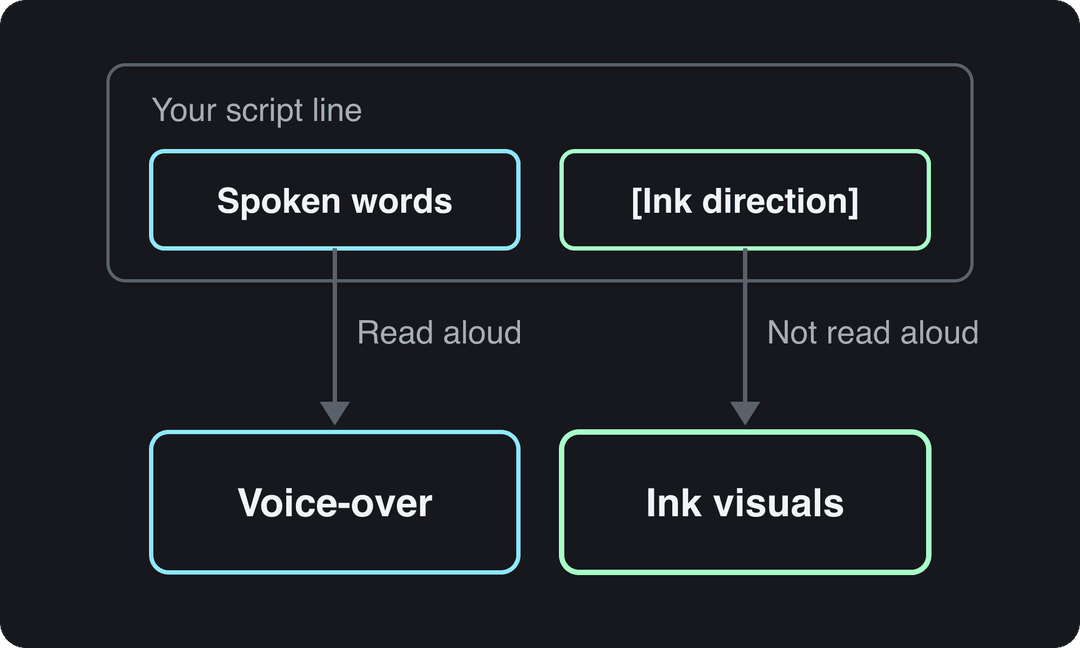
- Open the Create page. Click Create at the top of the left sidebar (or press C). The page opens on "What do you want to make?".
- Pick "From script". This chip opens the Voiceover Video tool (the same engine as the AI TikTok video generator), which turns your own script into a narrated vertical video. Paste your bracketed script into the "Your video narrator script" box.
- Choose "AI video" under "Choose media type". It generates real motion, so directions like "ink spreads" or "strokes sweep across" actually animate. AI video needs a paid plan; on a free trial, Animated AI images still gives you ink stills with camera moves.
- Set the ratio. Keep 9:16 for TikTok, Reels and Shorts; 16:9, 1:1 and 4:5 are in the same ratio picker.
- Check the cost, then generate. "Estimated cost" shows the credits next to the "Generate video" button before anything is spent.
- Fix any scene in the editor instead of starting over (steps below).
How brackets work in a Revid script
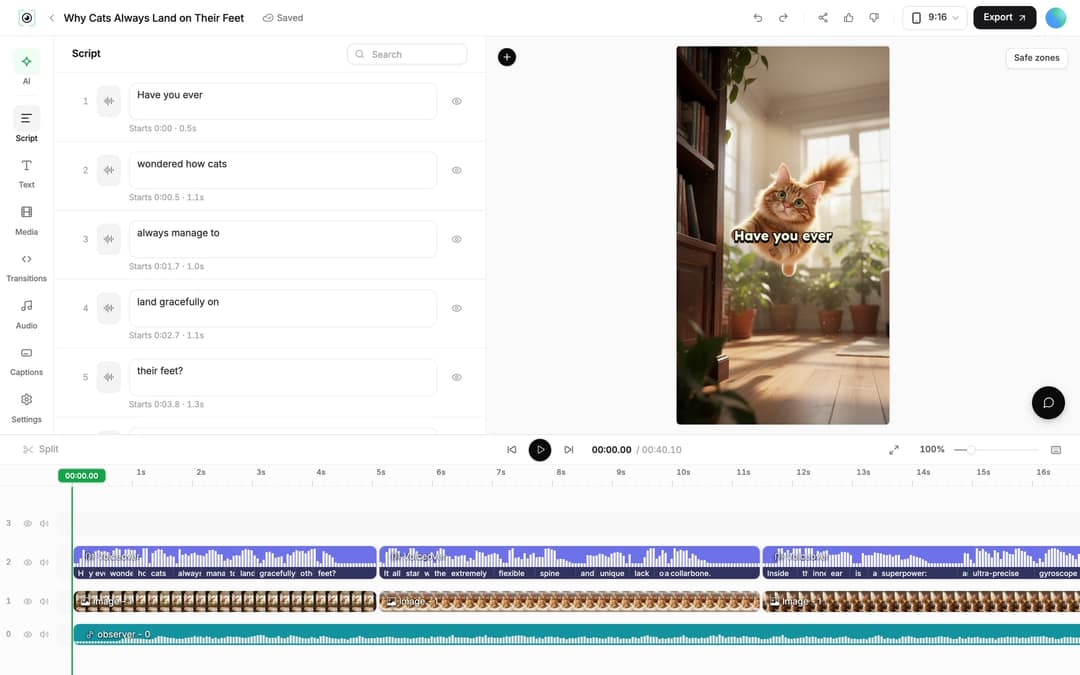
Your script does two jobs at once. The words outside the brackets become the voice-over and captions. The words inside the brackets are treated as notes, not narration, and Revid maps them onto the scenes as visual hints. A new line starts new content, so one line per scene keeps each ink image tied to the sentence it illustrates. The full syntax is in the AI video script guide.
Ink animation suits a calm pace. To hold a shot before the next line, add a pause tag like <break time="1.0s" /> after a sentence. Pauses go up to 10 seconds and work with ElevenLabs and MiniMax voices; Gemini and Kling voices drop the tag with no pause.
Prompt to try
[a black ink crane spreads its wings across white rice paper, sumi-e ink wash style] Patience is a bird that waits for the wind. [ink bleeds into a still lake reflecting the crane, sumi-e ink wash style] It never rushes the water. [the crane lifts off in three sweeping brush strokes, sumi-e ink wash style] And when it flies, it flies far. Make it a calm 20-second vertical video with AI video media.
What to write in the brackets for an ink look
Pick one look for the whole video, then reuse its wording in every bracket.
| Look you want | Words to put in the brackets |
|---|---|
| Classic East Asian brush painting | sumi-e ink wash painting, black ink on white rice paper |
| Drawing that draws itself | black ink lines drawing themselves on white paper, hand-drawn |
| Energetic, graphic | black ink splatter bursting across white paper |
| Soft and atmospheric | diluted grey ink wash bleeding into wet paper |
| Inverted, dramatic | white ink brush strokes on black paper |
| Ink with one accent color | black ink brush painting with a single red accent |
For more wording, the AI video prompt generator suggests visual descriptions and camera directions you can trim and drop into your brackets.
Example ink-style script you can paste
Copy this into the script box and swap in your own story. Each line is one scene: the bracket first, then the spoken sentence. Every bracket ends with the same style phrase and describes what the ink does, not just what it shows.
[a single drop of black ink falls onto blank white rice paper and spreads, sumi-e ink wash style] Every great story starts with a single mark. <break time="1.0s" />
[black ink brush strokes sweep across white paper and form a mountain range, sumi-e ink wash style] A line becomes a mountain.
[the ink bleeds into a winding river that flows across the paper, sumi-e ink wash style] A drop becomes a river.
[a lone traveler painted in a few black brush strokes walks toward the mountains, sumi-e ink wash style] And one small figure starts the climb.Need the story first? The free AI script generator writes a short script on any topic, and you add the ink brackets afterward.
Short-line prompt
[white ink brush strokes sweep across black paper and form a lone samurai, inverted ink style] He drew his sword once. [white ink splatter bursts across black paper, inverted ink style] That was enough. Keep it a dramatic 10-second vertical video with short spoken lines and AI video media.
Tips for a consistent ink style
- Repeat the style phrase. End every bracket with the same words (for example "sumi-e ink wash style") so scenes match from start to finish.
- Describe the ink moving. Verbs like spreads, bleeds, sweeps, drips and forms produce animation instead of a still painting.
- Keep one subject per scene. Ink reads best as simple silhouettes: a mountain, a bird, a figure, a tree.
- Leave out realism words. "Photorealistic", "cinematic photo" or "realistic lighting" pull the visuals away from paper and brush.
- Use one model across the video. Mixing models scene by scene can change the brush texture; switch only the scene that renders badly.
Keep the spoken lines short, too. In Revid's analysis of 176,367 TikToks with 1,000+ likes posted between October 2025 and October 2026, videos with under 40 characters of speech had a median of 123K views and 20.2% passed 1M views, versus 68K and 11.9% for videos that talk throughout (300+ characters of speech). The sample only holds videos that already did well, so this shows what top videos share, not a cause, but it supports letting the ink carry the video. The full numbers are in our study of what makes a TikTok go viral.
Videos with just a few spoken words (a line or two) beat both silent videos and videos that talk the whole way through, which were the most common and the weakest.
Source: Revid analysis of 176,367 TikToks analyzed by AI, with 1,000+ likes posted between Oct 1, 2025 and Oct 16, 2026 (61,203 creators)
Show the data
| Median views | Share that passed 1M views | |
|---|---|---|
| No speech | 73.3K | 14.3% |
| Under 40 | 122.7K | 20.2% |
| 40 to 120 | 97.2K | 17.6% |
| 120 to 300 | 91.6K | 16.8% |
| 300+ | 67.7K | 11.9% |
How to fix a scene that loses the ink look
Open the video from Videos (click its card) to land in the editor.
- Edit the words in the Script panel. Each caption segment has its own text box and start time. If your edit changes the timing, regenerate the voice from the Audio panel with "Re-generate" (paid plans, 10 credits per started 500 characters).
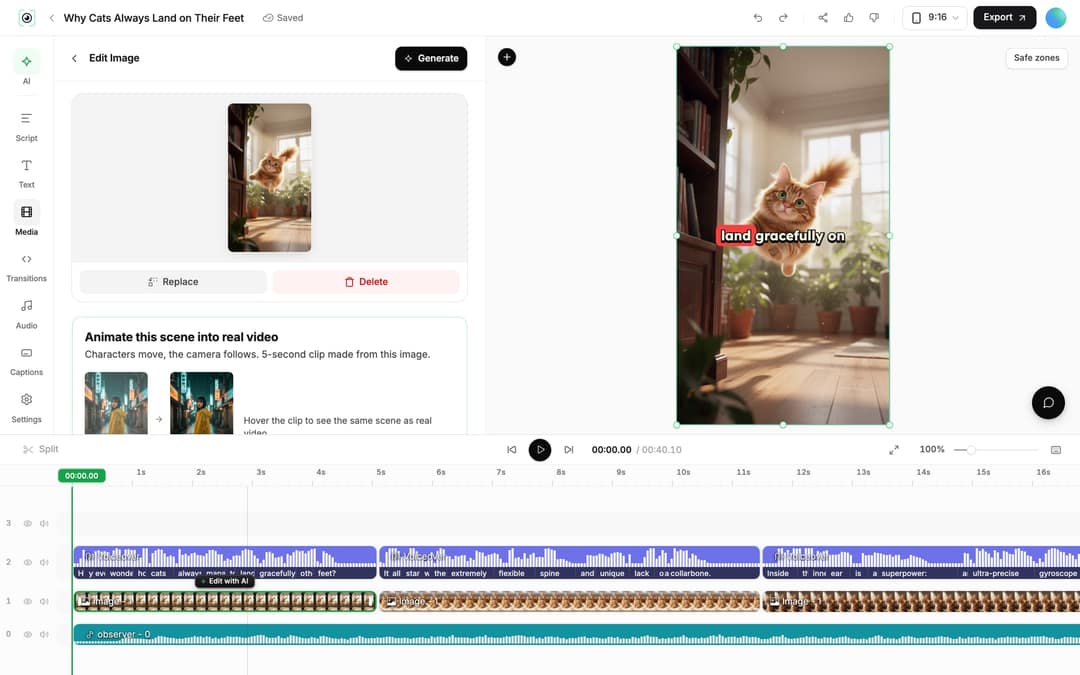
- Regenerate the visual. Select the scene's clip on the timeline. An AI video clip offers "Regenerate from prompt" with the tabs "Re-animate", "New image + video" and "Edit with AI"; put your ink wording back into the prompt. An AI image offers "Regenerate/Edit image", and an image scene can be turned into real motion with "Animate this scene into real video".
- Replace or trim. "Replace" swaps the clip for a file from your Library, and you can drag a clip's edges or press S to split at the playhead.
Ink style or manga style: which should you use?
Use the bracket method above when you want brush-and-paper ink: washes, bleeding strokes, splatter. If you want a black-and-white, hand-drawn comic look without writing visual directions yourself, the AI manga video generator turns a story or script into a narrated video drawn in manga style, and the guide to manga-style videos walks through that route.
For color animation instead of monochrome ink, the AI anime video generator turns a story or one-line idea into an anime-style video.
Export and publish
Revid assembles the scenes, voice-over, captions and music into one video. Visuals come from AI video models such as Seedance 2.5, MiniMax Hailuo H3, Wan 3.0 and Google Veo 3, and a model can be chosen per scene. Click Export at the top right of the editor to render in 720p, 1080p or 4K at 30 or 60 fps, and post the 9:16 cut through direct publishing to TikTok, Instagram and YouTube.
FAQ
Is it free to make an ink-style animation in Revid?
You can start free: sign-up is free and new accounts get free credits, no credit card needed. AI video scenes and regular creation then use a paid plan's monthly credits, from $39/month; the Revid pricing page has current plans.
What is ink-style animation called?
It is often called ink wash or sumi-e animation, after the East Asian brush painting style that uses black ink on paper. Using those terms in your brackets steers the visuals toward that look.
Do I need to draw anything to make an ink animation?
No. You write the script and the bracketed visual directions, and Revid generates the ink visuals from them.
Do I have to label an AI ink-style video as AI-generated?
Usually not on YouTube, which does not require disclosure for non-realistic content such as stylized animation. TikTok requires labels for AI content with realistic images, audio or video, and says the label does not affect distribution for videos that follow its Community Guidelines.
Sources
- Revid analysis of 176,367 TikToks analyzed by AI, with 1,000+ likes posted between Oct 1, 2025 and Oct 16, 2026 (61,203 creators)
- Revid production data: 713,649 AI video clips generated Jun 29, 2026 to Sep 26, 2026.
Charts and figures checked on November 6, 2026.