Futuristic AI Animation: Make a Sci-Fi Video in Revid (2026)
A step-by-step guide to making a futuristic sci-fi AI animation in Revid's current Create page and editor, with story prompts, media-type costs and tips for videos people finish.
On this page
To make a futuristic AI animation in Revid, press Create (or the C key), choose From an idea, describe a sci-fi premise and its look, pick AI video as the media type, choose a voice and music, set 9:16 and click Generate video. Then fix any scene in the editor before you publish.
The visuals are the easy part. Revid's study of AI videos vs real footage found that AI-generated TikToks averaged twice the views of real footage, while on X, Instagram and Threads AI visuals clustered in the lowest engagement tier. The story you feed the model decides whether a sci-fi animation gets watched, so most of this guide is about the prompt.
Here is the finished example, made entirely in Revid (script, voice and footage):
It started from this one-line premise:
A futuristic sci-fi story where humans are given clocks on their wrists and die when the time runs out, but the rich have unlimited time. So the poor plan to revolt and take back the time.
- Median views for faceless TikToks, vs 67K with one person on camera
- 114K
- Revid analysis of 176,367 TikToks
- Median views for TikToks with an outrage mood, vs 45K for inspirational
- 156K
- Revid analysis of 176,367 TikToks
- Credits for a 30-second video with Pro AI visuals and a voice-over
- 40 to 80
- Revid credit guide
- AI voices available for narration, in 70+ languages
- 1,000+
- Revid
How to make a futuristic AI animation in Revid
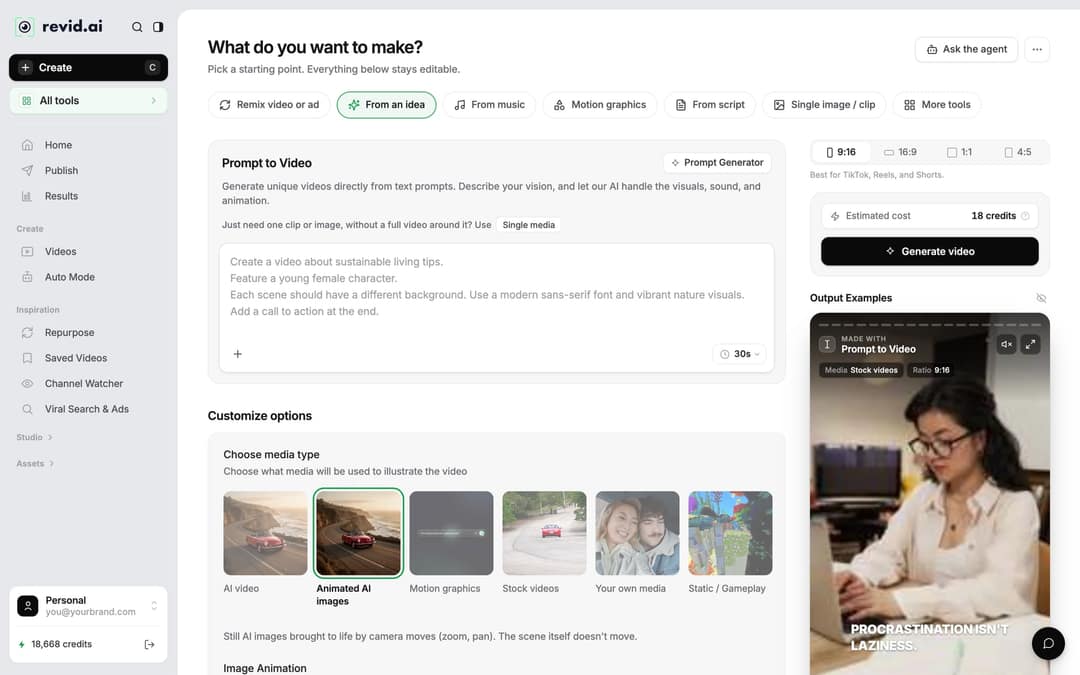
Step 1: Open the Create page
- Click Create at the top of the sidebar, or press C anywhere in the dashboard.
- The page asks "What do you want to make?". Pick the starting point that matches what you have:
- From an idea (Prompt to Video): you have a premise like the one above and want Revid to write the scenes.
- From script: you already wrote the narration word for word.
- You can also start from the AI Movie Maker tool, which turns a script, a story or a one-line idea into a short movie.
The old "Create New Video" button and the single long form with numbered sections are gone. Everything now starts from this page, and every option below the prompt stays editable.
Step 2: Write the sci-fi premise or script
Type your premise in the prompt box. Include the world rule, the conflict, and the look you want in every scene ("neon city at night, rain, cinematic"), because the prompt is where the futuristic style now comes from. If you are stuck on the story, the AI script generator drafts one you can paste in.
If you chose From script, the field is called "Your video narrator script" and accepts three controls:
| What you type | What Revid does |
|---|---|
| A new line | Starts new content, so each line becomes its own scene |
| [neon skyline, rain] | Treated as a visual note, not narration, and used to guide that scene's visuals |
| Adds a pause of up to 10 seconds in the voiceover |
Two caveats: Gemini and Kling voices drop the pause tag with no pause, and ElevenLabs v3 and v4 voices read bracketed words as acting tags such as [whispers]. Preview the voice before you rely on either.
Prompt to try
Make a 45-second vertical sci-fi story: in a neon megacity, a courier discovers her memories are rented, not hers, and must decide whether to return them. Open with the hook "Every memory you have is on loan." Rain, neon signs, cinematic night shots, deep narrator voice and slow-building electronic music.
Step 3: Choose the media type
Under Customize options, "Choose media type" decides how your scenes are illustrated. For sci-fi, pick between real motion and a cheaper animated look:
| Media type | Result | Credit guide |
|---|---|---|
| AI video | Generated clips with real motion (needs a subscription) | Per 5 s: Low 15, Pro 50, Ultra 100; Veo 3 and MiniMax H3 100; Seedance 2.5 1080p 250 |
| Animated AI images (default) | Still AI images moved by zooms and pans | Per image: Low 1, Pro 4, Ultra 16 |
| Motion graphics | Animated text and interface-style graphics | 2, 3 or 5 credits per second, 15 s minimum |
| Stock videos | Existing footage | Stock, rarely futuristic enough |
AI video runs on Seedance 2.5, MiniMax Hailuo H3, Wan 3.0 and Google Veo 3, and you can choose a model per scene. The example uses AI video. As a guide, a 30-second video with Pro AI visuals and a voice-over costs about 40 to 80 credits.
Step 4: Pick a voice and music
Still in the options, choose the narrator and the soundtrack. Revid has 1,000+ AI voices in 70+ languages: a deep, slow voice suits dystopian stories, a brighter one suits hopeful space adventures. The example uses a deep male narrator for a documentary feel.
For music, pick a track from the built-in library of 199 tracks and preview a few. Electronic, slow-building tracks fit this genre. You can also generate original music later in the editor (20 credits per started minute, subscription required).
Step 5: Set 9:16 and generate
- In the ratio picker next to the cost, choose 9:16 for TikTok, Reels and Shorts (16:9, 1:1 and 4:5 are also available).
- Check "Estimated cost", which shows the credits before anything is spent.
- Click Generate video. Revid writes the scenes, generates the visuals, records the voiceover and syncs captions and music. If a build fails, the credits are refunded automatically.
Step 6: Fix scenes in the editor and publish
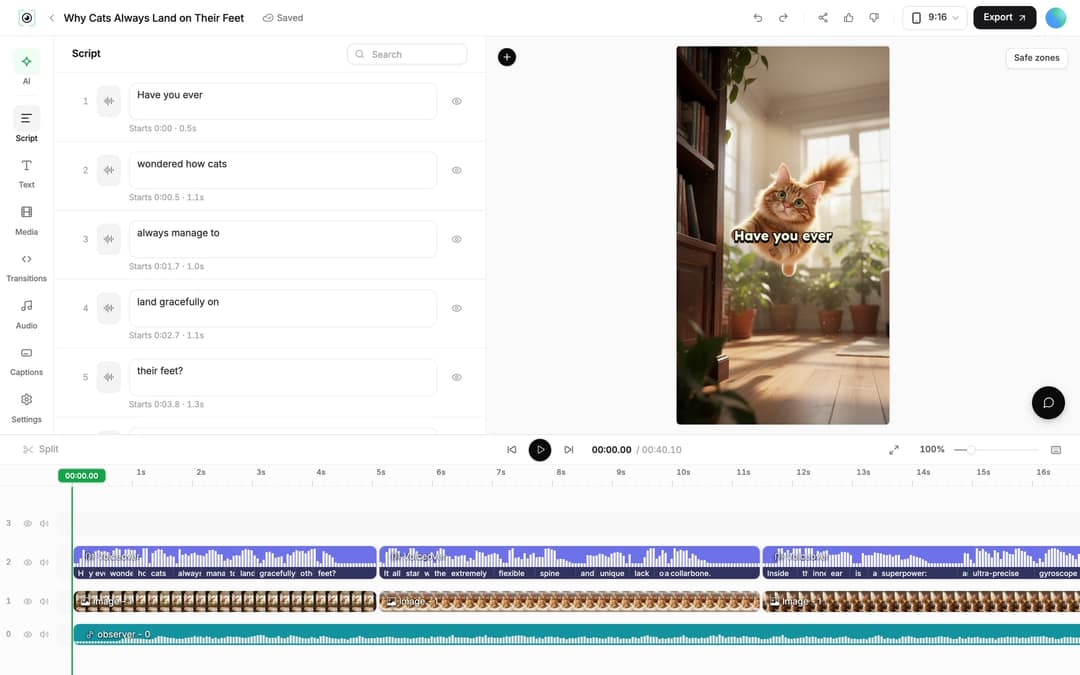
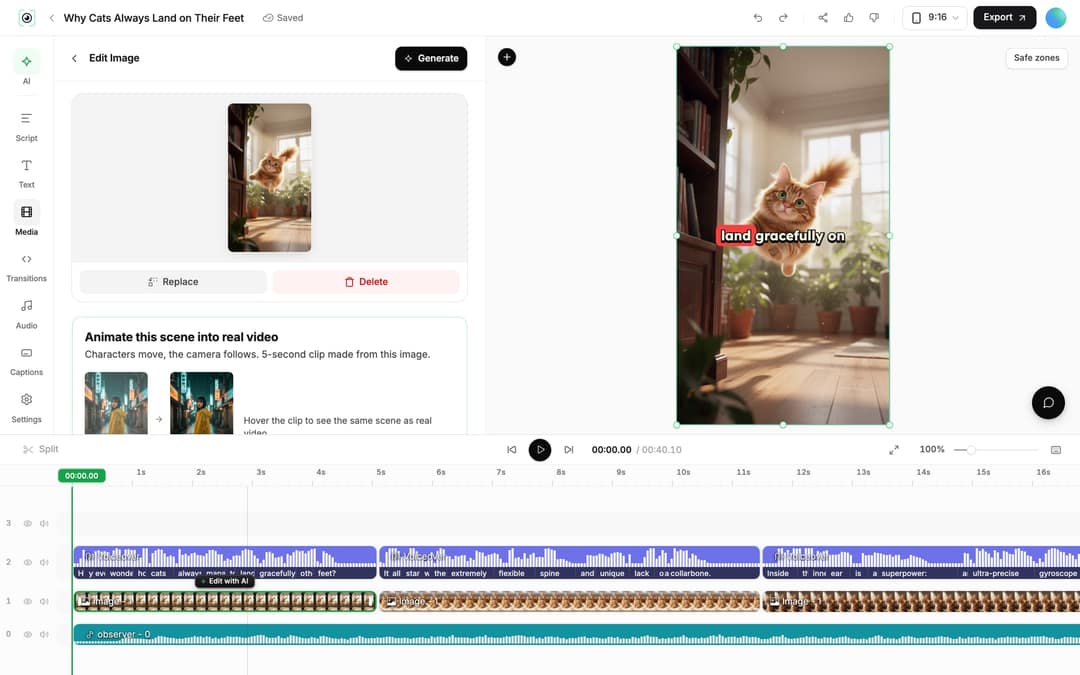
Click the finished video's card to open it in the editor.
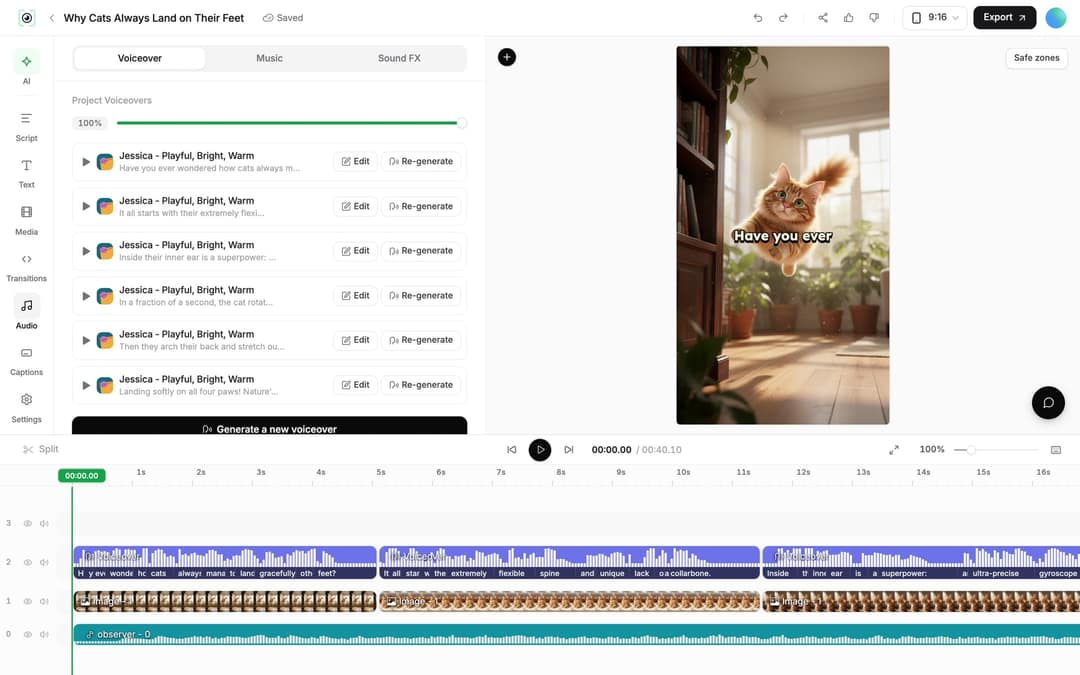
- Change the words: open the Script panel on the left rail, edit any caption segment, then regenerate the voice if timing changed. In the Audio panel, each voiceover has "Re-generate", which opens a dialog with "Generate Voice" (10 credits per started 500 characters, paid plans only).
- Redo a weak scene: select the clip. AI video clips offer "Regenerate from prompt" with Re-animate, New image + video and Edit with AI; AI images offer "Regenerate/Edit image". "Replace" swaps the clip for a file from your Library.
- Trim: drag a clip's edge on the timeline, or press S to split at the playhead.
- Export and publish: click Export to render in 720p, 1080p or 4K at 30 or 60 fps (4K export adds 10 credits), then publish to TikTok, Instagram or YouTube. Connect accounts first in Settings > Integrations.
Prompt to try
Create a 40-second vertical sci-fi animation: the last ship to Mars lands and the crew finds the colony already abandoned, with one light still blinking. Hook: "We were supposed to be the first. We weren't." Cold light, red dust, wide shots, tense documentary narration.
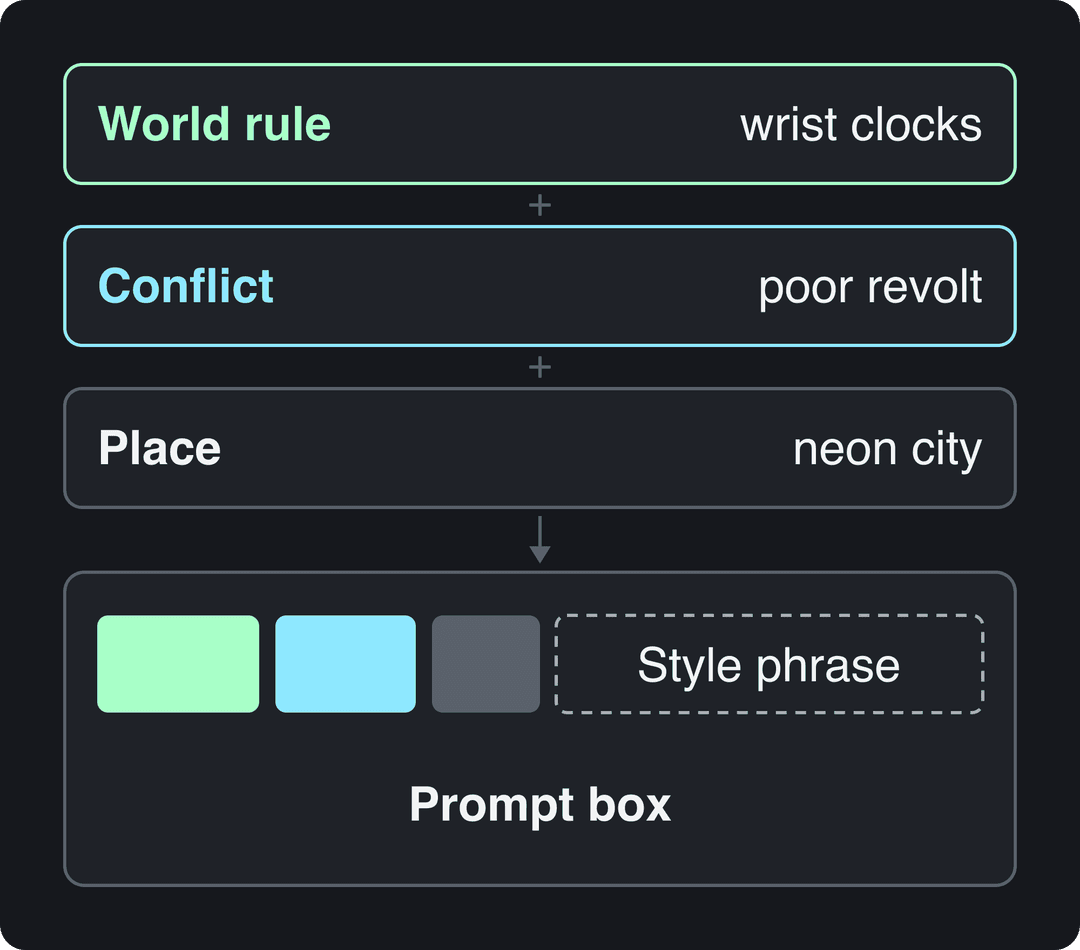
How to turn any idea into a futuristic-themed scene
A futuristic scene needs three things in the prompt: a world rule (what is different about this future), a conflict (who suffers from that rule), and a place you can picture. Add the look as a short style phrase at the end so every scene shares it.
| Theme | Premise | Style phrase |
|---|---|---|
| Time as currency | Humans carry wrist clocks that decide their lifespan; the poor plan a revolt | dark mood, neon city at night |
| Cyberpunk city | A courier in a megacity discovers her memories are rented, not hers | rain, neon signs, cinematic |
| Space colony | The last ship to Mars lands and finds the colony already abandoned | cold light, red dust, wide shots |
| Machine takeover | An AI assistant quietly starts making decisions for an entire city | clean white labs, glowing screens |
| Lost Earth | Children on a space station learn what rain was from old recordings | soft blue light, nostalgic |
To turn an existing story or post into a futuristic scene, paste it into the prompt and add one line before it, such as "Retell this story set in the far future, in a neon megacity." For shot-level directions (camera moves, lighting), the AI video prompt generator suggests wording you can borrow. If you want a film look rather than neon sci-fi, see the guide to cinematic AI videos in Revid.
Tips for sci-fi animations people finish watching
- Open on the world rule. The first line should state what is strange about this future ("In the future, every human is born with a clock on their wrist"). A slow scene-setting intro is where viewers swipe.
- One idea per scene. Short, concrete sentences give the model a clear image. A sentence with three ideas produces a muddled clip.
- Keep one conflict. A short animation has room for one twist. Save the rest for a part 2.
- Sell the setting with text. Use motion graphics for dates, countdowns or interface overlays.
- Lean on tension, not uplift. In the same TikTok data cited below, videos with an outrage mood had a 156K median and sadness 104K, against 45K for inspirational ones. Injustice stories like the wrist-clock premise fit the stronger end.
You don't need to appear on camera for this format to work. In Revid's analysis of what makes a TikTok go viral, covering 176,367 TikToks with 1,000+ likes posted between October 2025 and October 2026, faceless videos had a median of 114K views and 17.4% passed 1M, against 67K and 12.7% for one person on camera. The sample only includes videos that already reached 1,000 likes, so it shows what successful videos share, not a guaranteed cause.
Faceless videos earned a median of 114K views, against 67K for videos with one person on camera, and passed 1M views 38% more often.
Source: Revid analysis of 176,367 TikToks with 1,000+ likes posted between Oct 1, 2025 and Oct 16, 2026 (61,203 creators)
Show the data
| Median views | Share that passed 1M views | |
|---|---|---|
| Animals | 147.4K | 24.1% |
| Faceless | 113.9K | 17.4% |
| Groups of people | 96.1K | 16% |
| Objects or products | 70.8K | 13.2% |
| One person on camera | 67.4K | 12.7% |
High-arousal emotions (outrage, humor, sadness) earned the most views. Calm, inspirational videos earned the least, even though they collect the most likes per view.
Source: Revid analysis of 176,367 TikToks with 1,000+ likes posted between Oct 1, 2025 and Oct 16, 2026 (61,203 creators)
Show the data
| Median views | Share that passed 1M views | |
|---|---|---|
| Outrage | 156K | 23.7% |
| Humor | 121K | 19.3% |
| Sadness | 104.4K | 16.5% |
| Excitement | 92.5K | 15.9% |
| Joy | 89.9K | 18% |
| Informative | 64.1K | 11.2% |
| Neutral | 61.2K | 11.5% |
| Inspirational | 44.6K | 11.3% |
FAQ
Can I make a futuristic AI animation for free?
You can try it for free: sign-up is free and new accounts get free credits, no credit card needed. AI video as a media type needs a subscription, and regular creation uses a paid plan's monthly credits from $39/month; the pricing page has the current plans.
Which AI models create the visuals?
With AI video selected, Revid uses Seedance 2.5, MiniMax Hailuo H3, Wan 3.0 and Google Veo 3 under one credit system. You can pick a different model for each scene.
Can I narrate the video with my own voice?
Yes, two ways: record your narration and start from "From a link or audio" on the Create page, or clone your voice, which is available on the Elite plan and above.
Can I make the same sci-fi video in another language?
Yes. Open the project card menu, choose Translate, and pick a target language; Revid keeps the edit, media, timing and captions. It costs 10 credits per 500 characters of voiceover.
Sources
- Revid analysis of 176,367 TikToks with 1,000+ likes posted between Oct 1, 2025 and Oct 16, 2026 (61,203 creators)
Charts and figures checked on November 6, 2026.