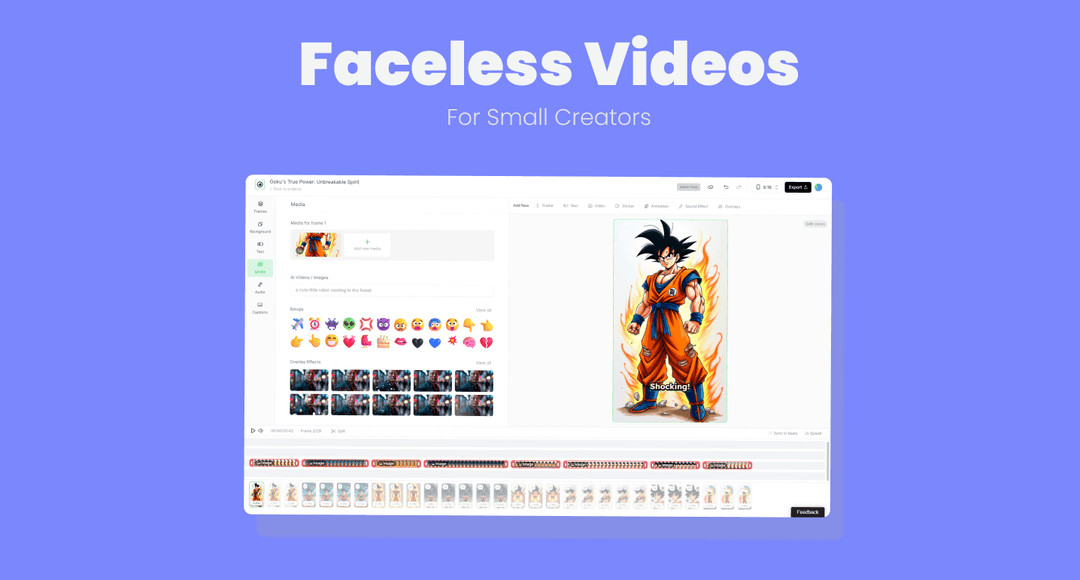
Faceless AI Video Generator: 6 Best Tools for 2026, With Data
The six faceless AI video generators worth using in 2026, which type fits your goal, and what Revid's data on 176,367 TikToks says about faceless formats that get watched.
On this page
A faceless AI video generator turns a script, a prompt or a link into a finished video with AI visuals, an AI voice-over and captions, so no one appears on camera. For TikTok, Reels and Shorts, use a scene-based generator such as Revid; for a stand-in presenter, use an avatar platform such as Synthesia or HeyGen.
Going faceless does not cost you reach. In Revid's analysis of 176,367 TikToks with 1,000+ likes posted between October 2025 and October 2026, faceless videos had a median of 114K views against 67K for one person on camera. The common mistake is buying an avatar tool when you wanted a faceless channel: an AI presenter still puts a face on screen, and it is a different product.
- Median views for faceless TikToks, vs 67K for one person on camera
- 114K
- Revid analysis of TikToks
- Share of faceless TikToks that passed 1 million views
- 17.4%
- Revid analysis of TikToks
- Median views for faceless tutorials, vs 52K for on-camera tutorials
- 156K
- Revid analysis of TikToks
- Median views for TikToks with under 40 characters of speech
- 123K
- Revid analysis of TikToks
What is a faceless AI video generator?
The term covers three kinds of tools, and picking the wrong kind is the most expensive error here.
| Type | What you get | Examples | Best for |
|---|---|---|---|
| Scene-based faceless generator | A script, visuals for each scene (AI video, AI images or stock), voice-over, captions and music | Revid, Pictory | TikTok, Reels, Shorts, faceless channels |
| Avatar presenter platform | A digital person reads your script on a background | Synthesia, HeyGen, Colossyan, Hour One, D-ID, Elai, DeepBrain AI | Training, explainers, multilingual presenter videos |
| Raw clip generator | Single AI clips; script, voice, captions and assembly are up to you | Runway | Cinematic shots you edit by hand |
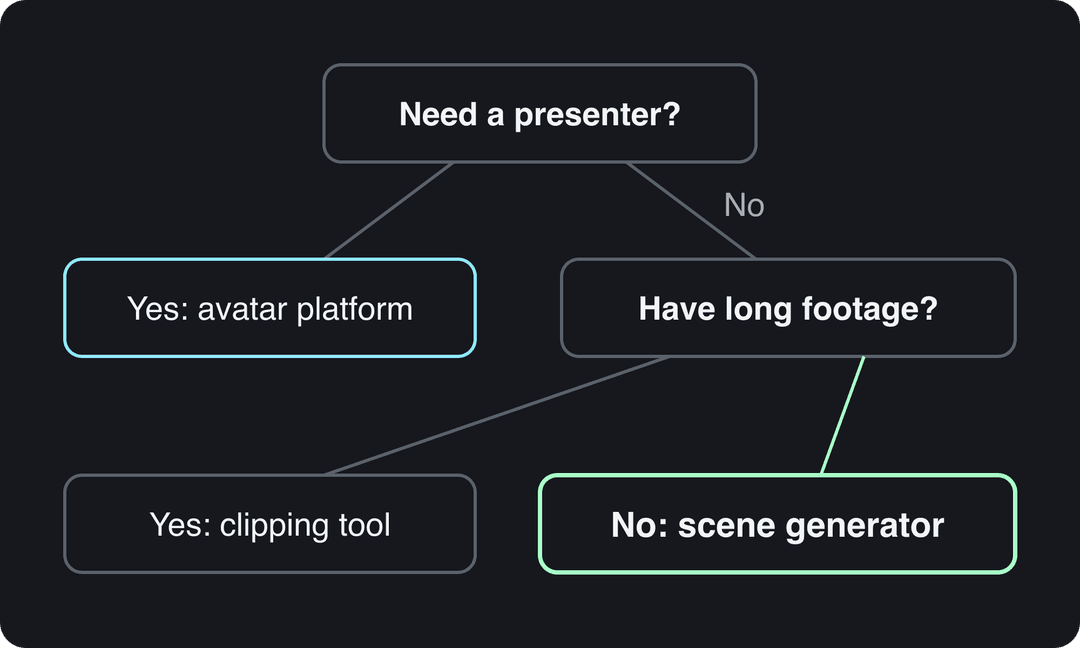
A fourth group, clipping tools such as OpusClip, cuts your own long recordings into shorts. They need footage you already have, so they only count as faceless if that footage has no face in it.
The rule is simple. If you need someone to appear on screen, pick an avatar platform. If you have long recordings to cut, pick a clipping tool. Otherwise, pick a scene-based generator.
Do faceless videos get as many views as on-camera videos?
They got more in Revid's data. In the same 12-month sample of 176,367 TikToks, faceless videos had a 114K median and 17.4% of them passed 1 million views, against 67K and 12.7% for videos with one person on camera. Animal videos, another face-free format, reached a 147K median with 24.1% past 1 million. The full method is in the study what makes a TikTok go viral, and an earlier case study on 2.4 million TikToks found the same direction.
Faceless videos earned a median of 114K views, against 67K for videos with one person on camera, and passed 1M views 38% more often.
Source: Revid analysis of 176,367 TikToks with 1,000+ likes posted between Oct 1, 2025 and Oct 16, 2026 (61,203 creators)
Show the data
| Median views | Share that passed 1M views | |
|---|---|---|
| Animals | 147.4K | 24.1% |
| Faceless | 113.9K | 17.4% |
| Groups of people | 96.1K | 16% |
| Objects or products | 70.8K | 13.2% |
| One person on camera | 67.4K | 12.7% |
Two limits matter. The index only holds TikToks that reached 1,000+ likes, so it compares videos that already did reasonably well, and the figures show what top performers have in common, not what causes views. It is also TikTok data: expect the pattern to be similar on Reels and Shorts, but test it on your own account.
Prompt to try
Make a 30-second faceless tutorial on one phone setting that saves battery. Open with the hook "This setting doubles your phone's battery life", show 3 steps as on-screen visuals with bold captions, keep the voice-over short, and close with "Save this before your next trip."
What kind of faceless videos work best?
The faceless edge is largest in formats where the visual does the work. In Revid's TikTok data, faceless tutorials had a 156K median (22.1% past 1 million) against 52K (10%) for tutorials with someone on camera, and faceless comedy reached a 327K median against 136K on camera.
Faceless tutorials earned about 3x the median views of on-camera tutorials (156K vs 52K).
Source: Revid analysis of 176,367 TikToks with 1,000+ likes posted between Oct 1, 2025 and Oct 16, 2026 (61,203 creators)
Show the data
| Median views | Share that passed 1M views | |
|---|---|---|
| Faceless tutorials | 155.6K | 22.1% |
| Product or object tutorials | 80.7K | 14.9% |
| On-camera tutorials | 52.5K | 10% |
| Faceless storytelling | 72.7K | 13.3% |
| On-camera storytelling | 64.4K | 11.7% |
| Faceless comedy | 326.7K | 26.4% |
| On-camera comedy | 135.5K | 20.7% |
Narration length matters too. Videos with under 40 characters of speech had a 123K median and 20.2% passed 1 million views, while videos talking throughout (300+ characters of speech) had 68K and 11.9%. For faceless creators that means one thing: write less voice-over than you think you need and let the visuals, on-screen text and captions carry the story.
Decision rules for a first faceless series:
- If you teach something, make faceless tutorials: screen recordings, step-by-step visuals, one tip per video.
- If your niche is entertaining, test short comedy or POV scenes with little or no narration.
- If you sell a product, show the product doing the job and keep the voice-over to the hook and the call to action.
The best faceless AI video generators in 2026
The tools below are not ranked; each is best at a different job. Prices are entry prices as listed by each vendor and change often, so confirm them on the vendor's site.
| Tool | Type | Best for | Starting price | Free option |
|---|---|---|---|---|
| Revid | Scene-based | Faceless TikToks, Reels and Shorts, published from one place | $39/month ($32 billed yearly) | Free sign-up with free credits to try; regular creation uses plan credits |
| Synthesia | Avatar | Corporate training and internal comms | $29/month | Up to 10 minutes of video a month, 9 stock avatars |
| HeyGen | Avatar | Realistic avatars and video translation | $29/month | 3 watermarked videos a month, up to 1 minute each |
| Colossyan | Avatar | Workplace learning videos | Check its pricing page | Check its site |
| Runway | Raw clips | Cinematic shots with fine control | $15/month | 125 one-time credits, watermarked |
| Pictory | Scene-based (stock) | Turning articles and scripts into stock-footage videos | $29/month | Free trial |
Revid: best for faceless TikToks, Reels and Shorts
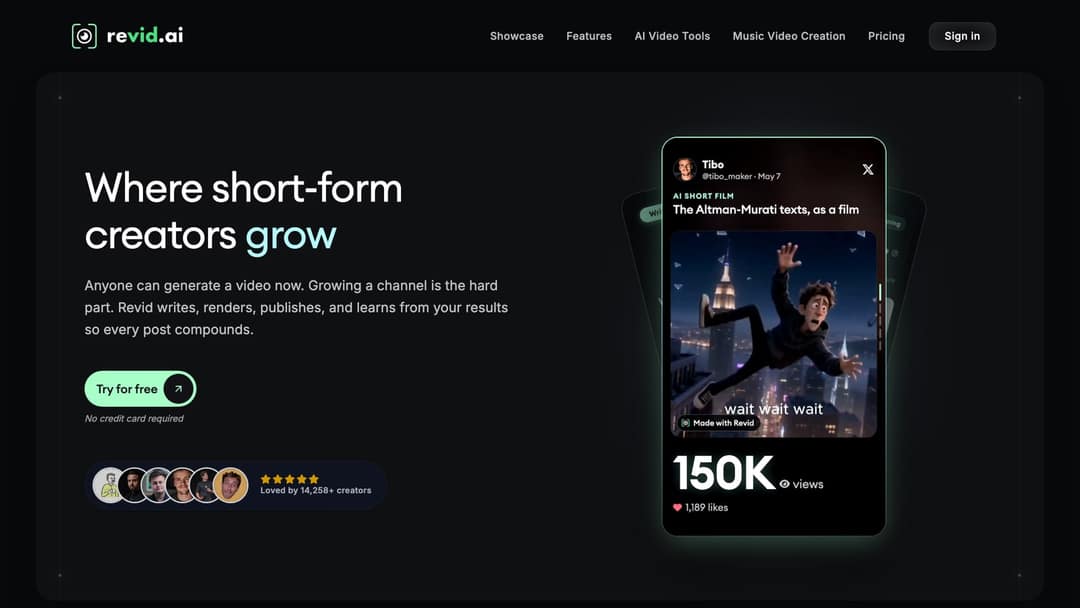
Revid is an AI video platform that turns an idea, a link or a proven viral format into a finished short-form video and publishes it to TikTok, Instagram and YouTube. Its faceless video generator writes the script, builds each scene with stock footage, AI images or AI video, adds a voice-over and synced captions, and lets you fix anything in a timeline editor.
What sets it apart is where a video starts. Revid includes a searchable library of about 2.77 million real short-form videos with their public engagement data, so you can start from a format audiences already watch instead of a blank prompt, and Revid writes an original video from it.
- Models: Seedance 2.5, MiniMax Hailuo H3, Wan 3.0 and Google Veo 3 under one credit system, chosen per scene.
- Voices and captions: 1,000+ AI voices in 70+ languages, 30 caption styles, voice cloning on Elite and above.
- Output: export in 720p, 1080p or 4K at 30 or 60 fps, or publish and schedule directly.
- Automation: Auto-Mode workers create a fresh video every day from a prompt or a content source.
Limits: AI generation uses credits, and paid plans start at $39/month on the pricing page, above some single-format tools. For corporate training with a fixed presenter, an avatar platform fits better.
Synthesia: best for corporate training presenters
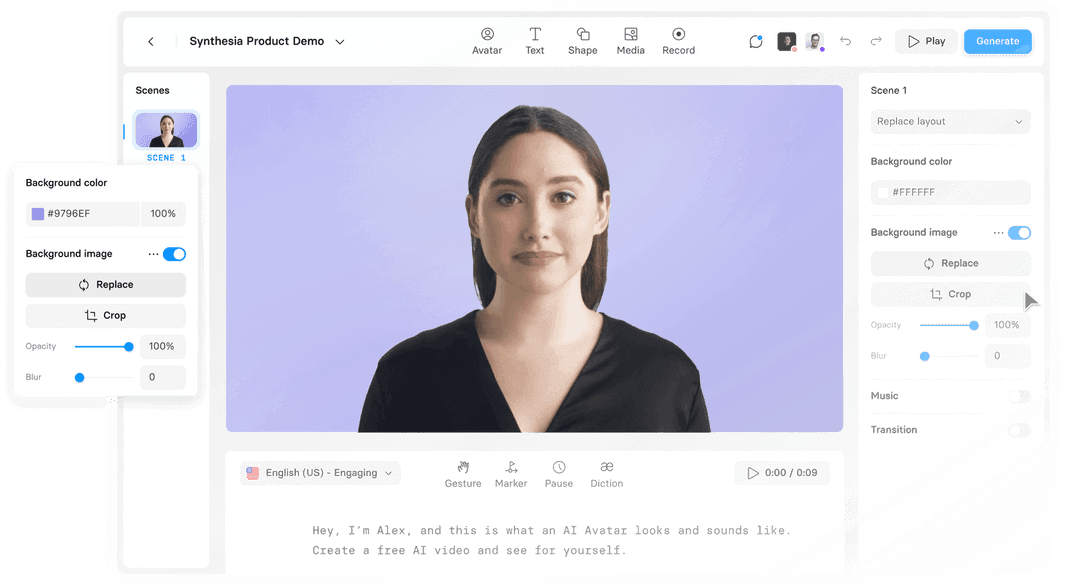
Synthesia is built for training and internal communication at company scale. Its Express-2 avatars use full-body gestures, it supports 140+ languages, and its slide-based workflow will feel familiar to L&D teams, with SCORM and LMS export and enterprise controls.
It starts at $29/month, and the free plan gives up to 10 minutes of video a month with 9 stock avatars. It is a presenter tool, not a faceless short-form tool; the Revid vs Synthesia comparison covers where each fits.
HeyGen: best for realistic avatars and translation

HeyGen has some of the most realistic avatars and digital twins available, plus video translation with lip sync across 175+ languages and real-time interactive avatars. It starts at $29/month ($24 billed yearly), and the free plan allows 3 watermarked videos a month, up to 1 minute each.
Pick it if a believable presenter or multilingual dubbing is the point of the video. For complete short-form videos with generated scenes, see Revid vs HeyGen.
Colossyan: avatar videos for workplace learning
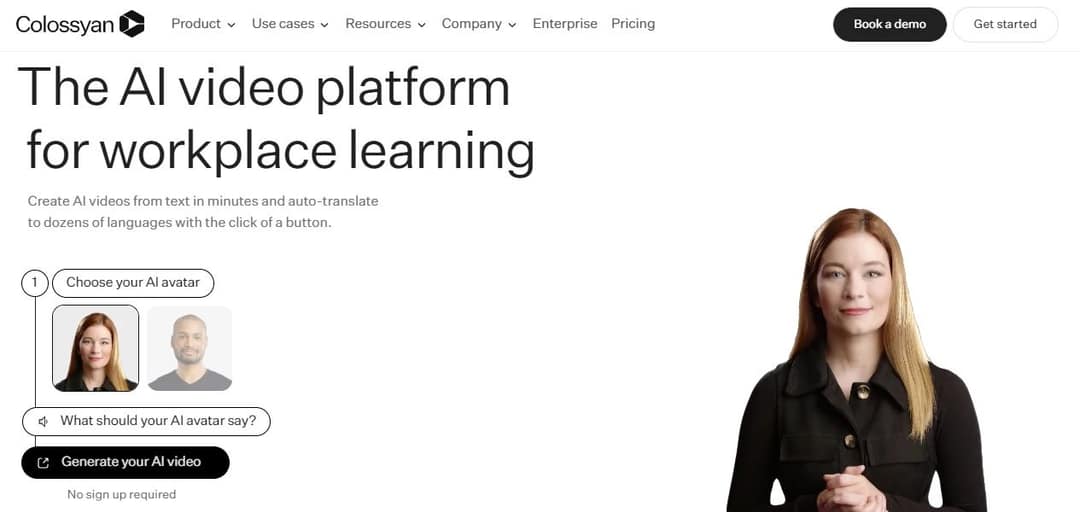
Colossyan positions itself as an AI video platform for workplace learning: you choose an avatar, type what it should say, and it can translate the video into other languages. It competes most directly with Synthesia for training content. Check its site for current plans and prices.
Runway: best for cinematic AI clips
Runway generates single clips with high-rated quality (Gen-4.5) and shot-level control such as camera moves and relighting. It starts at $15/month, and the free plan is 125 one-time credits with a watermark. You still write the script, add the voice and captions, and assemble the video yourself, so it suits editors more than people who want a finished faceless short; see Revid vs Runway.
Pictory: best for articles and scripts to stock-footage videos
Pictory turns blog posts, scripts and URLs into videos at volume, using a 12M+ licensed stock library from Getty Images and Storyblocks, and can clip highlights out of webinar recordings. It starts at $29/month with a free trial. The look is stock footage rather than generated scenes.
Other avatar tools worth a look
These platforms all build presenter-style videos from a script. Compare their free plans and prices on their own sites, since they change often.
- Hour One: AI presenters for business and training videos.
- D-ID: talking-head videos animated from a photo or an avatar.
- Elai: avatar videos generated from text or slides.
- DeepBrain AI: AI avatar presenters for explainers and announcements.
Prompt to try
Create a 25-second faceless POV video: "POV: you cut 3 things from your morning routine and finally have time for breakfast." Use quick scene changes every few seconds, minimal narration, punchy on-screen text and upbeat music, vertical 9:16.
How to make a faceless video with AI
- Pick a format the data favors. Tutorials, short comedy, animals, POV scenes and stories all work without a face.
- Write the hook first. The first line names the payoff or the problem, for example "Your phone is recording in the wrong format" or "3 things to cut from your morning routine". An AI script generator gives you variations to test.
- Cut the narration. Keep the voice-over to the hook, the key steps and the call to action; put the rest in on-screen text.
- Generate visuals scene by scene. One idea per scene, and change the shot every few seconds so the video keeps moving.
- Add voice, captions and music. Captions matter more in faceless videos because there is no face to read.
- Export vertical. TikTok recommends 9:16 at 1080x1920, which also fits Reels and Shorts.
- Label realistic AI content. TikTok and YouTube require a label on realistic AI-generated video, and both say the label alone does not reduce distribution.
A template for a 30-second faceless tutorial:
| Part | What goes in it | Example |
|---|---|---|
| Hook | The result, in one line | "This setting doubles your phone's battery life" |
| Steps | 2 or 3 steps, one per scene, shown on screen | Screen recording with the tap highlighted |
| Proof | Before and after | Battery screen after a full day of use |
| Close | One action | "Save this before your next trip" |
How to make a faceless video with Revid
- Open the faceless AI video generator and enter an idea, a script or a link to an article or video.
- Or start from a viral video in the library and choose "Same energy, new script" to get an original video with the same structure, hook and pacing.
- Choose a voice, a caption style and, if you want, a different AI model for each scene.
- Review the result in the timeline editor and swap any scene, line or visual.
- Export up to 4K or publish and schedule directly to TikTok, Instagram and YouTube; Auto-Mode can then create a new video every day on the same topic.
For a Shorts-specific walkthrough, see how to make faceless YouTube Shorts.
Can you monetize faceless AI videos?
Yes, on YouTube and TikTok, as long as the video is original and adds value. YouTube allows AI and automated tools in monetized content when the final video shows your creative vision and gives educational or entertainment value. It does not monetize:
- AI content made with generic templates that looks mass-produced, without your own insight.
- Videos that stitch together unrelated AI clips to shock viewers, or fake real events.
- AI personas presented as human experts giving health, legal, financial or political advice.
- Videos that only read out material you did not write, such as website text or news feeds.
On TikTok, the Creator Rewards Program requires at least 10,000 followers, 100,000 video views in the last 30 days and videos at least one minute long. Photo-only or text-only videos, looping videos and lightly modified reposts are not considered original. For a full channel plan, read the guide to a faceless YouTube channel.
FAQ
Is there a free faceless AI video generator?
Several tools have a free tier, usually with a watermark and limits: HeyGen allows 3 watermarked videos a month and Synthesia up to 10 minutes a month. Revid sign-up is free and new accounts get free credits to try video creation, with no credit card needed; regular creation then uses the credits of a paid plan from $39/month.
Can I use my own voice in a faceless video?
Yes. In Revid you can build a video from your own recording or clone your voice on the Elite plan and above. YouTube does not require an AI disclosure for cloning your own voice for a voice-over.
Is an AI avatar video a faceless video?
Not really. An avatar video hides your face but still shows a presenter, so it works for training and explainers; faceless channels on TikTok, Reels and Shorts usually rely on scene visuals, text and narration instead.
How long should a faceless TikTok, Reel or Short be?
In Revid's 12-month TikTok sample, every length from under 15 seconds to 10 minutes had a median between 58K and 76K views, with 61 to 90 seconds slightly ahead, so length matters less than the hook. YouTube Shorts can run up to 3 minutes, and Instagram does not recommend reels over 3 minutes to non-followers.
Do I have to label faceless AI videos?
Only when they contain realistic AI-generated video, images or audio. TikTok and YouTube both require a label in that case, and both say the label alone does not affect a video's reach or eligibility to earn.
Sources
- Revid analysis of 176,367 TikToks with 1,000+ likes posted between Oct 1, 2025 and Oct 16, 2026 (61,203 creators)
Charts and figures checked on November 6, 2026.