Revid AI Free Credits and Pricing: What Every Feature Costs
Revid is free to try, with free credits and no card needed. Here is what plans cost, what each feature costs in credits, and what a 30-second video really uses.
On this page
Revid AI is free to start: sign-up costs nothing, needs no credit card, and new accounts get free credits to try video creation. After that, credits come with a paid plan from $39/month (Growth, 2,000 credits), and every feature has a fixed credit price, such as 10 credits per 500 characters of voiceover.
The choice that moves your bill is the visual model, not the script. A 30-second video with a voiceover and Pro AI images uses roughly 45 to 50 credits; the same 30 seconds in Pro AI video uses about 300. The "AI video" media type also needs a subscription, so free credits go to animated AI images, stock footage and the other media types.
- Growth plan per month, billed monthly, with 2,000 credits
- $39
- Revid pricing
- Credits for a 30-second video with voiceover and Pro AI images
- 45-50
- Revid credit table
- Credits for a 30-second video in Pro AI video
- 300
- Revid credit table
- Credits per started 500 characters of voiceover
- 10
- Revid credit table
Is Revid AI free?
Yes, to try. Here is what you get without paying:
- Free sign-up and free credits. No credit card is needed. Your balance shows as "N credits" in the account card at the bottom of the sidebar as soon as you sign up.
- Viral video search. A free account can search Revid's library of about 2.77 million short-form videos with their public engagement data.
- Deep analysis. An AI model explains why a video worked (hook, structure, how to adapt it), free for up to 60 videos a day.
These need a paid plan:
- The "AI video" media type (Animated AI images, Motion graphics, Stock videos, Your own media and Static / Gameplay remain available).
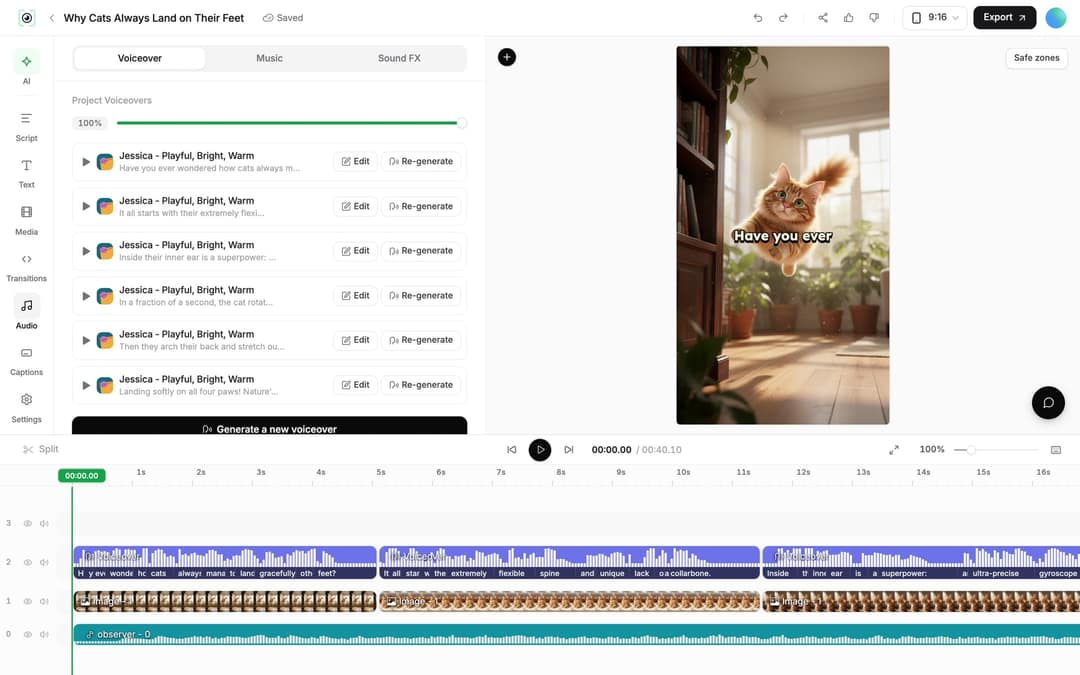
- Regenerating a voiceover in the editor.
- Auto-Mode workers that make a video every day.
- The music generator inside the editor.
- Voice cloning (Elite and above).
If you only want to test the workflow, spend your free credits on a short video with animated AI images in Prompt to Video. It shows the full pipeline (script, visuals, voice, captions) at the lowest cost.
How much does Revid cost per month?
| Plan | Monthly | Billed yearly | Credits per month | Also included |
|---|---|---|---|---|
| Growth | $39 | $32/month | 2,000 | Full platform, API, MCP and CLI, 3 Auto-Mode workers, 5 watched channels |
| Elite | $89 | $74/month | 5,000 | Voice cloning, 5 Auto-Mode workers, 20 watched channels |
| Ultra | $199 | $166/month | 12,000 | 10 Auto-Mode workers, 50 watched channels |
Higher-volume plans go up to 200,000 credits a month. Prices change, so treat the live Revid pricing page as the authoritative list.
What happens to unused credits?
Plan credits do not pile up. At each renewal, your balance is refilled to your plan's amount: a Growth account goes back up to 2,000 credits. If your balance is already higher than the plan amount, the higher balance is kept.
When you run short before renewal, buy a Credit Boost pack. Boost credits never expire and are spent only after your monthly balance runs out.
| Credit Boost pack | Price |
|---|---|
| 1,000 credits | $49 |
| 4,000 credits | $99 |
| 10,000 credits | $199 |
| 100,000 credits | $1,900 |
You can also turn on auto top-up in your account settings, which keeps automations running when the balance gets low.
Revid credit costs for every feature
| Feature | Cost in credits |
|---|---|
| Voiceover | 10 per started 500 characters |
| AI image | Low 1, Pro 4, Ultra 16 per image |
| AI image edit | 8 |
| AI video | 15 to 500 per 5 seconds depending on the model (table below) |
| Motion graphics | Low 2, Pro 3, Ultra 5 per second (minimum 15 seconds per generation) |
| Talking avatar | Low 80, Pro 100, Ultra 200 per 500 characters |
| Avatar background removal | +20 per 500 characters |
| Face swap and motion transfer | Pro 50, Ultra 100 per started 5 seconds |
| Character swap | Base 15, Pro 36, Ultra 45 per second |
| Video translation | 10 per 500 characters per voice segment, plus avatar lip sync if any |
| Music generation | 20 per generation (20 per started minute in the editor's music generator) |
| AI lyrics | 16 |
| Sound effect | 1 each |
| Auto-reframe | 10 |
| 4K export | 10 |
| AI upscaling | 5 per second |
| Character or preset training | 200 |
How are AI video credits calculated?
AI video is priced per 5 seconds and billed pro rata per second, so a 3-second scene costs less than a 5-second one. You pick the model per scene, which lets you spend on the shots that matter and save on the rest.
| AI video model | Credits per 5 seconds |
|---|---|
| Low | 15 |
| Low, image to video | 40 |
| Pro | 50 |
| Ultra | 100 |
| Google Veo 3 | 100 |
| MiniMax Hailuo H3 | 100 |
| MiniMax Hailuo H3 2K | 250 |
| Seedance 2.5 1080p | 250 |
| Seedance 4K | 500 |
OpenAI's Sora 2 is no longer offered: OpenAI shut down the Sora API on September 24, 2026. If you want to compare models on more than price, Revid's AI video model index measures speed and failure rates across 713,649 production generations.
Motion graphics follow a per-second rule too: 2, 3 or 5 credits per second for Low, Pro and Ultra, with a 15-second minimum per generation. A 15-second generation therefore costs at least 30 credits on Low, 45 on Pro and 75 on Ultra.
What do voiceovers, avatars and face swaps cost?
Voiceovers cost 10 credits per started block of 500 characters, in any of the 70+ supported languages. Blocks are rounded up: a 1,000-character script costs 20 credits, and so does a script just over 500 characters. Make one in the voiceover video maker.
Regenerating a voiceover after you edit the script costs the same rate, is available on paid plans, and the dialog states the exact price ("This operation costs N credits.") before you click "Generate Voice". For an avatar video, regenerating the narration also redoes the lip sync, which adds to the price shown.
A talking avatar costs 80 (Low), 100 (Pro) or 200 (Ultra) credits per 500 characters of script, plus 20 per 500 characters to remove the background. Face swap and motion transfer cost 50 (Pro) or 100 (Ultra) credits per started 5 seconds of source video. Character swap is billed per second: 15 base, 36 Pro, 45 Ultra.
How much does it cost to translate a video?
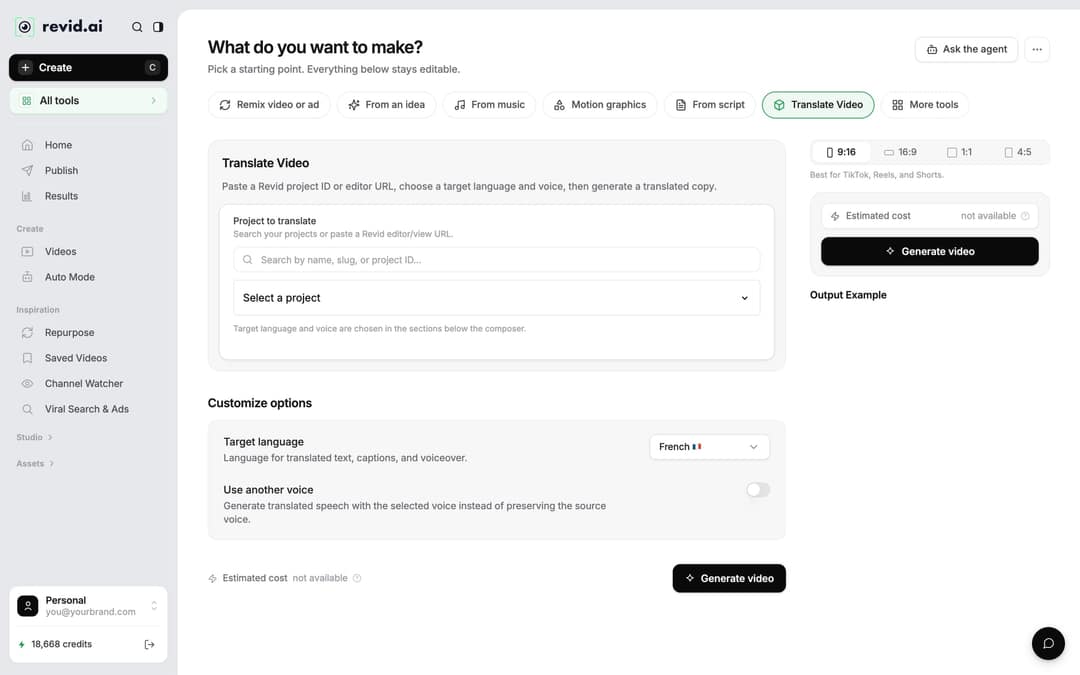
In the Videos list, open a project's menu and choose "Translate", or use the video translator directly. It keeps your edit, media, timing and captions, and costs 10 credits per 500 characters per voice segment. If the video has an avatar, the lip sync is generated again and billed on top.
Music, sound effects and export costs
- AI music: 20 credits per generation. The music generator in the editor bills 20 credits per started minute and needs a subscription. You can also pick one of 199 built-in tracks.
- AI lyrics: 16 credits.
- Sound effects: 1 credit each.
- Export: 720p and 1080p add no charge; 4K export costs 10 credits.
- Upscaling: 5 credits per second of footage.
- Auto-reframe: 10 credits, for example when the YouTube clip maker turns a long video into vertical Shorts.
- Training a consistent character or a style preset: 200 credits once, then reusable.
Prompt to try
Make a 30-second vertical video about three habits that help you fall asleep faster. Open with the hook: "You are not bad at sleeping, you are doing these three things wrong." Use animated AI images in a soft, calm illustrated style, a warm female voiceover and bold captions.
In dollars at the Growth rate ($39 for 2,000 credits), a 60-second video costs about $0.43 with stock footage, $0.68 with animated AI images, $1.46 with pro AI images, $4.29 with AI video clips and $13.30 with pro AI video. A 90-second video costs 1.5 times the 60-second price. Every price includes the AI voice-over (10 credits per 30 seconds); motion graphics show the calculator's upper bound.
Source: Revid public credit calculator (POST /api/public/v3/calculate-credits, no key), prompt-to-video workflow, 30, 60 and 90 seconds, queried Oct 29, 2026.
Show the data
| 60-second video, credits | 30-second video, credits | 60-second videos per Growth month | |
|---|---|---|---|
| Stock footage | 22 | 11 | 90 |
| Animated AI images | 35 | 18 | 57 |
| AI images, pro | 75 | 37 | 26 |
| AI video clips | 220 | 110 | 9 |
| Motion graphics | 275 | 160 | 7 |
| AI video, pro | 682 | 341 | 2 |
How many credits does a 30-second video use?
A 30-second script runs about 500 characters (10 credits of voiceover) and splits into about 8 scenes. The visuals decide the rest:
| 30-second video | Voice | Visuals | Approximate total | Videos per month on Growth |
|---|---|---|---|---|
| Pro AI images, a few sound effects | 10 | 32 for images, 3 to 5 for effects | 45 to 50 | About 40 |
| Low AI video | 10 | 90 | 100 | About 20 |
| Pro motion graphics | 10 | 90 | 100 | About 20 |
| Pro AI video | 10 | 300 | Just over 300 | About 6 |
Veo 3, MiniMax Hailuo H3 or Ultra for the full 30 seconds costs twice the Pro AI video figure, and Seedance 1080p five times the Pro rate. For daily faceless videos, animated AI images with a voiceover give you the most videos per credit.
Where Revid shows the cost before you spend
- Your balance. The account card at the bottom of the sidebar shows "N credits". Click it to upgrade or buy credits.
- Before generating. On the Create page (sidebar "Create", shortcut C), "Estimated cost" sits next to the "Generate video" button and updates as you change the media type, ratio and length.

- In the editor. Voice regeneration and other paid actions state their price in the dialog before you confirm.
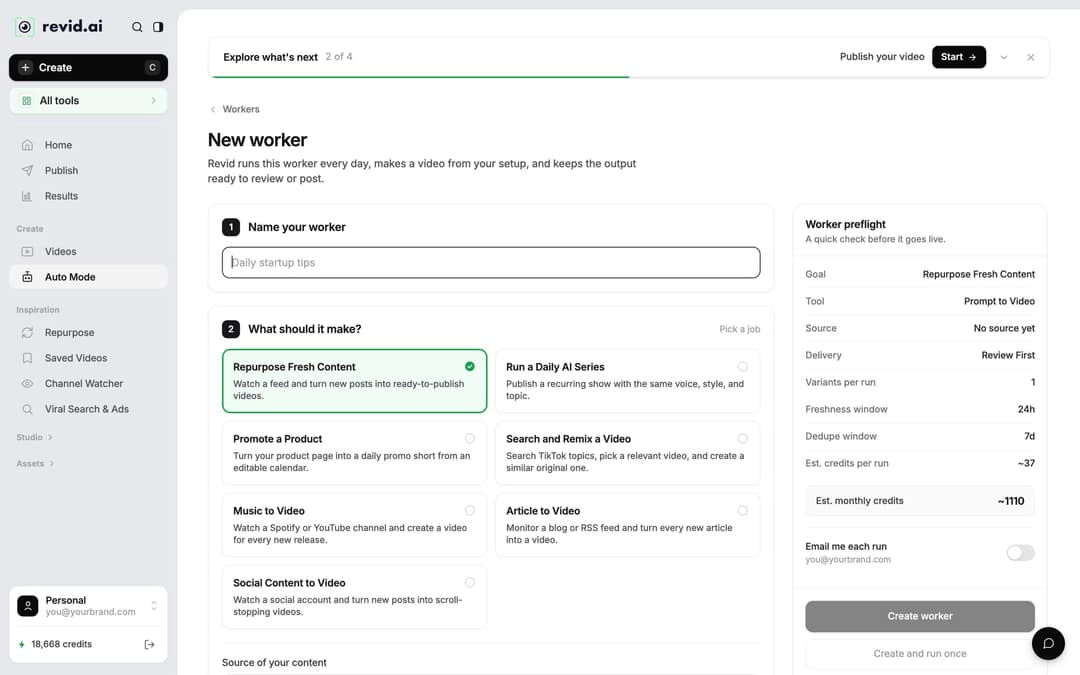
- For Auto-Mode workers. The "Worker preflight" panel shows "Est. credits per run" and "Est. monthly credits" (per run times 30). A worker run costs what the same video costs when you make it by hand. If your balance is too low, the run fails, auto top-up is tried if you turned it on, and you get an email.
Calls that failed
Source: Revid production data: 713,649 AI video clips generated Jun 29, 2026 to Sep 26, 2026.
Show the data
| Calls that failed | |
|---|---|
| Seedance | 2.7% |
| MiniMax Hailuo | 2.2% |
| PixVerse | 6.4% |
Do you get credits back when a video fails?
Yes. A failed build is refunded automatically, and a build stuck for more than 2 hours is swept and refunded too. The one exception is a charge for a storyboard-review pause, which is not refundable.
How to make your credits go further
- Draft cheap, then upgrade. Build the first version with Low or Pro AI images, check the script and pacing, then regenerate only the scenes that need real motion.
- Spend on the hook. If one scene carries the video, give that scene Pro AI video and keep the rest as animated images. Models are chosen per scene.
- Trim the script before voicing. Voice is billed per started 500 characters, so cutting a script from just over 500 to under 500 halves the voice cost.
- Fix text before regenerating. Edit captions in the Script panel first, then regenerate the voice once instead of after every change.
- Buy Boost packs for spikes, not a bigger plan, if only one month is heavy: Boost credits never expire.
FAQ
Is Revid AI safe?
Revid is run by an independent software company based in Paris, France (operated by TMAKER), founded in 2023 as Typeframes and renamed Revid in April 2024. Sign-up needs no credit card, and the Revid privacy policy explains how your data is handled.
Is Revid AI good?
For short-form video it is a strong fit: it covers research, creation, editing and direct publishing to TikTok, Instagram and YouTube, has had 3,000,000+ sign-ups since August 2024, and 400+ creators have passed 100,000 views with videos made on it. For long-form film editing or corporate training presenters, a specialized tool fits better; the honest Revid comparisons show where.
Is Sora 2 still available on Revid?
No. OpenAI shut down the Sora API on September 24, 2026. Revid's AI video models are now Seedance 2.5, MiniMax Hailuo H3, Wan 3.0 and Google Veo 3, plus lower-cost tiers.
How much does a 1-minute Revid video cost?
Roughly double the 30-second figures above: under 100 credits with Pro AI images and a voiceover, and over 600 with Pro AI video for every scene. The Create page shows the exact estimate before you generate.
Sources
- Revid public credit calculator (POST /api/public/v3/calculate-credits, no key), prompt-to-video workflow, 30, 60 and 90 seconds, queried Oct 29, 2026.
- Revid production data: 713,649 AI video clips generated Jun 29, 2026 to Sep 26, 2026.
Charts and figures checked on November 6, 2026.