YouTube Thumbnail Size 2026: Dimensions, Ratio and File Limits
YouTube now recommends 3840 x 2160 thumbnails at 16:9, with 1280 x 720 still accepted. Here are the exact specs, the file limits that break mobile uploads, and the Shorts and playlist sizes.
On this page
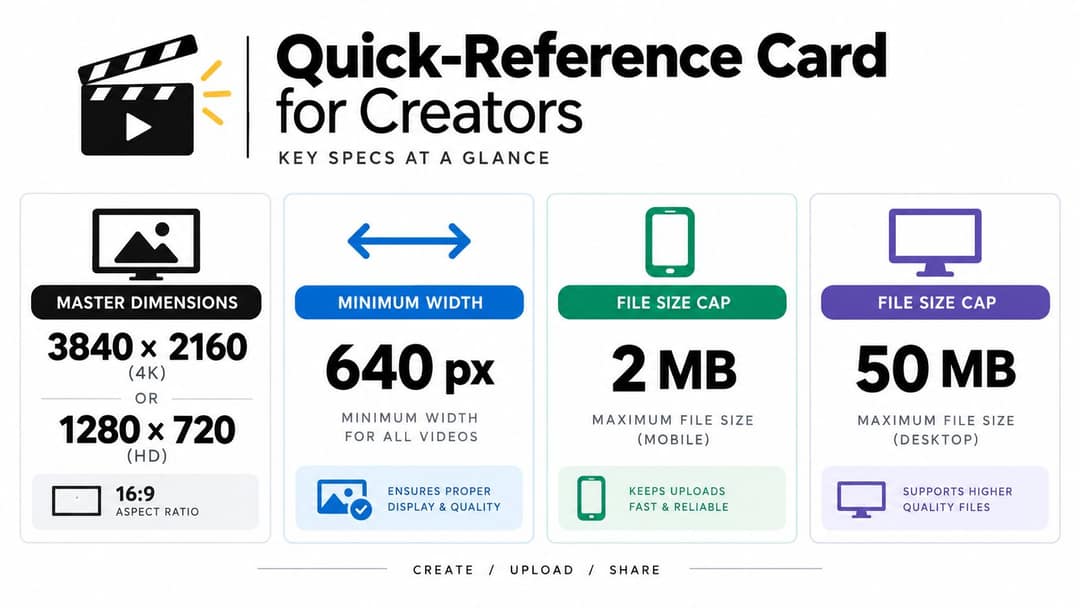
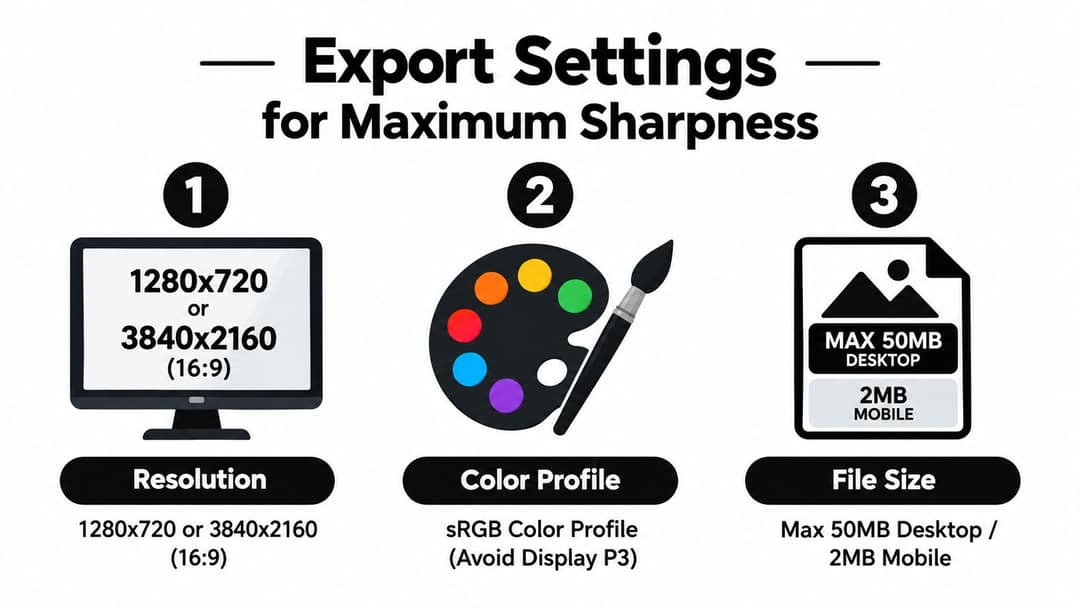
The recommended YouTube thumbnail size in 2026 is 3840 x 2160 pixels at a 16:9 aspect ratio, with a minimum width of 640 pixels. The older 1280 x 720 still works. Files can be up to 50 MB when you upload from a computer, but only 2 MB from a phone.
Two things trip people up more than the pixel count. A 4K export that uploads fine from a laptop fails in the YouTube app because of that 2 MB cap. And if your video is vertical, the 16:9 thumbnail you designed does not appear on the home, Explore or Subscriptions pages at all: YouTube replaces it there with an auto-generated 4:5 thumbnail.
- Recommended YouTube thumbnail size in pixels, at 16:9
- 3840 x 2160
- YouTube Help
- Minimum thumbnail width YouTube accepts
- 640 px
- YouTube Help
- Max thumbnail file size when uploading from a computer
- 50 MB
- YouTube Help
- Max thumbnail file size when uploading from the mobile app
- 2 MB
- YouTube Help
YouTube thumbnail size and specs at a glance
| Spec | Value | Note |
|---|---|---|
| Recommended size | 3840 x 2160 px | YouTube's current recommendation |
| Still accepted | 1280 x 720 px | The long-standing baseline |
| Aspect ratio | 16:9 | Same shape as a landscape video player |
| Minimum width | 640 px | YouTube's stated minimum |
| Max file size (computer) | 50 MB | Upload your full master here |
| Max file size (phone) | 2 MB | Export a lighter copy for the app |
| Formats | JPG, GIF, PNG | JPG for photos, PNG for text and flat graphics |
| Who can upload | Verified accounts | Verify your channel before your first custom thumbnail |
These figures come from YouTube Help's custom thumbnails page, which is the page to check if anything changes.
What is the aspect ratio for a YouTube thumbnail?
A standard YouTube thumbnail uses a 16:9 aspect ratio, the same shape as the landscape video player. Any 16:9 size at or above 640 pixels wide is valid: 1280 x 720, 1920 x 1080 and 3840 x 2160 are all 16:9, so the composition stays identical and only the detail changes.
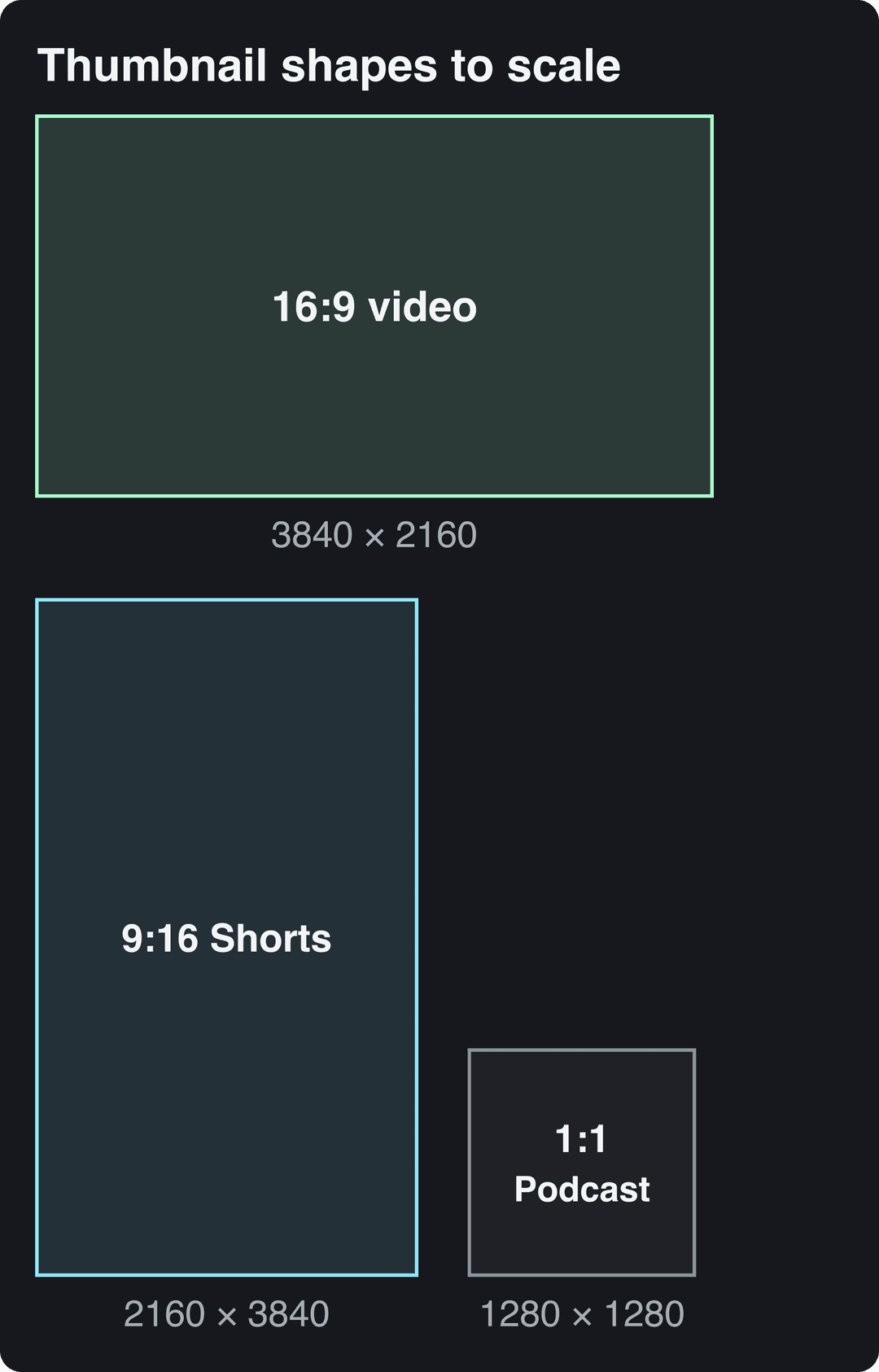
A square or 4:3 image will not fill the 16:9 slot cleanly. Set the canvas to 16:9 before you place the face, text or product, because changing the ratio at the end forces you to rebuild the layout. Shorts and podcasts use different shapes, shown to scale below.
Can you use a 1920 x 1080 thumbnail?
Yes. 1920 x 1080 is 16:9 and well above the 640-pixel minimum, so YouTube accepts it. It is a sensible middle ground if your design tool or camera exports at 1080p by default: sharper than 1280 x 720, lighter than 3840 x 2160.
1280 x 720 or 3840 x 2160: which should you use?
Both work. 1280 x 720 became the standard because the YouTube Data API thumbnail reference lists it as the largest (maxres) variant, and most templates still start there. 3840 x 2160 is what YouTube Help now recommends, and it gives you more detail on large screens and more room to crop alternate versions.
| Factor | 1280 x 720 | 3840 x 2160 |
|---|---|---|
| File weight | Light, easy to keep under 2 MB | Heavy, often over 2 MB as a photo-rich JPG |
| TV and large screens | Fine | Sharper |
| Editing speed | Fast | Slower in heavier projects |
| Cropping room | Little | Plenty for variants and tests |
Use these rules:
- You publish often and upload from your phone: design at 1280 x 720. It stays under the mobile cap without fighting compression.
- You upload from a computer and use detailed photos or gameplay: design at 3840 x 2160 and upload the full file.
- You work in a team or reuse thumbnails across platforms: keep a 3840 x 2160 master and export a 1280 x 720 copy when needed.
- Any workflow: never upscale a finished 1280 x 720 file to 3840 x 2160. Enlarging adds pixels, not detail, and text edges go soft.
File size limits: 50 MB on desktop, 2 MB on mobile
YouTube allows thumbnails up to 50 MB when you upload in YouTube Studio on a computer, but only 2 MB from the mobile app, as the YouTube Help page for Android uploads states. A correctly sized 3840 x 2160 image with photographic detail can easily pass 2 MB.
To get a phone upload under 2 MB:
- Export as JPG instead of PNG if the thumbnail is mostly photographic.
- Reduce the dimensions to 1280 x 720 or 1920 x 1080 before lowering JPG quality. Smaller dimensions cut weight with less visible damage than heavy compression.
- Check the file size in your files app before opening YouTube.
Export settings for sharp thumbnails
Export in the sRGB color profile. Images saved in wider profiles such as Display P3 can look duller or shifted once they are shown in browsers and apps.
- PNG for text-heavy designs, flat colors and graphic shapes: edges stay crisp.
- JPG for photo-led thumbnails: much smaller files; raise quality until there are no visible blocks around text.
- In Photoshop: set the document to 3840 x 2160 or 1280 x 720, convert to sRGB, then export.
- In Canva: create a custom-size design at your chosen pixel size and download as PNG or JPG, then check the file size before uploading.
YouTube Shorts thumbnail size
YouTube recommends Shorts thumbnails at 2160 x 3840 pixels (9:16), with a minimum height of 640 pixels. Custom Shorts thumbnails can only be uploaded in YouTube Studio on a computer, and only by verified accounts. The phone app will not let you set one.
The bigger catch is placement. For vertical videos, YouTube replaces a 16:9 custom thumbnail with an auto-generated 4:5 thumbnail on the home, Explore and Subscriptions pages. Keep the subject and any text centered so the image still reads when the top and bottom are trimmed, and keep key elements clear of the on-screen buttons (the YouTube Shorts safe zone checker shows where they sit).
Do not crop a finished 16:9 thumbnail into a vertical one. Build the 9:16 version as its own layout with the same colors, face treatment and fonts. If you make your Shorts with Revid's AI YouTube Shorts generator, it renders vertical videos with voice-over and captions and can publish them to YouTube; add the custom thumbnail afterwards in YouTube Studio on a computer.
YouTube playlist thumbnail size
A regular playlist shows a 16:9 thumbnail taken from one of its videos, so design it like any video thumbnail: 1280 x 720 or larger, 16:9. Pick the video whose thumbnail best represents the series, or make one video's thumbnail double as the playlist cover.
Podcast playlists are the exception: they use a square 1:1 image. YouTube Help has listed 1280 x 1280 pixels for podcast thumbnails; confirm the current size on the custom thumbnails page linked above before you design. In a square tile, keep one recognizable subject and one short line of text, because thin borders and small logos disappear first.
Prompt to try
Create a 30-second vertical YouTube Short titled "Your thumbnail is failing on mobile". Open with the hook "Your 4K thumbnail just got rejected by the YouTube app", then explain the 2 MB phone limit, the 50 MB desktop limit and the 16:9 at 3840 x 2160 recommendation. Use clean motion graphics, bold captions and an upbeat, direct voiceover.
Generating in the final shape matters: cropping a wide video to 9:16 cuts off text and faces. Avatar tools such as Synthesia and HeyGen default to 16:9 for training and web use.
Source: Revid data, Amplitude project_built by ratio for text-input tools, Sep 29 to Oct 28, 2026, 50,623 projects.
Show the data
| Share of projects | Projects | |
|---|---|---|
| 9:16 vertical | 83.2% | 42.1K |
| 16:9 wide | 15.2% | 7.7K |
| 1:1 square | 0.9% | 457 |
| 4:5 portrait | 0.7% | 356 |
YouTube video dimensions vs thumbnail dimensions
The thumbnail and a standard video share the same 16:9 shape. A landscape video is usually 1920 x 1080 (1080p) or 3840 x 2160 (4K), so a 3840 x 2160 thumbnail matches a 4K video pixel for pixel. Shorts are vertical 9:16 videos up to 3 minutes long.
For full video specs, see our guide to YouTube video width and height and the explainer on YouTube video formats. If you also post to TikTok and Instagram, the social media video sizes guide puts every platform in one table.
Design for the phone feed first
Resolution keeps a thumbnail sharp; design decides whether anyone clicks. Most thumbnails are seen as small cards in a phone feed, so judge every design at that size, not at full screen.
- Shrink it before you ship it. Zoom out until the thumbnail is about the size of a feed card, or view it on your phone at arm's length. If you can't tell the subject and the promise instantly, simplify.
- Keep the lower-right corner clear. YouTube places the duration badge there and it covers small text or details.
- Use a few words, not a sentence. Let the thumbnail add something the title doesn't say: the result, the conflict or the reaction. Pair it with a strong title from a YouTube title generator.
- Push contrast. Light subject on dark background or the reverse. Add an outline or a solid shape behind text when the photo behind it changes in brightness.
- Show one clear expression. A visible face with an obvious emotion reads faster than any caption; turning the eyes toward the text or object guides attention.
- Brand small and consistently. One recurring color, font or corner mark helps returning viewers spot your uploads without competing with the subject.
This Canva walkthrough shows the full process of building a thumbnail from a template:
Test thumbnails with Test & Compare
YouTube Studio on a computer can A/B test up to 3 titles and thumbnails for a video with its Test & Compare feature. YouTube shows the variants to different viewers and then serves the one with the highest watch time to everyone, so the winner is the thumbnail that brought in people who kept watching, not just the most clicks. Shorts are not eligible, and Studio shows whether your channel can use the feature.
Make the variants genuinely different, changing one idea at a time:
- Face-led vs object-led composition
- Outcome text vs problem text
- Dark background vs bright background
- Calm expression vs visible surprise
If Test & Compare isn't available to you, swap thumbnails manually: note the click-through rate and views for a fixed period, replace the thumbnail with a clearly different version, and compare the same length of time without changing the title.
Pre-upload checklist
- Canvas at 16:9: 3840 x 2160 for a computer upload, 1280 x 720 if you upload from your phone.
- Exported in sRGB, as PNG for graphics or JPG for photos.
- File under 50 MB on desktop, under 2 MB on mobile.
- Readable at feed-card size, nothing important in the lower-right corner.
- For vertical videos, subject centered so the 4:5 auto-thumbnail still works.
- Music cleared: if you use background tracks, Drumloop AI has a guide to royalty-free music for YouTube videos.
FAQ
Why can't I upload a custom thumbnail on YouTube?
Your account is most likely not verified. Custom thumbnails, including Shorts thumbnails, require a verified account, and Shorts thumbnails can only be added in YouTube Studio on a computer.
What happens if my thumbnail file is too large?
The upload fails. Desktop uploads accept up to 50 MB and the mobile app only 2 MB, so export a smaller JPG or reduce the dimensions to 1280 x 720 before uploading from a phone.
Which color profile should a YouTube thumbnail use?
sRGB. Other profiles such as Display P3 can make colors look washed out or shifted once YouTube displays the image in browsers and apps.
Do transparent PNG thumbnails work?
They upload, but transparency is not shown as transparent: the empty areas render against a background. Fill the whole 16:9 canvas instead.
Is the YouTube thumbnail size the same as the banner size?
No. The channel banner uses a much wider canvas with its own safe area for different devices; see our YouTube banner size guide for those specs.
Sources
- Revid data, Amplitude project_built by ratio for text-input tools, Sep 29 to Oct 28, 2026, 50,623 projects.
Charts and figures checked on November 6, 2026.