2,595 videos created with Revid in the last 24h

or explore our 42+ other tools to create the exact video you want
Explore our tools
Revid's audio to video AI turns a recording into a captioned video. Upload an MP3, WAV or M4A file (or a video, or a YouTube, TikTok or Instagram link): Revid transcribes it, adds captions synced to your voice, illustrates it with B-roll it finds or generates, and keeps your audio as the soundtrack. Convert the whole file, a time range, or let the AI cut up to 3 highlight clips.
Upload audio or paste a URL to transform spoken content into a captioned video with relevant visuals and short-form pacing.
or explore our 42+ other tools to create the exact video you want
Explore our toolsUpload an MP3, WAV or M4A file, or a video file, or paste a YouTube, TikTok or Instagram link. Spoken content like a podcast, an interview or a voice note works best.
Keep Full length for one video of the whole file, choose AI highlights for 1 to 3 short clips, or select a time range. Leave Add B-Roll on, pick stock videos, animated AI images, AI video or your own media, then choose split screen or full screen B-roll and how often it appears.
Revid transcribes the audio, places the captions and the B-roll in sync with it, and opens the video in the editor. Fix any caption or clip, then export an MP4 in 720p, 1080p or 4K, or publish it straight to TikTok, YouTube or Instagram.
Got a podcast episode, voiceover, or music track but no visuals to go with it? Revid's audio to video AI takes your audio file and automatically generates a matching video with relevant visuals, captions, and scene transitions synced to your sound. Just upload your audio, choose your visual style, and let the AI build the video around it. No camera, no stock footage hunting, no manual editing.
Revid's audio to video AI generator analyzes the content, tone, and pacing of your audio to determine the best visual treatment. For spoken word content, it generates caption-driven video with supporting imagery. For podcasts, it can identify the key moments and build shareable clips automatically. The result is a finished video that feels intentional, not auto-generated.
Revid supports all major audio formats including MP3, WAV, and M4A. Drop in your file, select your output format (vertical for Reels and TikTok, horizontal for YouTube) and our AI handles the rest. Whether you're repurposing a recording, launching a music video, or turning a lecture into shareable content, Revid's MP3 to video AI delivers a polished result every time.
Most audio creators, from podcasters and educators to coaches and musicians, already have great content. What they lack is the visual layer that platforms like TikTok, Instagram, and YouTube Shorts reward with distribution. Revid's audio to video converter removes every barrier between your existing audio library and a consistent video presence. There is no camera to set up, no video editing timeline to learn, and no starting from scratch. Every recording you have ever made is already a video waiting to be generated.
Explore different styles and possibilities with our Audio to Video
Turn voice recordings, audiobooks, or educational content into visually compelling videos. Add dynamic visuals that keep viewers engaged from start to finish.

Convert audio interviews into professional video content. Perfect for media companies, HR departments, and content creators who want to maximize the value of their interview recordings.
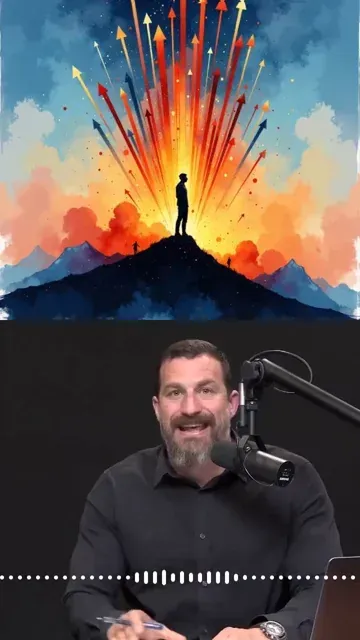
Transform your long-form podcasts into engaging, shareable video clips. Our AI automatically identifies the most compelling moments and adds perfectly synchronized visuals that amplify your message.

Find detailed answers to 100+ questions about features, tools, and workflows
or check our markdown version optimized for LLMs
Choose your tool, add your content, and create a video in seconds. Then customize it to your liking.
Turn your prompts into engaging videos with AI assistance
Create studio-quality videos from text, no filming required
Turn any song into an animated lyric video with synced text and visuals.
RevidAI's Viral Search and Channel Watcher surface the formats, creators, and trends getting attention right now, then help you turn them into ideas of your own.

Found something worth making? Revid AI writes the script, suggests the structure, and turns links, prompts, or topics into complete video concepts.

Script, voiceover, visuals, subtitles, and editing all come together in one workflow. No stitching together five different tools.

Share your videos to TikTok, YouTube, Instagram, and wherever your audience is.
