Creators publish 30,000+ videos a month with Revid

Text to Brainrot Video Generator

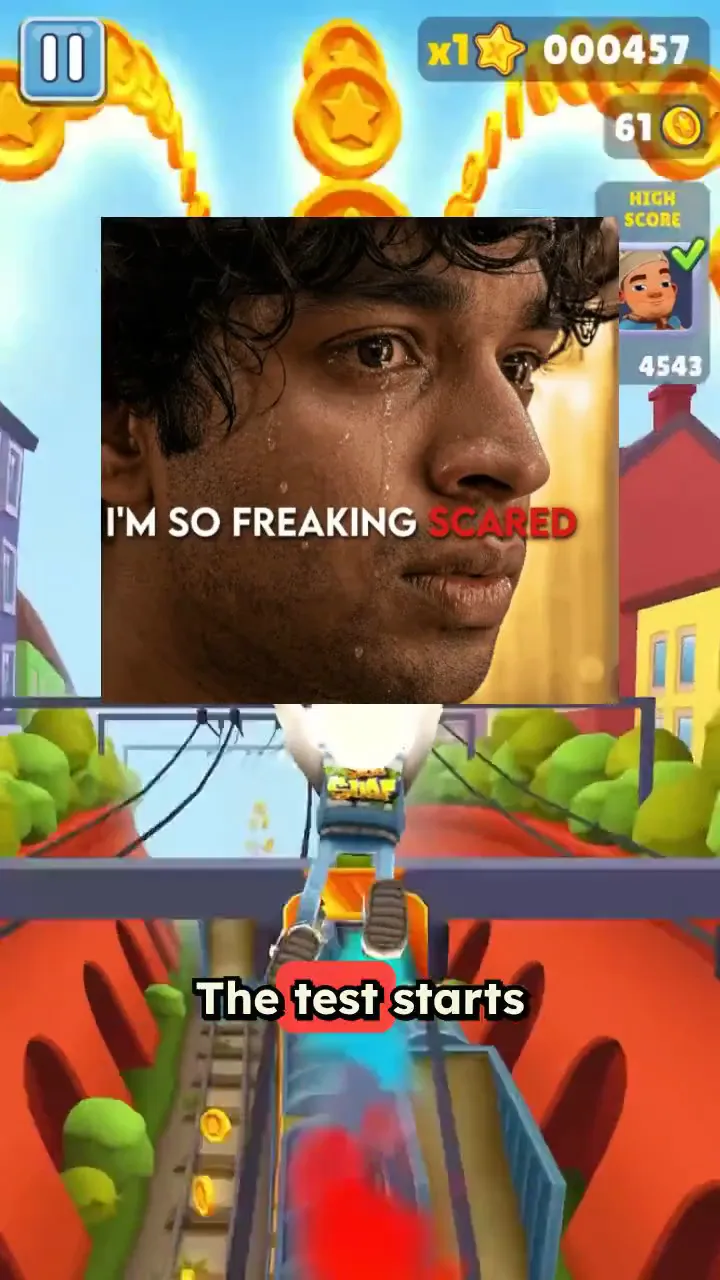
Revid's text to brainrot generator turns any text or link into a brainrot video: a fast AI voice reads it over gameplay like Subway Surfers or Minecraft parkour, with captions, music, meme GIFs and sound effects. Pick another background or upload your own, then post the vertical video to TikTok, Reels or Shorts.

  • Start from text in seconds
  • AI voiceover
  • Auto-selects visuals
  • Captions and sound-ready
Proof of range

Start From What Already Works

YOUR IDEA
Your Prompt

Script automatically generated by Revid
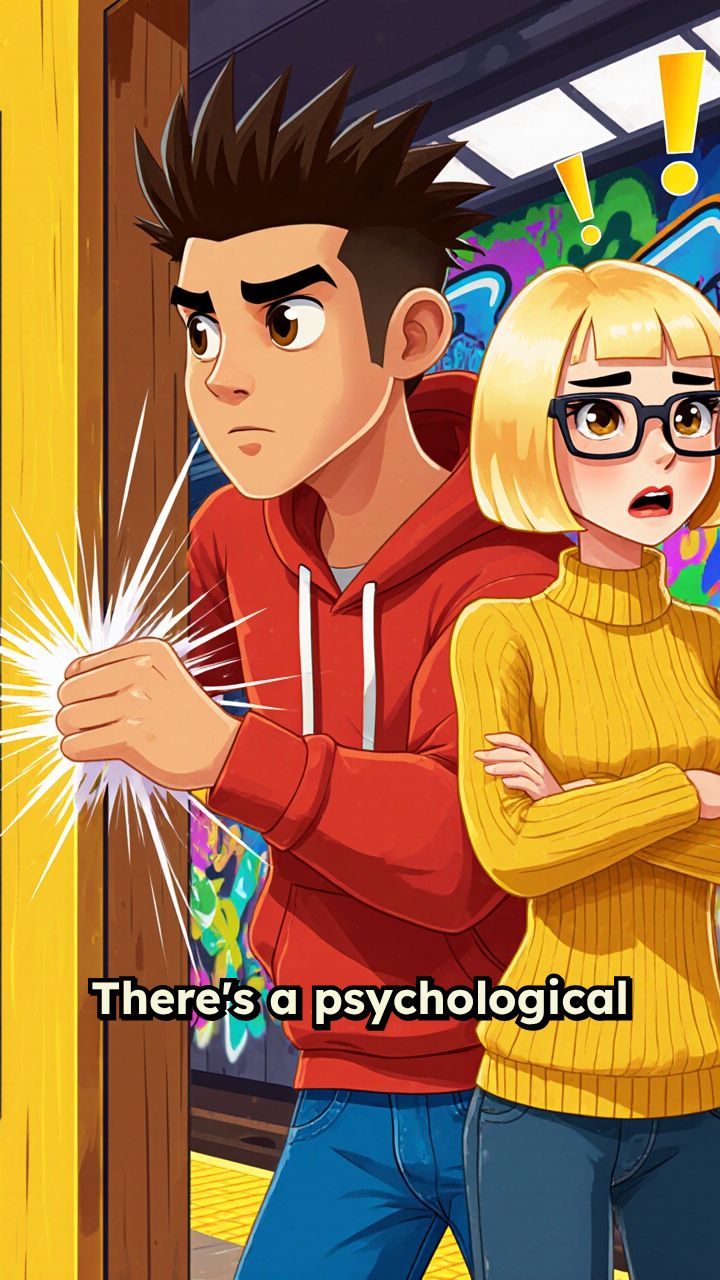
There's a psychological trick called the Door in the Face technique. [person slamming door] You ask for something ridiculous first. Can I borrow your car for a month? They say no. Then you ask for what you actually want. Can I get a ride to the airport? <break time="0.5s" /> They almost always say yes. You've been manipulated like this your whole life.
Visual FormatAI Video
Visual StyleFlat Animation
FINAL VIDEO

Create Viral TikToks with the Text to Brainrot Generator in 3 Steps

1 Input Your Text or Link

Start by typing your script, pasting your study notes, or dropping a link into our text to brainrot generator. Whether it's a story, a hot take, or educational content, our AI will automatically prepare it for a high-retention brainrot video.

2 Choose Your Gameplay & Memes

Select from trending split-screen gameplay backgrounds like Subway Surfers or Minecraft Parkour. Then, toggle on our signature brainrot enhancements: sync meme GIFs and viral sound effects (like the Vine boom or Bruh sound) directly to the beat of the AI voiceover.

3 Generate and Go Viral

Hit generate and watch the AI brainrot maker turn your text into a fully edited, vertical 9:16 video in seconds. Complete with fast-paced AI voice, dynamic auto-captions, and gameplay footage, your video is instantly ready to download and post to TikTok, YouTube Shorts, or Instagram Reels.

01

The Brainrot Generator Alternative That Does More

Looking for a brainrot generator alternative with more features, more formats, and faster generation? Revid is the AI brainrot generator thousands of creators are switching to with support for custom voices, split-screen gameplay, and one-click export to TikTok, Reels, and Shorts. Everything brainrot.mov does, plus the tools you actually need to grow.

02

Text to Brainrot Video Just Type and Generate

Revid's text to brainrot tool is the fastest way to turn any idea, script, or topic into a full brainrot video. Type your text, pick a voice and background style, and our AI generates a ready-to-post short-form video in seconds. No editing, no recording, no hassle just text in, brainrot video out. It's free to try and takes less than a minute.

03

The AI Brainrot Generator Built for Creators and Students

Whether you're making content for fun or turning study notes into something actually watchable, Revid's AI brainrot generator handles the whole process automatically. Choose from brainrot voices, viral gameplay backgrounds, and AI-written scripts or bring your own. Our brainrot maker gives you full creative control without the learning curve, so you can create brainrot videos that perform without spending hours in an editor.

04

Free Brainrot Video Generator No Download Required

Revid's free brainrot video generator runs entirely in your browser, so there's nothing to install and no learning curve. Create your brainrot, preview it instantly, and download or share directly to your favorite platform. Whether you need a single video or want to produce brainrot content at scale, Revid is the brainrot creator that grows with you.

Watch & Learn

How to Get the Most Out of our Text to brainrot generator?

Discover how to use our Text to brainrot generator to create content in a smart and effective way.

How to Create Viral AI Brainrot Videos Automatically

Example Videos

See What You Can Create with Text to Brainrot Video Generator

Explore different styles and possibilities with our Text to Brainrot Video Generator

Any Text Into a Viral Brainrot Video

Type your idea, paste a script, or drop a link — the AI turns it into a full brainrot video with voiceover and trending backgrounds in seconds. No editing, no setup, just results.

  • Type any text and get a ready-to-post TikTok video
  • AI voiceover with brainrot-style delivery
  • Trending Subway Surfers and Minecraft backgrounds
  • Auto-captions included for maximum reach
Any Text Into a Viral Brainrot Video

Repurpose Any Idea Into Scroll-Stopping Content

Got a story, a hot take, or a trending topic? Turn it into brainrot-style content your audience can't stop watching. The AI writes, voices, and produces the whole video automatically.

  • Works with ideas, scripts, stories, or any topic
  • AI picks the most engaging brainrot background
  • Generate multiple videos from one input
  • One-click export to TikTok and Reels
Repurpose Any Idea Into Scroll-Stopping Content

Study Smarter, Create Brainrot Faster

Turn your notes, facts, or study material into the kind of video people actually watch. Brainrot format makes even dense content addictive — and way more shareable.

  • Perfect for students, educators, and knowledge creators
  • AI-generated script keeps the content punchy and fast
  • Multiple background styles to match your vibe
  • Free to try — no credit card, no download needed
Study Smarter, Create Brainrot Faster
FAQs

Frequently Asked Questions

What is the Text to Brainrot Video Generator?
Our Text to Brainrot Video Generator is an AI-powered tool that instantly converts any text, script, or link into a highly engaging, fast-paced 'brainrot' style video. It automatically combines your text with an energetic AI voice, dynamic captions, trending gameplay footage (like Subway Surfers or Minecraft Parkour), meme GIFs, and viral sound effects. It's the ultimate brainrot maker for TikTok, Reels, and Shorts.
How does the text to brainrot AI work?
It's incredibly simple: just type your text or paste a link. The AI brainrot video generator takes your input, generates a fast-paced AI voiceover, overlays bold auto-captions, and places it over split-screen gameplay footage. You can even enable automatic meme overlays and sound effects to maximize viewer retention.
Do I need to find and download my own Subway Surfers or Minecraft gameplay?
No! Our AI brainrot generator comes fully loaded with a library of viral gameplay backgrounds, including Subway Surfers and Minecraft Parkour. You don't need to hunt for footage or use complex editing software. Just select your preferred gameplay style, and the text to brainrot tool handles the rest.
Can I add meme sound effects and GIFs to my brainrot videos?
Absolutely. Revid's brainrot creator includes built-in toggles for 'Meme GIFs' and 'Meme sound effects'. When enabled, the AI will automatically pop meme GIFs and punchy sound effects (like the Vine boom, bruh, huh cat, and boowomp) on the strongest beats of the narration, perfectly synced over the gameplay.
Is this a good brainrot.mov alternative?
Yes, Revid is widely considered the best brainrot.mov alternative. We offer a more robust AI brainrot generator with faster generation times, custom AI voices, automatic meme integrations, and one-click exports. It's a complete text to brainrot platform built for creators who want to scale their content without the hassle.
Can I use the text to brainrot tool for studying?
Yes! Many students use our text to brainrot video generator to turn boring study notes, facts, and flashcards into highly addictive, watchable content. By formatting dense information with fast AI voices and Minecraft parkour backgrounds, studying becomes much more engaging and shareable.
What platforms are these brainrot videos optimized for?
Videos created with our AI brainrot maker are generated in a vertical 9:16 aspect ratio, making them perfectly optimized for TikTok, YouTube Shorts, and Instagram Reels. The fast-paced editing, captions, and gameplay backgrounds are specifically engineered to stop the scroll on these short-form platforms.
Is the brainrot video generator free to use?
Revid offers a free tier so you can test out the free brainrot video generator without needing to download any software. It runs entirely in your browser. As you scale up and need to generate more videos, you can upgrade to one of our paid plans for additional credits and premium features.
How long does it take to make a brainrot video?
With traditional editing, syncing gameplay, text, and meme sounds can take hours. With our text to brainrot generator, the entire process takes less than a minute. You simply put your text in, and a fully edited brainrot video comes out seconds later.
Can I upload my own background video instead of using the default gameplay?
Yes! While our AI brainrot maker is famous for its Subway Surfers and Minecraft Parkour backgrounds, you have full creative control. You can easily upload your own background video or gameplay footage to create a completely unique text to brainrot experience for your audience.

Still have questions?

Contact us

Find detailed answers to 100+ questions about features, tools, and workflows

or check our markdown version optimized for LLMs

Tools

Free AI Video Tools

Choose your tool, add your content, and create a video in seconds. Then customize it to your liking.

See all tools

AI TikTok Video Generator

Turn text into trendy, viral TikTok videos in a snap

Try it out

Prompt to Video

Turn your prompts into engaging videos with AI assistance

Try it out

Add Caption to Video

Generate subtitles in 100+ languages with AI captions

Try it out

PDF to Brainrot

Convert PDFs into attention-grabbing, scrollable videos

Try it out

Text to Brainrot

Turn your text into trendy, scrollable content with dynamic visuals

Try it out

AI Talking Avatar

Create lifelike talking avatars from text in seconds

Try it out

Video Podcast Generator

Transform your podcasts into visually engaging video content

Try it out

AI Movie Maker

Create studio-quality videos from text, no filming required

Try it out

Audio to Video

Make engaging videos from your podcasts, interviews, or any audio content

Try it out

Animated Lyrics Video Generator

Turn any song into an animated lyric video with synced text and visuals.

Try it out

AI Music Video Generator

Transform your music into cinematic music videos.

Try it out

AI Lyrics Video Generator

Transform your lyrics into a complete music video with AI

Try it out
How it works

From Signal To Published In Four Steps.

1

Find Viral & Trending Videos.

RevidAI's Viral Search and Channel Watcher surface the formats, creators, and trends getting attention right now, then help you turn them into ideas of your own.
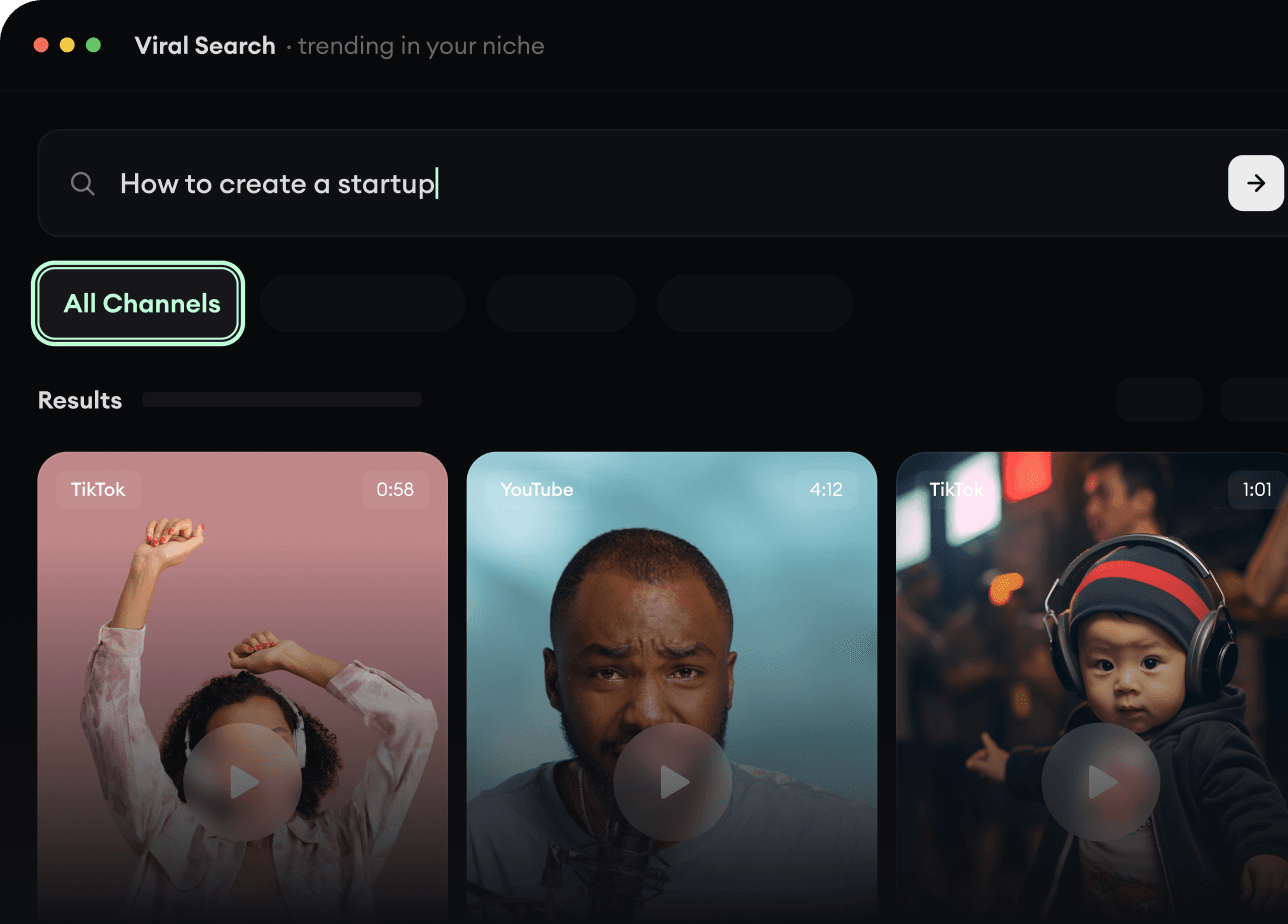
  • Discover winning video formats in your niche
  • Follow creators and channels that matter
  • Start with proven ideas instead of guessing
Find Viral & Trending Videos.
2

Turn An Idea Into A Story.

Found something worth making? Revid AI writes the script, suggests the structure, and turns links, prompts, or topics into complete video concepts.
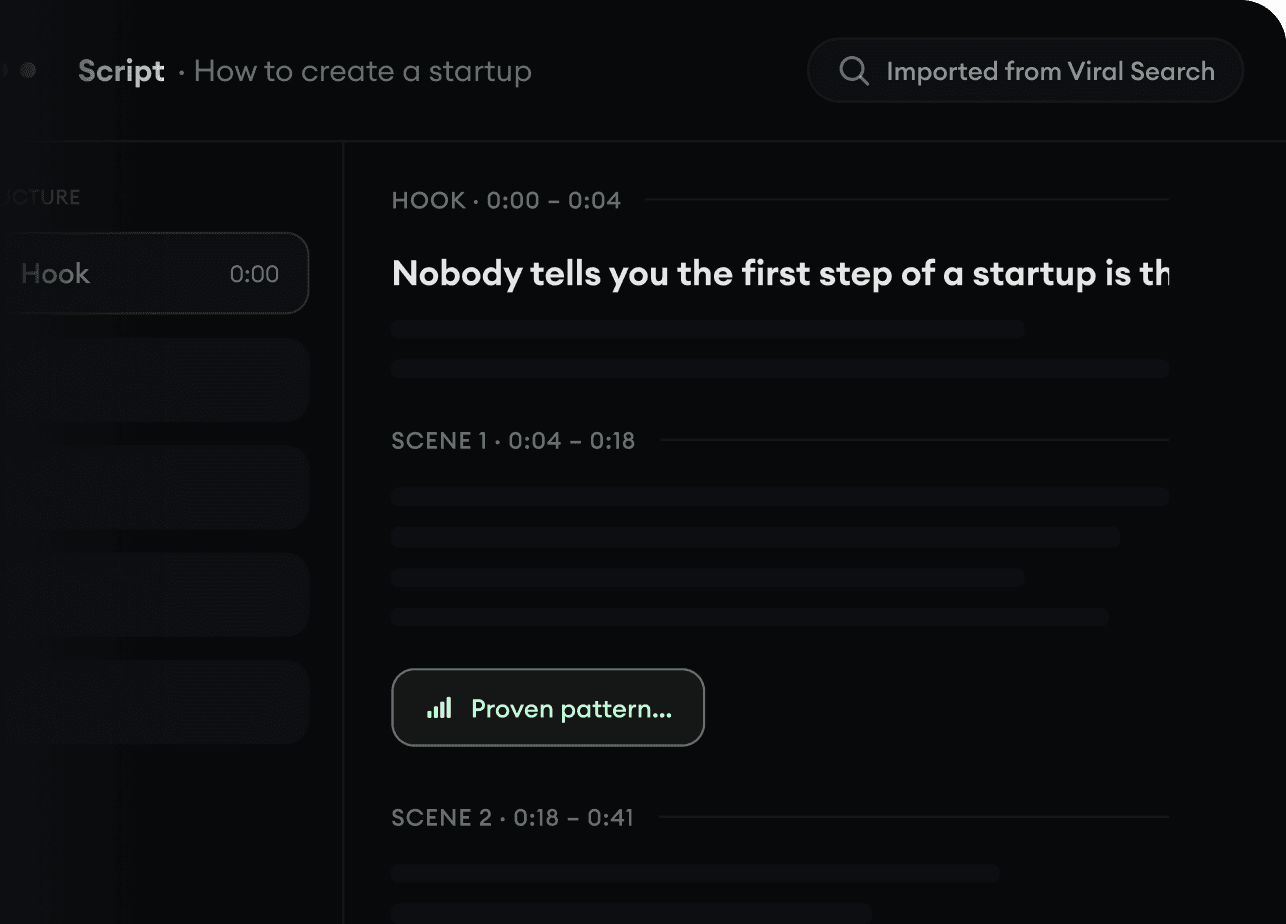
  • Start with a prompt, topic, or URL
  • Generate scripts inspired by proven patterns
  • Build stories designed to keep people watching
Turn An Idea Into A Story.
3

Generate The Finished Video.

Script, voiceover, visuals, subtitles, and editing all come together in one workflow. No stitching together five different tools.
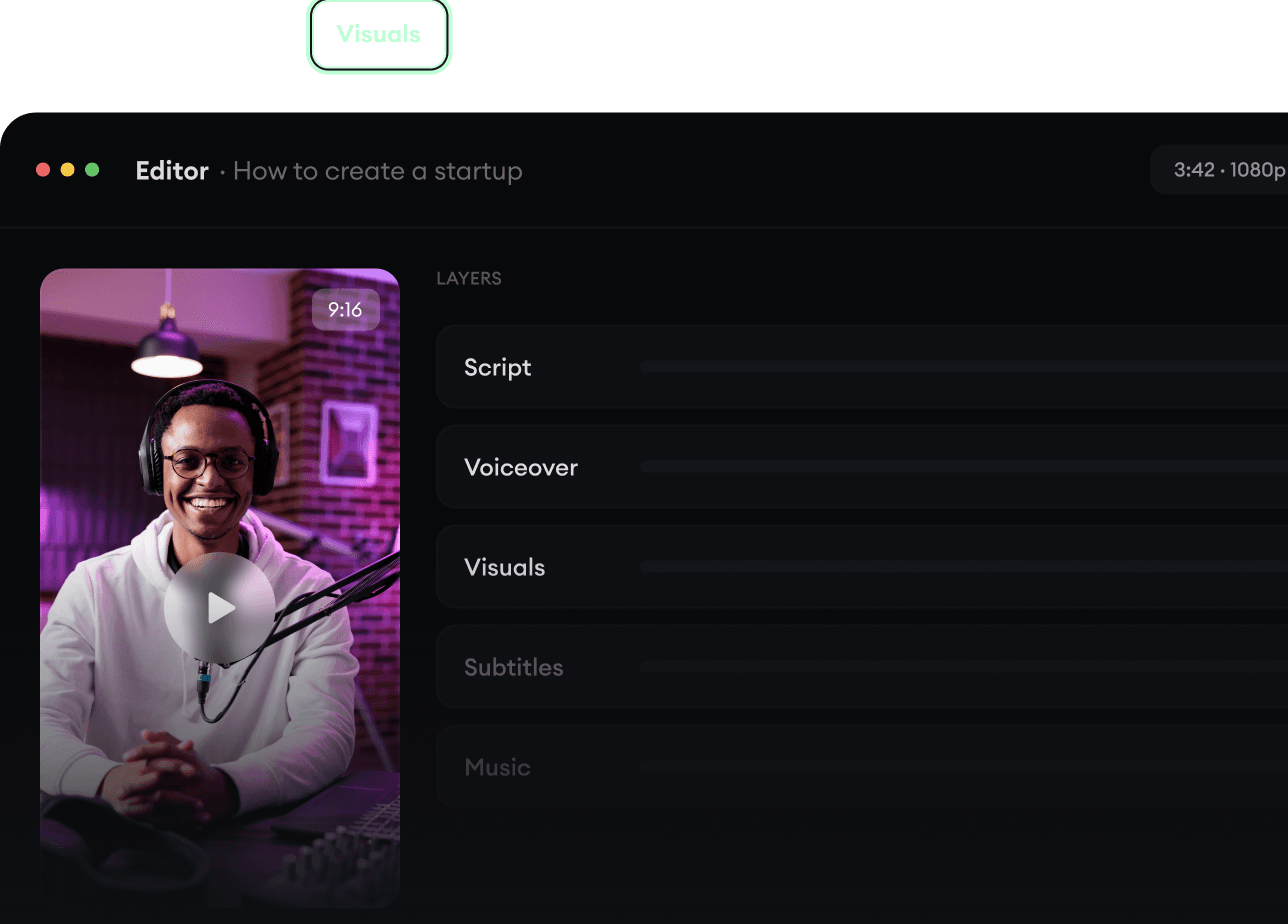
  • Turn text into complete, multi-minute videos
  • Generate everything in one place
  • Refine the result in the editor
Generate The Finished Video.
4

Publish Everywhere.

Share your videos to TikTok, YouTube, Instagram, and wherever your audience is.
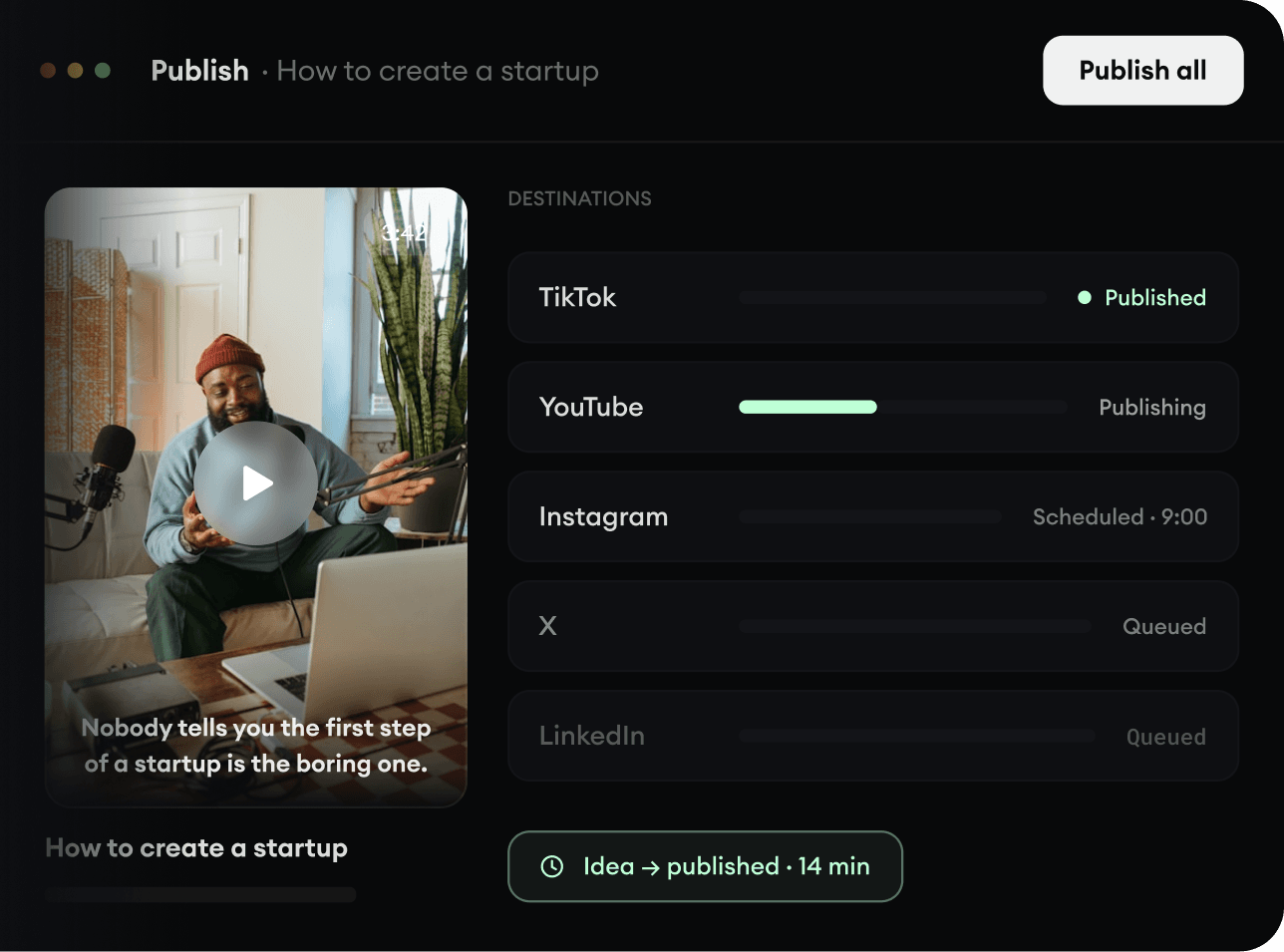
  • Publish across every major platform
  • Reach more people with less work
  • Go from idea to published video in minutes
Publish Everywhere.