2,595 videos created with Revid in the last 24h
or explore our 42+ other tools to create the exact video you want
Explore our tools
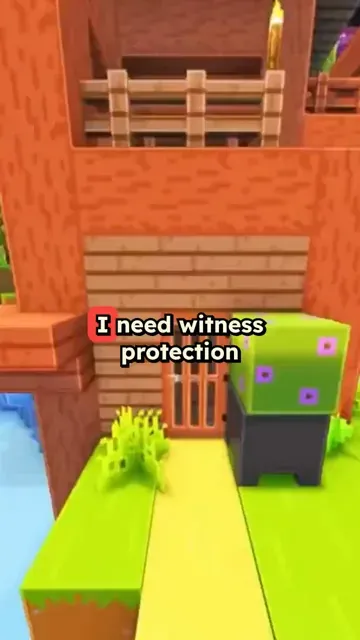
Revid's Minecraft parkour video generator turns text or a PDF into a vertical short: a fast AI voice reads your script over Minecraft parkour gameplay, with captions synced to the voice, music, meme GIFs and sound effects. The gameplay comes from a built-in library, so there is nothing to record or download.
or explore our 42+ other tools to create the exact video you want
Explore our toolsPaste a script, a story or your notes, or upload a PDF. Short, punchy sentences read best at the fast pace of the format.
A fast AI voice and a Minecraft parkour clip are selected for you. Pick another voice or another clip if you like, upload your own background with Custom, and keep or switch off the meme GIFs and sound effects.
Revid voices your text, lays it over the gameplay with captions and music, and opens the vertical video in the editor. Fix a caption or a line, then export it or publish it to TikTok, YouTube Shorts or Instagram Reels.
The combination of fast-paced Minecraft parkour footage and an audio narration creates a dual-stimulation format that holds attention far longer than static video. Viewers watch the gameplay while absorbing the content being spoken, which is why this format consistently outperforms plain talking-head videos for information-dense topics. Channels using this format report significantly higher average watch times compared to standard short-form content. The visual engagement comes from the game, so your script does all the work.
Paste your script, upload a PDF, or link a blog post, and Revid generates a 9:16 Minecraft parkour video with an AI voiceover and automatic Minecraft background footage. You do not need gameplay footage, a gaming setup, or editing skills. The tool handles background video selection, voiceover sync, and caption placement automatically. The same workflow works for study notes, news summaries, opinion pieces, and storytelling content. Try the Subway Surfers video generator if you want a different brainrot background format.
Study creators, teachers, and explainer channels use the Minecraft parkour format to package educational content into a format that younger audiences actually choose to watch. The gameplay footage reduces the effort required from the viewer, making dense topics easier to consume. Whether the content is history, science, language learning, or personal finance, overlaying it on Minecraft parkour increases completion rates and shareability without changing the substance of what is being taught.
Package lecture notes, textbook summaries, or exam prep content into Minecraft short videos that students seek out because they are more engaging than plain text or static slides.
Add commentary, opinion, or news content on top of existing Minecraft footage to create hybrid content that serves both gaming audiences and topic-driven viewers.
Deliver curriculum-aligned content in a format students actually watch voluntarily. The brainrot format removes the friction that static educational videos typically create.
Take blog posts, articles, or podcast transcripts and convert them into Minecraft short videos that reach a completely different audience segment on TikTok and Shorts.
Creating this format manually requires sourcing gameplay footage, recording a voiceover, editing the audio sync, and adding captions. Revid generates the entire video from a script or URL in minutes.
Discover more ways to create engaging videos with our AI-powered tools
Find detailed answers to 100+ questions about features, tools, and workflows
or check our markdown version optimized for LLMs
Choose your tool, add your content, and create a video in seconds. Then customize it to your liking.
Turn your prompts into engaging videos with AI assistance
Create studio-quality videos from text, no filming required
Turn any song into an animated lyric video with synced text and visuals.
RevidAI's Viral Search and Channel Watcher surface the formats, creators, and trends getting attention right now, then help you turn them into ideas of your own.

Found something worth making? Revid AI writes the script, suggests the structure, and turns links, prompts, or topics into complete video concepts.

Script, voiceover, visuals, subtitles, and editing all come together in one workflow. No stitching together five different tools.

Share your videos to TikTok, YouTube, Instagram, and wherever your audience is.
