Real Estate Video Editing: 9 Best Editors for 2026 (AI Included)
The best real estate video editor depends on what you start with: pro footage, phone clips or only listing photos. Here are 9 options, a decision guide, a step-by-step editing workflow and export specs for every platform.

On this page
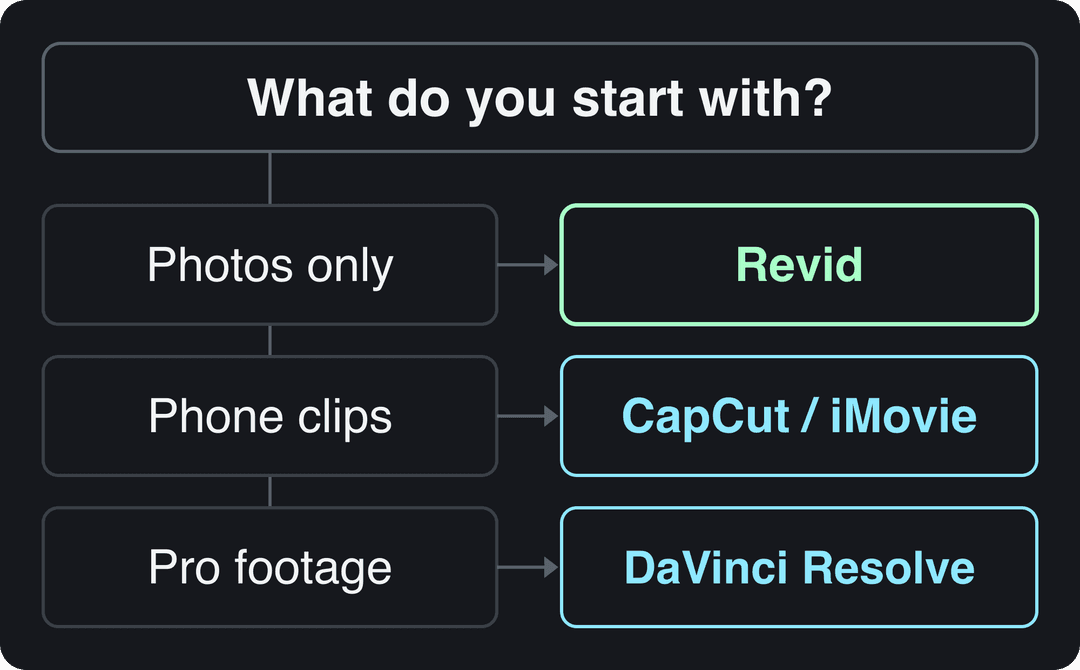
The best real estate video editing software depends on what you start with. Pro footage: DaVinci Resolve (free) or Premiere Pro. On a Mac: Final Cut Pro ($299.99 once). Phone clips: CapCut or iMovie. Only listing photos: an AI editor such as Revid, which writes the script and adds voice, captions and music.
The edit matters more than the tool. In Clutch's October 2025 survey of U.S. consumers, 88% said a video needs to grab them in 30 seconds or less, and only 9% said they give short-form videos their full attention. A listing video that opens on the driveway and walks room by room loses most viewers before the kitchen. Whatever editor you choose, open on the best room.
- Consumers who say a video must grab them in 30 seconds or less
- 88%
- Clutch, November 2025
- Final Cut Pro one-time price, the pay-once option for Mac users
- $299.99
- Apple
- DaVinci Resolve Studio one-time upgrade; the base version is free
- $295
- Blackmagic Design
- Revid Growth plan per month, 2,000 credits for AI listing videos
- $39
- Revid pricing page
Best real estate video editing software at a glance
| Editor | Best for | Runs on | Price | Learning curve |
|---|---|---|---|---|
| Revid | Listing videos from photos with AI script, voice and captions | Browser | Free sign-up with free credits; paid plans from $39/month | Low |
| DaVinci Resolve | Color grading drone and gimbal footage | Windows, macOS, Linux | Free; Studio $295 one-time | High |
| Adobe Premiere Pro | Agencies and teams already on Creative Cloud | Windows, macOS | Subscription (check Adobe) | High |
| Final Cut Pro | Mac users who want to pay once | macOS | $299.99 one-time | Medium |
| CapCut | Fast phone edits with auto-captions | Mobile, desktop | Free tier; Standard about $9.99/month | Low |
| iMovie | Free basic edits on Apple devices | Mac, iPhone, iPad | Free | Low |
| Animoto | Template videos from photos and short clips | Browser | Free sign-up; paid plans | Low |
| Movavi Video Editor | Beginner desktop editing with stabilization | Windows, macOS | Paid license; free download to try | Low to medium |
| TourWizard | Virtual tours rather than edited videos | Browser | Check the site | Low |
How to choose a real estate video editor
Start from your raw material, not from feature lists. Most agents overbuy: a pro editor sitting unused costs more than a simple app used every week.
- If you only have listing photos, use an AI editor that turns photos into a narrated video (Revid), or a template tool (Animoto).
- If you shoot clips on your phone, edit on the phone with CapCut or iMovie and post the same day.
- If you shoot drone, gimbal or multi-camera footage, use DaVinci Resolve (free) or step up to Premiere Pro or Final Cut Pro.
- If you sell immersive tours rather than edited videos, look at a virtual tour platform such as TourWizard.
The 9 best video editors for real estate
1. Revid: AI listing videos from photos
Revid works differently from the editors below. Instead of cutting footage on a timeline, you upload listing photos (or use stock footage, AI images, AI video or motion graphics), and the Revid real estate marketing video tool writes the script and adds a voice-over, synced captions and music. You can then adjust any scene in the timeline editor, export up to 4K and publish or schedule directly to TikTok, Instagram and YouTube.
- Strengths: no filming or editing skills needed; 1,000+ AI voices in 70+ languages, useful for international buyers; one queue for all three short-form platforms.
- Limits: less suited if you only want to hand-cut your own walkthrough footage; AI generation uses credits.
- Price: sign-up is free and new accounts get free credits to try video creation, no credit card needed; regular creation uses the credits of a paid plan, from $39/month (Growth, 2,000 credits). The live list is on the Revid pricing page.
2. DaVinci Resolve: best free editor for pro footage
DaVinci Resolve is the strongest free option if you shoot your own tours. Its color tools are the best in this list, which matters for real estate: you can recover blown-out windows, warm up a cold room and make every clip of the house match. Fusion handles animated titles, Fairlight handles narration and audio cleanup, and multi-camera editing and collaborative workflows suit teams.
- Strengths: full-featured free version; runs on Windows, macOS and Linux; Studio upgrade is a one-time $295.
- Limits: steep learning curve; needs a powerful computer.
- Tip: learn the color page first. It improves interior footage more than any transition.
3. Adobe Premiere Pro: best for teams on Creative Cloud
Adobe Premiere Pro is the industry-standard editor, with multi-camera editing, color correction, motion graphics templates for branded lower thirds, and full audio editing. Because it is part of Adobe Creative Cloud, it works with After Effects for motion graphics and Photoshop for listing graphics, which is why agencies and marketing teams standardize on it.
- Strengths: huge tutorial ecosystem; easy to hand projects to freelance editors; Windows and macOS.
- Limits: subscription only (check Adobe for the current price); steep learning curve; resource-intensive.
4. Final Cut Pro: best for Mac users
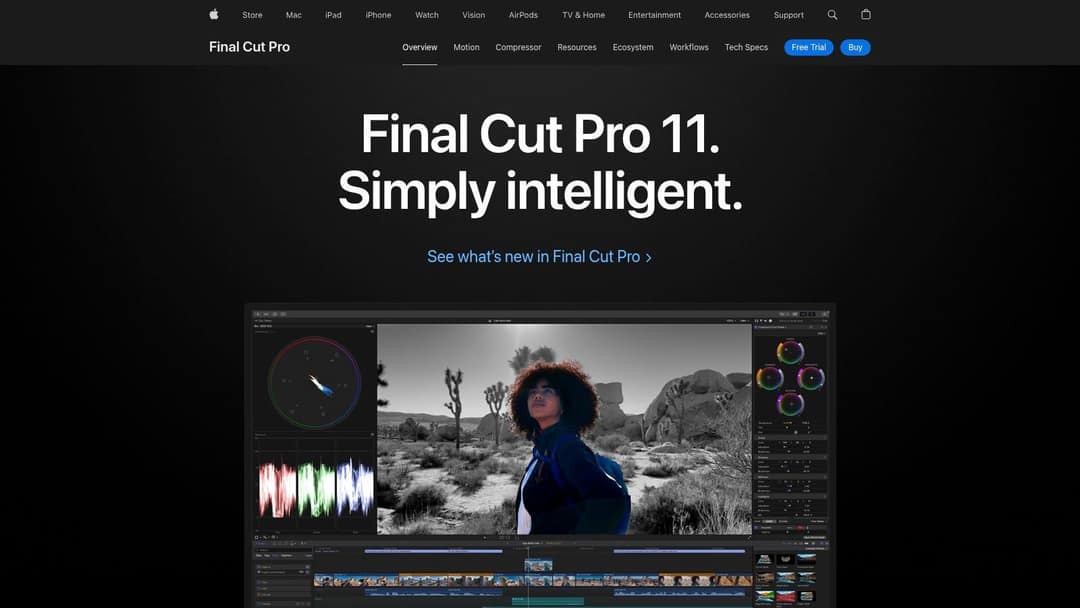
Final Cut Pro is Apple's professional editor and the best value for agents on a Mac: a one-time $299.99 instead of a subscription. The magnetic timeline makes it fast to shuffle drone, interior and agent-intro clips without breaking sync, and its 360° video editing is useful if you shoot with a 360 camera for immersive tours. Color grading and built-in title animations cover most listing needs.
- Strengths: fast on Apple hardware, including 4K files; clean, intuitive interface.
- Limits: macOS only; smaller plugin selection than Premiere.
5. CapCut: best app for quick social edits
CapCut is the fastest way to turn phone clips from a showing into a Reel or TikTok. The free tier includes the full editor, 1080p export and auto-captions; premium templates, effects and most AI features are paid (Standard is about $9.99/month). Trend templates let you drop your clips into formats people already recognize. If you want something even simpler on your phone, InShot covers trimming, music and text.
- Limits: built for editing footage you filmed, not for generating videos. See how it compares in Revid vs CapCut.
6. iMovie: best free option on iPhone and Mac
iMovie is free on Mac, iPhone and iPad. You can cut a walkthrough on your phone before leaving the property, add titles for price and bedrooms, lay in music or a voice-over, and finish the project on your Mac. Themes and transitions are basic but clean.
- Limits: Apple devices only; few branding options; no advanced color tools.
7. Animoto: best template editor for photo-heavy listings
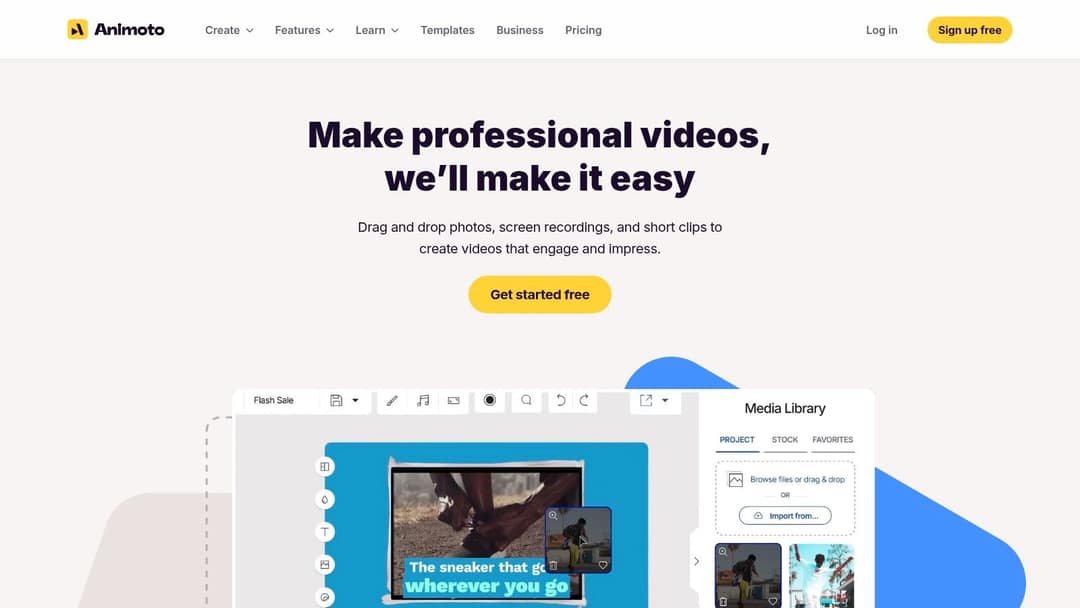
Animoto is a browser-based, drag-and-drop editor that turns photos, screen recordings and short clips into videos from templates. It suits agents who want a consistent listing format without learning a timeline. Sign-up is free; check its plans for resolution and branding limits before you commit, and customize templates so your listings don't look like everyone else's.
8. Movavi Video Editor: best for beginners on desktop
Movavi Video Editor sits between iMovie and the pro tools. Stabilization fixes shaky handheld walkthroughs, picture-in-picture lets you show a detail (a fireplace, a view) inside a wide shot, and chroma key handles green-screen agent intros. You can get the free download from Movavi's video editor page to test it before buying.
- Limits: fewer advanced tools than Resolve or Premiere; some effect packs cost extra.
9. TourWizard: virtual tours instead of edited videos
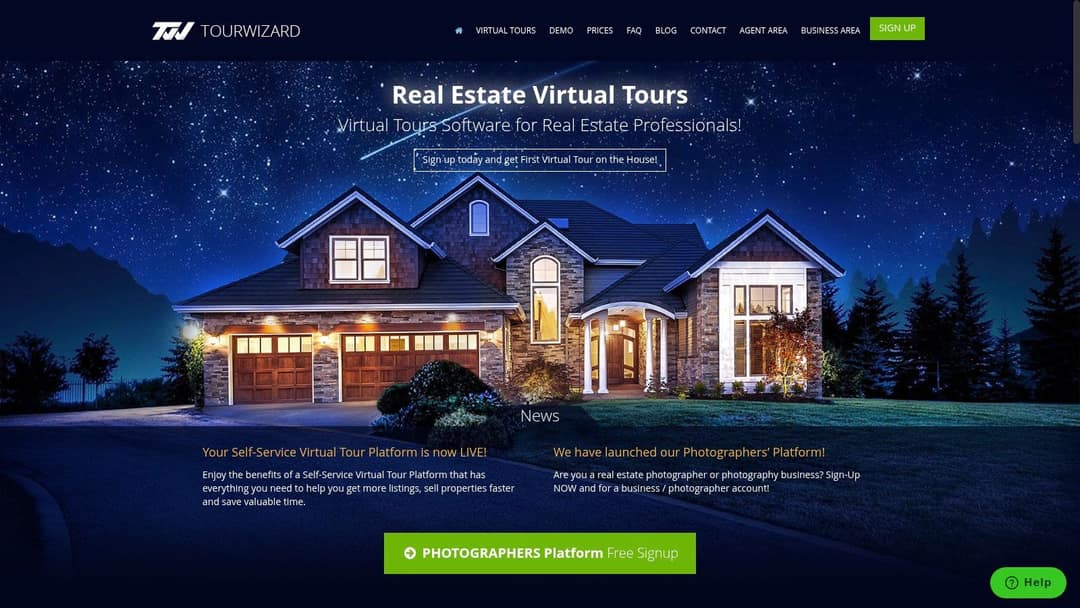
TourWizard is not a timeline editor: it is virtual tour software for real estate professionals, with a self-service platform for agents. TourWizard's site also lists a separate platform for real estate photographers. Pick it if your goal is an interactive tour to embed on a listing page, and confirm pricing and listing-site integrations on its site before you sign up.
What is the best AI video editor for real estate?
The best AI video editor for real estate is the one that matches your input. "AI video editor" covers two different jobs:
- Generate a video from photos or text. Revid turns listing photos and a property description into a finished, captioned, narrated video. Best when you have no footage or no time to edit.
- Speed up editing of footage you shot. CapCut adds auto-captions and templates to your clips. Descript lets you edit an agent talking-head video by editing its transcript and removes filler words (from $24/month, $16 billed annually, with a free plan of 60 media minutes). See Revid vs Descript for when each fits.
For general-purpose tools beyond real estate, see our roundup of the best AI video editors.
How to make a listing video with Revid
- Open the real estate marketing video tool and upload your listing photos.
- Add the details buyers care about: beds, baths, standout features, the neighborhood and your call to action.
- Let Revid write the script, then pick a voice and caption style. Music is added automatically.
- Check every scene in the timeline editor and remove anything that overstates the property.
- Export 9:16 for social (up to 4K, at 30 or 60 fps), then use the video resize tool for a 16:9 or 4:5 version.
- Publish or schedule to TikTok, Instagram and YouTube from one queue.
As a guide, a 30-second video with Pro AI visuals and a voice-over costs about 40 to 80 credits, and Revid shows the estimate before you generate.
Real estate video editing workflow, step by step
Property video editing follows the same steps in any editor:
- Sort clips by room. Name them (kitchen, primary bedroom, backyard) so you can find the best take fast.
- Pick the hero shot. The view, the kitchen or the pool: whatever the buyer pays for. It goes first.
- Stabilize, then cut. Run stabilization on handheld clips and drop any that still wobble.
- Fix exposure and white balance. Bring back detail in bright windows and make every room match in color.
- Cut tight. Keep each move short; long slow pans are where viewers scroll away.
- Add text. Price, beds and baths, neighborhood, and your name and brokerage on the last frame.
- Add voice-over or music, then captions. Burn in captions so the video works with sound off; the Revid caption generator does this automatically in 100+ languages.
- Export one version per placement (see the format table below).
Prompt to try
Create a 30-second vertical listing video for a 3-bed, 2-bath modern farmhouse with a chef's kitchen and quartz island. Open on the kitchen with the hook "This island sold the house before the tour started." Show one feature per scene with a short text label, warm natural light, upbeat acoustic music, and end on the neighborhood park with a call to book a showing.
The index leans toward videos that surface in hashtag and keyword searches, so its view counts run high: compare the groups, not the absolute numbers.
Source: Revid TikTok index: 2,377,477 TikToks with AI labels per video, snapshot of Sep 15, 2026. Median views estimated from view buckets.
Show the data
| Median views | Share past 1M views | |
|---|---|---|
| Drone | 173.9K | 27.9% |
| Steady cam | 162.7K | 26.2% |
| Screen recording | 159.9K | 23.8% |
| Handheld | 140.9K | 25.6% |
| POV | 139.9K | 26% |
| Tripod | 117K | 23.6% |
| Selfie | 67K | 16.3% |
How to use video to showcase property features
- Lead with the feature that sets the price. If it's the view, open on the view, not the front door.
- One feature per shot, with a text label. "Chef's kitchen, quartz island" reads faster than a voice-over alone.
- Show scale. Shoot wide with furniture or a person in frame so buyers understand room size.
- Use drone footage for the lot and location, then cut back to interiors quickly.
- Close with the neighborhood. A park, a café or the commute view answers the question buyers ask next.
If all you have is photos, the same rules apply; this guide on making a video with photos and music covers pacing a slideshow.
Luxury real estate video editing: what changes
Luxury real estate video editing trades speed for mood. Hold shots longer, use smooth gimbal or drone moves, and grade every clip to one consistent look (DaVinci Resolve's color page is built for this). Add detail shots: materials, fixtures, light moving across a room. Keep on-screen text minimal and use licensed music that matches the home. Then cut two versions: a full 16:9 film for YouTube and your website, and a short 9:16 teaser that opens on the single best shot.
Video editing for remodelers: before-and-after edits
For video editing for remodelers, the before-and-after is the whole story. Shoot the before and after from the exact same spot and height, then join them with a hard cut, a wipe or a split screen. Picture-in-picture (Movavi, CapCut, Premiere) can show the old kitchen in a corner while the new one fills the frame. Add a short line of text for what changed, and post the reveal as a vertical clip.
Prompt to try
Make a 20-second vertical before-and-after remodel video of a dated 1990s kitchen turned into a bright white kitchen with a walnut island. Hook: "Same kitchen, 8 weeks apart." Use hard cuts between matching before and after angles, a short text line for each change, and a punchy beat that hits on the final reveal.
The index leans toward videos that surface in hashtag and keyword searches, so its view counts run high: compare the groups, not the absolute numbers.
Source: Revid TikTok index: 2,377,477 TikToks with AI labels per video, snapshot of Sep 15, 2026. Median views estimated from view buckets.
Show the data
| Median views | Share past 1M views | |
|---|---|---|
| #realestate | 88.5K | 16.5% |
| #sidehustle | 56.1K | 9.6% |
| #rich | 55.5K | 15.8% |
| #money | 52.4K | 12.7% |
| #business | 50.9K | 11.4% |
| #dropshipping | 46.7K | 7.8% |
| #investing | 38.4K | 7.1% |
| #crypto | 35.7K | 6.4% |
What format should real estate videos be exported in?
Export one master, then a version for each place you post. Vertical for short-form feeds, horizontal for full tours.
| Where | Aspect ratio | What to know |
|---|---|---|
| TikTok | 9:16 (1080x1920 recommended) | Uploads can run up to 60 minutes |
| Instagram Reels | 9:16 (accepts 1.91:1 to 9:16) | At least 30 FPS and 720 px; Reels over 3 minutes are not recommended to non-followers |
| YouTube Shorts | Vertical or square | Up to 3 minutes |
| YouTube (long-form) | 16:9 | Best home for the full tour |
| Any | Every new Facebook video is now shared as a reel | |
| Listing site or MLS | Usually 16:9 | Check your MLS video rules |
Post the vertical cut to TikTok, Instagram and Facebook, and the full horizontal tour to YouTube. Keep price and address text out of the areas covered by buttons and captions; the TikTok safe zone checker shows exactly where they fall.
FAQ
Do I need to hire a real estate video editor?
Not for everyday listing and social videos: CapCut, iMovie or an AI editor like Revid handles those in minutes. Hiring a professional real estate video editor pays off for luxury listings, drone-heavy shoots and branded agency content where color and pacing need to be perfect.
What is the best free video editing software for real estate?
DaVinci Resolve is the best free desktop editor for real estate footage, thanks to its color tools. On Apple devices, iMovie is free and simpler, and CapCut's free tier exports 1080p with auto-captions.
What is the best video editing app for realtors?
CapCut is the best phone app for most realtors because of its auto-captions and templates; iMovie is the simplest choice on iPhone. Both let you edit and post from a showing the same day.
Can I make a real estate video with only photos?
Yes. Template tools like Animoto turn photos into a slideshow video, and Revid turns listing photos into a narrated video with a script, voice-over, captions and music.
How long should a real estate video be?
Keep social cuts under a minute and open on the best room. Save the full room-by-room tour for a longer 16:9 version on YouTube or your listing page.
Sources
- Revid TikTok index: 2,377,477 TikToks with AI labels per video, snapshot of Sep 15, 2026. Median views estimated from view buckets.
- Clutch, Creating in the Attention Economy: You Have 30 Seconds or Go Bust (November 2025)
Charts and figures checked on November 6, 2026.