Video Optimization Checklist: 9 Steps With 2026 Specs and Limits
Nine checks to run on every video, from the search phrase to the retention graph, with 2026 platform limits, export specs and TikTok hashtag data.

On this page
A video optimization checklist has nine checks: one target search phrase, a clear title and description, a readable thumbnail, a hook and retention plan, captions, correct export specs, platform-specific publishing, structured data on your site, and a review of retention and click-through rate after launch. Run them in that order for every upload.
The last step matters more in 2026 than it used to. Since August 24, 2026, YouTube counts a view the moment a video starts to play, on Shorts, long-form and live, so a climbing view count no longer tells you whether your title, thumbnail or hook worked. Retention, click-through rate and engaged views (which YouTube Partner Program earnings still use) do.
The nine checks fall into three phases: before upload, at upload and after publishing.
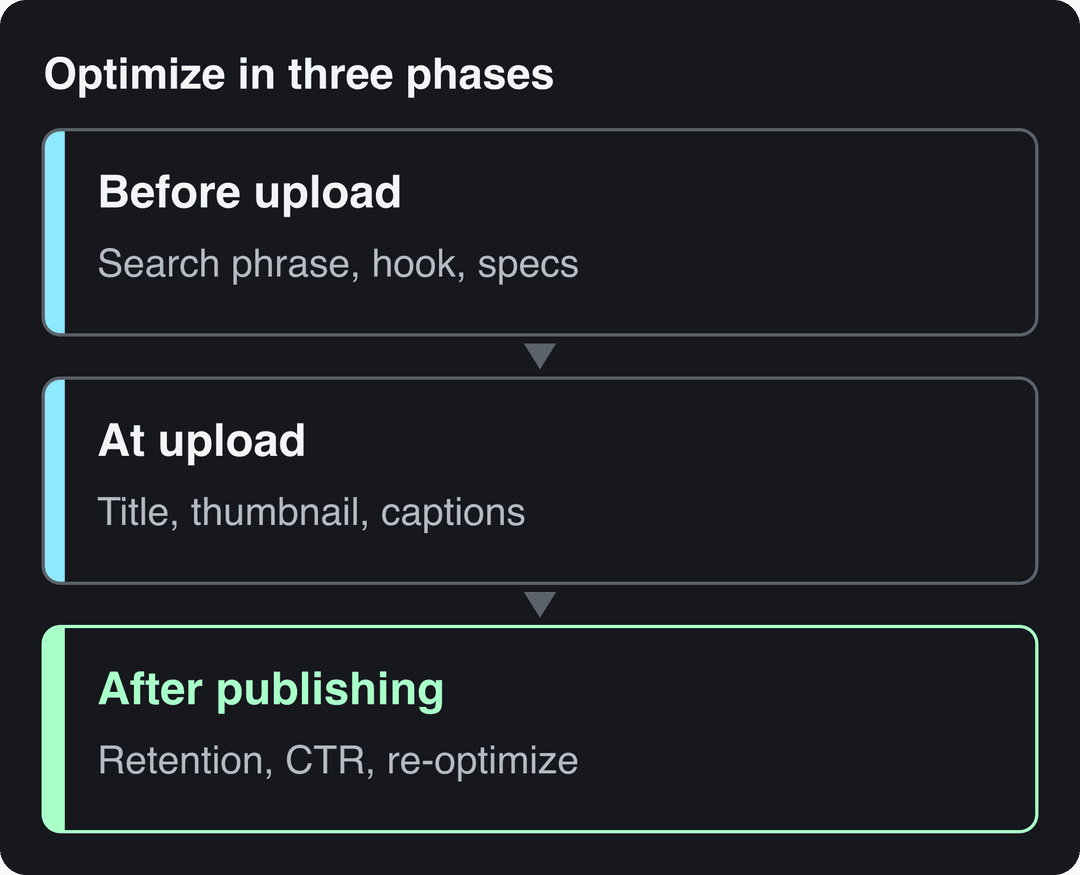
| # | Check | Done when |
|---|---|---|
| 1 | Search phrase | One phrase chosen and spoken in the first lines |
| 2 | Title, description, tags | Phrase in the title and in the first 2 to 3 sentences of the description, chapters added |
| 3 | Thumbnail | Readable at small size, 3 to 4 words at most |
| 4 | Hook and retention | Payoff stated early, pattern interrupts planned |
| 5 | Captions and accessibility | Accurate captions, text contrast of at least 4.5:1 |
| 6 | Export specs | Right aspect ratio, H.264 video, AAC audio |
| 7 | Publish and distribute | A version per platform, 3 to 5 hashtags, AI label if needed |
| 8 | Video SEO on your site | Watch page, VideoObject schema, video sitemap |
| 9 | Measure and re-optimize | Retention graph and click-through rate reviewed, weak titles or thumbnails changed |
- Median TikTok views for posts with 4 hashtags, vs 51K with none
- 77K
- Revid analysis of 176,367 TikToks
- Marketers naming short-form video their top ROI-driving content format
- 49%
- HubSpot, 2026
- Character limit for a YouTube title
- 100
- YouTube
- Recommended YouTube thumbnail size, up from the old 1280x720
- 3840x2160
- YouTube
1. Choose one search phrase per video
Every other step depends on knowing what the viewer types. Pick one main phrase per video, ideally a long-tail one: how to bake a chocolate cake from scratch rather than chocolate cake. A specific phrase matches a specific promise and faces fewer competing videos.
YouTube, Vimeo and TikTok each run their own search, so research where the video will live. For YouTube, start with the autocomplete in the search bar, then check the phrase in a YouTube keyword tool such as TubeBuddy or vidIQ. For a video embedded on your website, Google demand matters more, and a web keyword tool such as Semrush shows it.
The rule that video SEO teachers such as Brian Dean at Backlinko and Tim Schmoyer's Video Creators channel keep repeating still holds: relevance beats repetition. Keyword stuffing in titles and tags reads as spam to viewers and platforms alike.
Decision rules for picking the phrase:
- If the top results are all recent videos from very large channels, pick a more specific variant.
- If the top results are old or don't answer the question directly, that is your opening.
- Say the phrase in the first lines of the video. YouTube's automatic captions come from machine learning speech recognition, so the spoken phrase ends up in the transcript as well as in the metadata.
Can TubeBuddy show insufficient data even with high search volume?
Yes. TubeBuddy's Keyword Explorer reports search volume as one score among several, with competition and an overall score alongside it, and each is estimated on its own. A phrase can show strong volume while another part of the analysis lacks data: too few ranking videos to judge competition, or too little history on your channel for the weighted score TubeBuddy tailors to channels of your size.
Treat insufficient data as unknown, not as zero, and check the phrase another way:
- Type it into YouTube search and see whether autocomplete suggests it.
- Open the videos that rank for it and note their age, their views and how directly they answer the phrase.
- Compare the reading in vidIQ, which estimates volume from its own data.
- If your channel is new, rely on the unweighted reading of the phrase rather than the channel-specific score.
TubeBuddy's help center explains how each score is calculated, so check there what a specific message means for your account.
2. Write the title, description and tags
Write the title as a promise to the person who typed the phrase. Weak: My Cake Video. Strong: How to Bake a Chocolate Cake From Scratch (No Mixer). If you are stuck, a free YouTube title generator gives you variants to react to.
| Field | Limit | What to do |
|---|---|---|
| YouTube title | 100 characters | Put the search phrase near the start and keep the promise visible on a phone |
| YouTube description | 5,000 characters | Phrase in the first 2 to 3 sentences, then chapters and links |
| YouTube tags | 500 characters in total | A few exact and misspelled variants of the phrase |
| Instagram caption | 2,200 characters | Hook in the first line, before the text gets cut off |
| Instagram hashtags | 5 per post | With more than 5, the caption won't post |
Add chapters by listing timestamps with short, descriptive labels in the description. They let viewers jump to the part they came for and give search engines more text about what the video contains.
Tags play a small role on YouTube: they mostly help with terms people misspell. Spend your time on the title, thumbnail and first description lines instead.
The same applies to older videos. A new title and new first description lines on a video that already gets impressions is the cheapest optimization you have.
3. Design a thumbnail that earns the click
For long-form video, the thumbnail and title decide the click. Your thumbnail sits in crowded grids on YouTube and Facebook, usually shown far smaller than its real size, so it has to read at a glance.
Current specs:
- YouTube videos: 16:9, with 3840x2160 recommended and a minimum width of 640 px. Files can be up to 50 MB on desktop but only 2 MB on mobile, and custom thumbnails need a verified account.
- YouTube Shorts: custom thumbnails can be uploaded only in YouTube Studio on a computer, by verified accounts, at 9:16 (2160x3840 recommended, minimum height 640 px).
- Vertical videos on YouTube: on the home, explore and subscription pages, a 16:9 custom thumbnail is replaced by an auto-generated 4:5 one, so check how a vertical upload looks there.
- Instagram Reels covers: 420x654 px recommended.
Design rules:
- Keep text to 3 to 4 words, and don't repeat the title.
- Use one clear focal point. A face showing a clear emotion draws the eye when the video has a presenter.
- Use strong contrast between the subject, the text and the background.
- Shrink the image to search-result size before you upload. If you can't read it, nobody else will.
- Show what the video delivers. A thumbnail that overpromises wins the click and loses the viewer in the first seconds, which hurts retention.
Then test. YouTube Studio on desktop can A/B test up to 3 titles and thumbnails with Test & Compare, and shows the variant with the highest watch time to everyone. Shorts are not eligible. TubeBuddy also offers thumbnail tests.
Study channels that have a recognizable thumbnail style: Veritasium pairs expressive faces with a few words, Marques Brownlee (MKBHD) uses clean, high-contrast product shots, and Linus Tech Tips relies on bright accents and reactions. For the reasoning behind these choices, MrBeast has talked openly about how much effort goes into thumbnails, and strategists such as Roberto Blake and Owen Video teach thumbnail and channel growth on YouTube.
Prompt to try
Make a 40-second vertical YouTube Short on how to bake a chocolate cake from scratch without a mixer. Open on the finished cake with the hook "No mixer, no problem: this cake takes 10 minutes to prep." Show each step with quick cuts every few seconds, bold synced captions and an upbeat kitchen soundtrack, and end by teasing the one mistake that ruins most cakes.
4. Plan the hook and retention
A click only counts if the viewer stays. Plan retention before you film, not in the edit.
For long-form videos:
- State the payoff within the first 15 seconds: what the viewer will get and why your video is the one to watch.
- Add a pattern interrupt every 40 to 60 seconds: a cut to B-roll, a graphic, a new camera angle or a music shift.
- Before likely drop-off points, tease what comes next (coming up: the mistake that ruins most cakes).
- Place end screens and cards in the last 20 seconds, pointing to one specific next video.
- Ask one concrete question that is easy to answer in a comment, then reply to the first comments.
For Shorts, Reels and TikToks, the first spoken line or on-screen text is the hook. There is no warm-up: open on the result, the problem or the surprising claim.
Vsauce is a good study in curiosity gaps (each answer opens the next question), and Casey Neistat in pacing through fast cuts and story. Creators such as Ali Abdaal and Cathrin Manning also publish videos on how they plan and grow their channels.
5. Add captions, transcripts and accessibility
Captions do three jobs. They make the video usable for deaf and hard-of-hearing viewers, they keep sound-off viewers watching, and they give platforms and search engines text to index.
- Accurate captions: start from automatic captions and fix names and technical terms, or use transcription services such as Rev, Temi or Otter.ai. Revid's subtitle generator adds captions in 100+ languages.
- Format: use WebVTT caption files for video players on your own site.
- Placement: keep captions away from faces, key visuals and platform buttons.
- Contrast: aim for at least 4.5:1 between overlay text and its background.
- Audio description: narrate visual information the viewer needs, such as on-screen numbers or a demo step shown without words.
- Player: make sure the player works with a keyboard and a screen reader.
- Transcript: publish it below the video. It doubles as an article and helps non-native speakers follow along.
Accessibility rules such as the ADA in the US, and the WCAG standard many of them reference, can apply to organizations that publish video. Building accessibility in from the start costs less than retrofitting.
For reference implementations, look at Microsoft's accessibility work, TED, which publishes transcripts and subtitles with its talks, and Netflix, which offers audio description on much of its catalog. The standards come from the W3C Web Accessibility Initiative (WAI), WebAIM publishes practical guides, and advocates such as Haben Girma explain why it matters to the people who rely on it.
6. Export with the right specs
A perfect video that arrives letterboxed, blurry or out of sync loses viewers in the first second. Export for where it will play.
| Where | Format | Notes |
|---|---|---|
| TikTok | 9:16, 1080x1920 recommended | Uploads can be up to 60 minutes long |
| Instagram Reels | 9:16 recommended (1.91:1 to 9:16 accepted) | At least 30 FPS and 720 px |
| YouTube Shorts | Vertical or square | Up to 3 minutes |
| YouTube long-form | 16:9 | 15 minutes by default, longer for verified accounts |
| Facebook Reels | .mp4 at 1080p | H.264 or H.265, 24 to 60 FPS, AAC audio at 44.1 or 48 kHz |
If you already have the video in the wrong shape, you can resize a video to 9:16, 4:5, 16:9 or 1:1. Keep text and faces out of the areas covered by buttons and captions; a YouTube Shorts safe zone template shows where they are.
Encoding settings that work on every platform:
- Video in H.264. H.265 gives smaller files at the same quality where it is accepted.
- Audio in AAC at 128 to 256 kbps.
- Variable bitrate (VBR) and two-pass encoding for videos that matter.
- A keyframe every 2 to 3 seconds for clean seeking.
- Test playback on a phone and a laptop before publishing.
FFmpeg is the free tool behind most of these settings, and its community is the place to ask about a specific command. For deeper encoding knowledge, Jan Ozer's streaming courses and optimization specialists such as Beamr cover codecs in detail.
YouTube, TikTok and Instagram re-encode everything you upload. If you host video on your own site, use a player with adaptive bitrate streaming, such as Wistia, so quality adjusts to each viewer's connection instead of buffering.
A caption of 41 to 80 characters (one clear sentence) performed best. Posts with no caption at all earned roughly half the median views.
Source: Revid analysis of 176,367 TikToks with 1,000+ likes posted between Oct 1, 2025 and Oct 16, 2026 (61,203 creators)
Show the data
| Median views | Share that passed 1M views | |
|---|---|---|
| No caption | 36.4K | 7.5% |
| 1 to 40 | 58K | 11.1% |
| 41 to 80 | 67.3K | 12.5% |
| 81 to 150 | 66.6K | 12.3% |
| 151 to 300 | 63.8K | 11% |
| 300+ | 67.8K | 11.7% |
7. Publish a version for each platform
Short-form video was the top ROI-driving content format in HubSpot's 2026 State of Marketing Report, cited by 49% of marketers (more short-form video statistics). That is why most videos now need a vertical version, not just a YouTube upload.
Use a content waterfall: publish on your primary platform first, then cut and adapt for the others. Gary Vaynerchuk popularized turning one keynote into many clips, and a tool can turn a long video into short clips for you.
Know the length rules before you cut. YouTube Shorts can run up to 3 minutes. Instagram Reels can be up to 20 minutes, but reels over 3 minutes are not recommended to non-followers.
On TikTok, hashtags and the caption still count. In Revid's analysis of 176,367 TikToks with 1,000+ likes posted between October 2025 and October 2026, posts with 4 hashtags had the best median (77K views) and posts with 3 had 75K, while posts with none had 51K and posts with 9 or more only 16K. Captions of 41 to 80 characters also did best (67K median, against 36K with no caption). This sample only includes videos that already passed 1,000 likes, so it shows what top performers share, not a cause; the method is in our study of what makes a TikTok go viral.
Posts with 3 or 4 hashtags earned the most views. Captions stuffed with 9 or more hashtags did worst of all, with median views cut by about 80%.
Source: Revid analysis of 176,367 TikToks with 1,000+ likes posted between Oct 1, 2025 and Oct 16, 2026 (61,203 creators)
Show the data
| Median views | Share that passed 1M views | |
|---|---|---|
| None | 51.1K | 9.8% |
| 1 | 64K | 11.8% |
| 2 | 71.3K | 12.7% |
| 3 | 75.4K | 13.1% |
| 4 | 77.2K | 13.4% |
| 5 | 67.3K | 12.1% |
| 6 to 8 | 71.8K | 12.7% |
| 9+ | 15.6K | 7.8% |
Instagram caps posts at 5 hashtags, so 3 to 5 relevant hashtags works on both platforms.
Before you post, two more checks:
- AI label: if the video contains realistic AI-generated footage, turn on the disclosure: the AI use setting in YouTube Studio, TikTok's AI-generated content setting, and Meta's AI disclosure on Instagram and Facebook. YouTube and TikTok both say the label alone does not reduce distribution.
- Schedule: plan posts with Buffer, Hootsuite or Later, or use Revid's social media publishing and scheduling for TikTok, Instagram and YouTube from one queue.
8. Make the video findable on your own site
Videos embedded on your website can rank in Google too, but only if search engines can understand them.
- Give each important video its own page where the video is the main content, with a summary or the full transcript below it.
- Add VideoObject markup from Schema.org with at least the name, description, thumbnailUrl and uploadDate. SEO plugins such as Yoast can generate structured data for you.
- Submit a video sitemap in Google Search Console, so Google Search can find and show the video as a video result.
- Link to the page from related articles on your site, and promote it to earn links from other sites.
- Answer the question in text next to the video, under a heading that matches the search phrase.
Sites such as Moz, Mayo Clinic and Khan Academy show the pattern: video and text on the same page, each answering the same question. Follow changes to video search features on the Google Search Central blog, and if you want structured training, HubSpot Academy runs free marketing courses.
9. Measure, then re-optimize
With views now counted at the first frame on YouTube, judge each video on these numbers instead:
| Metric | Where | What it tells you | If it's weak |
|---|---|---|---|
| Impressions click-through rate | YouTube Studio | Whether the title and thumbnail earn the click | Test a new thumbnail or title |
| Retention graph | YouTube Studio | The exact second viewers leave | Fix that moment in the next video |
| Engaged views | YouTube Studio | Views that count for YPP earnings | Work on the hook and pacing |
| Most active times | TikTok Studio, Viewers tab (last 7 days) | When your viewers are on the app | Move your posting time |
| Views and Viewers | Instagram insights | Plays versus unique accounts reached | Compare reels by Viewers, not plays |
| Conversions | UTM-tagged links in your analytics | Whether the video drives sign-ups or sales | Change the call to action |
Tag every link in a description with UTM parameters, so your analytics can tell which video sent each visitor. For video on your own site, marketing platforms such as HubSpot report video views next to conversions. YouTube's Creator Academy explains what each Studio metric means.
Review on a schedule, not when you remember. A quarterly pass, run like a social media audit checklist, is enough: start with videos that get impressions but a low click-through rate, since a new title or thumbnail is the fastest win.
Build these checks into a Revid video
If you make short-form videos, Revid covers several items on this list before you upload. Start in the AI video generator from an idea, a script or a link, or from a video in Revid's library of about 2.77 million short-form videos with engagement data, so the hook and structure come from a format audiences already watched. Revid adds synced captions (automatic captions in 100+ languages), exports in 720p, 1080p or 4K at 30 or 60 fps, and publishes or schedules to TikTok, Instagram and YouTube from one queue. Each post published through Revid then reports its views, likes and comments, so step 9 starts in the same place.
FAQ
What is video optimisation?
Video optimisation (or optimization) is the work of making a video easier to find, click and watch to the end. It matches the title, thumbnail, description and captions to what viewers search, and the format and specs to the platform, then continues after upload through analytics and updates.
Do YouTube tags still matter?
Only a little. The title, thumbnail and description do most of the work; tags mainly help with commonly misspelled terms, and YouTube caps them at 500 characters in total.
Can you A/B test thumbnails on YouTube Shorts?
No. Test & Compare in YouTube Studio on desktop tests up to 3 titles and thumbnails for regular videos, but Shorts are not eligible. For Shorts, compare hooks and covers across separate uploads instead.
Does labeling a video as AI-generated reduce its reach?
No. YouTube and TikTok both say the AI disclosure label alone does not limit distribution or eligibility to earn. On YouTube, repeatedly failing to disclose realistic AI content can lead to labels being applied, content removal or YPP suspension.
How often should you re-optimize old videos?
Review older videos quarterly. Start with those that get impressions but a low click-through rate, and update the title, thumbnail and first description lines before anything else.
Sources
- Revid analysis of 176,367 TikToks with 1,000+ likes posted between Oct 1, 2025 and Oct 16, 2026 (61,203 creators)
- HubSpot, 2026 Marketing Statistics, Trends & Data (2026)
Charts and figures checked on November 6, 2026.