Creators publish 30,000+ videos a month with Revid

Audio Waveform Generator

Audio Waveform Generator - Create a video for your music lyrics. No filming needed. Natural voices, dynamic visuals for any topic.

Your song, your visual direction. Start with an MP3, WAV or music link, then choose beat or lyric timing.

  • Beat-synced
  • Lyric captions
  • TikTok ready
  • Reels & Shorts
2,595 videos created with Revid in the last 24h
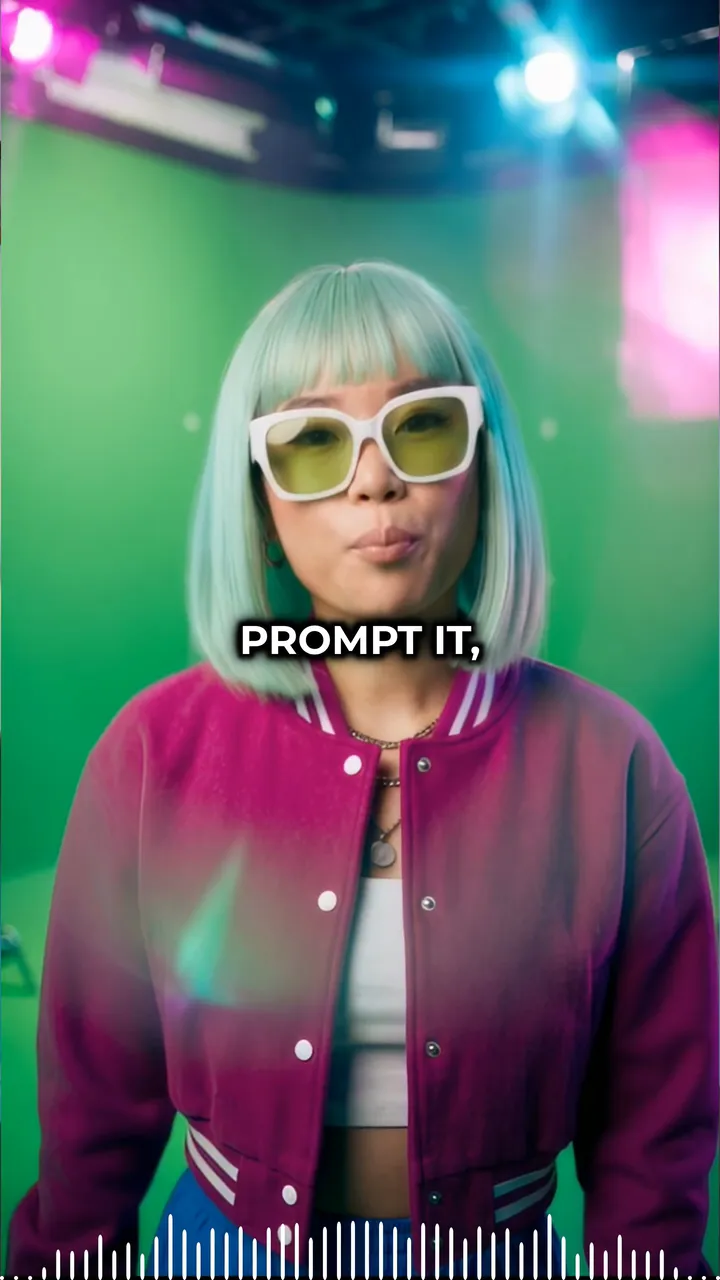
Ready in minutes · Edit everything before you post

or explore our 42+ other tools to create the exact video you want

Explore our tools
Proof of range

Start From What Already Works

YOUR IDEA
Your Prompt

Script automatically generated by Revid

A charming stop-motion clay adventure following a small, expressive clay character on a journey through a handcrafted miniature world.
Visual FormatAI Video
Visual StyleClaymation
FINAL VIDEO

Create Engaging Audio Waveform Videos in 3 Simple Steps

1 Upload Your Audio or Link

Start by uploading your MP3 or WAV file directly into our Audio Waveform Generator. Alternatively, you can paste a track link directly from Spotify or Suno. If you only want to visualize a specific part of your song or podcast, use our built-in tool to trim the exact audio range you need.

2 Choose Visuals and Sync Options

Select the visual style that best fits your music. Choose from AI-generated video, animated moving images, high-quality stock footage, or upload your own custom media. Next, decide if you want the visualizer to sync with the track's beats or the lyrics. Make sure the 'Add sound wave' toggle is enabled to generate the animated waveform.

3 Generate and Share

Click 'Generate' and let our AI Audio Waveform Video Generator do the heavy lifting. In minutes, you'll have a beautifully animated, beat-synced music visualizer. Download your polished waveform video and share it directly to TikTok, Instagram Reels, YouTube Shorts, or SoundCloud to maximize your audio's reach.

Step-by-step guideHow to make a Spotify Canvas for your songSpotify's Canvas specs and rules, three ways to make one with Revid (a cut from your music video, your cover art in motion, a free waveform) and how to upload it.
01

Turn Any Audio Track into an Animated Waveform Video for Social Media

Upload your audio file and Revid generates a waveform visualization video that animates in real time to your music, synced perfectly to every beat and frequency change. There is no design software, motion graphics tool, or editing involved. The AI produces a polished animated waveform video with a visual style suited for sharing on TikTok, Instagram, YouTube, and SoundCloud. For musicians, podcasters, and audio producers, this is the fastest way to create a visual representation of any audio track without any technical production skills.

02

What the Waveform Generator Produces from Your Audio File

The audio waveform generator analyzes your uploaded audio and renders a synchronized animated waveform that reflects the amplitude and energy of the sound in real time. The waveform is styled for visual appeal rather than raw technical accuracy, producing a clean, social-ready result. Background visuals, color schemes, and layout are applied automatically to complete the finished video. The output is formatted for the aspect ratio you choose, whether vertical for TikTok and Reels or widescreen for YouTube and SoundCloud track uploads.

03

Waveform Videos That Make Audio Content Discoverable on Visual Platforms

Audio content is invisible on social media unless it has a visual component. Musicians who share raw audio files get a fraction of the reach compared to those who share the same track as a waveform video. Instagram and TikTok's algorithms favor video content over static images and audio-only posts, meaning that adding even a simple animated waveform dramatically increases how many people your track reaches. Revid makes it practical to create a waveform video for every track you release without adding a visual production step to your music workflow.

Target Audience

Who is this tool for?

Musicians and producers sharing tracks on social media

Give every audio track a visual representation that performs on Instagram, TikTok, and YouTube by converting your uploads into animated waveform videos in minutes.

Podcasters creating visual versions of audio episodes

Turn podcast episodes and audio clips into shareable waveform videos that perform on visual platforms where audio-only content cannot reach an audience effectively.

DJs and electronic music artists

Visualize your mixes, drops, and track previews as animated waveform videos that communicate the energy of your music to audiences on every social platform you post to.

Music labels and artist promotion teams

Create waveform promotion videos for every track release, enabling consistent social media content output for artist pages across all platforms without a motion graphics designer.

Comparison

Revid vs. Manually Creating Audio Waveform Videos

Building an animated waveform video manually requires audio visualization software, motion design tools, and export for each platform. Revid generates a finished waveform video from your audio upload automatically.

Input
Revid Audio Waveform GeneratorUpload audio and generate a waveform video immediately
Other ToolsImport audio into motion graphics or video editing software manually
Waveform animation
Revid Audio Waveform GeneratorAI generates a synced animated waveform automatically
Other ToolsRequires manual keyframing or specialized audio visualization plugins
Visual styling
Revid Audio Waveform GeneratorBackground and layout styled automatically for social platforms
Other ToolsDesign every visual element manually in a separate design tool
Format output
Revid Audio Waveform GeneratorExported in vertical, square, or widescreen automatically
Other ToolsManual resizing and export for each platform format
Production time
Revid Audio Waveform GeneratorFinished waveform video in minutes per track
Other ToolsHours of motion design work per finished waveform video
Skills required
Revid Audio Waveform GeneratorNo motion graphics or video editing skills needed
Other ToolsRequires proficiency in After Effects or similar tools
FAQs

Frequently Asked Questions

What is the Audio Waveform Generator?
Our AI Audio Waveform Generator is a powerful online tool designed to turn your audio tracks into highly engaging, animated waveform videos. Whether you have an MP3, a WAV file, or a Spotify link, this tool automatically generates a dynamic sound wave visualizer synced perfectly to your music's beats or lyrics, making it the perfect asset for social media promotion.
How do I create an animated waveform video for my music?
Creating an animated waveform video is incredibly simple. Just upload your audio file or paste a music link into the Audio Waveform Generator. Choose your visual background style (such as AI video or stock footage), select whether to sync with beats or lyrics, and ensure the 'add sound wave' option is toggled on. The AI handles all the motion graphics, delivering a professional music visualizer in minutes.
What audio formats does the sound wave video generator support?
Our sound wave video generator supports direct file uploads of MP3 and WAV formats. Additionally, you can paste links directly from platforms like Spotify and Suno. The tool will automatically extract the audio and build a stunning audio waveform video around your track.
Can I use the Audio Waveform Generator for podcasts?
Absolutely! The Audio Waveform Generator doubles as an excellent podcast waveform video maker. Podcasters can upload short audio clips of their episodes, and the AI will generate a visually appealing sound wave video. This is the fastest way to turn audio-only podcast highlights into shareable video content for visual platforms like Instagram Reels, TikTok, and YouTube Shorts.
What visual backgrounds can I add to my audio waveform video?
You have full creative control over the visual direction of your audio waveform video. You can choose cinematic AI video clips, animated AI images, premium stock videos, or even upload your own custom media. The animated waveform will seamlessly overlay these visuals, creating a captivating music visualizer tailored to your brand.
Does the AI sync the waveform to the music's beat or lyrics?
Yes! Our AI music video generator allows you to choose exactly how your video syncs to the audio. You can select 'Beats' to make the visual cuts and energy match the rhythm of your track, or choose 'Lyrics' to generate on-screen captions that sync perfectly with the vocals alongside your animated waveform.
What is the Singer Lip Sync feature in the music visualizer?
If you choose to sync your video with lyrics and select the 'AI Video' media type, you can enable our unique Singer Lip Sync feature. This advanced AI capability animates the characters in the generated video so their lips move in perfect sync with the vocals of your track, taking your audio waveform video to a highly professional level.
Do I need video editing skills to use this music to video generator?
Not at all. Our music to video generator is designed to be completely automated. You don't need any complex motion graphics software like After Effects or Premiere Pro to create an audio visualizer online. The AI automatically designs, animates, and formats the waveform video for you, saving you hours of manual editing.
Can I trim my audio before generating the waveform video?
Yes, the Audio Waveform Generator includes a built-in audio trimming tool. Once you upload your track or paste your music link, you can select the exact timestamp and duration you want to highlight. This ensures your sound wave video captures the absolute best part of your song, mix, or podcast.
Which social media platforms are these waveform videos optimized for?
Videos created with our AI Audio Waveform Video Generator are perfectly optimized for all major social platforms. By default, they are generated in a 9:16 vertical format, which is the ideal aspect ratio for TikTok, Instagram Reels, and YouTube Shorts. This ensures your music looks native and captures maximum engagement on mobile feeds.
How much does it cost to use the AI Audio Waveform Generator?
Using the Audio Waveform Generator consumes credits based on your Revid AI subscription plan. The base cost covers the AI visual generation and audio visualization. Advanced features, such as extended video lengths or specialized AI lip-syncing, may require extra credits. Free users receive starting credits to test the tool, while our paid plans offer a generous monthly allowance for frequent creators.
Can I edit the audio waveform video after it's generated?
Yes! Once the AI generates your audio waveform video, you can open it in Revid's intuitive built-in editor. From there, you can tweak the lyric captions, adjust the background visuals, and make any final refinements before downloading your polished music visualizer.

Still have questions?

Contact us

Find detailed answers to 100+ questions about features, tools, and workflows

or check our markdown version optimized for LLMs

Tools

Free AI Video Tools

Choose your tool, add your content, and create a video in seconds. Then customize it to your liking.

See all tools

AI TikTok Video Generator

Turn text into trendy, viral TikTok videos in a snap

Try it out

Prompt to Video

Turn your prompts into engaging videos with AI assistance

Try it out

Add Caption to Video

Generate subtitles in 100+ languages with AI captions

Try it out

PDF to Brainrot

Convert PDFs into attention-grabbing, scrollable videos

Try it out

Text to Brainrot

Turn your text into trendy, scrollable content with dynamic visuals

Try it out

AI Talking Avatar

Create lifelike talking avatars from text in seconds

Try it out

Video Podcast Generator

Transform your podcasts into visually engaging video content

Try it out

AI Movie Maker

Create studio-quality videos from text, no filming required

Try it out

Audio to Video

Make engaging videos from your podcasts, interviews, or any audio content

Try it out

Animated Lyrics Video Generator

Turn any song into an animated lyric video with synced text and visuals.

Try it out

AI Music Video Generator

Transform your music into cinematic music videos.

Try it out

AI Lyrics Video Generator

Transform your lyrics into a complete music video with AI

Try it out
How it works

From Signal To Published In Four Steps.

1

Find Viral & Trending Videos.

RevidAI's Viral Search and Channel Watcher surface the formats, creators, and trends getting attention right now, then help you turn them into ideas of your own.
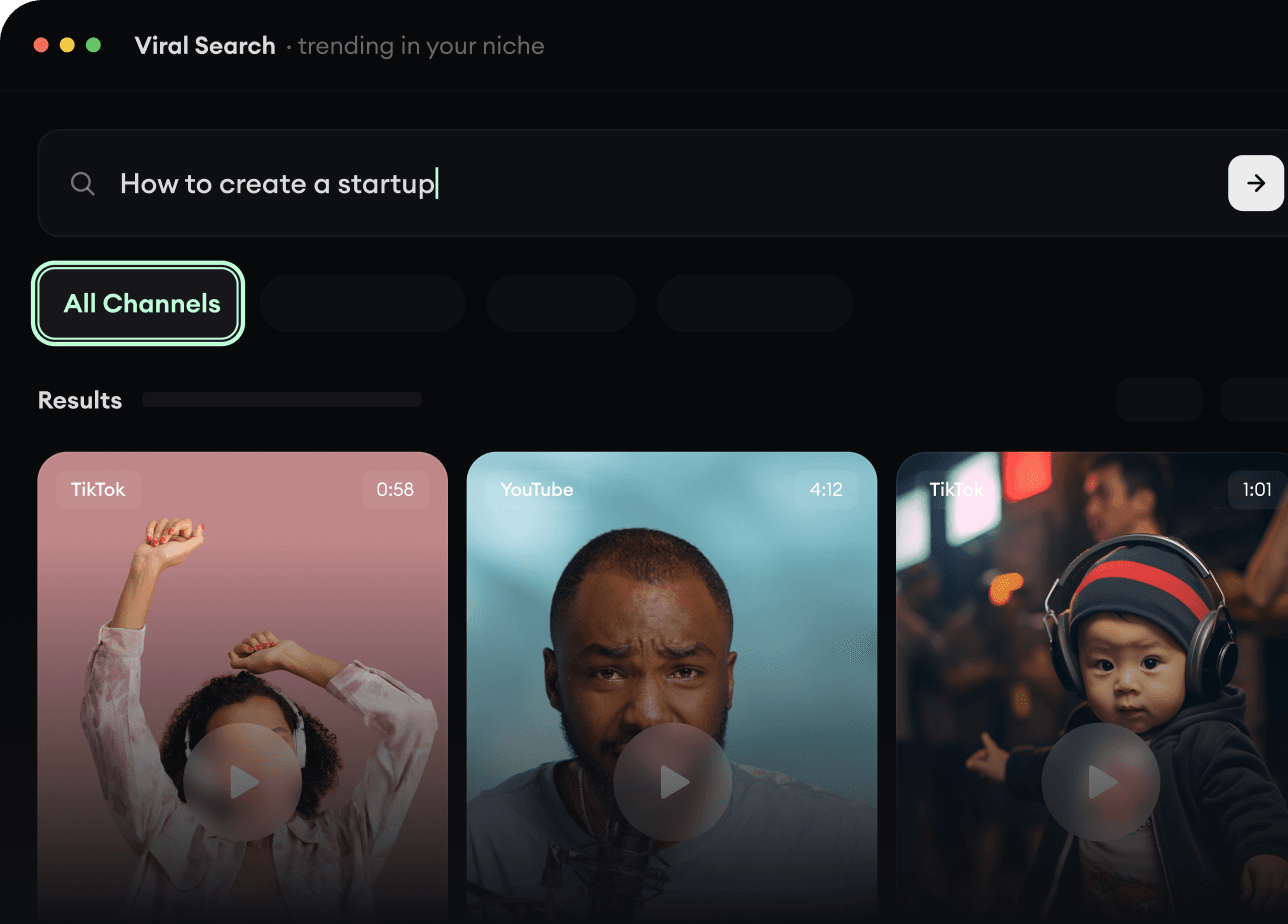
  • Discover winning video formats in your niche
  • Follow creators and channels that matter
  • Start with proven ideas instead of guessing
Find Viral & Trending Videos.
2

Turn An Idea Into A Story.

Found something worth making? Revid AI writes the script, suggests the structure, and turns links, prompts, or topics into complete video concepts.
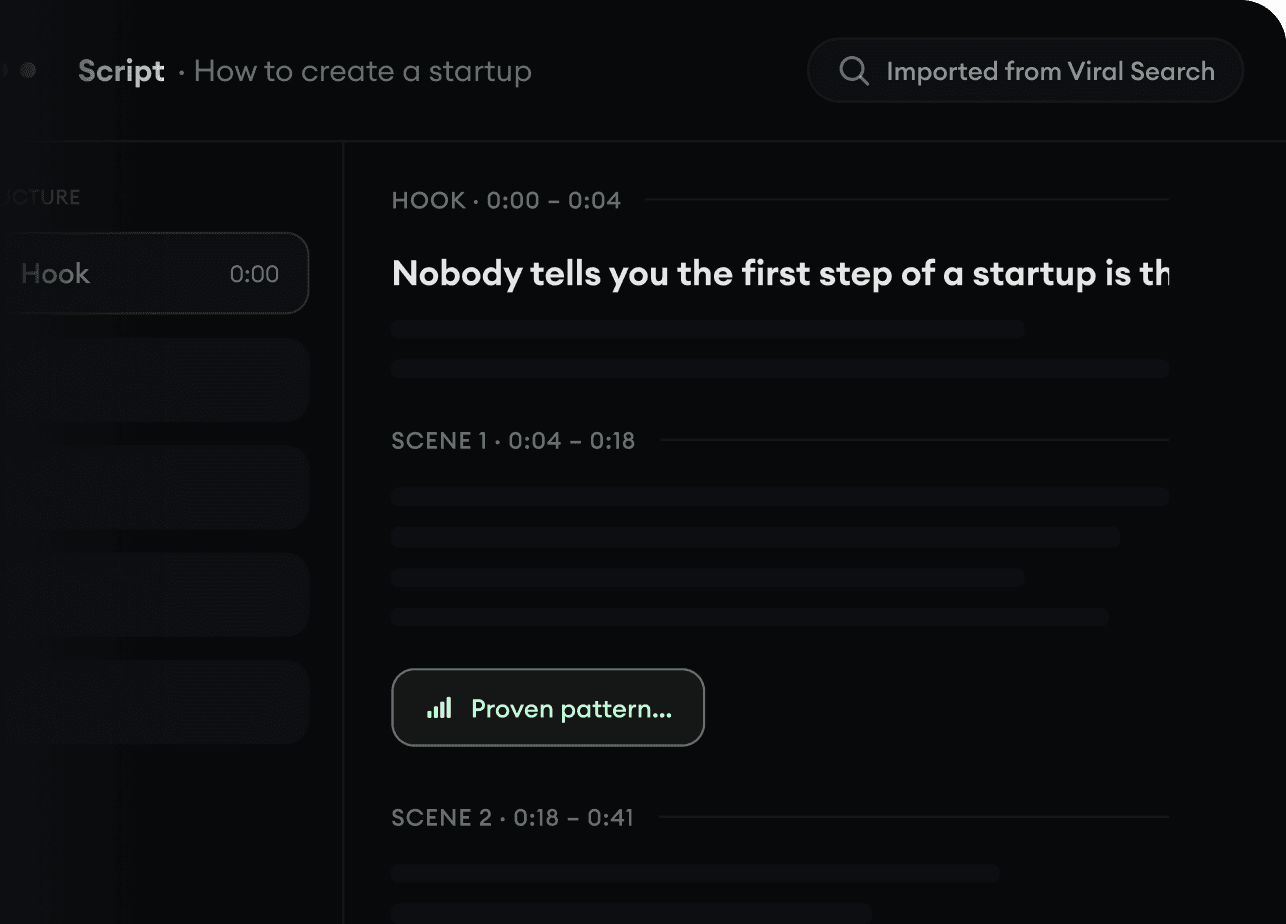
  • Start with a prompt, topic, or URL
  • Generate scripts inspired by proven patterns
  • Build stories designed to keep people watching
Turn An Idea Into A Story.
3

Generate The Finished Video.

Script, voiceover, visuals, subtitles, and editing all come together in one workflow. No stitching together five different tools.
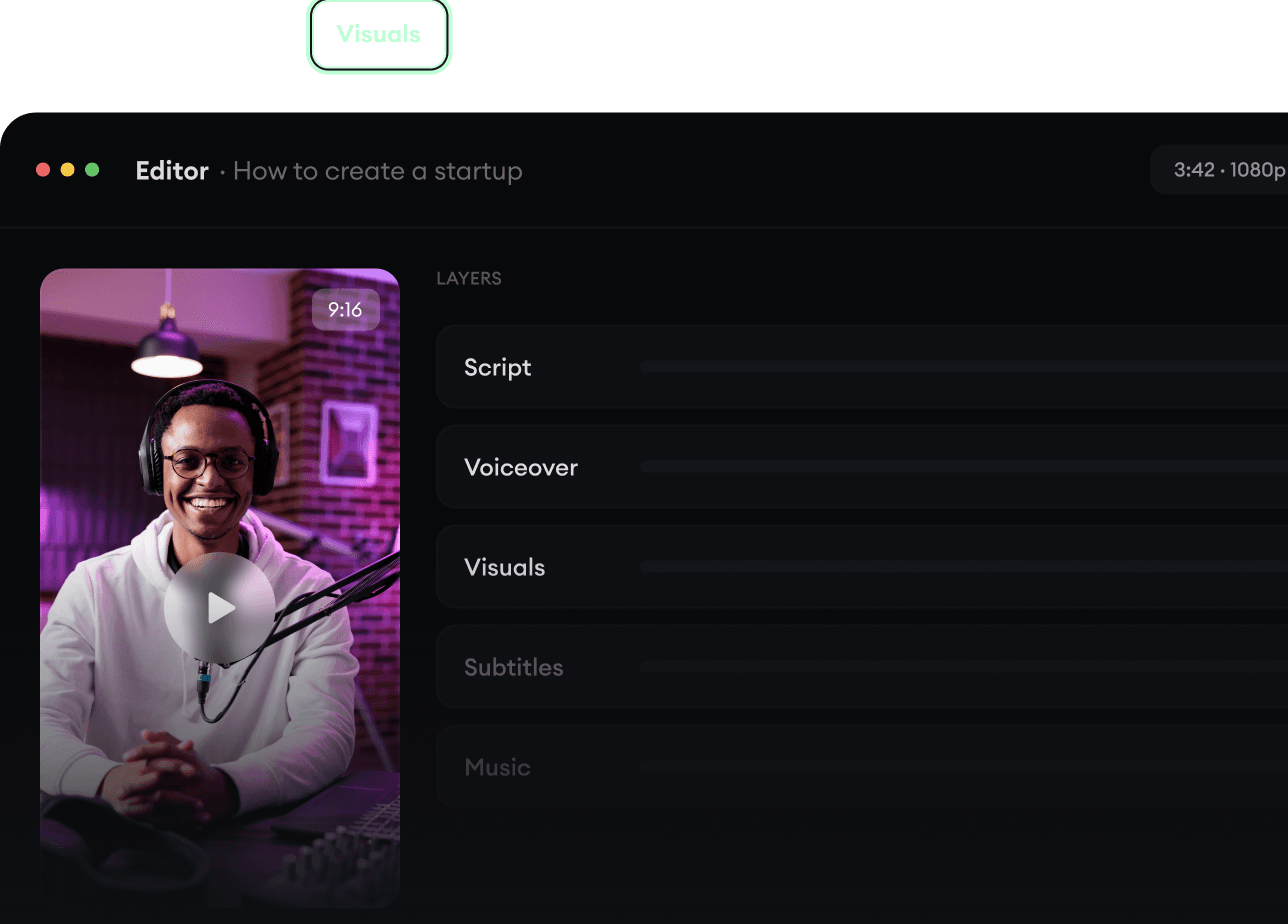
  • Turn text into complete, multi-minute videos
  • Generate everything in one place
  • Refine the result in the editor
Generate The Finished Video.
4

Publish Everywhere.

Share your videos to TikTok, YouTube, Instagram, and wherever your audience is.
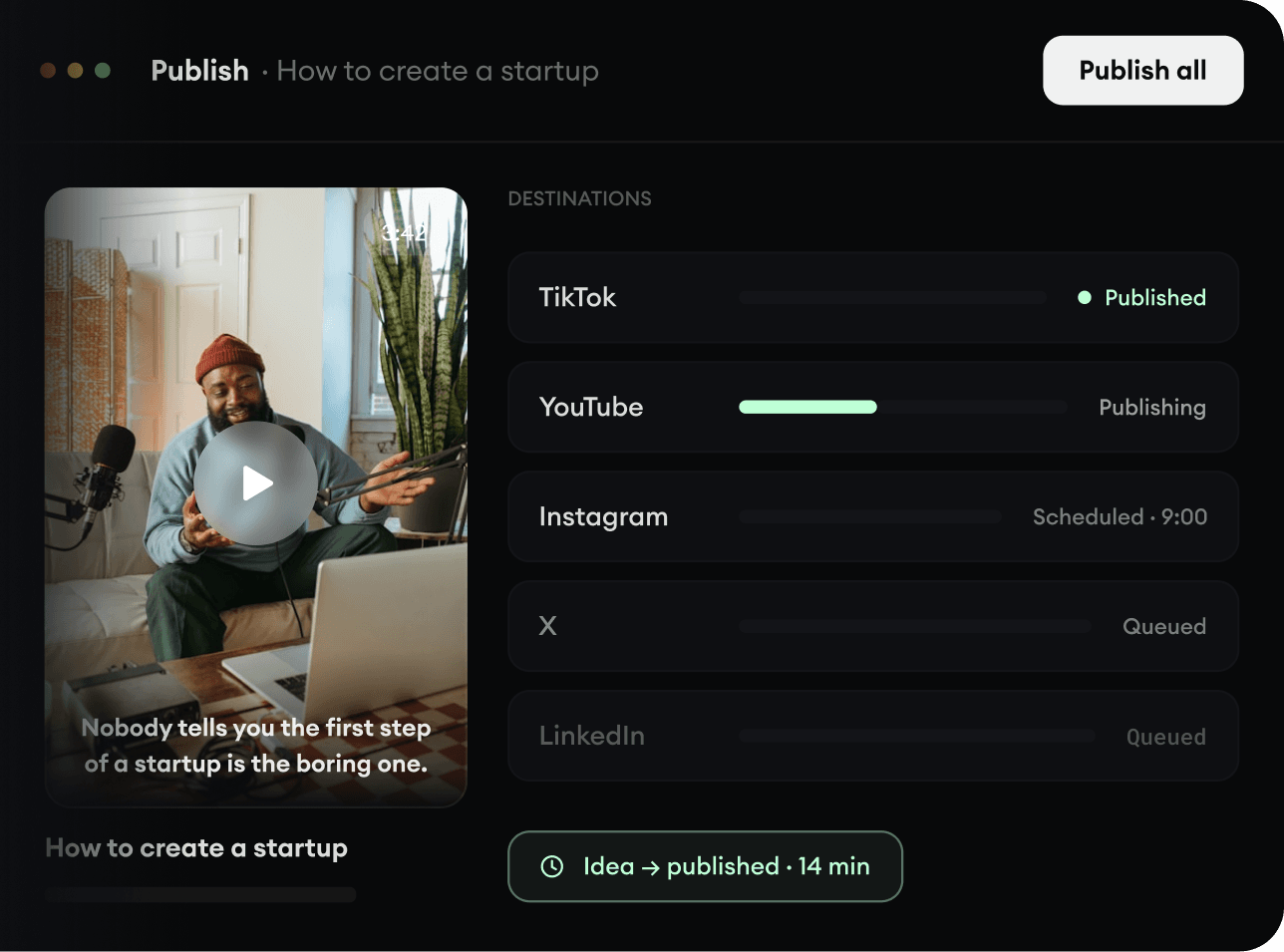
  • Publish across every major platform
  • Reach more people with less work
  • Go from idea to published video in minutes
Publish Everywhere.