Creators publish 30,000+ videos a month with Revid

AI Phonk Video Generator

Make viral Phonk edits instantly. AI generates dirty cowbell melodies, distorted bass, and creates matching drift/car aesthetic visuals.

  • Start from text in seconds
  • Auto-selects visuals
  • Use your own media
Proof of range

Start From What Already Works

YOUR IDEA
Your Prompt

Script automatically generated by Revid

[intro] Yeah, Revid dot A-I in the building Let me tell you 'bout this game-changer Listen up [verse] Started from the bottom, now we viral every post Revid dot A-I, yeah, that's what I need the most Turn my text to video, watch the magic come alive Content creation weapon, help my channel thrive No more struggling with edits, no more wasting time Algorithm on my side, watch me steady climb Scripts to visuals instant, automation so clean Building up my empire on every single screen [chorus] Revid, Revid, making content so quick Revid, Revid, every video hits slick From the idea to the screen in a flash Revid dot A-I, helping me stack that cash Revid, Revid, revolution in the game Revid, Revid, bout to blow up my name [verse] Competition looking worried, they can't keep up the pace While I'm pumping out the content, winning every race A-I powered vision, turning dreams into reality Social media presence with that digital mentality No film crew needed, no expensive camera gear Just my words and Revid, making everything clear Monetizing faster, growing audiences wide This technology the future, come and take a ride [chorus] Revid, Revid, making content so quick Revid, Revid, every video hits slick From the idea to the screen in a flash Revid dot A-I, helping me stack that cash Revid, Revid, revolution in the game Revid, Revid, bout to blow up my name [bridge] They sleeping on the tool that's changing everything While I'm out here winning, yeah, I'm doing my thing Innovation in my pocket, power in my hand Revid got me covered, help me expand my brand [chorus] Revid, Revid, making content so quick Revid, Revid, every video hits slick From the idea to the screen in a flash Revid dot A-I, helping me stack that cash Revid, Revid, revolution in the game Revid, Revid, bout to blow up my name [outro]
Visual FormatAI Video
Visual StyleDefault
FINAL VIDEO

Create Viral AI Phonk Videos in 3 Simple Steps

1 Input Your Lyrics or Concept

Start by pasting your lyrics into the text editor, using tags like [verse] or [chorus] to structure the flow. If you don't have lyrics, simply describe the vibe you want. Set the music style prompt to 'aggressive drift phonk', 'cowbell phonk', or 'distorted bass' to ensure the AI generates that signature gritty sound.

2 Select Phonk Aesthetics

Choose your visual style to match the high-energy music. Select 'Stock videos' for classic drift car footage and JDM aesthetics, or 'Moving AI images' for dark, gritty, neon-soaked visuals. Enable the 'Add sound wave' toggle to include a dynamic audio visualizer that reacts to the beat.

3 Generate and Share

Click 'Generate Video' and watch the AI compose original Phonk music, sync it with the visuals, and apply glitchy transitions. Once complete, use the editor to tweak the subtitles or audio levels, then download your viral-ready edit for TikTok, Instagram Reels, or YouTube Shorts.

Step-by-step guideHow to make a great AI music video from your songFour music videos made with Revid, with the exact settings and the visual direction behind each, then the steps to make yours and what it costs.
01

What Is the AI Phonk Video Generator and Who Is It For?

Phonk has grown from an underground Memphis rap subgenre into one of the most recognizable sounds on TikTok, powering car edits, workout clips, and aggressive montages across every major short-form platform. Revid.ai's AI Phonk Video Generator is built specifically to produce viral Phonk videos with AI-generated drift beats and dark, gritty visuals, making it ideal for TikTok automotive edits and aggressive music content. Revid AI Whether you are a car content creator, a fitness editor, or simply a fan of the genre looking to put out consistent content, the tool handles the beat production and video creation automatically so you can focus on posting.

02

Dark Visuals and Drift Beats, Generated on Demand

The aesthetic of Phonk content is very specific: dark tones, aggressive energy, fast cuts, and visuals that feel like they belong in a night-time drift session or a high-intensity gym edit. Revid.ai captures that atmosphere automatically. You can choose between full AI-generated video for fluid motion or dynamic moving AI images for a more stylized, artistic effect, Revid AI and pair either option with a Phonk track that matches the pace and mood you are going for. The result is a cohesive, genre-accurate video that looks like it was assembled by someone who genuinely knows the culture, not a generic AI clip.

03

From Prompt to Posted in Just a Few Minutes

The workflow is as straightforward as it gets. Describe the vibe you want, pick your visual style, and hit generate. The tool produces viral Phonk tracks and car-edit visuals Revid AI ready for immediate download, all in vertical 9:16 format optimized for TikTok, Instagram Reels, and YouTube Shorts. There is no editing software to learn, no beat-making knowledge required, and no footage to film. For creators who want to stay active and tap into trending audio without spending hours on production, this tool removes every bottleneck between the idea and the finished video.

04

Edit Your Video and Keep Full Rights to the Content

Once the AI delivers your Phonk video, the process does not stop there. Revid.ai's built-in editor is designed for simplicity, letting you make quick, easy edits that allow your creativity to shine through Revid AI without any complex tools getting in the way. Adjust captions, swap scenes, fine-tune the audio, or add overlays to personalize the final cut. Everything you create on Revid.ai is entirely yours, with no hidden clauses or shared ownership, Revid AI so you can publish, monetize, and repurpose your Phonk content across any platform without restrictions.

FAQs

Frequently Asked Questions

What is the AI Phonk Video Generator?
The AI Phonk Video Generator is a specialized tool designed to create viral-style Phonk edits instantly. It uses artificial intelligence to compose original tracks featuring signature elements like dirty cowbells, distorted bass, and high-tempo beats. Simultaneously, it generates or curates matching visuals—such as drift cars, dark cityscapes, or anime aesthetics—perfect for TikTok and social media trends.
How do I make a Phonk edit with this tool?
Creating a Phonk edit is effortless. First, input your lyrics or a text prompt. Second, in the music style field, specify keywords like 'Drift Phonk', 'House Phonk', or 'Aggressive Cowbell'. Third, choose a visual source (like Stock Videos for cars or AI Video for abstract horror/grit). Finally, hit generate. The tool syncs the audio and visuals automatically.
Can the AI generate specific Phonk sub-genres?
Yes! You can guide the music generation by being specific in the 'Style of the music' prompt. Whether you want 'Drift Phonk' with heavy cowbells, 'Atmospheric Phonk' with slow-reverb vibes, or 'Aggressive Phonk' with distorted 808s, the AI interprets your prompt to compose the track accordingly.
What kind of visuals work best for Phonk videos?
Phonk culture is heavily tied to specific aesthetics. Our tool offers several options: 'Stock videos' are perfect for JDM and drift car footage often associated with the genre. 'Moving AI images' or 'AI Video' can create dark, gritty, lo-fi, or neon-noir visuals that match the intense atmosphere of the music.
Does the tool add audio visualizers or sound waves?
Absolutely. We include a 'Add sound wave' toggle specifically for this tool. This adds a dynamic visualizer element that pulses and reacts to the beat of the generated Phonk track, a staple feature in many viral music edits on YouTube and TikTok.
Can I use my own lyrics for the Phonk track?
Yes, you can input your own lyrics. The AI will generate vocal melodies that fit the dark, rhythmic style of Phonk music. Use structure tags like [intro], [verse], and [chorus] to control the flow of the song. Alternatively, you can choose to sync with 'Beats' if you prefer an instrumental track without vocals.
Is the generated Phonk music copyright-free?
The music generated by our AI is unique to your prompt. Generally, AI-generated music is safe for use on social media platforms like TikTok, YouTube Shorts, and Instagram Reels without getting copyright strikes, as it is not pulling from existing copyrighted songs.
How much does it cost to generate a Phonk video?
Credit usage depends on the selected media type and duration. Generating a standard video consumes credits from your monthly allowance. Premium features like 'AI Video' generation or high-quality stock footage may use different credit amounts. Check your plan details for specific credit allocations.
Can I edit the video after it is generated?
Yes, all videos are fully editable. After generation, you can enter the Revid editor to trim clips, change the font style of the lyrics, adjust the volume of the distorted bass, or swap out specific visual clips to perfect your Phonk edit before downloading.
What aspect ratio is best for Phonk edits?
Phonk edits are most popular on mobile-first platforms. We default to a 9:16 (vertical) aspect ratio, which is optimized for TikTok, Instagram Reels, and YouTube Shorts. This ensures your drift clips and visualizers fill the entire phone screen for maximum engagement.

Still have questions?

Contact us

Find detailed answers to 100+ questions about features, tools, and workflows

or check our markdown version optimized for LLMs

Tools

Free AI Video Tools

Choose your tool, add your content, and create a video in seconds. Then customize it to your liking.

See all tools

AI TikTok Video Generator

Turn text into trendy, viral TikTok videos in a snap

Try it out

Prompt to Video

Turn your prompts into engaging videos with AI assistance

Try it out

Add Caption to Video

Generate subtitles in 100+ languages with AI captions

Try it out

PDF to Brainrot

Convert PDFs into attention-grabbing, scrollable videos

Try it out

Text to Brainrot

Turn your text into trendy, scrollable content with dynamic visuals

Try it out

AI Talking Avatar

Create lifelike talking avatars from text in seconds

Try it out

Video Podcast Generator

Transform your podcasts into visually engaging video content

Try it out

AI Movie Maker

Create studio-quality videos from text, no filming required

Try it out

Audio to Video

Make engaging videos from your podcasts, interviews, or any audio content

Try it out

Animated Lyrics Video Generator

Turn any song into an animated lyric video with synced text and visuals.

Try it out

AI Music Video Generator

Transform your music into cinematic music videos.

Try it out

AI Lyrics Video Generator

Transform your lyrics into a complete music video with AI

Try it out
How it works

From Signal To Published In Four Steps.

1

Find Viral & Trending Videos.

RevidAI's Viral Search and Channel Watcher surface the formats, creators, and trends getting attention right now, then help you turn them into ideas of your own.
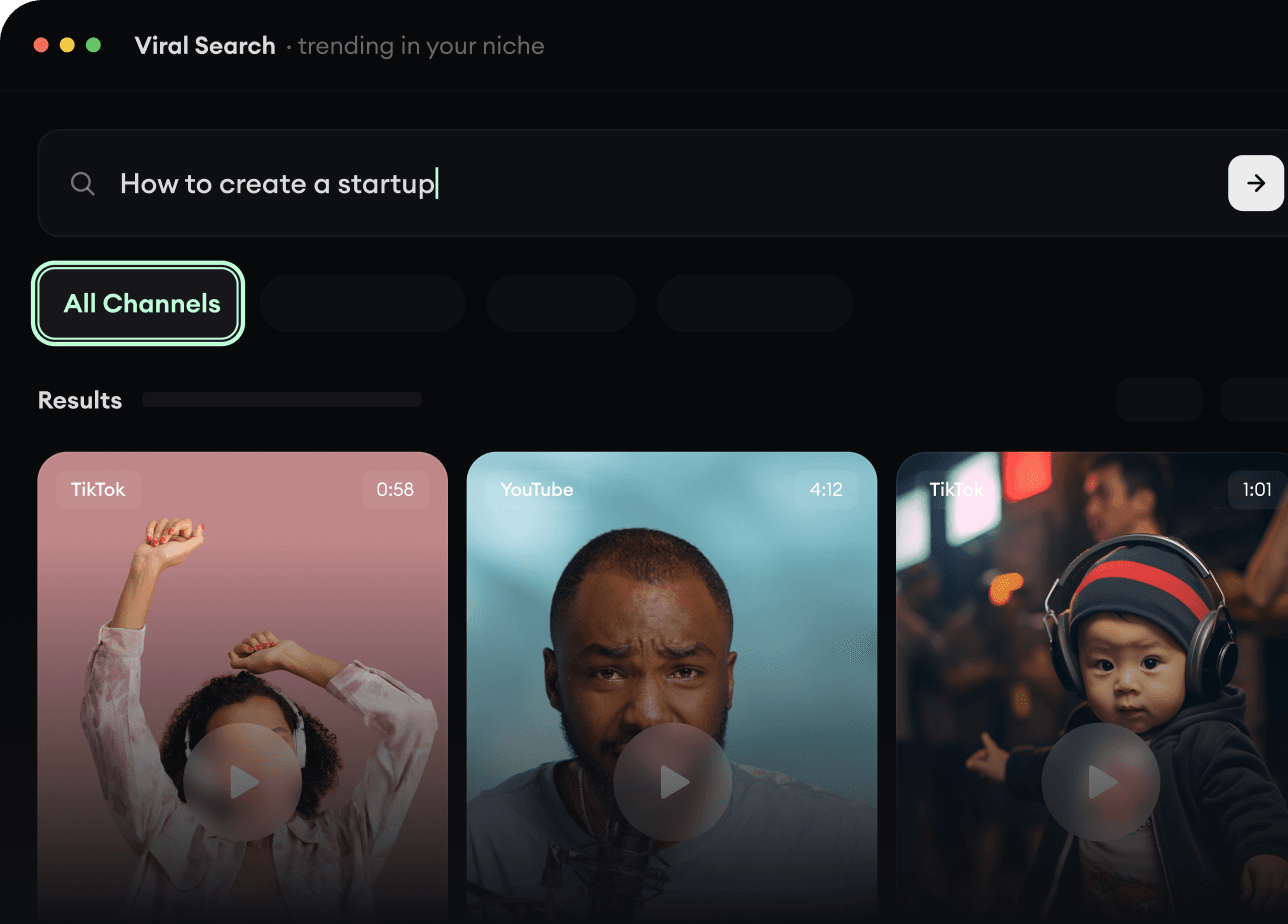
  • Discover winning video formats in your niche
  • Follow creators and channels that matter
  • Start with proven ideas instead of guessing
Find Viral & Trending Videos.
2

Turn An Idea Into A Story.

Found something worth making? Revid AI writes the script, suggests the structure, and turns links, prompts, or topics into complete video concepts.
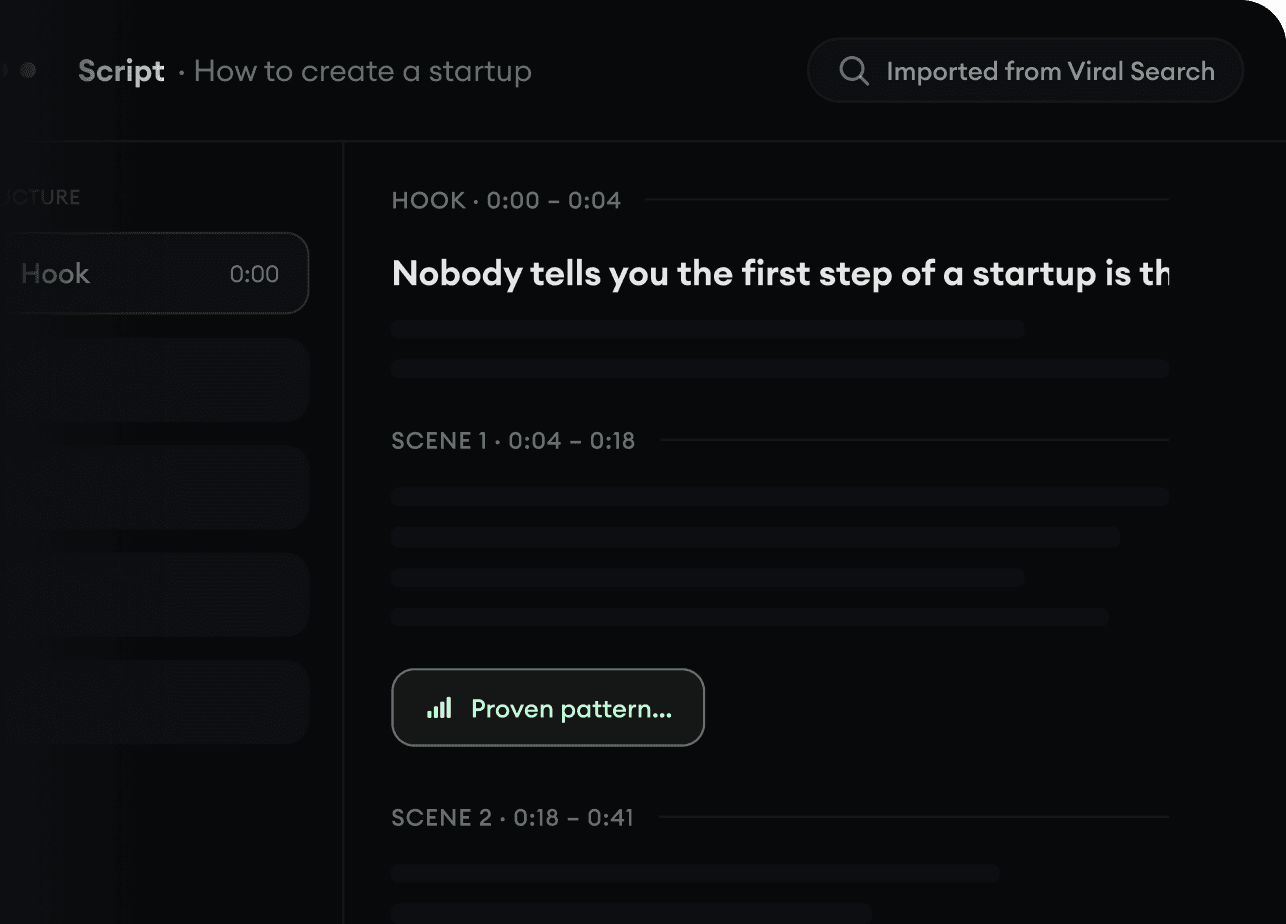
  • Start with a prompt, topic, or URL
  • Generate scripts inspired by proven patterns
  • Build stories designed to keep people watching
Turn An Idea Into A Story.
3

Generate The Finished Video.

Script, voiceover, visuals, subtitles, and editing all come together in one workflow. No stitching together five different tools.
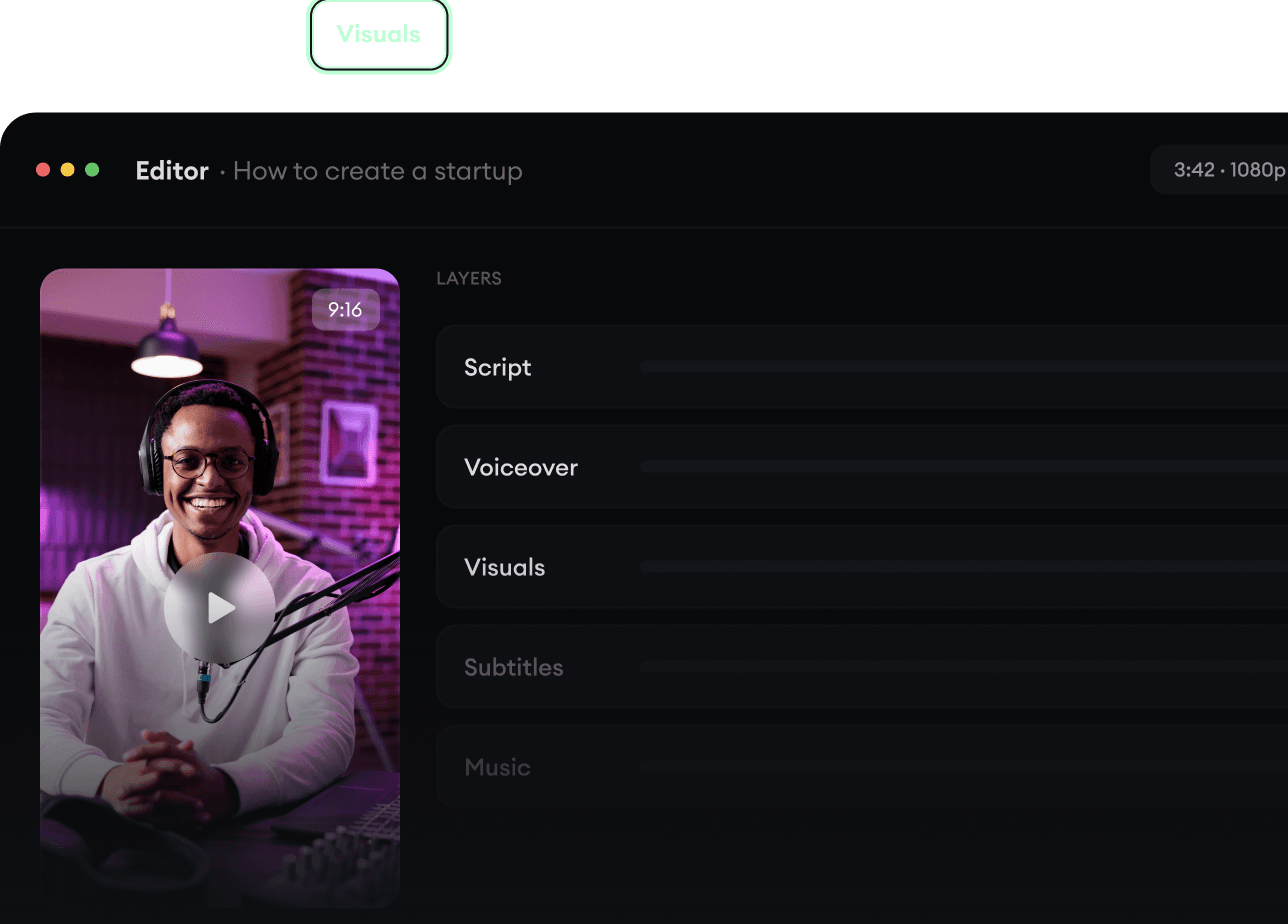
  • Turn text into complete, multi-minute videos
  • Generate everything in one place
  • Refine the result in the editor
Generate The Finished Video.
4

Publish Everywhere.

Share your videos to TikTok, YouTube, Instagram, and wherever your audience is.
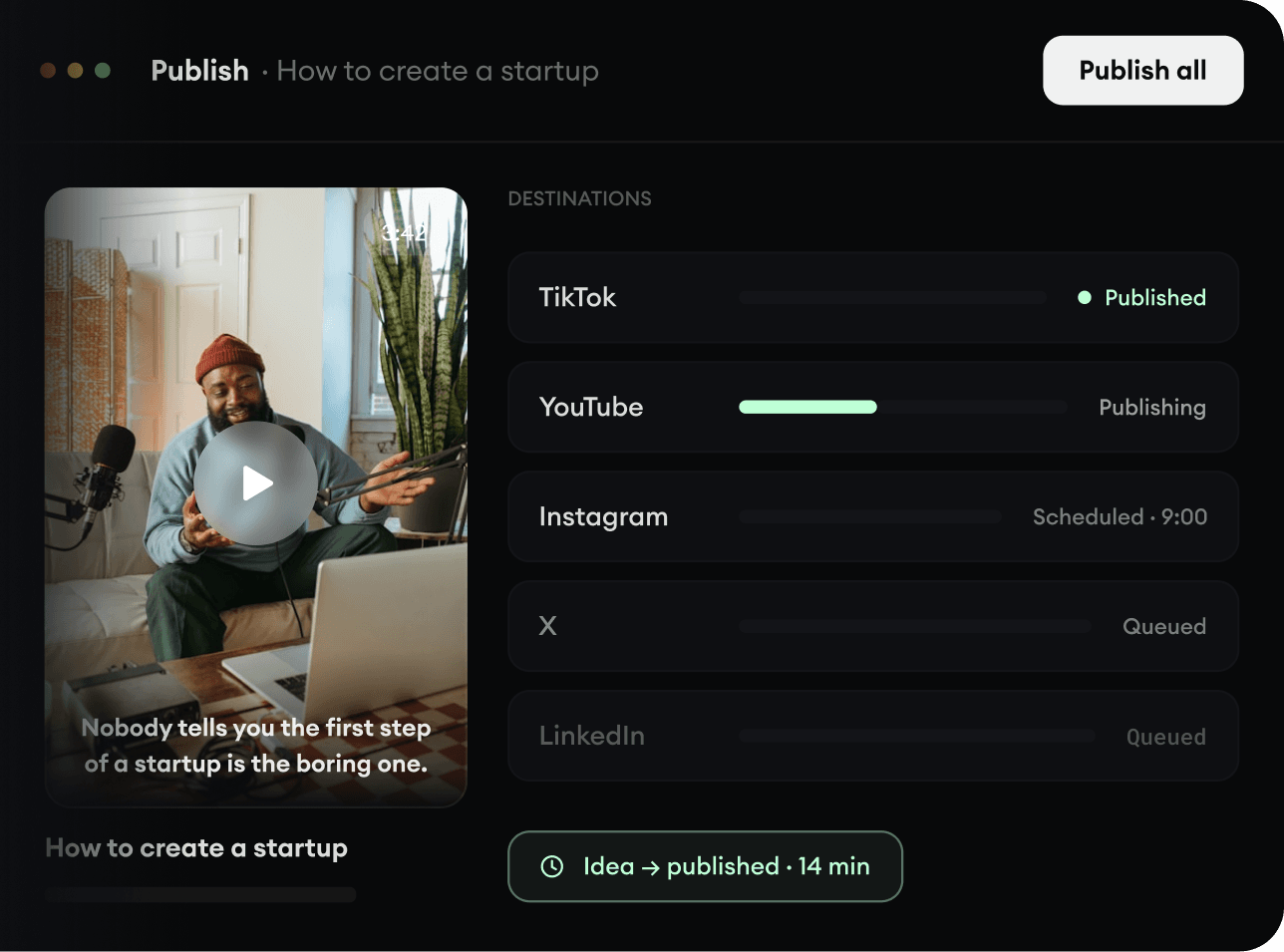
  • Publish across every major platform
  • Reach more people with less work
  • Go from idea to published video in minutes
Publish Everywhere.