2,595 videos created with Revid in the last 24h
or explore our 42+ other tools to create the exact video you want
Explore our tools
Add Subtitles to Your TikTok Video - Make your video more engaging and shareable on TikTok with Dynastic subtitles.
Upload a video to generate accurate captions, subtitle translations, and mobile-ready reframing in minutes.
or explore our 42+ other tools to create the exact video you want
Explore our toolsStart by uploading the video you want to caption directly into the TikTok Subtitle Generator. Our AI will instantly begin analyzing the audio to transcribe your speech with high accuracy, preparing it for dynamic, TikTok-style captions.
Choose how you want your final video to look. You can translate your captions to a different language, enable the 'Auto-reframe video' option to automatically crop your footage to a mobile-friendly 9:16 aspect ratio, or turn on the AI video editor to add dynamic motion graphics and B-roll footage.
Click 'Generate' and let our AI TikTok subtitle generator do the heavy lifting. In minutes, you'll receive a polished video with eye-catching, burned-in subtitles that perfectly sync with your words, ready to be downloaded and posted directly to TikTok to maximize your reach.
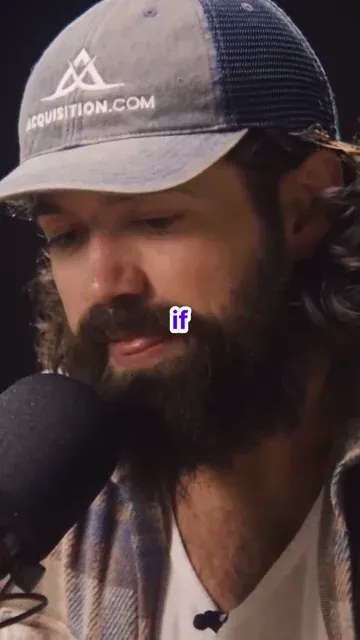
Upload your TikTok video and Revid automatically generates styled captions synced precisely to every word spoken, using the dynamic caption format that TikTok's most viewed content uses. There is no manual transcription, timing adjustment, or caption styling involved. The AI listens to the audio, transcribes the speech, and renders on-screen captions that match TikTok's visual language. The output is your video with captions burned in and ready to post, produced in the time it takes to upload the file.
The TikTok subtitle generator produces animated, on-brand captions formatted specifically for TikTok's vertical viewing environment. Each word is timed to the speech in the video and displayed in a style that keeps viewers reading even while watching on mute. Caption styling, font, position, and animation are handled automatically without requiring you to adjust anything manually. The captions are burned into the final video export, meaning your content looks polished and platform-native from the moment it is posted without extra formatting steps.
TikTok data consistently shows that videos with on-screen captions outperform uncaptioned videos in watch completion, saves, and shares. The majority of TikTok content is watched on mute, which means captions are not optional for creators who want to hold attention and communicate clearly. TikTok's algorithm also uses on-screen text as a signal for content categorization, which improves discoverability. Adding captions to every video with Revid takes the same amount of time regardless of how long the video is, making it a consistent part of every post without adding production overhead.
Add styled TikTok captions to every video automatically without transcribing speech or adjusting timing, keeping your captions consistent and your posting schedule on track.
Make every word of your TikTok storytelling and monologue content readable on mute with captions that keep viewers engaged through to the end of each video.
Ensure all branded TikTok videos have accurate, on-style captions that communicate your message clearly to viewers watching on mute in public or professional environments.
Add accurate captions to TikTok videos in your language and make your content accessible and searchable to international audiences who watch across language barriers.
Manually captioning TikTok videos requires transcribing speech, timing each line, and styling captions in an editing tool. Revid generates styled TikTok captions automatically from any uploaded video.
Discover more ways to create engaging videos with our AI-powered tools
Find detailed answers to 100+ questions about features, tools, and workflows
or check our markdown version optimized for LLMs
Choose your tool, add your content, and create a video in seconds. Then customize it to your liking.
Turn your prompts into engaging videos with AI assistance
Create studio-quality videos from text, no filming required
Turn any song into an animated lyric video with synced text and visuals.
RevidAI's Viral Search and Channel Watcher surface the formats, creators, and trends getting attention right now, then help you turn them into ideas of your own.

Found something worth making? Revid AI writes the script, suggests the structure, and turns links, prompts, or topics into complete video concepts.

Script, voiceover, visuals, subtitles, and editing all come together in one workflow. No stitching together five different tools.

Share your videos to TikTok, YouTube, Instagram, and wherever your audience is.
