2,595 videos created with Revid in the last 24h
or explore our 42+ other tools to create the exact video you want
Explore our tools
Upload a source video and a reference image to swap faces while keeping the original motion, timing, and expressions. Powered by the best motion control model available, it transfers the performance to the new face in minutes, with optional voice replacement. Cost at least 50 credits per 5s of video.
or explore our 42+ other tools to create the exact video you want
Explore our tools
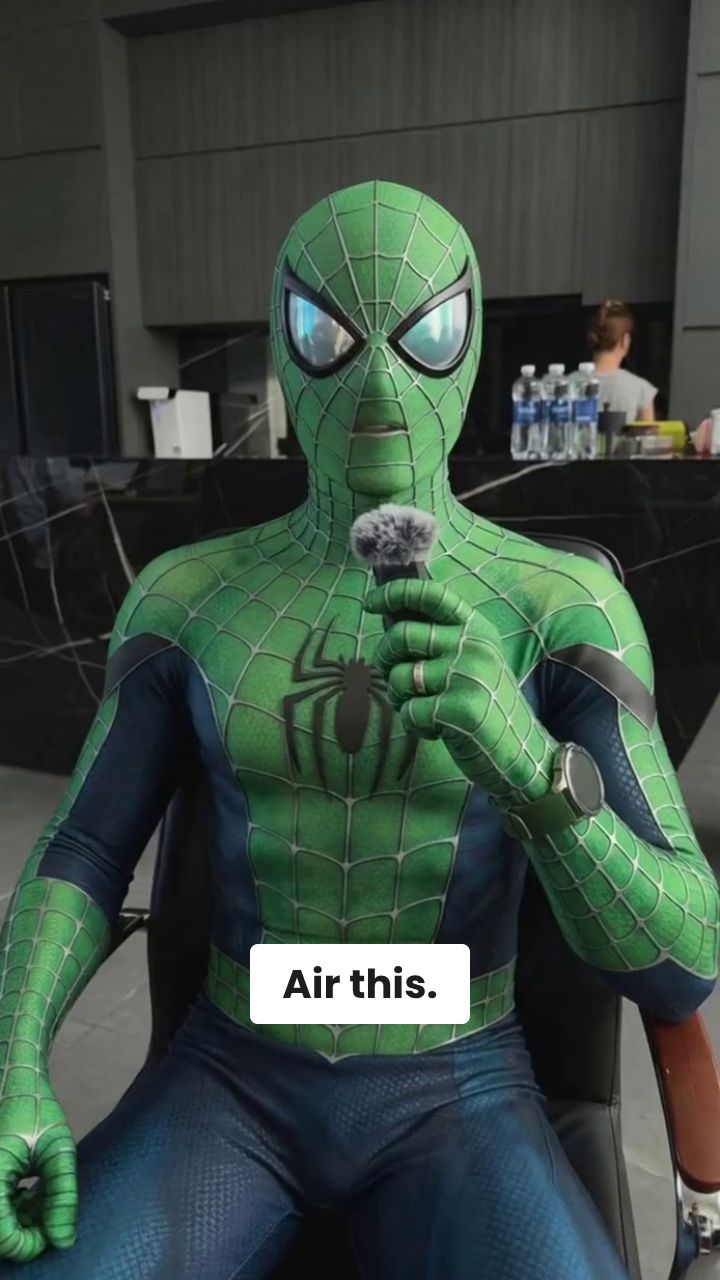
Start your AI video face swap by pasting a video URL (like YouTube or TikTok) or uploading a video file directly. For the best face swap video results, ensure your clip is under 2 minutes, features one clearly visible person, has the upper body in the frame, and has limited face occlusion.
To swap faces in video from a photo, simply upload a single clear, front-facing reference image of the face you want to use. Our AI video face swap online tool will map this new identity onto the subject in your source video while preserving their original expressions.
Select your desired quality model (Pro or Ultra) and choose whether to keep the original audio or replace the voice using our AI voice generator. Click generate, and in just a few minutes, your highly realistic face swap video will be ready to download and share on TikTok, Reels, or Shorts!
Revid's AI video face swap is built for creators who want more than a simple pasted-on face replacement. Upload a source video and a reference image, and the tool transfers the performance to the new identity while preserving head movement, facial expression, timing, and body language. That makes the result look far more natural than basic face swap video apps that only work on still moments or fall apart when the subject moves.
If you want to swap a face in video from a photo, you do not need multiple training images or a complicated editing workflow. A single clear, front-facing reference image is enough for Revid to establish the new identity and apply it across the source clip. This makes the tool ideal for character transformations, parody videos, roleplay content, and creative experiments where speed matters.
Short-form creators need face swap results that feel native to social platforms, not like rough desktop VFX exports. Revid creates video face swaps that work especially well for TikTok, Instagram Reels, and YouTube Shorts, with motion-preserving output that holds attention in the first seconds. Use it to remix characters, test creative concepts, or produce scroll-stopping transformations without a complex edit.
Under the hood, Revid uses the best motion control model available to map the motion from your source video onto the person in your reference image. This is why the output keeps natural turning, pacing, and performance energy instead of looking static or disconnected. The workflow is simple on the surface, but the result is a more consistent AI face swap video that stays believable through movement.
Discover how to use our Video face swap to create content in a smart and effective way.
Turn one performance into multiple characters for TikTok, Reels, and YouTube Shorts without manual tracking or compositing.
Create skits, alternate-cast scenes, and character-driven edits by applying the same motion to a new face from a single photo.
Test spokesperson variations and creative directions faster by reusing one source performance with different reference faces.
Prototype face swap concepts quickly before committing to heavier post-production or more advanced VFX work.
Basic face swap apps often break when the subject moves, turns, or changes expression. Revid is built to preserve the performance so your face swap video looks coherent from start to finish.
Discover more ways to create engaging videos with our AI-powered tools
Find detailed answers to 100+ questions about features, tools, and workflows
or check our markdown version optimized for LLMs
Choose your tool, add your content, and create a video in seconds. Then customize it to your liking.
Turn your prompts into engaging videos with AI assistance
Create studio-quality videos from text, no filming required
Turn any song into an animated lyric video with synced text and visuals.
RevidAI's Viral Search and Channel Watcher surface the formats, creators, and trends getting attention right now, then help you turn them into ideas of your own.

Found something worth making? Revid AI writes the script, suggests the structure, and turns links, prompts, or topics into complete video concepts.

Script, voiceover, visuals, subtitles, and editing all come together in one workflow. No stitching together five different tools.

Share your videos to TikTok, YouTube, Instagram, and wherever your audience is.
