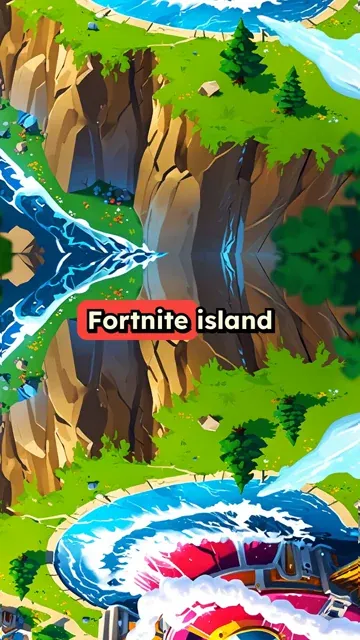
Fortnite island bombshell. The storm? It's just a massive sprinkler system gone haywire. Battle bus? Refurbished ice cream truck. Building mechanics? Everyone's obsessed with LEGO. Shields? Expired sunscreen. Mythic weapons? Souped-up Nerf guns. The island's actually a giant theme park, and we're all unwitting mascots. Victory Royale? You've been selected as employee of the month. Even the Zero Point is just a fancy snow globe. Epic's been trolling us all along. Now, where's my VBucks? I've got a mascot costume to upgrade.
Visual FormatAnimated AI Images
Visual StyleAnime Realism
FINAL VIDEO
How to Create Fortnite Videos in 3 Simple Steps with AI
1 Write Your Fortnite Script
To create a Fortnite video, simply type or paste your script into the prompt box. Whether it's a battle royale story, a skin tier list, or a season breakdown, our Fortnite AI video generator will use your text to direct the visual narrative. You don't need to capture live gameplay or use screen recording software.
2 Choose Your AI Media Style
Select your preferred media type to generate Fortnite videos with AI. Choose between dynamic "AI Video" for real moving clips where characters act, or "Animated AI images" for a stunning 3D rendered battle royale look. Our specialized 3D Render preset ensures your Fortnite short video has the perfect high-energy gaming aesthetic.
3 Generate and Share Your Video
Click generate and let Revid AI create your Fortnite video in minutes. Your final Fortnite short video will feature perfectly synced natural voiceover, custom sound effects, and a curated soundtrack. Once ready, easily share your battle royale content directly to TikTok, YouTube Shorts, or Instagram Reels.
01
Battle Royale Content Without Capturing Live Gameplay or Streaming
Write your Fortnite-inspired script and Revid generates a complete short video with AI-rendered 3D visuals, natural voiceover, and cinematic presentation. The 3D Render AI preset produces high-energy battle royale imagery that captures the island environments, character skins, and action sequences described in your script. No screen recording, gameplay capture, or editing is required. From script to finished video takes minutes, making it practical to post match story videos, character skin breakdowns, and season reviews on a regular schedule that the Fortnite gaming audience expects.
02
What the 3D Render AI Preset Generates from Your Fortnite Script
The Fortnite video generator uses a 3D Render AI preset to produce polished, dynamic visuals that match the high-production aesthetic of battle royale gaming content. Each scene in your script is rendered with action-ready compositions and vibrant imagery that fits the look and energy of the game. Voiceover is generated and synced automatically alongside a curated soundtrack. Write a story about a match, a character, a new weapon, or any gameplay concept, and receive a finished short video without any screen recording or editing workflow.
03
Fortnite Fan Content That Performs in the Gaming Community
Fortnite content drives some of the highest short-form video engagement in gaming, with strong performance for season recaps, skin tier lists, storyline breakdowns, and player-versus-player challenge videos. The game's regular season updates create constant new content opportunities for creators who can publish quickly. Revid removes the need to capture and edit footage to take advantage of those windows. Write the concept for your video on the same day a new season drops and publish the same day, without waiting on a full production workflow.
Target Audience
Who is this tool for?
Fortnite content creators
Build a consistent channel around battle royale stories, skin rankings, and season breakdowns on TikTok and YouTube Shorts without screen recording or video editing required.
Gaming action storytellers
Write Fortnite match narratives, character origin stories, or event breakdowns and convert them directly into short-form videos that reach the gaming audience on every platform.
Esports and battle royale channels
Add scripted Fortnite story and analysis content to a gaming channel to complement live match commentary with polished narrative videos that drive consistent subscriber growth.
Gaming brand and esports teams
Create Fortnite-themed video content for product campaigns, esports sponsorships, and season launch events that reach the large and commercially active gaming audience in this niche.
Comparison
Revid vs. Manual Fortnite Video Production
Fortnite content normally requires live screen recording, gameplay capture, and editing. Revid generates a complete 3D-rendered story video from your script without any of those steps.
Input
Revid Create Fortnite VideosWrite a script and generate immediately
Other ToolsLaunch the game, record matches, and edit footage manually
Visual style
Revid Create Fortnite VideosAI 3D render preset generates Fortnite-style visuals from your script
Other ToolsRequires live gameplay recording or custom animation tools
Voiceover
Revid Create Fortnite VideosAI narration generated and synced automatically
Other ToolsRequires recording a microphone and syncing manually
Music
Revid Create Fortnite VideosCurated soundtrack matched to scene pacing automatically
Other ToolsMusic must be sourced, licensed, and manually synced
Production time
Revid Create Fortnite VideosComplete video ready in minutes
Other ToolsHours of gameplay sessions and editing per video
Content volume
Revid Create Fortnite VideosGenerate multiple Fortnite story and breakdown videos in one session
Other ToolsEach video requires a separate full recording and editing run
Feature / Benefit
Revid Create Fortnite Videos
Other Tools
Input
Write a script and generate immediately
Launch the game, record matches, and edit footage manually
Visual style
AI 3D render preset generates Fortnite-style visuals from your script
Requires live gameplay recording or custom animation tools
Voiceover
AI narration generated and synced automatically
Requires recording a microphone and syncing manually
Music
Curated soundtrack matched to scene pacing automatically
Music must be sourced, licensed, and manually synced
Production time
Complete video ready in minutes
Hours of gameplay sessions and editing per video
Content volume
Generate multiple Fortnite story and breakdown videos in one session
Each video requires a separate full recording and editing run
More Tools
Explore Similar Fandom AI Video Tools
Discover more ways to create engaging videos with our AI-powered tools
FAQs
Frequently Asked Questions
What is the Fortnite AI Video Generator?
Our Fortnite AI Video Generator is a specialized tool that allows you to create Fortnite videos using just a text script. Instead of spending hours capturing live gameplay, screen recording, and editing, you can simply write your battle royale story, and our AI will generate a complete, 3D-rendered short video perfect for TikTok and YouTube Shorts.
How do I create a Fortnite video without screen recording?
It is incredibly easy to create a Fortnite video without any screen recording. Just write a script describing your match, character skins, or new season updates. Our AI Fortnite video creator uses a 3D Render AI preset to automatically generate high-energy visuals, add a natural voiceover, and sync background music. You get a polished gaming video in minutes.
What kind of media does the Fortnite video maker generate?
When you use our tool to create Fortnite videos, you can choose between two main media types: "AI video" (where characters act and the camera follows the action) and "Animated AI images" (stunning 3D rendered stills brought to life with camera movements). Both options are designed to match the vibrant, action-packed Fortnite universe.
Can I make my Fortnite characters speak in the video?
Yes! Choose the "AI video" media type and describe your character, mascot, or skin in your script. The AI will animate them alongside the generated voiceover, which makes it perfect for custom battle royale storylines.
Is this tool good for making Fortnite TikToks and YouTube Shorts?
Absolutely. The primary goal of our Fortnite short video maker is to help creators produce highly engaging vertical content (9:16 ratio). Whether you want to create Fortnite videos for TikTok, Instagram Reels, or YouTube Shorts, the AI automatically formats your content to perform well in the gaming community.
How long does it take to generate a Fortnite video with AI?
Most videos are ready in just a few minutes. Because you don't have to launch the game, record a match, or manually edit footage, you can generate Fortnite videos with AI on the exact same day a new season drops. This speed allows you to publish trending battle royale content instantly.
Do I need to find my own music and sound effects?
No, you do not! When you create a Fortnite video using Revid AI, the platform automatically curates a soundtrack and adds priority sound effects that match the pacing of your scene. You get a fully produced battle royale short video without having to source or license audio tracks manually.
What should I write in my prompt for the best Fortnite short video?
To create the best Fortnite videos, be as descriptive as possible in your script. Mention the specific style, mood, and key elements like "island environments", "epic battle royale victory", or "new season 3D render". The more details you provide, the better the Fortnite AI video generator can craft the perfect aesthetic.
Can I edit the AI-generated Fortnite video after it's made?
Yes. After you generate Fortnite videos with AI, you can review the storyboard and make adjustments. While the AI handles the heavy lifting of the 3D render visuals and voiceover, you retain creative control to ensure your Fortnite YouTube Shorts or TikToks are exactly how you envisioned them.
Who should use this AI Fortnite video creator?
This tool is perfect for Fortnite content creators, gaming action storytellers, esports channels, and gaming brands. If you want to build a consistent channel around battle royale stories, skin rankings, and season breakdowns without the hassle of traditional video editing, our Fortnite AI video generator is built for you.
RevidAI's Viral Search and Channel Watcher surface the formats, creators, and trends getting attention right now, then help you turn them into ideas of your own.
Discover winning video formats in your niche
Follow creators and channels that matter
Start with proven ideas instead of guessing
2
Turn An Idea Into A Story.
Found something worth making? Revid AI writes the script, suggests the structure, and turns links, prompts, or topics into complete video concepts.
Start with a prompt, topic, or URL
Generate scripts inspired by proven patterns
Build stories designed to keep people watching
3
Generate The Finished Video.
Script, voiceover, visuals, subtitles, and editing all come together in one workflow. No stitching together five different tools.
Turn text into complete, multi-minute videos
Generate everything in one place
Refine the result in the editor
4
Publish Everywhere.
Share your videos to TikTok, YouTube, Instagram, and wherever your audience is.