Creators publish 30,000+ videos a month with Revid

AI Video Quiz Maker

Create a dynamic video quiz that challenge viewers to answer questions.

  • Start from text in seconds
  • AI voiceover
  • Auto-selects visuals
  • Captions and sound-ready
Proof of range

Start From What Already Works

YOUR IDEA
Your Prompt

Script automatically generated by Revid

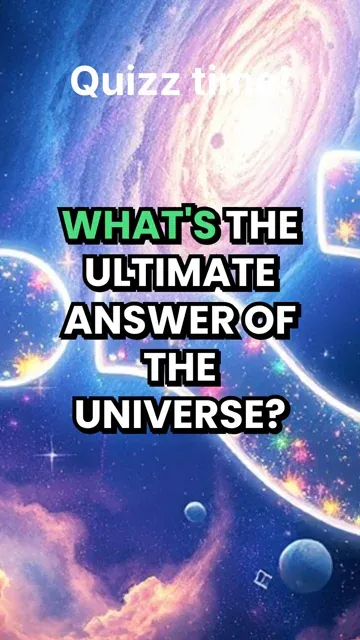
What's the ultimate answer of the Universe?
Visual FormatAnimated AI Images
Visual StyleAnime
FINAL VIDEO

How to Create a Video Quiz with AI in 3 Simple Steps

1 Enter Your Topic

Start by typing the subject of your quiz. Our AI quiz video generator will automatically write the quiz content for you, crafting 3 to 5 engaging questions with multiple choices and exactly one correct answer. You can also paste your own pre-written questions if you prefer.

2 Select Visuals and Voice

Choose how you want your video quiz to look and sound. Select your preferred media type—either dynamic AI video clips or animated AI images—to illustrate your questions. Then, pick a lifelike AI voiceover to read the trivia and reveal the correct answers.

3 Generate and Share

Click generate and let the AI video quiz maker handle the heavy lifting. The AI automatically manages the question pacing, countdown timers, and answer reveals. In just a few minutes, you'll have a highly engaging, scroll-stopping quiz video ready to post directly to TikTok, YouTube Shorts, or Instagram Reels.

01

The AI Quiz Video Generator Built for Social Media

Revid's AI quiz video generator turns any topic into an engaging, interactive-style quiz video optimized for TikTok, YouTube Shorts, and Instagram Reels. Type your subject, choose your format, and the AI writes the questions, generates the visuals, and packages everything into a scroll-stopping short-form video that drives comments, shares, and saves. It is one of the most effective content formats on social media right now, and Revid makes it effortless to produce at scale.

02

How to Make a Quiz Video with AI in Minutes

Creating a quiz video with Revid takes three steps. Enter your topic or paste a script, select a visual style and voiceover, and generate. The AI handles question pacing, answer reveals, and on-screen text formatting automatically, producing a finished quiz video that feels polished and intentional. Whether you are making trivia content, personality quizzes, or educational question videos, Revid's quiz video maker ai delivers a ready-to-post result every time.

03

AI Quiz Video Generator, No Editing Skills Required

Revid's AI quiz video generator gives creators, educators, and marketers a simple way to produce high-performing quiz content without touching a video editor. Generate quiz videos for TikTok, build a YouTube Shorts series around weekly trivia, or create branded quiz content for your audience, all from a single prompt. Try it with no credit card required and see how quickly a great quiz video comes together when AI handles the production.

04

Why Quiz Videos Drive More Engagement Than Any Other Format

Quiz content works on a psychological level that passive video formats cannot replicate. When a viewer sees a question on screen, their brain automatically engages with it, forming an answer before the reveal. That moment of anticipation, confirmation, or surprise is what drives comments, shares, and repeat views at rates that straight informational or entertainment content rarely achieves. Revid's quiz video generator is built around this dynamic, giving you control over question pacing, countdown timing, and answer reveals so every video is structured to maximize the engagement response from the first question to the last.

Example Videos

See What You Can Create with Create Video Quiz

Explore different styles and possibilities with our Create Video Quiz

Video Quiz Generator for Education

Create engaging video quizzes that challenge and educate your audience with our video quiz generator. Transform questions into interactive video content with dynamic visuals and engaging quiz formats perfect for educational content.

  • Interactive video quiz creation technology
  • Educational content with engaging visuals
  • Dynamic quiz formats for maximum engagement
  • Perfect for teachers and content creators
Video Quiz Generator for Education

AI Quiz Video Creation for Social Media

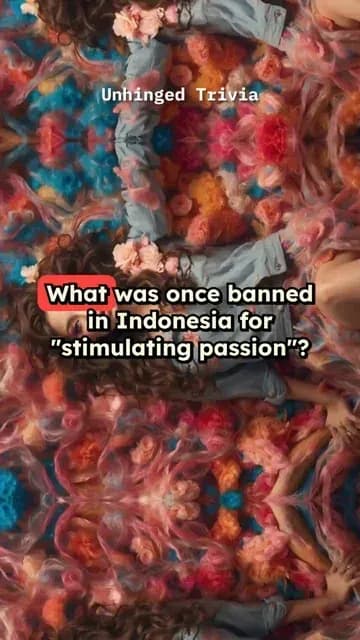
Generate viral quiz videos for social media platforms with our AI quiz generator. Create entertaining quiz content with professional presentation, engaging questions, and shareable format that drives audience interaction.
  • Viral quiz video generation for social media
  • Professional presentation and format
  • Entertaining quiz content creation
  • High audience interaction and shareability
AI Quiz Video Creation for Social Media

Professional Quiz Video Production

Produce professional quiz videos with advanced AI technology and custom themes. Our video quiz generator creates broadcast-quality quiz content with themed visuals, engaging animations, and professional presentation quality.

  • Professional quiz video production technology
  • Custom themes and engaging animations
  • Broadcast-quality quiz content creation
  • Advanced AI quiz generation capabilities
Professional Quiz Video Production
FAQs

Frequently Asked Questions

What is the AI Video Quiz Maker?
The AI Video Quiz Maker by Revid is an advanced tool designed to help you create a video quiz in minutes. It acts as a powerful AI quiz video generator that automatically turns any topic into an engaging, interactive short-form video. It is perfect for driving engagement on platforms like TikTok, YouTube Shorts, and Instagram Reels.
How do I create a video quiz using this tool?
To create a video quiz, simply enter your desired topic. Our AI quiz video generator will automatically write the questions, provide multiple-choice answers, and highlight the correct one. Next, choose your visual style and AI voiceover. The video quiz generator handles the pacing, countdowns, and text formatting automatically, delivering a ready-to-publish video.
Do I need to write the quiz questions myself?
Not at all! When you use our AI video quiz maker, the AI can write the entire quiz for you. Just provide a subject, and the AI quiz video generator will craft 3 to 5 catchy questions, each with 2 to 4 possible answers, ensuring exactly one is correct. However, if you already have specific questions in mind, you can easily input them as well.
What types of visuals can I use for my quiz video?
Our quiz video maker AI offers two stunning visual styles to illustrate your questions: 'AI video' (real video clips where characters act and objects move) and 'Animated AI images' (still images brought to life with dynamic camera movements like zooms and pans). Both options create highly engaging backgrounds for your interactive quiz videos.
Why should I create quiz videos for social media?
If you want to boost your audience engagement, you should create a video quiz. Quiz videos drive more interaction than passive formats because viewers naturally try to guess the answer before the timer runs out. Using an AI quiz video generator helps you effortlessly produce trivia content that drives comments, shares, and repeat views on social media.
How long does it take to make a quiz video with AI?
With our AI quiz video generator, it takes just a few minutes. You don't need any prior video editing skills. The AI video quiz maker automates the entire production process, from writing the trivia to syncing the voiceover and answer reveals, giving you a professional, ready-to-post video in record time.
Does the AI handle the countdown timers and pacing?
Yes, our video quiz generator is built specifically to maximize viewer retention. It automatically handles the optimal question pacing, countdown timing, and dramatic answer reveals. You can trust the AI video quiz maker to structure every second of the video to keep your audience hooked from the first question to the last.
Do I need video editing experience to use the AI video quiz maker?
Absolutely not! Our AI quiz video generator requires zero video editing skills. Whether you are an educator making learning fun, a marketer, or a creator building a YouTube Shorts trivia series, you can create a video quiz effortlessly. The AI handles all the complex editing, transitions, and text overlays for you.
What platforms are these quiz videos optimized for?
When you create a video quiz with Revid, the output is automatically formatted in a 9:16 aspect ratio. This makes the videos generated by our AI quiz video maker perfectly optimized for short-form, vertical platforms like TikTok, YouTube Shorts, and Instagram Reels.
How much does it cost to use the video quiz generator?
The cost to create a video quiz depends on your Revid subscription plan and the specific media types you choose (like premium AI video clips). Generating videos uses credits. Free users receive a set amount of starting credits, while our paid tiers provide a generous monthly allocation so you can consistently produce AI quiz videos at scale.
Can I use the quiz video maker AI for educational content?
Yes, the AI video quiz maker is a fantastic tool for education! Teachers and educational content creators frequently use our video quiz generator to transform standard lessons into interactive challenges. It's an incredibly effective way to test knowledge and keep students or followers highly engaged with educational material.
Can I edit my quiz video after the AI generates it?
Definitely. After the AI quiz video generator creates your initial video, you have full access to Revid's intuitive built-in editor. You can adjust the text overlays, change the background music, swap out visuals, or tweak the timings before you download and share your final video quiz.
I have more questions about the AI quiz video generator. How can I get help?
We are always here to help you create a video quiz successfully! If you have any additional questions about our AI video quiz maker, the generation process, or any other Revid AI tools, please email our friendly support team at hello@revid.ai and we will assist you as soon as possible.

Still have questions?

Contact us

Find detailed answers to 100+ questions about features, tools, and workflows

or check our markdown version optimized for LLMs

Tools

Free AI Video Tools

Choose your tool, add your content, and create a video in seconds. Then customize it to your liking.

See all tools

AI TikTok Video Generator

Turn text into trendy, viral TikTok videos in a snap

Try it out

Prompt to Video

Turn your prompts into engaging videos with AI assistance

Try it out

Add Caption to Video

Generate subtitles in 100+ languages with AI captions

Try it out

PDF to Brainrot

Convert PDFs into attention-grabbing, scrollable videos

Try it out

Text to Brainrot

Turn your text into trendy, scrollable content with dynamic visuals

Try it out

AI Talking Avatar

Create lifelike talking avatars from text in seconds

Try it out

Video Podcast Generator

Transform your podcasts into visually engaging video content

Try it out

AI Movie Maker

Create studio-quality videos from text, no filming required

Try it out

Audio to Video

Make engaging videos from your podcasts, interviews, or any audio content

Try it out

Animated Lyrics Video Generator

Turn any song into an animated lyric video with synced text and visuals.

Try it out

AI Music Video Generator

Transform your music into cinematic music videos.

Try it out

AI Lyrics Video Generator

Transform your lyrics into a complete music video with AI

Try it out
How it works

From Signal To Published In Four Steps.

1

Find Viral & Trending Videos.

RevidAI's Viral Search and Channel Watcher surface the formats, creators, and trends getting attention right now, then help you turn them into ideas of your own.
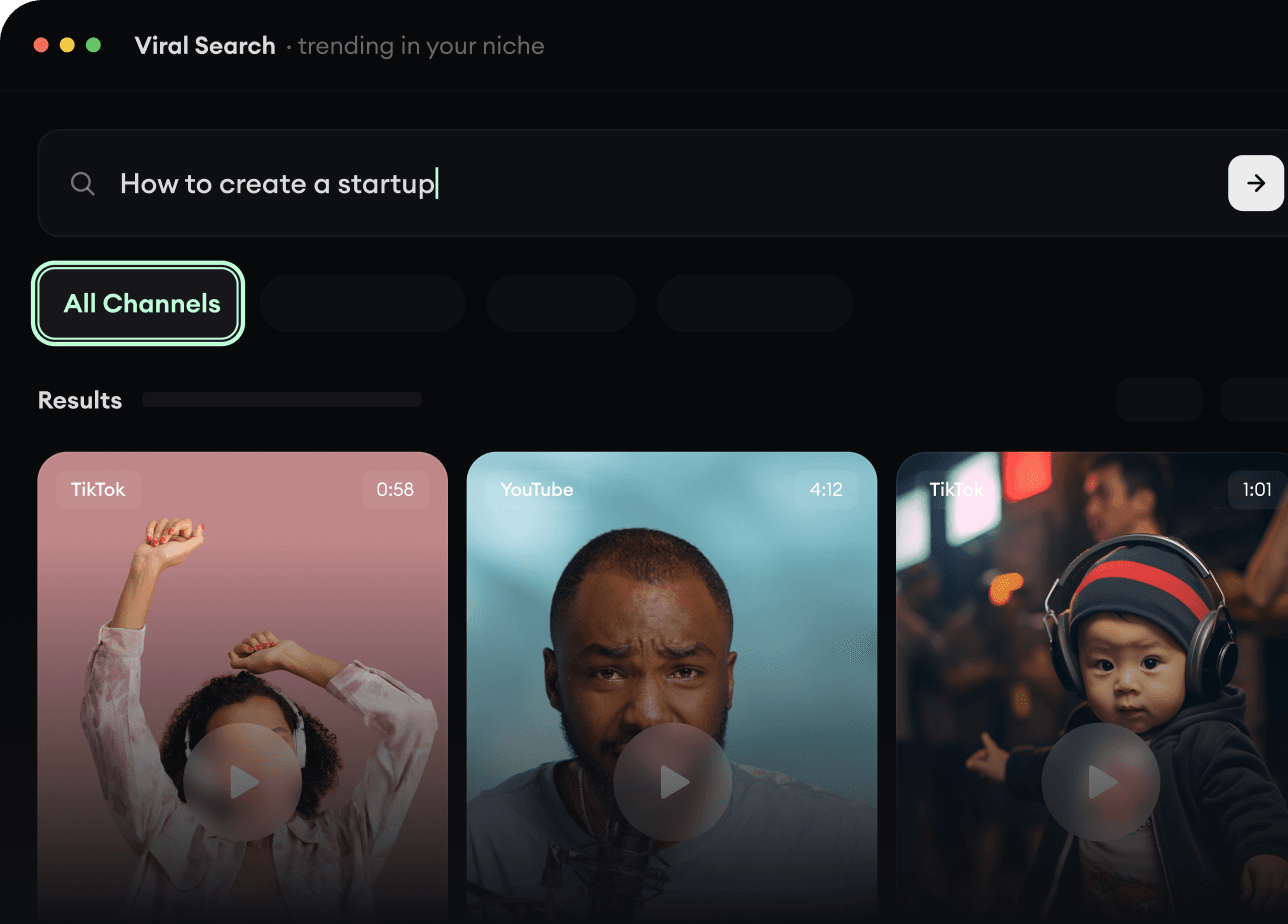
  • Discover winning video formats in your niche
  • Follow creators and channels that matter
  • Start with proven ideas instead of guessing
Find Viral & Trending Videos.
2

Turn An Idea Into A Story.

Found something worth making? Revid AI writes the script, suggests the structure, and turns links, prompts, or topics into complete video concepts.
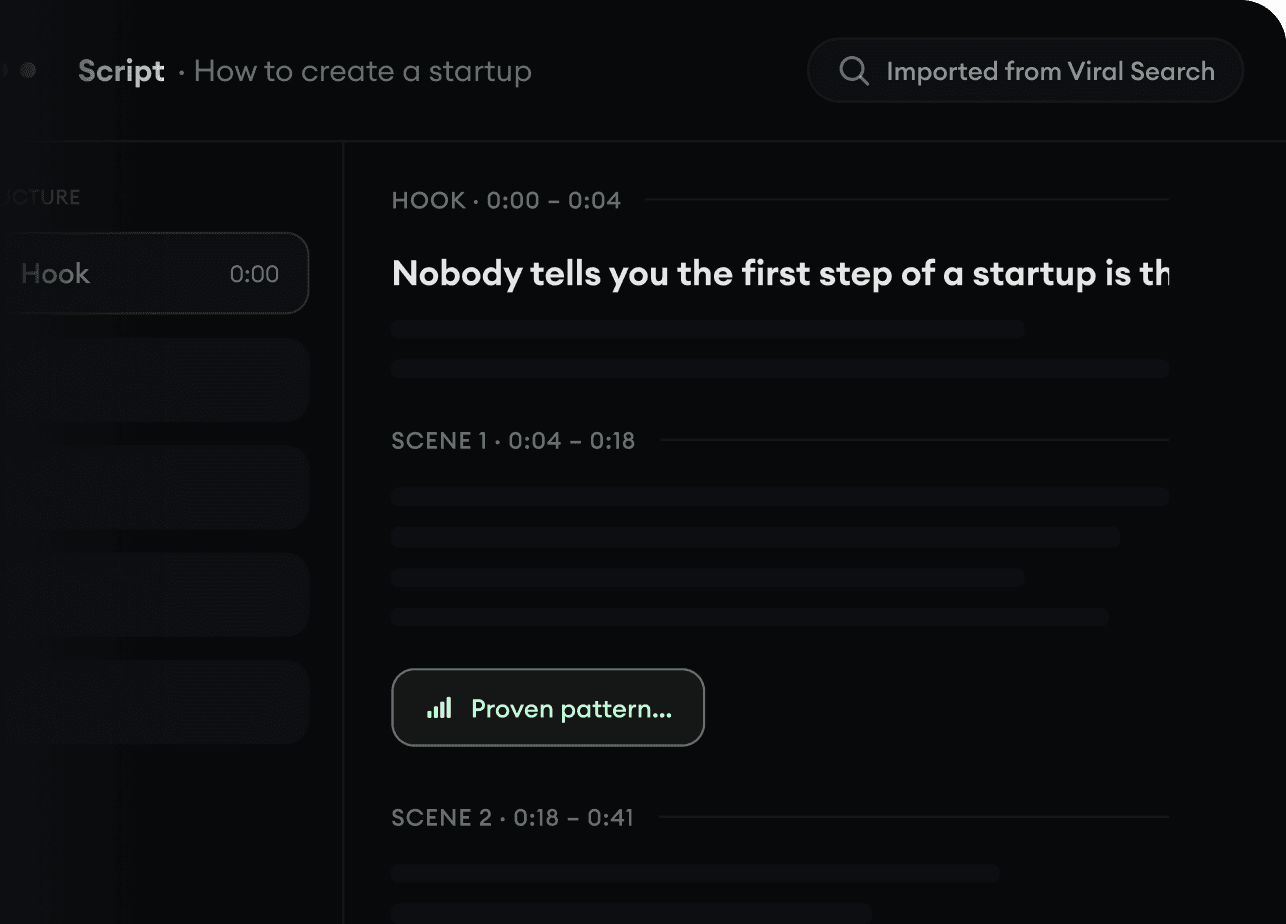
  • Start with a prompt, topic, or URL
  • Generate scripts inspired by proven patterns
  • Build stories designed to keep people watching
Turn An Idea Into A Story.
3

Generate The Finished Video.

Script, voiceover, visuals, subtitles, and editing all come together in one workflow. No stitching together five different tools.
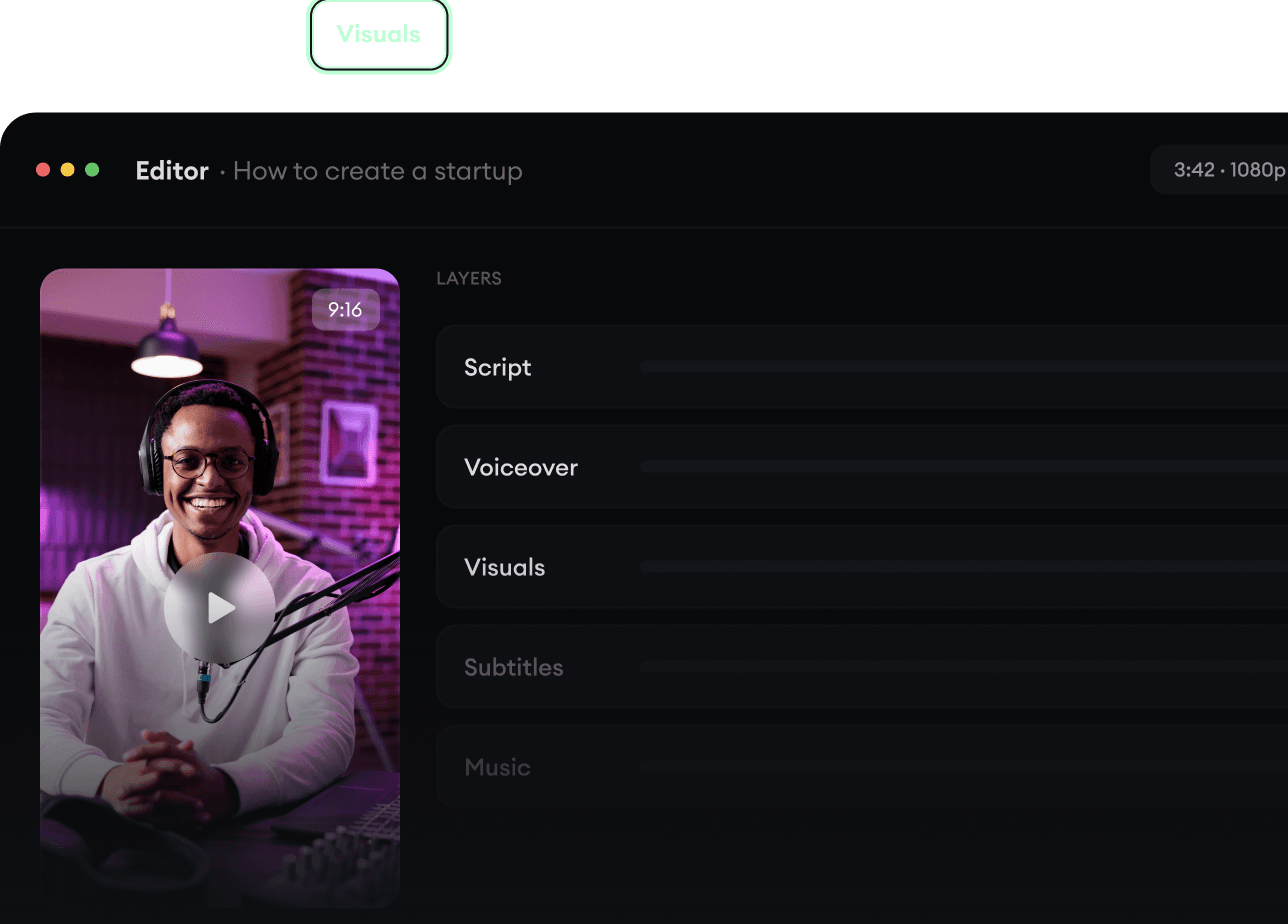
  • Turn text into complete, multi-minute videos
  • Generate everything in one place
  • Refine the result in the editor
Generate The Finished Video.
4

Publish Everywhere.

Share your videos to TikTok, YouTube, Instagram, and wherever your audience is.
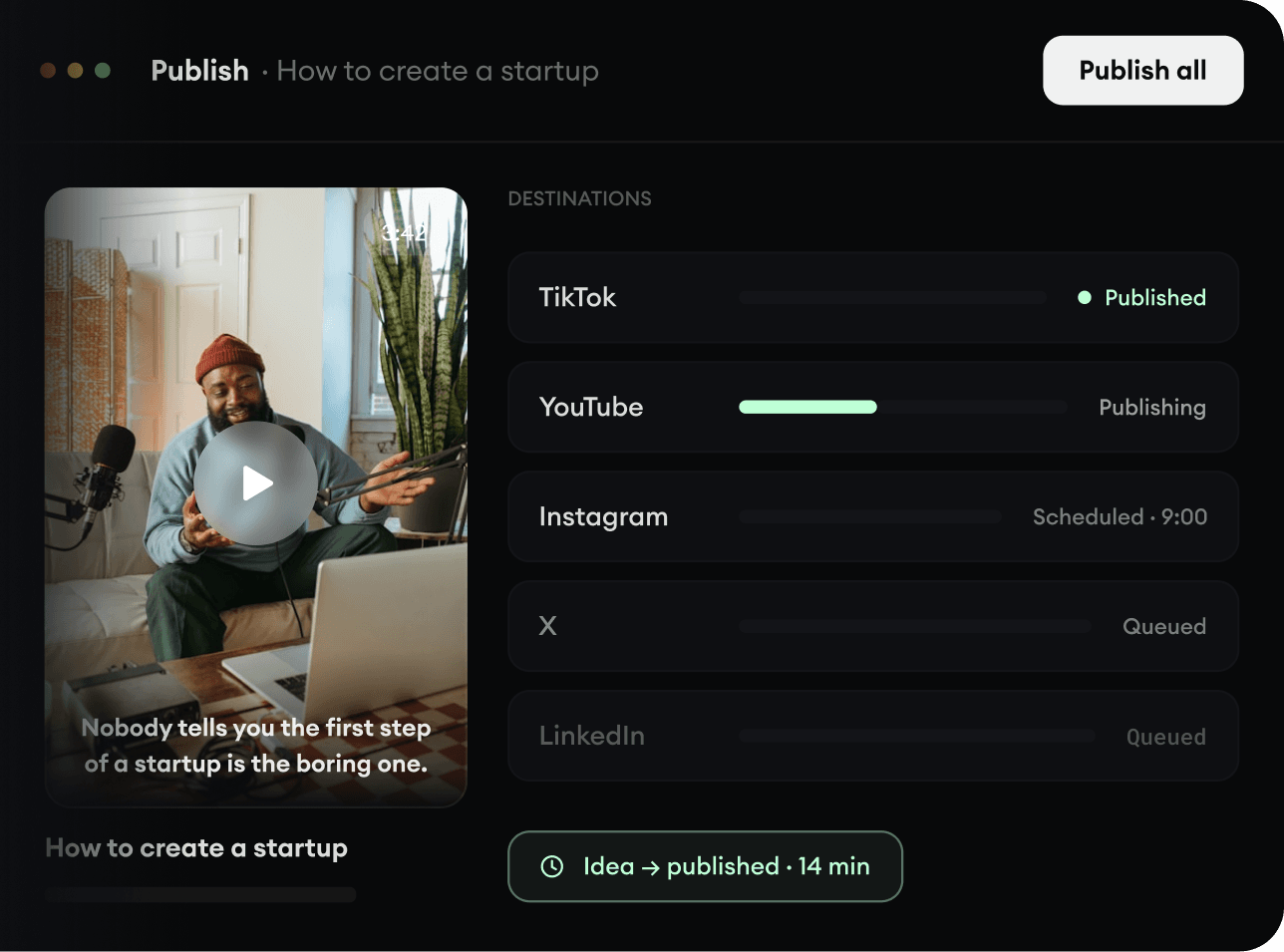
  • Publish across every major platform
  • Reach more people with less work
  • Go from idea to published video in minutes
Publish Everywhere.