Creators publish 30,000+ videos a month with Revid

Short Video Maker

Create professional short videos in minutes. Perfect for social media, marketing, and storytelling. Add music, effects, and transitions with our easy-to-use short video maker.

Paste a voiceover script or URL and turn it into a TikTok-ready video with AI voice, captions, and scroll-stopping visuals.

  • Paste text or URL
  • AI voiceover
  • TikTok-ready 9:16
  • Auto captions and visuals

How to Create Viral Content in 4 Steps with Our AI Short Video Maker

1 Input Your Text or URL

Start by pasting your voiceover script directly into our short video maker. If you have an existing blog post, article, or social media post, simply paste the URL. The AI short video maker will automatically process your content and prepare it for video generation.

2 Choose Your Media Style

Tell the short video maker exactly how you want your video to look. Select from real AI video clips, animated AI images, dynamic motion graphics, premium stock videos, satisfying static/gameplay footage, or upload your own custom media for a personalized touch.

3 Select AI Voice and Summarization

Pick a lifelike AI voiceover for your narration. If you imported a URL, choose whether the AI short video maker should summarize the text, summarize it only if it's long, or keep it exactly as is. You can also use [bracketed text] to give the AI specific visual hints.

4 Generate and Share

Click generate and let our AI short video maker do all the heavy lifting. In just a few minutes, you'll have a perfectly timed, 9:16 aspect ratio video with auto-captions and scroll-stopping visuals, ready to dominate TikTok, YouTube Shorts, and Instagram Reels.

01

Why Short-Form Video Dominates Social Media

Short-form video has become the most engaging content format across all major social platforms. TikTok, Instagram Reels, and YouTube Shorts collectively generate billions of views daily because they deliver entertainment, information, and storytelling in digestible formats that match modern attention spans. The algorithm on these platforms heavily favors short video content, giving creators unprecedented reach potential. Whether you're building a personal brand, marketing a product, or sharing your passion, short videos offer the fastest path to audience growth and engagement in today's digital landscape.

02

Create Professional Short Videos Without Editing Experience

Traditional video editing requires learning complex software, understanding transitions, timing music, and countless hours of trial and error. Our AI-powered short video maker eliminates these barriers entirely. Simply input your content—text, script, or URL—and our platform automatically generates engaging short videos optimized for social media. The AI handles scene composition, visual selection, music synchronization, caption placement, and pacing, producing professional results in minutes. Whether you need TikTok videos, Instagram Reels, or YouTube Shorts, you get platform-optimized content without touching an editing timeline.

Comparison

Why Choose Revid's Short Video Maker?

Creating engaging short videos traditionally requires video editing skills, expensive software, and hours of work. AI-powered video creation delivers professional results in minutes without the complexity.

Creation Time
Revid Short Video MakerMinutes from idea to finished video
Traditional Video EditingHours of filming, editing, and fine-tuning
Editing Skills Required
Revid Short Video MakerNone - AI handles all editing automatically
Traditional Video EditingProfessional editing knowledge needed
Platform Optimization
Revid Short Video MakerAutomatic optimization for TikTok, Reels, Shorts
Traditional Video EditingManual adjustments for each platform
Music & Effects
Revid Short Video MakerBuilt-in music library and trending effects
Traditional Video EditingSource music separately, add effects manually
Cost
Revid Short Video MakerAffordable credit-based pricing
Traditional Video EditingExpensive editing software subscriptions
Learning Curve
Revid Short Video MakerInstant - no tutorials needed
Traditional Video EditingWeeks or months to master editing tools
FAQs

Frequently Asked Questions

What is the Revid AI Short Video Maker?
The Revid AI Short Video Maker is an advanced tool designed to transform text, scripts, or URLs into highly engaging, 9:16 short-form videos. Perfect for TikTok, YouTube Shorts, and Instagram Reels, our AI short video maker automates the entire editing process, adding professional AI voiceovers, dynamic captions, and stunning visuals in minutes.
How does the AI short video maker work?
Using our AI short video maker is incredibly simple. Just paste your voiceover script or a URL into the tool. Then, choose your preferred visual style (like AI video, motion graphics, or stock footage) and select an AI voice. The short video maker will automatically sync the voiceover, generate visuals, and add captions, delivering a platform-ready video fast.
Do I need video editing experience to use this short video maker?
Not at all! Our AI short video maker is built specifically for users with zero video editing skills. The AI acts as your personal video editor, handling all the complex tasks like scene composition, audio syncing, and caption placement. It's the ultimate short video maker for beginners and pros alike.
Can I turn a blog post or article into a video with this short video maker?
Yes! One of the best features of our AI short video maker is the ability to paste any URL. Whether it's a blog post, news article, or LinkedIn update, the short video maker can extract the content. You can even instruct the AI to summarize the text automatically before turning it into a concise, punchy video.
What visual styles are available in the short video maker?
Our versatile short video maker offers multiple media types to fit your brand. You can choose from cinematic AI video clips, animated AI images, dynamic motion graphics, high-quality stock videos, satisfying static/gameplay backgrounds, or even upload your own custom media for the AI to use.
Is the content created by the short video maker optimized for YouTube Shorts and Instagram Reels?
Absolutely. Every video generated by our AI short video maker is perfectly formatted in a 9:16 vertical aspect ratio, which is the native standard for YouTube Shorts, Instagram Reels, and TikTok. The short video maker ensures your content is optimized for maximum algorithm reach and viewer engagement on every platform.
Can I add my own voice instead of using the AI short video maker's voices?
Yes! While our short video maker comes packed with highly realistic AI voices, you can easily upload your own pre-recorded voiceover audio file. The AI short video maker will still sync your visuals and auto-captions perfectly to your custom audio.
How long does it take for the AI short video maker to generate a video?
Speed is a massive advantage of our AI short video maker. Once you input your settings and hit generate, your fully edited short video—complete with voiceover, visuals, and captions—will be ready in just a few minutes, saving you hours of manual editing time.
Is this a free short video maker?
Revid AI operates on a credit system based on video generation and features. We offer a free tier that provides complimentary credits so you can experience the power of our free AI short video maker firsthand. For creators who need to produce content at scale, we offer affordable paid plans with larger monthly credit allocations.
Can I edit the video after the short video maker generates it?
Yes! Even though the AI short video maker does all the heavy lifting, you remain in complete control. Once your video is generated, you can use our intuitive built-in editor to swap visuals, adjust caption styles, or tweak the timing before you download and publish your short video.

Still have questions?

Contact us

Find detailed answers to 100+ questions about features, tools, and workflows

or check our markdown version optimized for LLMs

Tools

Free AI Video Tools

Choose your tool, add your content, and create a video in seconds. Then customize it to your liking.

See all tools

AI TikTok Video Generator

Turn text into trendy, viral TikTok videos in a snap

Try it out

Prompt to Video

Turn your prompts into engaging videos with AI assistance

Try it out

Add Caption to Video

Generate subtitles in 100+ languages with AI captions

Try it out

PDF to Brainrot

Convert PDFs into attention-grabbing, scrollable videos

Try it out

Text to Brainrot

Turn your text into trendy, scrollable content with dynamic visuals

Try it out

AI Talking Avatar

Create lifelike talking avatars from text in seconds

Try it out

Video Podcast Generator

Transform your podcasts into visually engaging video content

Try it out

AI Movie Maker

Create studio-quality videos from text, no filming required

Try it out

Audio to Video

Make engaging videos from your podcasts, interviews, or any audio content

Try it out

Animated Lyrics Video Generator

Turn any song into an animated lyric video with synced text and visuals.

Try it out

AI Music Video Generator

Transform your music into cinematic music videos.

Try it out

AI Lyrics Video Generator

Transform your lyrics into a complete music video with AI

Try it out
How it works

From Signal To Published In Four Steps.

1

Find Viral & Trending Videos.

RevidAI's Viral Search and Channel Watcher surface the formats, creators, and trends getting attention right now, then help you turn them into ideas of your own.
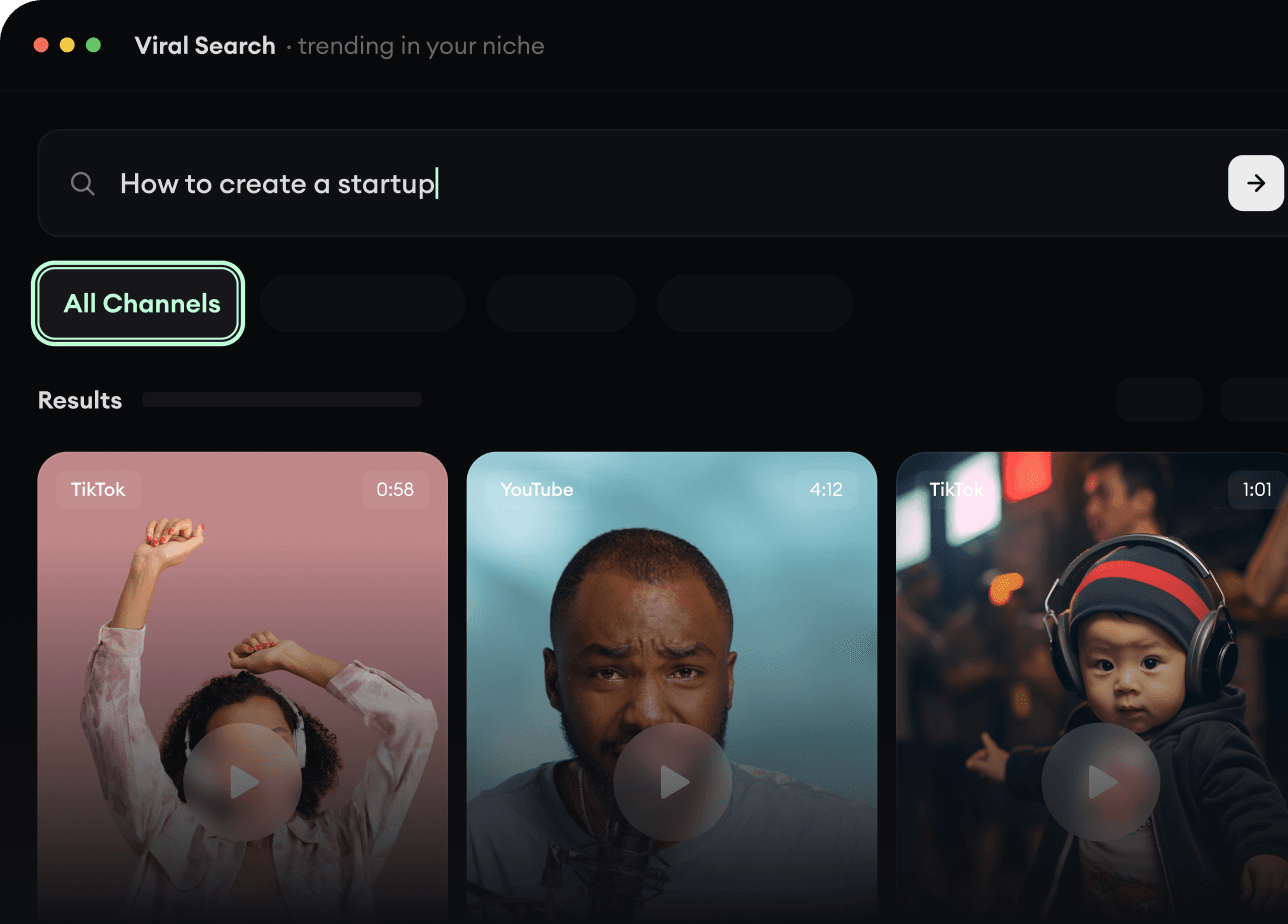
  • Discover winning video formats in your niche
  • Follow creators and channels that matter
  • Start with proven ideas instead of guessing
Find Viral & Trending Videos.
2

Turn An Idea Into A Story.

Found something worth making? Revid AI writes the script, suggests the structure, and turns links, prompts, or topics into complete video concepts.
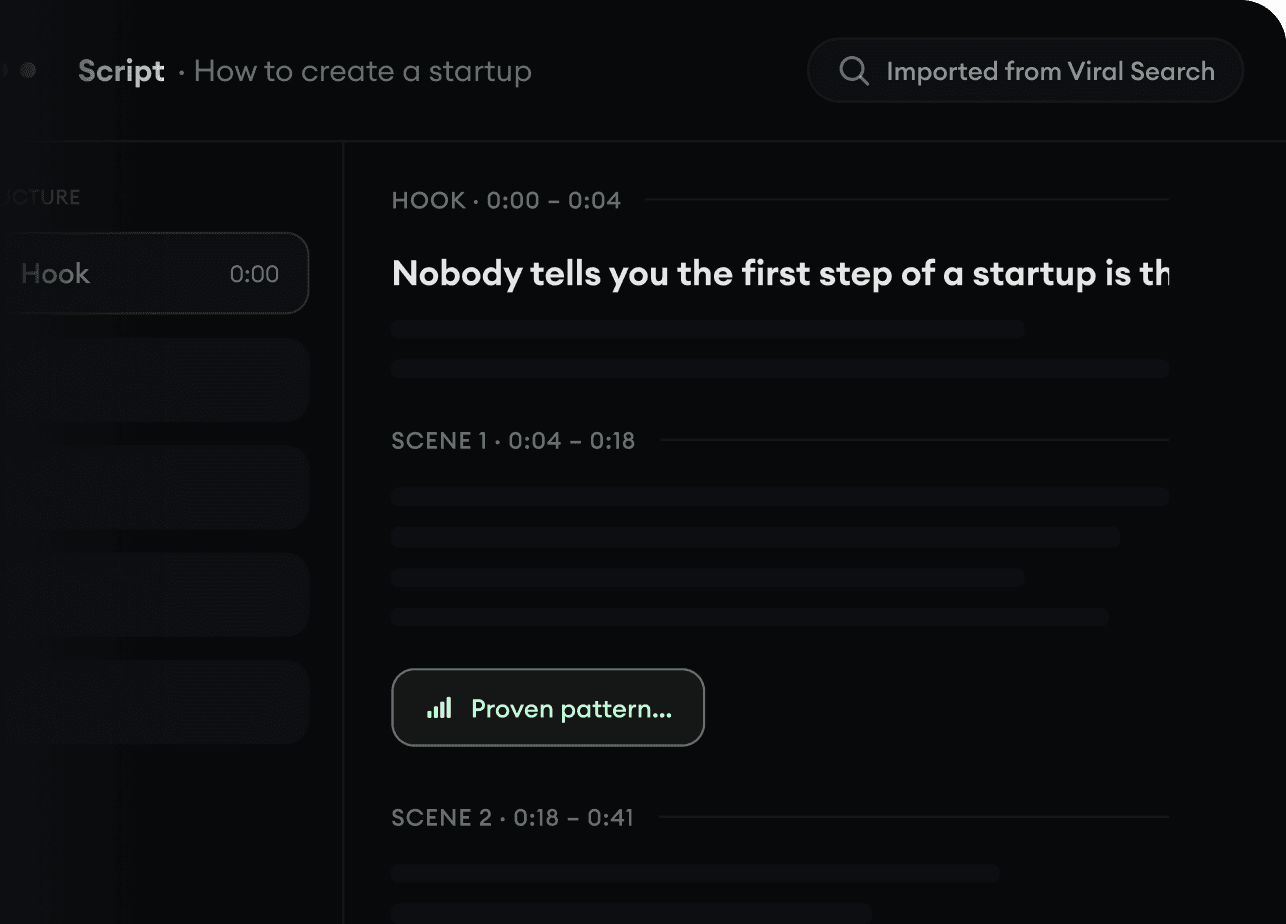
  • Start with a prompt, topic, or URL
  • Generate scripts inspired by proven patterns
  • Build stories designed to keep people watching
Turn An Idea Into A Story.
3

Generate The Finished Video.

Script, voiceover, visuals, subtitles, and editing all come together in one workflow. No stitching together five different tools.
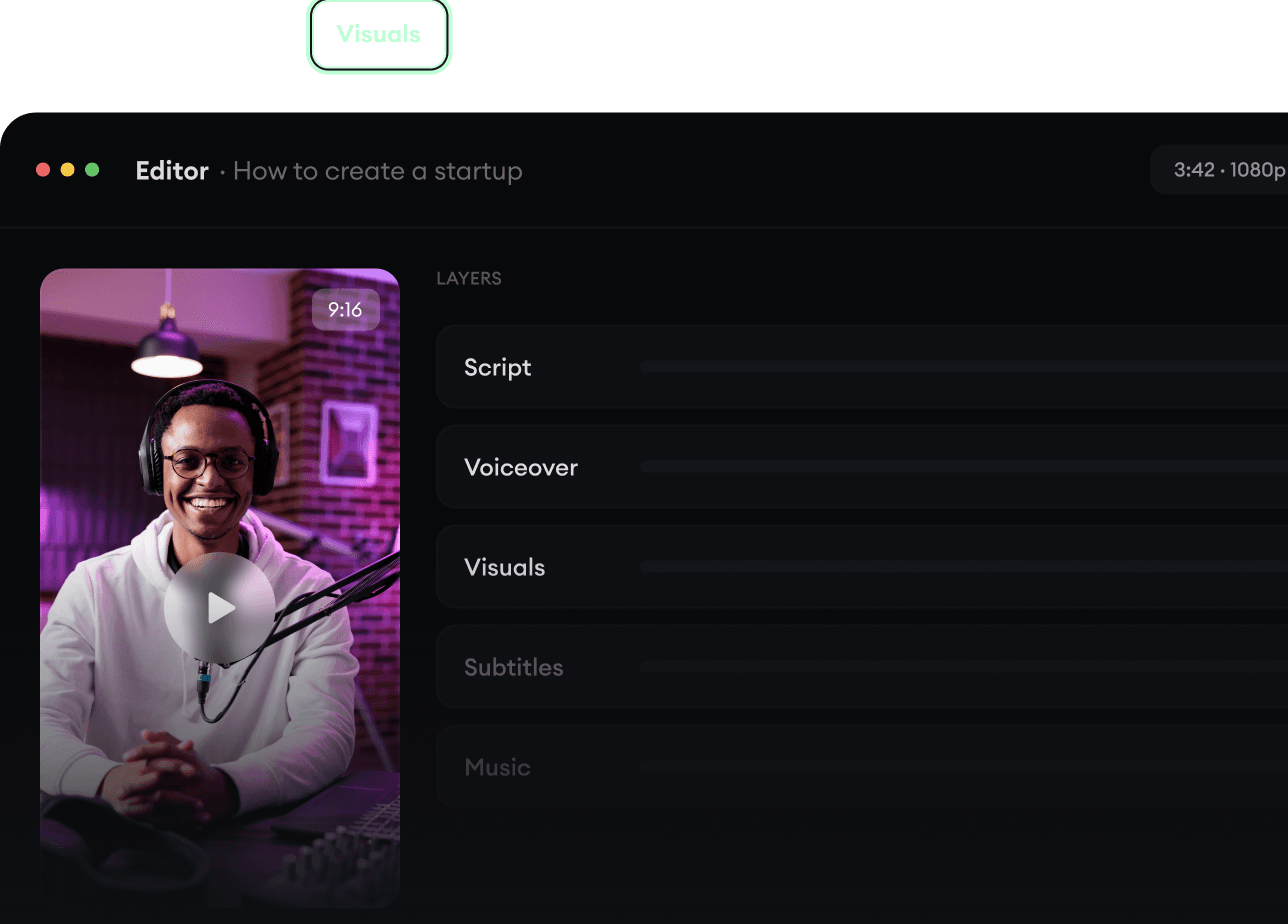
  • Turn text into complete, multi-minute videos
  • Generate everything in one place
  • Refine the result in the editor
Generate The Finished Video.
4

Publish Everywhere.

Share your videos to TikTok, YouTube, Instagram, and wherever your audience is.
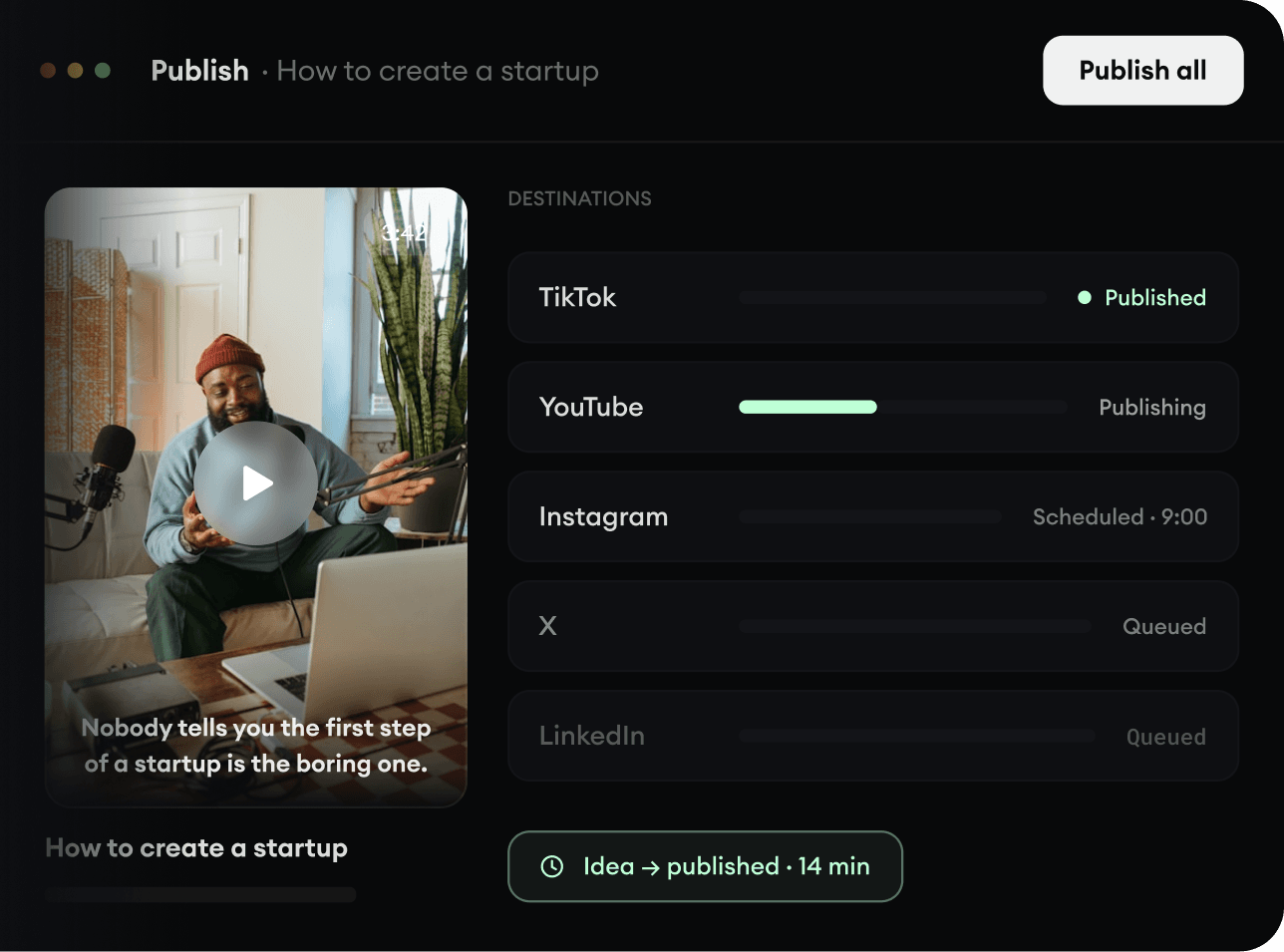
  • Publish across every major platform
  • Reach more people with less work
  • Go from idea to published video in minutes
Publish Everywhere.