Creators publish 30,000+ videos a month with Revid

YouTube Video AI Summarizer

Summary AI Video Generator: Create faceless videos in minutes. No filming needed. Natural voices, dynamic visuals for any topic. Ultimate faceless video tool for creators. Try for free!

Turn any long YouTube video into Shorts with auto-crop, clip selection, and platform-ready formatting.

  • Paste a YouTube URL
  • Extract the best clips
  • Shorts, Reels, TikTok ready
  • Auto-crop for vertical
Proof of range

Start From What Already Works

YOUR IDEA
Your Prompt

Script automatically generated by Revid
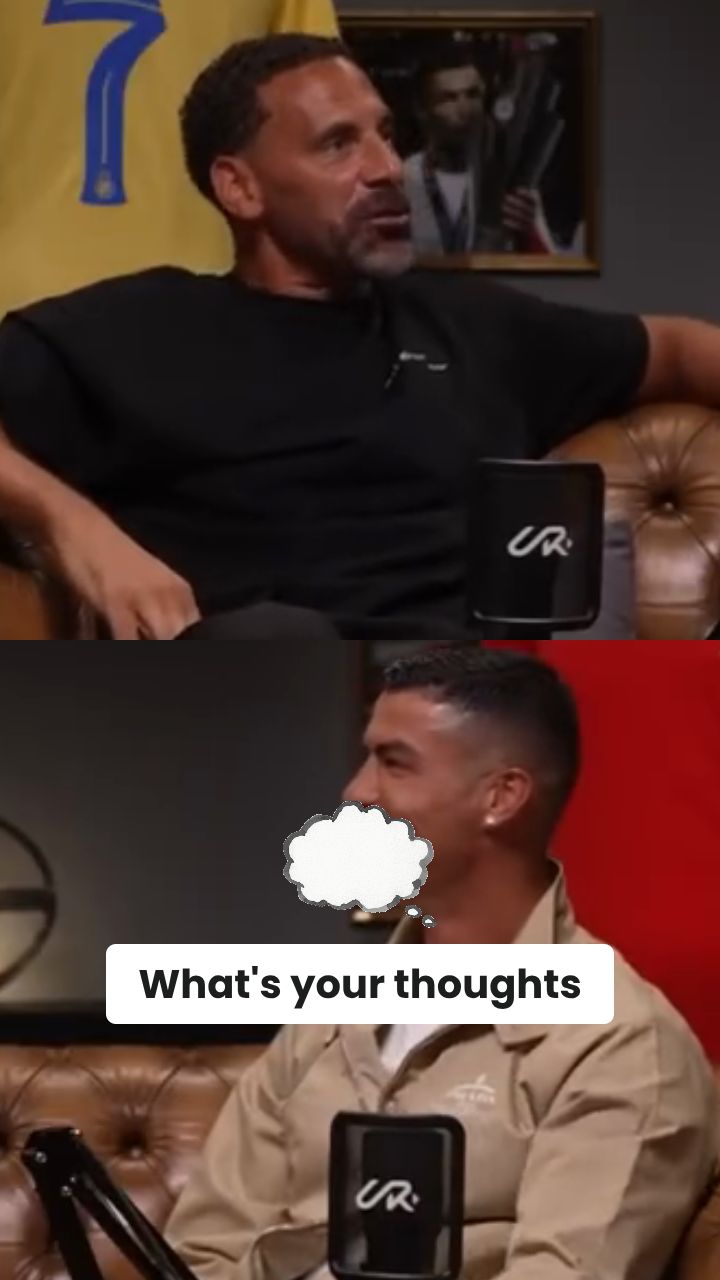
https://www.youtube.com/watch?v=t40HXEc6c84
Visual FormatAI Video
Visual StyleDefault
FINAL VIDEO

Create Short Clips in 3 Steps with Our AI YouTube Video Summarizer

1 Paste Your YouTube URL

Start by pasting the link of the long-form content into our YouTube Video Summarizer. Whether you want to summarize a podcast, lecture, or tutorial, our AI easily processes the YouTube URL to find the key moments without you needing to download any files.

2 Select Summarization & Auto-Crop Settings

Customize your short video by toggling our AI features. Choose 'Have AI to summarize the video' to generate a natural voiceover that recaps the content. For the best mobile experience, enable 'Auto-reframe video' to let our AI auto-crop the horizontal footage into a perfect 9:16 vertical ratio.

3 Generate Your Short Video Clip

Click generate and let our AI YouTube Video Summarizer do the heavy lifting. Within minutes, your long video is condensed into a highly engaging, shareable short clip ready to be published on TikTok, Instagram Reels, and YouTube Shorts.

01

Summarize YouTube Videos into Short Clips Without Manual Editing

Paste any YouTube URL and Revid's AI watches the video, identifies the most important moments, and generates a short summary clip with AI voiceover and auto-crop for mobile viewing. No manual scrubbing, clip selection, or editing is required. The AI condenses hours of long-form content into a focused short video that communicates the key points in under a minute. This works for interviews, tutorials, lectures, product demos, podcasts, and any other long-form YouTube content you want to repurpose for short-form platforms.

02

What the AI Generates from Your YouTube Video

The YouTube video summarizer analyzes the full transcript and content structure of your video, extracts the most valuable moments, and builds a short video around them. If you enable AI voiceover, the tool generates a natural-sounding summary narration that contextualizes the clips for viewers who have not seen the original video. Auto-crop reformats the content to 9:16 vertical for TikTok and Instagram Reels. The output is a complete short video ready to post without any post-processing required.

03

YouTube Summary Videos That Boost Channel Growth and Cross-Platform Reach

Long-form YouTube videos attract deep viewers but limit your reach on short-form platforms where most new audience discovery happens. Converting your existing YouTube content into short summary clips gives every video a second life on TikTok, Instagram Reels, and YouTube Shorts. Creators who repurpose consistently build audiences on multiple platforms simultaneously without producing new content for each one. Revid makes this a one-click step rather than a separate editing project that competes with time you would rather spend creating.

Target Audience

Who is this tool for?

YouTube creators repurposing long videos

Extract the best moments from every long video and post them as shorts on TikTok and Instagram without spending editing time on each clip beyond the original upload.

Social media managers clipping interviews and podcasts

Turn hours of interview footage and podcast content into short shareable clips automatically without listening through every minute to find the best moments manually.

Educators distributing lecture content as short lessons

Condense long educational videos into focused short clips that students and learners can watch quickly, increasing content accessibility and engagement across multiple platforms.

Brands extracting highlights from product demos

Pull the most compelling moments from product demos, webinars, and tutorial videos to create short promotional clips that reach buyers on platforms where long-form content never appears.

Comparison

Revid vs. Manually Clipping and Summarizing YouTube Videos

Manual YouTube summarization requires watching the full video, selecting timestamps, editing clips, and recording narration. Revid generates the complete summary video automatically from the URL.

Input
Revid YouTube Video SummarizerPaste a YouTube URL and generate immediately
Other ToolsWatch the full video, note timestamps, and edit clips manually
Clip selection
Revid YouTube Video SummarizerAI identifies the strongest moments automatically
Other ToolsManually scrub through footage to find highlights
Voiceover
Revid YouTube Video SummarizerAI summary narration generated and synced automatically
Other ToolsRequires writing a summary script and recording narration separately
Format
Revid YouTube Video SummarizerAuto-crop to vertical 9:16 for mobile platforms
Other ToolsManual resizing and reformatting for each platform
Production time
Revid YouTube Video SummarizerFinished summary clip in minutes per video
Other ToolsHours of editing work per video summarized
Volume
Revid YouTube Video SummarizerProcess multiple YouTube videos in one session
Other ToolsEach video requires a separate full editing workflow
FAQs

Frequently Asked Questions

What is the AI YouTube Video Summarizer?
The AI YouTube Video Summarizer is a powerful tool designed to turn long YouTube videos into short, engaging clips. By simply pasting a YouTube URL, our AI extracts the key moments, automatically crops the video for vertical viewing, and can even generate an AI voice summary. It is the ultimate tool to summarize YouTube videos into bite-sized content for social media.
How do I use the YouTube Video Summarizer to create clips?
Using our YouTube Video Summarizer is incredibly simple. Just paste your YouTube URL into the tool, select if you want the AI to generate a summarized voiceover, and choose whether to enable the auto-crop feature. Hit generate, and our AI YouTube Video Summarizer will automatically extract the best highlights and deliver a polished short video in minutes.
Does the AI generate a voiceover to summarize the YouTube video?
Yes! Our YouTube Video Summarizer features a unique toggle called "Have AI to summarize the video." When enabled, the tool analyzes the original transcript, extracts the core message, and generates a natural-sounding AI voiceover to explain and summarize the video's key moments perfectly to a new audience.
Can I convert horizontal YouTube videos into vertical Shorts or Reels?
Absolutely. Our AI YouTube Video Summarizer includes an intelligent "Auto-reframe" (auto-crop) feature. When enabled, the AI tracks the main subject in your horizontal YouTube video and automatically crops it to a 9:16 vertical aspect ratio, making it perfectly optimized for YouTube Shorts, TikTok, and Instagram Reels.
How much does it cost to use the YouTube Video Summarizer?
The base cost to summarize a YouTube video depends on your subscription plan's standard credit usage. If you choose to enable the advanced "Auto-reframe video" feature to automatically crop your footage to a mobile aspect ratio, it costs an additional 10 credits.
What types of YouTube videos are best to summarize?
Our YouTube Video Summarizer works brilliantly with any long-form content. It is highly effective for podcasts, interviews, educational lectures, product demos, and vlogs. Any video where you need to extract key moments and summarize a YouTube video into a punchy, 60-second clip is a perfect fit.
How long does the AI take to summarize a YouTube video?
Revid's AI YouTube Video Summarizer is built for speed. In most cases, it takes just a few minutes to process the YouTube URL, identify the key moments, generate the voiceover summary, and auto-crop the footage. You get hours of manual editing work done in a fraction of the time.
Can I edit the clips generated by the YouTube Video Summarizer?
Yes! After the AI YouTube Video Summarizer creates your short clip, you can use our built-in video editor to make final adjustments. You can tweak the generated captions, adjust the auto-crop framing, or add your own text overlays before downloading your finalized short video.
Why should I use an AI YouTube Video Summarizer instead of manual editing?
Manual video editing requires you to watch hours of footage, manually select timestamps, write a summary, record voiceovers, and reframe the video for mobile. Our AI YouTube Video Summarizer automates this entire workflow. It saves you hours of production time while scaling your content strategy across multiple social media platforms simultaneously.
Do I need to download the original YouTube video first?
No, there is no need to download heavy video files. The AI YouTube Video Summarizer works entirely via URL. Just paste the public YouTube link directly into the tool, and our cloud-based AI will securely process, summarize, and extract the key moments for you.
Where can I post the short videos created by the summarizer?
The short clips generated by our YouTube Video Summarizer are natively formatted in a 9:16 aspect ratio (when using auto-crop), making them ideal for the most popular short-form video platforms. You can upload them directly to TikTok, Instagram Reels, YouTube Shorts, or Snapchat Spotlight to maximize your channel's cross-platform reach.

Still have questions?

Contact us

Find detailed answers to 100+ questions about features, tools, and workflows

or check our markdown version optimized for LLMs

Tools

Free AI Video Tools

Choose your tool, add your content, and create a video in seconds. Then customize it to your liking.

See all tools

AI TikTok Video Generator

Turn text into trendy, viral TikTok videos in a snap

Try it out

Prompt to Video

Turn your prompts into engaging videos with AI assistance

Try it out

Add Caption to Video

Generate subtitles in 100+ languages with AI captions

Try it out

PDF to Brainrot

Convert PDFs into attention-grabbing, scrollable videos

Try it out

Text to Brainrot

Turn your text into trendy, scrollable content with dynamic visuals

Try it out

AI Talking Avatar

Create lifelike talking avatars from text in seconds

Try it out

Video Podcast Generator

Transform your podcasts into visually engaging video content

Try it out

AI Movie Maker

Create studio-quality videos from text, no filming required

Try it out

Audio to Video

Make engaging videos from your podcasts, interviews, or any audio content

Try it out

Animated Lyrics Video Generator

Turn any song into an animated lyric video with synced text and visuals.

Try it out

AI Music Video Generator

Transform your music into cinematic music videos.

Try it out

AI Lyrics Video Generator

Transform your lyrics into a complete music video with AI

Try it out
How it works

From Signal To Published In Four Steps.

1

Find Viral & Trending Videos.

RevidAI's Viral Search and Channel Watcher surface the formats, creators, and trends getting attention right now, then help you turn them into ideas of your own.
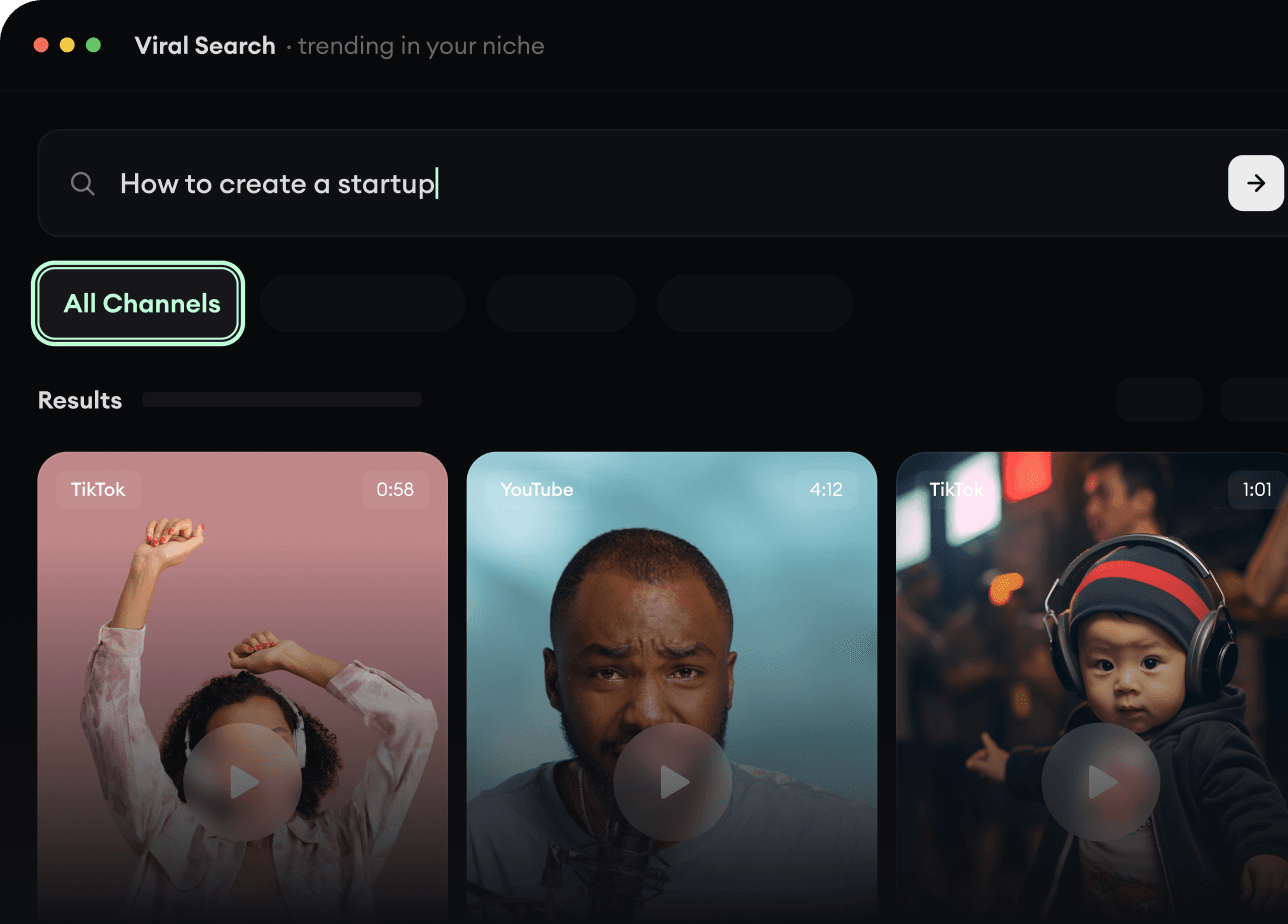
  • Discover winning video formats in your niche
  • Follow creators and channels that matter
  • Start with proven ideas instead of guessing
Find Viral & Trending Videos.
2

Turn An Idea Into A Story.

Found something worth making? Revid AI writes the script, suggests the structure, and turns links, prompts, or topics into complete video concepts.
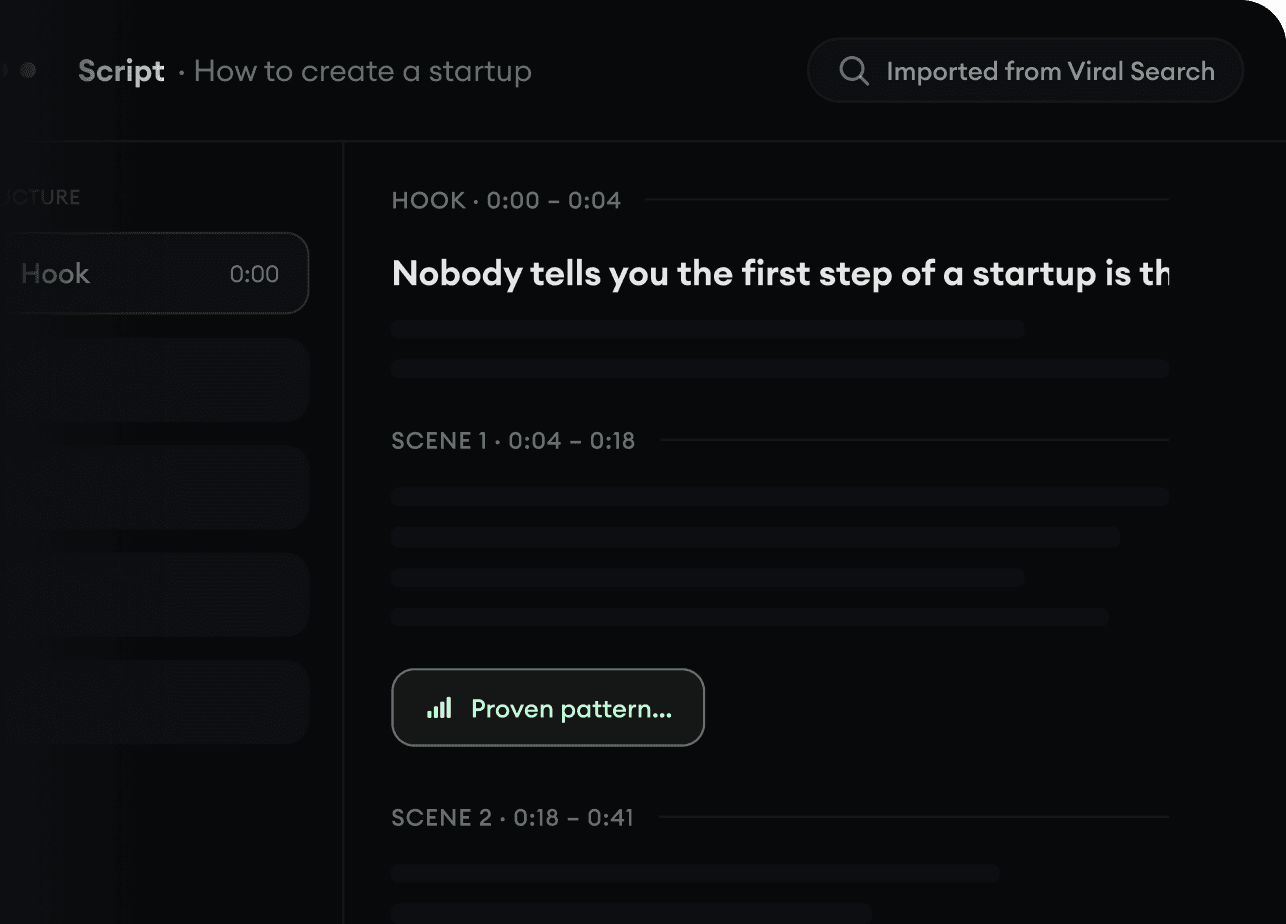
  • Start with a prompt, topic, or URL
  • Generate scripts inspired by proven patterns
  • Build stories designed to keep people watching
Turn An Idea Into A Story.
3

Generate The Finished Video.

Script, voiceover, visuals, subtitles, and editing all come together in one workflow. No stitching together five different tools.
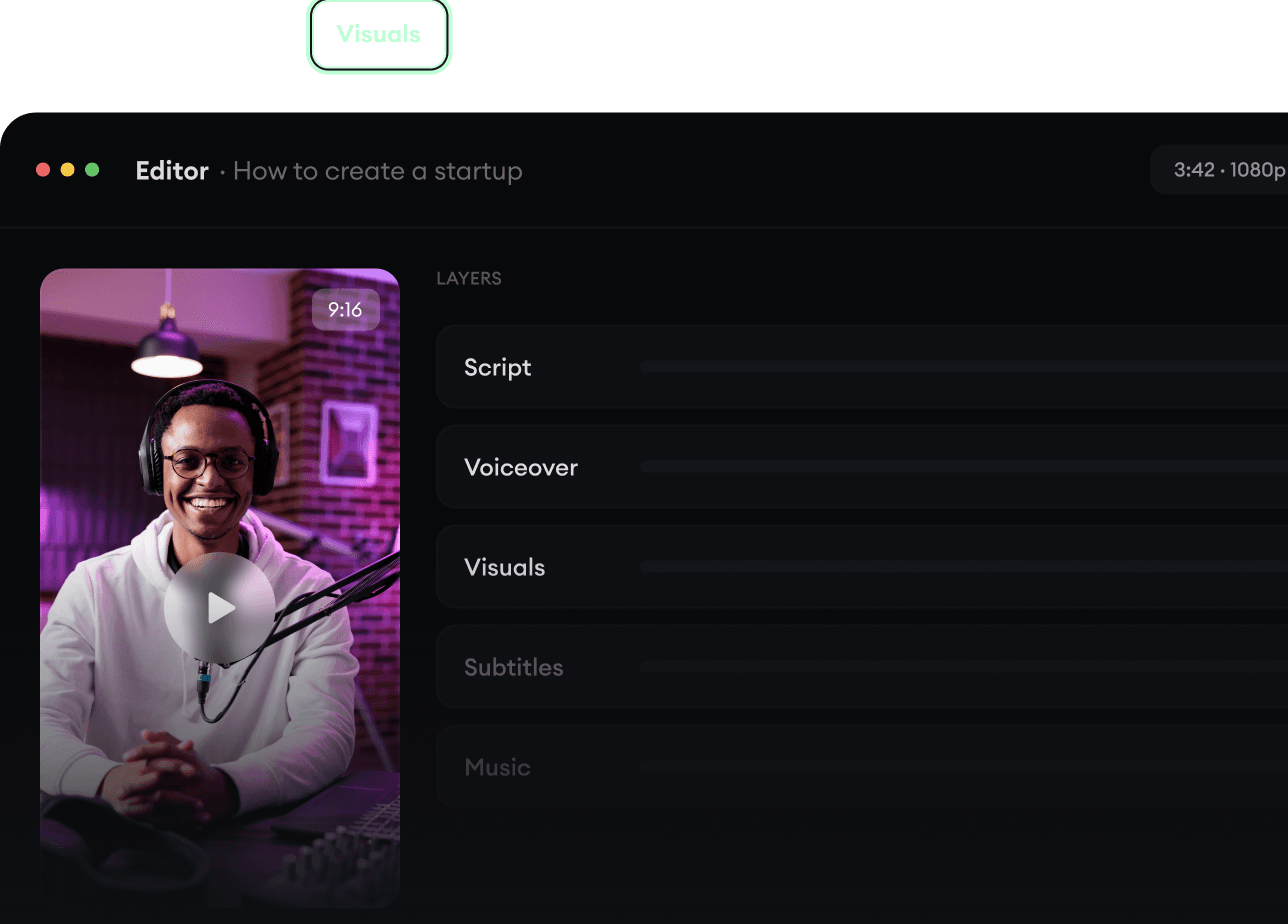
  • Turn text into complete, multi-minute videos
  • Generate everything in one place
  • Refine the result in the editor
Generate The Finished Video.
4

Publish Everywhere.

Share your videos to TikTok, YouTube, Instagram, and wherever your audience is.
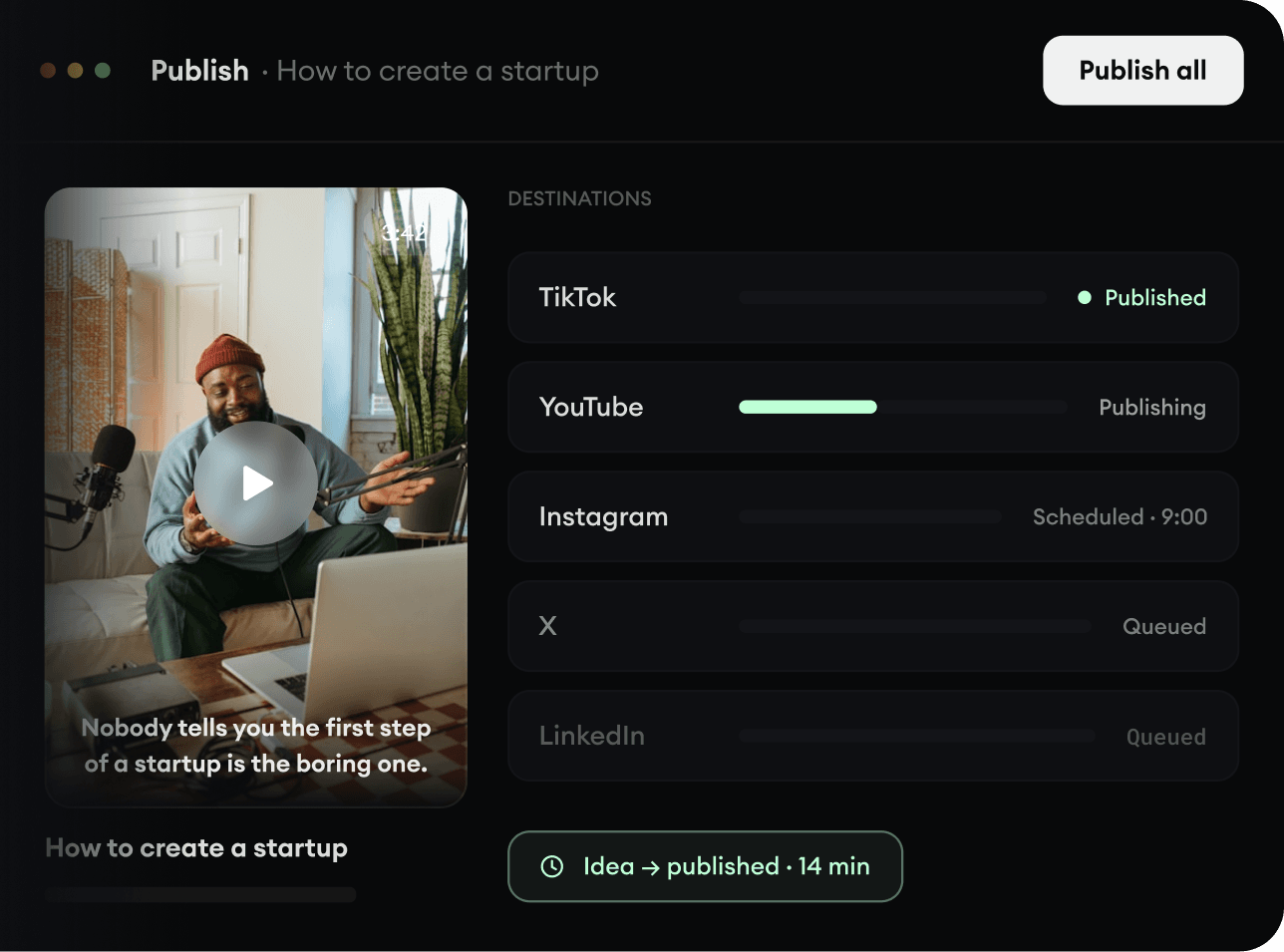
  • Publish across every major platform
  • Reach more people with less work
  • Go from idea to published video in minutes
Publish Everywhere.